How to Check CSV File Delimiter
Learn reliable methods to identify and verify the delimiter used in a CSV file, with hands-on steps, scripting options, and best practices for error-free data import. This guide covers common delimiters, visual checks, and programmatic approaches.


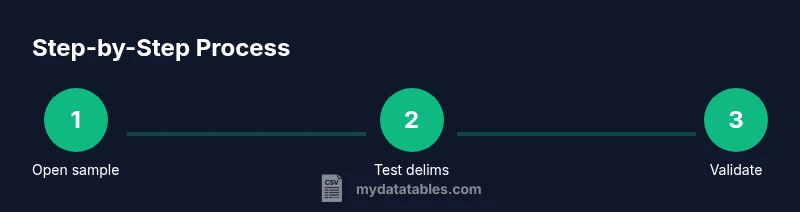
To check a CSV delimiter, inspect the file in a text editor, count the separators in a line, and test with a parser that lets you specify the delimiter. Common delims are comma, semicolon, tab, or pipe. If rows differ or quotes surround fields, verify using a tolerant parser or an inspection tool. This guide shows reliable checks and practical steps.
Understanding CSV Delimiters
CSV delimiters are the characters used to separate fields within a single line of a CSV file. While the name implies a comma, many datasets use semicolons, tabs, or pipes, especially in regional locales or when fields contain commas. The delimiter choice affects how software parses and imports data, so it’s essential to verify it before performing reads, joins, or aggregations. The phrase how to check csv file delimiter is common in data-import guides, but the best practice is to use multiple checks to confirm consistency across the file. According to MyDataTables, starting with a clear hypothesis about the likely delimiter helps structure the validation workflow and reduces debugging time later in the data pipeline.
This section introduces core concepts: the most common delimiter options, how quotes interact with delimiters, and why a single-file test may not be enough. You’ll learn to combine visual checks with lightweight scripts to confirm the delimiter with high confidence. By mastering delimiter detection, you can prevent misaligned columns, corrupted records, and downstream transformation errors. The goal is to establish a repeatable, language-agnostic approach that you can apply to CSVs from any source.
Why Delimiter Mismatches Cause Issues
When a CSV’s delimiter is misidentified, a single import can explode into misaligned columns, merged fields, or completely garbled rows. Analysts may see headlines like “unexpected number of fields” or “column misalignment in downstream joins.” This is especially painful in ETL pipelines where downstream steps depend on consistent schema. The delimiter also interacts with quoting rules: if a field contains the delimiter and isn’t properly quoted, the parser may split it in the wrong place. In practice, a delimiter error can cascade through quality checks, making data discoverability a slog rather than a smooth analytical journey. MyDataTables emphasizes validating the delimiter early in the data ingestion stage to avoid expensive reprocessing later.
Visual Inspection: Quick sanity check
A fast visual check can reveal obvious delimiter candidates. Open the file in a basic text editor and look at the first few non-empty lines. Count how many separators appear per line, and compare several lines to see if the count stays consistent. If you see line breaks that yield different field counts, it’s a strong signal that the delimiter is not uniform across the file. Also watch for surrounding quotes that may protect embedded delimiters. This kind of check is lightweight, helps you form a working hypothesis about the delimiter, and provides a baseline for more precise tests.
Programmatic Methods: Python, PowerShell, Bash
Programmatic checks are repeatable and scalable. In Python, pandasread_csv accepts a sep parameter to test different delimiters, letting you observe how many columns result from each choice. In PowerShell or Bash, simple line-counting and field-splitting can quickly reveal which delimiter yields uniform column counts. A typical approach is to read a sample line, split by a candidate delimiter, and compare the length of the resulting list across multiple lines. If you find stable column counts with a particular delimiter, you’ve likely identified the correct one. When in doubt, combine two or more languages to validate results and increase reliability, as recommended by the MyDataTables team.
Spreadsheet Tools: Excel & Google Sheets
Excel and Google Sheets can automatically infer a delimiter when you import a CSV, but this auto-detection isn’t always reliable. A practical method is to perform a data import with several delimiter options in the “Text Import Wizard” (Excel) or the “Import file” dialog (Google Sheets) and compare the resulting column counts. If a delimiter produces clean, evenly sized rows, that’s a strong indicator. You can also preview a handful of lines to ensure quotes and escaping are handled correctly. For most quick checks, a couple of guided imports will reveal the delimiter without writing code.
Command-Line Delimiter Detection Techniques
If you prefer command-line approaches, there are concise, fast methods to test delimiters. Use a small awk or cut script to count fields per line when using different separators. For example, counting the number of fields when splitting on a comma versus a tab will quickly show which yields consistent column counts. This method is particularly useful for very large files where loading into memory is impractical. The same idea can be extended with small one-liners in sed or perl for more complex patterns.
Handling Quoted Fields and Escape Characters
Delimited fields enclosed in quotes can hide the true delimiter, especially when the field contains the delimiter character itself. A robust delimiter check accounts for quoted sections, escaped quotes, and newline characters inside fields. In practice, you’ll want to test with sample lines that include quotes around fields containing the delimiter, and verify that the parser respects the quoting rules. If quotes aren’t properly used, you may still get misinterpretation of the data, even with the correct delimiter.
Mixed Delimiters and Inconsistent Files
Some files mix delimiters or contain irregular rows. In such cases, establish a conservative rule: treat the most frequent delimiter as the primary one, but flag lines that deviate from the expected field count for manual review. Document any exceptions or regional variations present in the data source. When possible, obtain a version of the file from the source that uses a single, consistent delimiter to minimize downstream issues.
Best Practices for Delimiter Hygiene
Adopt a standard delimiter policy for all CSV exports within a project and specify the delimiter explicitly in import scripts. Maintain a small test suite that includes lines with quoted fields, embedded delimiters, and mixed whitespace. Include checks for encoding (UTF-8 is common) and line endings (LF vs CRLF). Finally, store a short metadata snippet alongside CSVs that records the delimiter, encoding, and a sample line. These practices reduce ambiguity and speed up data pipelines, aligning with recommendations from MyDataTables.
Tools & Materials
- Text editor or hex viewer(Open the file to view raw delimiters and quotes)
- CSV sample file (with known delimiter)(Include lines with varying field counts for testing)
- Python with pandas(Use read_csv with different sep values to test delimiters)
- Command-line tools (grep/awk/sed)(Quick checks on a large file without loading into memory)
- Spreadsheet software (Excel or Google Sheets)(Helpful for visual verification during import steps)
Steps
Estimated time: 15-45 minutes
- 1
Open the file and inspect lines
Open the CSV in a text editor and look at the first few non-empty lines. Note the character that appears most frequently between fields and check for surrounding quotes. This helps form a working hypothesis about the delimiter.
Tip: If you see embedded quotes, note how they surround adjacent fields. - 2
Count delimiters in a sample line
Select a representative line and count how many delimiter characters appear. Compare several lines to see if the count is stable. A consistent count across lines strongly suggests a single delimiter.
Tip: Focus on lines with a similar structure to avoid outliers due to quoted text. - 3
Test multiple delimiters programmatically
Using Python (pandas) or a simple shell script, attempt to parse with sep=',' sep=';' sep=' ' and compare the resulting number of columns. The delimiter that yields a stable column count is likely correct.
Tip: Start with the most common delimiters for your region (comma or semicolon). - 4
Verify quoting behavior
Check lines that contain the delimiter inside quotes. Ensure your parser ignores delimiters inside quotes and correctly handles escaped quotes.
Tip: Throw in a line like '"field, with comma", another' to test quoting. - 5
Validate with a second method
If possible, import with a spreadsheet tool or a different parser to confirm the same delimiter yields clean columns. Cross-method agreement increases confidence.
Tip: Document any discrepancies found during cross-checks. - 6
Document and finalize
Record the chosen delimiter, encoding, and a sample line in a metadata file accompanying the CSV. Use this as a reference for future imports.
Tip: Create a short README or comment block for data consumers.
People Also Ask
What is a CSV delimiter and why does it matter?
A CSV delimiter is the character that separates fields within a line. It matters because the wrong delimiter leads to misread data and broken imports. Verifying the delimiter ensures accurate column alignment and reliable downstream processing.
A CSV delimiter is the character that separates fields. Using the wrong one can mess up your data import, so it's important to verify it to keep columns aligned.
How do I determine which delimiter a CSV uses?
Start with visual inspection, count separators, and then test a few common delimiters in a CSV reader. The option that yields consistent column counts across lines is usually the correct delimiter.
First, look at the lines and count separators, then try a few common options in your reader. The one that gives consistent columns is likely the delimiter.
Can a CSV file use more than one delimiter?
In well-formed CSVs, a single delimiter should separate all fields. Some files may contain embedded delimiters inside quoted text, which require proper quoting rules to be respected.
Usually there is one delimiter, but quotes can hide or protect embedded delimiters. Handle quoting correctly to avoid confusion.
How do I specify a delimiter in Python with pandas?
Use pandas.read_csv with the sep parameter, for example sep=',' or sep=';'. If the delimiter varies, you can experiment with several values and inspect the resulting DataFrame shape.
In pandas, set sep to the delimiter you think is correct when calling read_csv, and check the DataFrame shape to verify.
What tools can help detect delimiters quickly?
Text editors, scripting languages (Python, Bash), and spreadsheet imports are all useful. Quick checks with line counts and column consistency are often enough to identify the delimiter.
Use a mix of text inspection, quick scripts, and spreadsheet imports to confirm the delimiter fast.
Watch Video
Main Points
- Identify the likely delimiter from initial inspection.
- Use at least two independent checks to confirm.
- Test with quoted fields to ensure correct parsing.
- Document delimiter metadata for future imports.