List of Countries CSV: A Practical Guide for Analysts
Learn how to work with a list of countries CSV, covering common schemas, encoding, validation, and practical usage for analysts, developers, and business users.


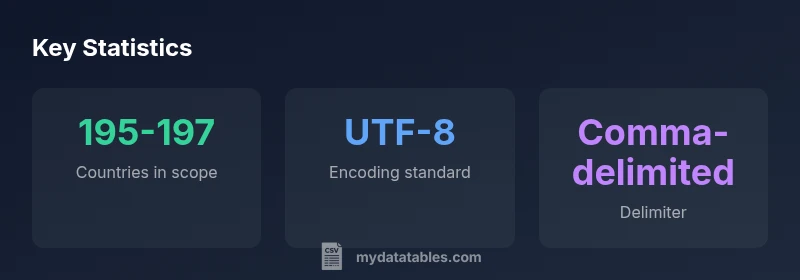
A list of countries CSV is a plain-text table where each row represents a country and columns hold attributes such as official name, ISO country code, continent, population, and capital city. It is typically UTF-8 encoded, uses a comma delimiter, and includes a header row. This quick answer explains how to obtain, validate, and safely use such CSV files in your data projects.
What is a list of countries CSV?
A list of countries CSV is a straightforward, machine-readable dataset where each row corresponds to a different country and each column captures a country attribute. Common fields include the official country name, ISO 3166 codes, continent or region, capital, population, area, and currency. For data professionals, this format is a reliable backbone for joins with demographic, economic, and geographic datasets. The keyword list of countries csv often appears as a starting point for global analyses, enabling straightforward filtering and aggregation. In practice, teams reuse these files across Python, SQL, or spreadsheet workflows because the CSV format is both human-readable and highly portable. As MyDataTables notes, a well-structured countries CSV promotes reproducibility and reduces integration errors across tools.
When you reference a list of countries CSV in projects, you typically maintain a versioned file in a repository so changes are auditable and traceable. This is essential for governance in analytics teams that rely on up-to-date international data. The data can be extended with fields like mobile code, GDP, or internet TLDs later while preserving the original schema, ensuring stable downstream analytics.
Common schemas and fields
Most lists of countries CSV share a core set of fields, with variants depending on the intended use. The most common schema includes: Name, ISO_A2, ISO_A3, Continent, Capital, Population, Area_km2, and Currency. Some datasets expand with Region, Subregion, GDP (or GDP_per_capita), and Timezone. Headers should be concise and consistent to support reliable column mappings in ETL pipelines. For example, a simple header line might read:
Country_Name,ISO_A2,ISO_A3,Continent,Capital,Poulation,Area_km2,Currency.
Consistency is critical: ensure each field has a defined data type, such as string for names, two/three-letter codes for ISO fields, and numeric types for population and area. When planning your own schema, consider future-proofing by including an optional field for alternative names or deprecated codes to handle historical data shifts. This approach aligns with best practices in CSV design and improves interoperability across platforms.
Encoding and delimiter choices
The UTF-8 encoding is the default choice for country lists, because it supports international characters in country names and capitals. Avoid mixing encodings within a single file to prevent mojibake—garbled text that breaks downstream processing. If your pipeline encounters non-ASCII characters, ensure a proper BOM handling policy or strip BOM if needed. The delimiter is most often a comma, making the file CSV-compliant across tools like Excel, Python pandas, R, and database loaders. In some cases, semicolons or tabs are used, but this requires corresponding parser configuration. To maximize portability, standardize on UTF-8 with a comma delimiter and document this in a short schema README that accompanies the CSV.
When sharing across teams, include a sample row and a small data dictionary to clarify field meanings and types. This reduces misinterpretation during joins with other datasets and helps new teammates onboard quickly.
How to obtain a reliable countries CSV
Reliable lists of countries commonly originate from established sources that maintain official country codes and administrative boundaries, such as UN statistical databases, World Bank datasets, and ISO country codes. Start by selecting a primary source for core fields like Name and ISO codes, then decide whether you need additional attributes such as Continent, Capital, or Population. For reproducibility, prefer a structured download (CSV) and keep a changelog of updates. If your organization requires governance, maintain provenance metadata—who updated the file and when. After download, perform a quick integrity check: verify header names, confirm the expected number of columns, and ensure there are no duplicate country codes. This process helps prevent downstream issues in dashboards and models.
As you adopt the list of countries CSV, automate the refresh cadence and data validation steps to minimize manual errors. Centralizing these steps in a data pipeline ensures consistency across projects and teams, aligning with modern data governance practices.
Validation and quality checks
Quality checks for a countries CSV should be methodical and repeatable. Start with header validation to ensure all required fields are present and consistently named. Check for duplicates by ISO codes or official names, and resolve conflicts by applying a canonical rule (e.g., prefer ISO_A3 as the unique key). Validate numeric fields like Population and Area using non-negative ranges and plausible upper bounds. If fields like Capital or Currency are missing, consider using a policy to fill from secondary sources or mark as NULL with a maintainable fallback. Finally, test the file in downstream tools: load it into a test database, run a join with a known population dataset, and verify counts and distributions match expectations. Document any deviations and the handling rules in your data dictionary.
Practical uses and example workflows
A clean list of countries CSV enables a wide range of analyses: geo-joins for regional dashboards, cross-country comparisons of indicators, or segmentation by continent for targeted marketing. A typical workflow starts by loading the CSV into a data analysis environment, validating headers, and ensuring all codes are unique. Example in Python:
import pandas as pd cf = pd.read_csv('countries.csv', encoding='utf-8') assert cf['ISO_A2'].is_unique
Next, you can merge with other datasets (e.g., population, GDP) on ISO codes, then perform groupings by Continent or Region. If you maintain multiple lists (one from UN, another from World Bank), establish a canonical index file that maps aliases to canonical ISO codes to prevent misalignments. This approach keeps your analyses robust and scalable as new countries are added or codes are updated.
For reporting workflows, export filtered results to CSV or Excel for stakeholders, or load into a BI tool using the standardized schema.
Best practices for maintenance and updates
Keeping a countries CSV current requires a disciplined update process. Establish a versioned repository with tags for each update cycle and a changelog describing field additions or code changes. Prefer automating data pulls from official sources and validating data against a schema before committing. If a country undergoes a code change, implement a migration path in your ETL that updates historical rows while preserving consistency of indices. Consider storing both the canonical ISO codes and any local names to support both machine-readability and human interpretation. Finally, document update frequency and review roles so teams align on governance and minimize downstream disruption.
Sample schemas for country CSV lists
| Source | Fields | Encoding | Notes |
|---|---|---|---|
| UN member lists | Name, ISO_A2, ISO_A3, Continent, Capital, Population | UTF-8 | Standard global list |
| World Bank lists | Name, ISO_A3, Region, GDP (optional) | UTF-8 | Useful for economic comparisons |
People Also Ask
What should be included in a list of countries CSV?
At minimum, include country name, ISO two- and three-letter codes, continent, and capital. Many teams also add population, area, currency, and region for richer analyses. Keep headers consistent to ease downstream joins.
At minimum, include name, ISO codes, continent, and capital. Add population or currency if you need deeper analysis.
Which encoding is best for international data?
UTF-8 is the recommended encoding for international datasets because it supports all characters used in country names. Avoid mixing encodings within a single file to prevent corrupted text during processing.
UTF-8 is the best choice for international data; avoid mixing encodings.
How do you validate a countries CSV?
Validate by checking header presence, ensuring unique ISO codes, confirming non-negative population and area values, and testing joins with a secondary dataset. Run a small sample merge to ensure fields map correctly.
Check headers, uniqueness of codes, and run a test merge to verify fields map properly.
What are common pitfalls when using country lists?
Pitfalls include mismatched ISO codes across sources, missing fields, and failing to handle country name changes or code updates. Maintain a mapping table for aliases and log updates to avoid stale data in dashboards.
Watch for mismatched codes and changes in country names; map aliases and track updates.
How to join a countries CSV with population data?
Join on a stable key such as ISO_A3 to combine with population datasets. Ensure both sources use the same key format and handle missing values gracefully in downstream analytics.
Join on a stable ISO code and ensure both datasets use the same format.
How often should you update country codes?
Update frequency depends on governance needs, but quarterly or semi-annual refreshes are common. Document changes and maintain a changelog to support historical analyses.
Update regularly, and keep a changelog for traceability.
“"A high-quality list of countries CSV is the backbone of reliable cross-border analysis; consistent headers, encoding, and validation are non-negotiable."”
Main Points
- Define a stable core schema with Name, ISO codes, and Continent
- Prefer UTF-8 encoding and comma delimiters for compatibility
- Validate headers, duplicates, and key fields before use
- Automate updates from official sources to preserve accuracy
- Document schema and update history for reproducibility