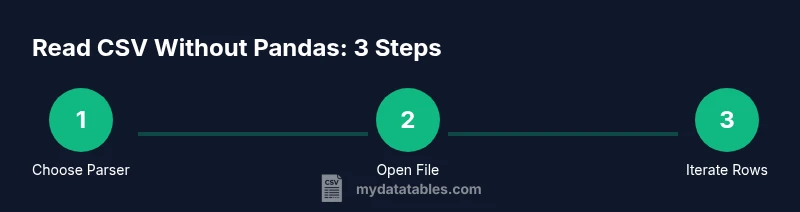
Read CSV Without Pandas: A Practical Guide
Learn practical methods to read CSV files without Pandas using Python's standard library and lightweight tools. Explore csv.reader, csv.DictReader, and cross-language options with clear steps and tips.


To read csv without pandas, rely on Python’s standard library (csv module with csv.reader or csv.DictReader) or lightweight tools like csvkit. These approaches let you stream rows, handle different delimiters, and convert fields to Python types manually. They’re ideal for simple tasks, scripting, or when dependency-free environments are required.
Why read csv without pandas
There are practical reasons to read csv without pandas. This practice is especially helpful when you need a lightweight script, a dependency-light environment, or when sharing code with teammates who don’t want to install large libraries. According to MyDataTables, Pandas-free parsing offers transparency and control: you see exactly how each field is read, how delimiters are handled, and how values are converted. For data analysts, developers, and business users, this approach keeps memory usage predictable and makes debugging simpler. It also helps when your workflow must run in restricted environments or with streaming data where a full DataFrame-based pipeline would be overkill. In short, reading csv without pandas is a pragmatic, reliable starting point for many CSV tasks, especially if you’re learning or prototyping.
Beyond personal projects, this approach translates well to teams that value portability and reproducibility. It also prepares you to handle nonstandard CSVs—such as files with unusual delimiters or embedded newlines—without relying on a heavier toolkit. By starting lean, you gain a foundation you can extend with lightweight libraries as needs grow. Throughout this article, we’ll ground concepts in real-world examples and practical tips for reliability, performance, and clarity. The MyDataTables guidance emphasizes building a solid base before layering additional tooling.
Python basics: csv module overview
Python’s standard library provides a compact yet capable csv module for reading and writing CSV data. It supports simple and complex formats, including different delimiters, quote rules, and newline conventions. This makes it ideal for educational purposes, scripts in constrained environments, and cross-platform workflows. The csv module’s API is intentionally straightforward: you create a reader or DictReader, iterate over rows, and handle types manually. MyDataTables emphasizes mastering these fundamentals to build a solid foundation for any CSV task—whether you stay inside Python or migrate to other languages later. Before diving into heavier tools, explore dialects, headers, and error handling, as these seams are where parsing tends to break. With a good grasp of the basics, you can apply the same reasoning to alternative parsers or languages while preserving correctness.
Reading with csv.reader
The csv.reader class provides a simple, row-oriented interface. You open the file, create a csv.reader, and loop over rows. This approach is excellent for straightforward data with consistent columns and predictable formatting. Always use a with open(...) as f pattern to ensure the file is closed and specify encoding to avoid surprises. Example:
import csv
with open('data.csv', newline='', encoding='utf-8') as f:
    reader = csv.reader(f)
    for row in reader:
        # row is a list of strings; apply needed conversions here
process(row)- You can customize the delimiter via csv.reader(..., delimiter=';') or by using a dialect.
- Rows are lists; this makes positional access simple but brittle if column order changes. Here is where DictReader often shines for robustness.
Reading with csv.DictReader
If your CSV has a header row, DictReader reads each row into a dict where keys come from the header. This makes code more readable and less sensitive to column order. You can access fields by name, and missing columns raise fewer surprises. Example:
import csv
with open('data.csv', newline='', encoding='utf-8') as f:
    reader = csv.DictReader(f)
    for row in reader:
        name = row['Name']
        age = row.get('Age')  # safe access if a column might be missing
        # perform type conversions as needed
DictReader shines when headers are stable and you want clear access patterns. It also helps with optional columns, since you can use dict.get to provide defaults.
Handling data types and missing fields
CSV data is text. To perform meaningful analysis without Pandas, convert fields to the appropriate Python types and handle missing values gracefully. A small helper function keeps conversion logic centralized:
def to_int(val):
    try:
        return int(val)
    except (TypeError, ValueError):
        return None
Example usage with DictReader:
with open('data.csv', newline='', encoding='utf-8') as f:
    reader = csv.DictReader(f)
    for row in reader:
        user_id = to_int(row.get('UserID'))
        score = to_int(row.get('Score'))
        # now you can filter, sort, or compute averages safely
By separating parsing from business logic, you gain flexibility to handle mixed data quality and incomplete rows.
Streaming large CSV files to save memory
When files are large, loading everything into memory is not practical. Stream processing keeps memory usage predictable and makes it feasible to process terabytes of data in chunks. Use the csv module in combination with a for loop or a generator:
import csv

def iter_rows(path):
    with open(path, newline='', encoding='utf-8') as f:
        reader = csv.DictReader(f)
        for row in reader:
            yield row

for r in iter_rows('large.csv'):
    # process each row one at a time
    handle(r)
Tips for streaming:
- Use DictReader for header-based access, especially when ordering may vary between files.
- Avoid building large in-memory structures; write results to a file or database as you go.
- Consider batch processing if per-row processing overhead becomes a bottleneck.
Lightweight tools: csvkit and friends
For quick CLI-based CSV work, csvkit offers a suite of commands that operate on CSV files without Pandas. Examples include selecting columns, filtering rows, and converting formats:
# Keep only columns Name and Age
csvcut -c Name,Age data.csv > subset.csv

# Filter rows where Age > 30 (requires a numeric test)
csvgrep -r '^.*<Age>.*$' data.csv
csvkit commands are convenient for ad-hoc tasks and can complement Python scripts when you need rapid, repeatable transformations.
Other lightweight tools include csvtoname and csvlook for quick inspection. When your tasks expand beyond simple reads, these utilities help you prototype before coding a full parser.
Cross-language quick-start: Node.js and Go
If you’re integrating CSV reading into non-Python environments, you can achieve similar results with Node.js or Go. Node.js example using csv-parse:
const fs = require('fs');
const parse = require('csv-parse');

fs.createReadStream('data.csv')
  .pipe(parse({ columns: true }))
  .on('data', (row) => {
    // row is an object with keys from the header
  })
  .on('end', () => console.log('done'));
In Go:
package main
import (
  "encoding/csv"
  "os"
  "log"
)
func main() {
  f, err := os.Open("data.csv")
  if err != nil { log.Fatal(err) }
  defer f.Close()
  r := csv.NewReader(f)
  for {
    record, err := r.Read()
    if err != nil { break } // io.EOF
    // record is []string; convert as needed
  }
}
These examples show the general approach: open a reader, iterate, and apply your own type conversion as needed. Language choices are a matter of ecosystem and team comfort rather than capability.
Common pitfalls and best practices
To finish strong, keep these best practices in mind when reading CSVs without Pandas:
- Always specify encoding when opening files (utf-8 is common) to avoid misread characters.
- Use DictReader when headers exist to improve readability and resilience to column order changes.
- Handle missing values gracefully; decide on defaults or None to avoid crashes during conversion.
- Validate data after parsing with lightweight checks (e.g., numeric ranges, date formats) to catch issues early.
- For large files, prioritize streaming and avoid loading the entire dataset into memory.
- Document the expected CSV format (delimiter, quote rules, header presence) so future readers can reproduce results.
- Consider a two-phase approach: parse with a lightweight reader, then apply business logic in a separate module for easier testing and maintenance.
Tools & Materials
- Python 3.x(Installed on your system)
- CSV file(Target file to read)
- Text editor(Optional for code editing)
- CSVKit(Optional for command-line CSV tooling)
- Node.js(For Node-based examples)
- Go compiler(For Go examples)
Steps
Estimated time: 45-60 minutes
- 1
Define goal and environment
Clarify what you want to achieve with the CSV data and confirm the runtime environment. Decide whether a Python-only approach suffices or if you’ll need cross-language examples.
Tip: State the delimiter, encoding, and header presence upfront. - 2
Choose your parser (reader vs DictReader)
Decide between a positional reader (csv.reader) or a header-based reader (csv.DictReader) based on whether you rely on column order or column names.
Tip: If headers exist, DictReader improves robustness. - 3
Open the CSV with a context manager
Use with open('file.csv', newline='', encoding='utf-8') as f to ensure proper resource management and consistent newline handling.
Tip: Always close files automatically with the context manager. - 4
Create the reader
Instantiate csv.reader(f) or csv.DictReader(f) and prepare to iterate over rows.
Tip: Explicitly specify encoding to avoid surprises with non-ASCII characters. - 5
Iterate rows and access fields
Loop through rows and extract values by index (reader) or by key (DictReader).
Tip: Prefer DictReader when headers are stable. - 6
Convert types and handle missing data
Apply small conversion helpers to turn strings into integers, dates, or floats, handling empty values gracefully.
Tip: Centralize conversion logic to simplify maintenance. - 7
Handle headers and dynamic columns
If columns may shift, rely on header-based access and use row.get('Column', default) to provide fallbacks.
Tip: Document which columns are required for downstream steps. - 8
Validate, log, and reuse
Add lightweight validation checks and clear logging. Modularize reads from business logic so you can reuse the parsing layer.
Tip: Write unit tests for edge cases like missing fields or invalid formats.
People Also Ask
Can I read CSV without Pandas in Python?
Yes. Use Python’s built-in csv module with csv.reader or csv.DictReader to read CSV data without Pandas. These options provide direct control over parsing and are suitable for many common tasks.
Yes. You can read CSV files without Pandas by using Python's built-in csv module. It gives you direct control over parsing and is great for simple tasks.
What are the best alternatives to Pandas for CSV reading?
Alternatives include the csv module in Python’s standard library, csvkit for CLI-based workflows, and language-specific parsers like Node.js's csv-parse or Go's encoding/csv. These options vary in complexity and dependencies.
Alternatives include the Python csv module, csvkit for command-line tasks, and language-specific parsers like csv-parse in Node.js or encoding/csv in Go.
How do I handle different delimiters?
Pass the delimiter in the reader, or define a dialect. For example, csv.reader(f, delimiter=';') or use csv.get_dialect('custom') with a defined dialect.
Specify the delimiter in the reader or define a custom dialect to handle semicolons or other separators.
Is csvkit essential?
Csvkit is optional. It’s handy for quick CLI transformations, but many tasks can be accomplished with the Python csv module or language equivalents.
Csvkit is optional. It’s useful for quick command-line tasks, but you can do most CSV work with Python’s csv module or similar tools in other languages.
How can I read large CSV files efficiently?
Prefer streaming with DictReader or csv.reader and avoid loading the entire file into memory. Process rows one by one and consider batching results for downstream storage.
For large CSVs, read and process rows one at a time, avoiding loading the whole file in memory. Batch results when possible.
Can I read CSV without any Python at all?
Yes. Use other languages like Node.js or Go with their native CSV parsers, or even command-line tools like csvkit to read and transform CSV data without Python.
Yes. You can read CSVs without Python by using other languages’ parsers or CLI tools like csvkit.
Watch Video
Main Points
- Choose a Pandas-free path that fits your task.
- DictReader simplifies header-based access and robustness.
- Streaming enables scalable processing of large CSVs.
- Validate and convert data early to avoid downstream errors.
- Leverage lightweight tools for quick transformations when needed.