Difference Between CSV and ARFF: A Practical Comparison
Explore the difference between csv and arff, including format details, metadata support, and practical use cases for data analysis and ML workflows today.


The difference between csv and arff is foundational for choosing data formats in data science workflows. CSV provides a simple, flat table with no embedded metadata, enabling broad compatibility. ARFF, by contrast, embeds metadata about attributes, types, and missing values, supporting ML tasks that require explicit data descriptions. This quick comparison highlights when to use each format and what changes in downstream parsing and tooling.
What are CSV and ARFF, at a glance
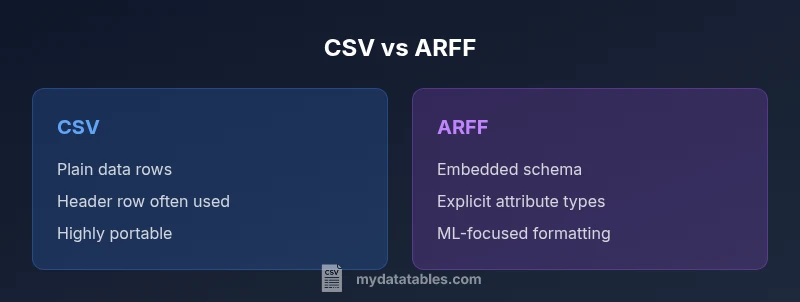
The difference between csv and arff is not merely a matter of syntax; it reflects a fundamental design choice about data interchange versus data description. CSV (comma-separated values) presents data as rows of simple fields, typically with a header row, and relies on downstream tools to interpret data types. ARFF (Attribute-Relation File Format) blends a data section with a rich header that describes each attribute's name and type, allowed values, and sometimes missing-value conventions. This combination makes ARFF well-suited for machine learning experiments where a precise schema guides preprocessing and model selection. For data analysts, developers, and business users, the choice between these formats shapes how you load, validate, and transform data. In practice, the difference between csv and arff influences data cleaning, feature engineering, and reproducibility. MyDataTables emphasizes that CSV excels in portability, while ARFF supports explicit semantics that can streamline ML pipelines.
Metadata and schema: how they shape your workflow
One of the first fundamental differences in the CSV vs ARFF debate is metadata. CSV carries almost no inherent metadata beyond optional headers, which means type inference and missing-value handling rely on the consumer tools. ARFF embeds a schema in the header with @relation and @attribute lines, establishing explicit data semantics. This separation matters: ARFF allows automated validation, consistent preprocessing, and clearer documentation within a single file, which is especially valuable in reproducible ML experiments. However, ARFF’s added structure increases file length and can complicate quick sharing with non-ML teams. MyDataTables notes that the decision should align with your workflow: if you need self-describing data, ARFF has benefits; if you prioritize universal compatibility, CSV remains the default.
Data types, attributes, and semantics
ARFF supports explicit data types for each attribute, including numeric, integer, real, nominal (a fixed set of values), and string. This typing enables parsers to enforce valid values and informs encoding strategies in ML pipelines. CSV generally treats data as strings unless a separate schema is provided, so users perform type casting during or after load, which can introduce inconsistencies across tools. ARFF’s ability to specify defaults and missing-value indicators helps maintain preprocessing consistency across stages of a pipeline. For analysts, the schema-aware approach reduces guesswork in feature engineering, but it requires a toolchain that can read ARFF headers reliably. In short, ARFF’s explicit types support robust ML-ready data, while CSV’s flexibility demands careful validation.
Headers, schemas, and how data is read
CSV files often begin with a header row naming each column; however, headers are optional in many parsers. ARFF files do not rely on a header for column names. The header includes @relation for the dataset name and @attribute lines for each column’s name and type, making the schema an intrinsic part of the file. This affects loading behavior: CSV parsers may infer types from data and sometimes require external hints, while ARFF parsers construct a precise schema first and then validate data lines. The result is that ARFF can prevent certain data-quality issues early, but at the cost of stricter formatting that can hinder casual data dumps. If you frequently share data with non-ML teams, CSV’s simplicity often wins.
Handling missing values and data cleansing
CSV represents missing data with empty fields or placeholders, which can be interpreted differently by various tools. ARFF handles missing values more explicitly, typically using a ? to denote missing data, and the schema indicates how to treat such cases during preprocessing. This explicitness helps maintain consistent imputation or filtering rules across pipelines that read ARFF. However, the added header makes ARFF files longer and sometimes less convenient for quick editing. When deciding, weigh the need for explicit missing-value semantics against the desire for compact, shareable data. MyDataTables finds ARFF advantageous for ML pipelines with strong governance and clear data-descriptor requirements.
Encoding, delimiters, and locale considerations
CSV’s delimiter and encoding choices are highly flexible, with comma as the default in many regions but alternatives common in locales using comma decimals. This flexibility is powerful for interoperability but adds potential parsing pitfalls if conventions aren’t clearly documented. ARFF relies on a defined syntax for its header and data rows, reducing delimiter ambiguities. Its typical encoding is ASCII or UTF-8, with explicit values in the header guiding interpretation. For cross-system sharing, standardizing encoding and documenting conventions remains essential regardless of format. MyDataTables recommends documenting encoding, delimiter policy, and missing-value handling to minimize confusion during ingestion.
Tooling and ecosystem compatibility
CSV is arguably the most ubiquitous data format, supported by spreadsheets, databases, and programming libraries across languages. This universal compatibility makes CSV ideal for rapid prototyping and cross-team data exchange. ARFF, by contrast, has strong support in the Weka ecosystem and related ML pipelines that benefit from embedded metadata and a well-defined schema. Although ARFF is less universally supported, its schema-centric nature can improve reproducibility in ML experiments and educational contexts. When choosing, consider your primary toolset: CSV for broad interoperability; ARFF for ML-oriented workflows where metadata matters.
Choosing between CSV and ARFF: a practical decision guide
- If you prioritize interoperability and quick data sharing, choose CSV. It’s supported by almost every tool and language, and you can add a separate schema if needed.
- If your pipeline benefits from embedded metadata and strict type definitions, choose ARFF. The built-in schema helps with deterministic preprocessing and modeling decisions.
- Consider downstream tools: Weka users (and some ML libraries) often work with ARFF, while pandas, Spark, and SQL-based pipelines tend to start with CSV.
- Be mindful of size: ARFF adds verbose header information, so large datasets may become heavier.
- Maintainability matters: for ML reproducibility, embedded schemas in ARFF can help, but CSV with a robust data dictionary can achieve similar outcomes.
Conversion strategies: turning CSV into ARFF (and back)
Convert CSV to ARFF with scripting or libraries that can infer attributes or allow you to define them explicitly. For Python, you can read CSV with pandas and write an ARFF header using a dedicated library such as liac-arff, ensuring data types align with the ARFF schema. When converting ARFF back to CSV, you’ll primarily extract the data section and reconstruct metadata as needed. Always validate the converted file in your target environment. Automated tests help catch misinterpretations of nominal vs numeric attributes. MyDataTables recommends validating both data integrity and schema conformity after conversion.
Common myths and best practices
Myth: CSV carries no metadata. Reality: metadata can be external or embedded in ARFF; choosing a format often depends on metadata needs. Myth: ARFF is obsolete. Reality: ARFF remains relevant in ML education and pipelines that value explicit schemas. Best practice: document encoding, delimiter conventions, and missing-value strategies; include a data dictionary for CSV workflows, and ensure ARFF headers are consistent. MyDataTables emphasizes that clear data documentation and consistent workflows reduce format-related confusion across teams.
Worked example: a tiny dataset in CSV and ARFF
Consider a dataset of three people with two attributes: age (numeric) and color (nominal: red, green, blue). In CSV, the file might begin with a header row and look like: name,age,color Alice,30,red Bob,,blue Carol,25,green In ARFF, the header would explicitly declare the relation and each attribute: @relation people @attribute name string @attribute age numeric @attribute color {red,green,blue} @data "Alice",30,"red" "Bob",?,"blue" "Carol",25,"green" This example shows how ARFF communicates the schema directly, while CSV focuses on raw data with external semantics. If you plan to feed this into a learning pipeline, ARFF’s schema helps constrain preprocessing and modeling choices from the start. If you’re just sharing a dataset for inspection or simple reporting, CSV keeps things straightforward and portable. MyDataTables highlights that mastering both formats and knowing when to use each can streamline your data workflows and reduce friction across teams.
Comparison
| Feature | CSV | ARFF |
|---|---|---|
| Metadata support | Minimal or none | Comprehensive, with @relation/@attribute |
| Data types | Implicit as strings | Explicit numeric/nominal/date types |
| Schema presence | No embedded schema | Embedded schema in header |
| Headers | Optional; often present | Declared in header (ARFF) |
| Size and verbosity | Smaller files | Larger due to metadata |
| Ideal use case | Interchange and quick analysis | ML-ready datasets with explicit types |
Pros
- Maximal interoperability for CSV workflows
- Explicit metadata reduces data-quality issues in ML pipelines
- Wider tooling support for CSV-based import/export
- Explicit schema in ARFF aids reproducibility in ML pipelines
Weaknesses
- CSV relies on external schemas for robust ML pipelines
- ARFF is less widely supported outside ML contexts
- ARFF verbosity can hinder manual editing
- Migration between ARFF and CSV requires extra steps
CSV is best for portability; ARFF is best for ML-ready datasets with built-in metadata
When interoperability and simple sharing matter, CSV wins. When explicit attribute types and embedded schema matter for machine learning workflows, ARFF is the better choice.
People Also Ask
What does ARFF stand for?
ARFF stands for Attribute-Relation File Format. It combines a data section with a header that describes each attribute's name and type, enabling rich metadata support for ML tasks.
ARFF stands for Attribute-Relation File Format, a data format with a header that defines attributes.
Can CSV be used for ML pipelines?
Yes, CSV can be used for ML pipelines, but you usually need an external schema or type hints. It favors compatibility and speed, at the cost of explicit metadata.
Yes, CSV works for ML work, but you may need external schema.
How hard is it to convert CSV to ARFF?
Converting CSV to ARFF is common and straightforward with scripting or libraries. You must define or infer attribute types to create the ARFF header, then export the data section.
It's straightforward with scripts; you define the types first.
Is ARFF obsolete?
ARFF is not obsolete; it remains valuable in ML education and projects that benefit from embedded metadata and explicit typing.
Not obsolete; still useful in ML workflows.
Do modern tools support both formats?
Many tools support CSV widely; ARFF support is strong in ML libraries like Weka, with some modern ecosystems offering limited ARFF support.
CSV is widely supported; ARFF is common in ML tools like Weka.
What are common pitfalls when choosing between them?
Common pitfalls include assuming built-in metadata in CSV and underestimating the need for explicit types in ML pipelines when using ARFF.
Watch for missing metadata in CSV and ensure correct type definitions in ARFF.
Main Points
- Choose CSV for broad compatibility and easy sharing
- Choose ARFF when you need metadata and explicit data types
- Document encoding and delimiter conventions clearly
- Consider your downstream tools and pipelines
- Maintain both formats when necessary for different stages