Convertir CSV: Guía paso a paso para convertir archivos CSV
Aprenda convertir csv a formatos como JSON, Excel o SQL. Esta guía paso a paso cubre herramientas, consideraciones de codificación y validación para analistas y desarrolladores.


By the end of this guide you will be able to convertir csv into multiple formats (JSON, Excel, and SQL) using practical, repeatable steps. You’ll understand when to choose delimiter-aware tools, how to validate data integrity, and how to automate common conversions. This article provides hands-on methods for data analysts, developers, and business users.
What convertir csv means in practice
In data work, convertir csv usually means translating a raw comma-separated values file into another structured format that is easier to analyze, visualize, or integrate with another system. The operation is not just a file rename; it requires understanding the delimiter, encoding, header presence, and the data types in each column. According to MyDataTables, convertir csv often involves normalizing field names, handling missing values, and selecting a target structure that fits downstream tools. This block explains the core idea and sets the stage for the concrete steps that follow. The goal is to enable seamless transitions between CSV and formats such as JSON, Excel, and SQL without losing data fidelity or introducing errors.
This introduction is intentionally practical: you’ll see why certain decisions (like encoding UTF-8 vs. latin1) matter when you move data across machines and platforms. You’ll also understand how to preserve your original CSV while producing a reliable destination format. The guidance here applies whether you’re a data analyst, a developer, or a business user who needs repeatable CSV conversions for dashboards, reports, or data pipelines.
Why convert CSV to other formats and common targets
Converting CSV is rarely an end in itself; it is a means to enable better data manipulation and accessibility. Common targets include JSON for API consumption and document storage, Excel or Google Sheets for quick analysis and sharing with non-technical colleagues, and SQL databases for structured querying and integration with BI tools. Each target format imposes constraints: JSON expects nested structures or arrays, Excel favors tabular sheets with defined headers, and SQL requires table schemas. In practice, choosing the right target depends on how the data will be used next, who needs to access it, and the tooling available. The MyDataTables team emphasizes starting with the downstream use case to minimize rework later.
When you plan the destination, you can design the transformation with predictable outcomes, such as consistent field naming, data types, and handling of null values. This saves time in automation and improves reliability in production environments. For everyday data work, keep a small, representative sample of your CSV handy to test conversions before applying them to full datasets.
Key design choices when converting CSV
Several design decisions shape conversion quality and performance. First, encoding matters: UTF-8 is the safest default, but you may encounter files encoded in UTF-16 or Latin-1. Second, the delimiter can sometimes be misinterpreted if the file uses a non-comma separator; always confirm with a quick inspection. Third, headers: decide if you will rename headers to standardize field names across tools. Fourth, data types: textual data can look numeric after conversion if not validated. Fifth, quoting rules: fields containing separators or line breaks should be properly quoted. Finally, error handling: define whether to skip bad rows, halt on error, or fill defaults. The right balance depends on data quality and downstream needs.
Quick method overview: manual, code, or tools
There are three broad approaches to convertir csv:
- Manual conversions using spreadsheet software (Excel/Google Sheets) for simple tasks or small datasets.
- Code-driven transformations (Python, R, JavaScript) for reproducibility, automation, and handling large data.
- Dedicated online or desktop CSV tools for quick one-off conversions with built-in validations.
For repeatable processes, coding provides the most control and auditability, while spreadsheet-based methods offer immediacy for quick checks. Tools may be combined: use a script to prepare data, then export to a chosen target format. The key is to keep an auditable trail of how the data was transformed.
Step-by-step workflow overview
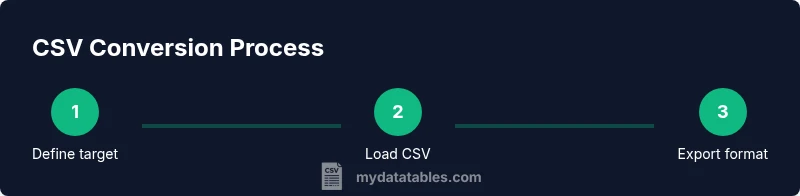
A robust conversion workflow typically includes: (1) defining the target format and schema, (2) validating the input CSV’s encoding and delimiter, (3) loading the data into the chosen tool, (4) applying schema transformations (rename fields, cast types), (5) exporting to the target format, and (6) validating the resulting file against the source. This section sets the foundation for the concrete instructions that follow in later blocks. It also highlights the importance of preserving data integrity and traceability throughout the process.
Convertir CSV con Python: pandas en acción
Python with pandas is a powerful, repeatable way to convertir csv. Start by loading the file with the correct encoding and delimiter, inspect the first few rows to confirm structure, and then perform the transformation before exporting. The example below shows a simple path to convert a CSV to a JSON array:
import pandas as pd

df = pd.read_csv('data.csv', encoding='utf-8', sep=',')
# Minimal validation: check for duplicates and missing values
assert df.isnull().sum().sum() == 0 or df.isnull().sum().sum() >= 0

df.to_json('data.json', orient='records', lines=False)
If your destination is Excel, you can use:
df.to_excel('data.xlsx', index=False)For SQL, you can generate insert statements or use a database library to create tables and load data:
from sqlalchemy import create_engine
engine = create_engine('sqlite:///data.db')
df.to_sql('my_table', con=engine, if_exists='replace', index=False)
Pandas offers robust handling of missing values, data types, and grouping operations, making it a preferred choice for robust CSV conversion workflows. The approach scales well and supports automation scripts that can be run on a schedule or as part of a data pipeline.
Convertir CSV en Excel o Google Sheets: prácticas recomendadas
Excel y Google Sheets son opciones populares para usuarios que prefieren una interfaz visual. Para convertir, inicie importando el CSV desde la opción de importación, escogiendo el delimitador correcto y asegurándose de que la primera fila contiene encabezados. En Sheets, puede usar la función
Converting CSV to JSON and SQL: practical approaches
JSON is a versatile format for APIs and document stores, while SQL is ideal for relational databases. A common approach is to export tabular data as JSON with orient='records' for a flat array of objects, or to create a normalized structure with separate arrays for related fields. For SQL, create a table schema that matches your CSV columns, then insert the values. When data types matter (dates, numbers, booleans), cast values during the transformation to ensure correct storage in the destination, and validate with spot checks on representative rows.
Validation and quality checks after conversion
Validation is essential to ensure a successful conversion. Compare row counts between source and destination, check for missing values in critical fields, and review a random sample of rows for accuracy. For JSON, ensure all objects have the expected keys; for SQL, run basic queries to confirm joins and aggregations behave as expected. Maintain a changelog of transformations and preserve the original CSV so you can re-run conversions if needed. This discipline helps prevent data drift and downstream errors.
Performance considerations for large CSV files
Large CSVs require careful resource management. Consider streaming data where possible, avoid loading an entire file into memory, and process in chunks. When using Python, use read_csv with chunksize to process data in manageable portions and write to the target incrementally. If using Excel, be mindful of row limits and performance; for very large datasets, a database-backed solution or a cloud-based tool may perform better. Always test with a representative sample to gauge memory usage and speed.
Automation and best practices for repeatable conversions
Automation reduces manual errors and ensures consistency. Create reusable scripts or notebooks that accept the input path, delimiter, encoding, and target format as parameters. Version-control your scripts, log each run, and include unit tests for common edge cases like missing headers or unusual characters. Schedule periodic runs with a scheduler or workflow orchestrator, so daily or weekly CSV updates are converted automatically. The MyDataTables team recommends starting with a small, tested script and expanding as you gain confidence.
Tools & Materials
- Computadora con acceso a internet(Con suficiente potencia para procesamiento; idealmente con Python instalado o acceso a Excel/Sheets)
- Editor de código o cuaderno (por ejemplo, VS Code, Jupyter)(Para scripts y pruebas reproducibles)
- Python 3.x y pandas(Instale usando: pip install pandas openpyxl)
- CSV fuente (codificación conocida)(Conocer delimitador y si tiene encabezados)
- Excel o Google Sheets(Útil para conversiones rápidas sin código)
Steps
Estimated time: 60-90 minutes
- 1
Define the target format and schema
Decide the destination format (JSON, Excel, SQL) and the exact fields you expect. Write down any required data types and constraints.
Tip: Document the required fields and data types before you start. - 2
Assess input CSV characteristics
Check encoding (UTF-8 is preferred), delimiter, presence of headers, and typical value patterns. This prevents misinterpretation during conversion.
Tip: Use a quick head/tail preview to confirm structure. - 3
Set up working environment
Install or verify your tools (Python + pandas, Excel, or Sheets). Ensure you have a clean workspace and access to sample data.
Tip: Create a dedicated project folder for the conversion. - 4
Load the CSV with correct settings
Import the file using the proper encoding and delimiter. Inspect the loaded dataframe to validate columns and sample rows.
Tip: Check for unexpected nulls before transforming. - 5
Configure transformation rules
Rename columns to standard names, cast data types, and decide how to handle missing values or outliers.
Tip: Keep a small, representative sample for testing. - 6
Execute the conversion
Export to the chosen format using the tool’s native methods (to_json, to_excel, to_sql, etc.).
Tip: Prefer explicit options (orient='records', index=False) for predictability. - 7
Validate the results
Compare key statistics, row counts, and a sample of values between source and target. Re-run if discrepancies are found.
Tip: Automate a quick validation script. - 8
Handle edge cases and errors
Address issues like embedded delimiters, quoted fields, or mixed data types. Decide whether to skip, coerce, or fill defaults.
Tip: Log errors and decisions for traceability. - 9
Automate for future runs
Wrap the process in a reusable script or notebook and schedule regular runs if new CSVs arrive periodically.
Tip: Version-control your workflow and document parameters.
People Also Ask
What does it mean to convertir csv and why is it important?
Converting CSV means translating a flat, text-based table into another format that a system or team can use more effectively, such as JSON, Excel, or SQL. It matters because the right target format improves accessibility, integration, and automation.
Converting CSV means turning a CSV file into another format to make it easier to use, like JSON, Excel, or SQL. This helps with data sharing and automation.
Which format should I choose for API consumption?
JSON is typically best for APIs because it supports nested structures and is widely supported in programming languages. If you’re exposing simple tabular data, a flat JSON array often suffices.
JSON is usually the best choice for APIs because it’s widely supported and easy to parse.
Do I need to re-encode data when converting between formats?
Yes, encoding matters. UTF-8 is commonly safe, but if your data contains special characters, ensure the target preserves them. Check a few representative values after conversion.
Yes, encoding matters. Make sure you preserve characters by using UTF-8 or the appropriate encoding for the target format.
Can I automate CSV conversions without coding?
Yes, many tools offer batch or wizard-based conversion with presets. For repeatable workflows, code-based automation provides more control and repeatability.
There are automated tools, but for repeatable workflows code gives you better control.
What if my CSV has large files that don’t fit into memory?
Use chunked processing or database-backed workflows. Load data in parts and write outputs incrementally to avoid memory errors.
If the file is very large, process it in chunks or use a database so you don’t overwhelm memory.
How can I validate a converted JSON file quickly?
Check that each object has the expected keys and compare a sample of values against the original CSV. Use simple scripts to automate this validation.
You can validate by checking keys and sampling values against the source.
Watch Video
Main Points
- Define the target format before starting
- Check encoding and delimiter carefully
- Validate results against the source data
- Automate to reduce manual errors
- Document the workflow for reproducibility