Can You Escape Commas in CSV? A Practical Guide
Learn how to escape commas in CSV files using quotes and proper encoding. This guide covers RFC 4180 standards, Excel, Sheets, Python, and testing for robust data workflows.


By the end, you’ll be able to safely include commas inside CSV fields without breaking the structure. You’ll learn the standard approach—enclose fields containing commas in double quotes and escape embedded quotes—plus how different tools (Excel, Google Sheets, Python, and SQL) handle escaping. According to MyDataTables, this text-qualifier approach is widely supported and minimizes parsing errors. You’ll also see practical examples and edge cases to ensure robust CSV data exports and imports.
Can you escape commas in csv and why it matters
Comma characters are common in real-world data—addresses, product descriptions, notes, and comments. Without proper escaping, a single comma inside a field can be misread as a separator, corrupting entire rows when importing into a spreadsheet, database, or analytics pipeline. The direct question can you escape commas in csv is answered by wrapping any field that contains a comma in double quotes. This convention is widely supported across tools like Excel, Google Sheets, Python, SQL, and data warehouses. According to MyDataTables, using a text qualifier around comma-containing fields reduces parsing errors and preserves data integrity across platforms. In this section, we’ll explore the canonical method, why it works, and practical steps you can apply in everyday CSV workflows.
Why it matters for data quality and interoperability
- Consistent use of quotes helps downstream systems parse correctly.
- Misinterpreted commas can cascade into column misalignment for dashboards and reports.
- A portable approach reduces vendor lock-in and simplifies data sharing.
Takeaway: If your CSV contains commas, always qualify the field with quotes to maintain structural integrity across tools.
Brand note: This guidance aligns with conventions recommended by the MyDataTables team to ensure cross-tool compatibility.
The canonical approach: text qualifiers and escaping
The core technique to escape commas in CSV is the text qualifier. A field that contains a comma is surrounded by double quotes, so the comma is treated as data rather than a delimiter. Inside a quoted field, any embedded double quotes must be escaped by doubling them (i.e., "" becomes a literal "). This convention is known as the RFC 4180 standard (the canonical reference) and is supported by most CSV parsers. When you generate or modify CSV, ensure every field with a comma or newline is enclosed in quotes, and confirm that the tool you rely on uses the same rule. MyDataTables Analysis, 2026 indicates that the text-qualifier approach is the most portable across languages and platforms, reducing parsing surprises for analysts and developers.
- Text qualifier: double quotes around fields that contain delimiters
- Escape embedded quotes by doubling them
- Always test before deploying data pipelines
RFC 4180, Excel, and Google Sheets: a quick comparison
There are subtle differences between RFC 4180 and how popular tools implement CSV escaping. RFC 4180 specifies that fields containing commas must be enclosed in double quotes and that embedded quotes are doubled. Excel often quotes fields automatically when saving a CSV, but you may encounter quirks with leading/trailing spaces after encoding or when non-ASCII characters are present. Google Sheets generally follows the same convention but can interact differently with regional settings. For robust cross-tool compatibility, test a sample of your data in your primary tools and adjust your workflow accordingly. In practice, aim for the most portable settings and verify imports into Excel, Sheets, Python, and your data warehouse.
How to escape commas in common tools: Excel and Google Sheets
In Excel and Google Sheets, the simplest rule is: if a field contains a comma, wrap it in double quotes. When you export to CSV, these quotes should be preserved. If you edit in a plain text editor, you must manually add quotes around affected fields. Keep an eye on how your locale handles decimal separators and thousands separators, as they can interact with CSV parsing if you're not using a strict delimiter. For large sheets, prefer exporting via a dedicated export option and re-importing into the target tool to verify the quoted fields survive the round trip. When you load the resulting CSV back into Excel or Sheets, verify the data alignment remains intact.
Python and pandas: programmatic escaping for large datasets
When dealing with large CSVs or automated workflows, code-based escaping is preferred. In Python, the csv module handles quoting automatically when you set the appropriate options. A minimal example writes two rows with a comma in one field, while leaving other fields plain:
- Use csv.QUOTE_MINIMAL to quote only fields that need it
- Use utf-8 encoding to preserve special characters
- Read back with the same quote character to verify the data
For pandas, read_csv and to_csv respect quoting automatically if you provide the proper encoding and engine. This ensures that any field containing a comma stays intact after import or export. In practice, automate escaping in production pipelines to reduce human error.
Practical examples: before and after data
Consider a simple line with a name field that includes a comma: Jane Smith, PhD; email; location. Without quotes, you’d get misaligned columns. With proper quoting: "Jane Smith, PhD" , [email protected] , "New York, NY". These examples illustrate the pre- and post-escape state and show why the quoting convention matters for downstream tools such as data warehouses or BI dashboards. You’ll see the exact same data represented correctly when re-imported into your tools, preserving both commas and surrounding text.
Edge cases and pitfalls to watch for
Extended fields may span multiple lines, requiring careful quoting and proper newline handling. Some editors may automatically trim trailing spaces outside the quotes, causing subtle parse errors. Different locales may use semicolons as delimiters while the text qualifier remains double quotes; in such cases you must configure your parser explicitly. Non-ASCII characters require UTF-8 encoding to avoid mojibake. Always validate with a quick import in the target tool and verify that multi-line fields are preserved exactly as entered.
Validation, testing, and automation recommendations
Create a small, representative sample of your dataset to test the escaping workflow. Use a quick parser in your language of choice to read/export and compare results. Document your rules (quote character, escaping method, encoding) and keep them in a reusable script. MyDataTables emphasizes building a repeatable test for CSV escaping to prevent regressions during data transformations. Finally, consider using alternative formats (like TSV or JSON) if your data includes complex nested fields or many embedded quotes. Regularly re-run your tests as your data evolves.
Tools & Materials
- CSV data file to edit(The file that contains the commas you want to escape.)
- Text editor or spreadsheet application(Excel, Google Sheets, or a plain text editor to view and edit CSVs.)
- Test dataset(A small sample to verify escaping behavior before large migrations.)
- RFC 4180 or tool documentation(Guidance for escaping rules and text qualifiers.)
Steps
Estimated time: 30-60 minutes
- 1
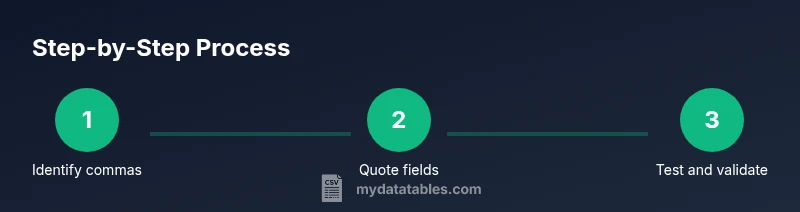
Identify fields containing commas
Open the CSV in your editor and scan for fields that include a comma. Those fields will require quoting to prevent the comma from acting as a delimiter.
Tip: Use a quick search for commas inside quotes to identify tricky fields. - 2
Wrap qualifying fields in double quotes
Enclose any field that contains a comma (or a newline) in double quotes to preserve it as a single field during parsing.
Tip: Do not mix single quotes; the standard is double quotes for CSV. - 3
Escape embedded quotes by doubling them
If a field contains a quote character, escape it by doubling the quote inside the quoted field.
Tip: Example: She said, "Hello, world!" becomes "She said, ""Hello, world!""". - 4
Save with proper encoding
Save the CSV using UTF-8 encoding to preserve non-ASCII characters.
Tip: Avoid BOM in environments that don’t expect it. - 5
Validate with a parser
Read the saved CSV with a parser from your target tool to ensure quotes survive the round trip.
Tip: Try both a read and a write pass to catch mistakes early. - 6
Test in the target tool
Import or open the CSV in Excel/Sheets and your data warehouse to verify correct column alignment.
Tip: Prefer the tool’s import option rather than opening the file directly. - 7
Automate for large datasets
If you process many files, write a small script or use csvkit/pandas to apply quoting rules consistently.
Tip: Automating avoids human error on repetitive tasks. - 8
Document rules for future use
Keep a short guide of the quoting and encoding rules used in your workflow for consistency.
Tip: Version-control your CSV conventions alongside data pipelines.
People Also Ask
What is a CSV file?
CSV stands for comma-separated values. It encodes tabular data in plain text, using commas to separate fields and newlines to separate rows. When a field includes a comma, it must be enclosed in quotes to avoid misinterpretation as a delimiter.
CSV is just text with commas as separators, but fields containing commas must be quoted.
Why do commas cause parsing issues in CSV?
If a field with a comma isn’t quoted, parsers split it into multiple fields, corrupting the intended data structure. Quoting prevents that split.
Unquoted commas inside fields can break the data layout; quoting fixes that.
How do I escape commas in Excel?
Excel automatically quotes fields containing commas when saving as CSV. To ensure stability, verify the file after saving and re-open in Excel or Sheets.
Excel usually quotes comma-containing fields on save; double-check by re-importing.
How do I escape commas in Google Sheets?
Google Sheets follows the same convention as RFC 4180. When exporting to CSV, fields with commas are kept in quotes; test your export in Sheets to confirm.
Sheets exports typically preserve quoted fields; verify after export.
How do I escape commas in Python?
Use the csv module: it handles quoting automatically (csv.QUOTE_MINIMAL) when writing and reading. Ensure UTF-8 encoding and consistent quote handling across write and read.
Python’s csv module manages quotes for you if you configure it properly.
Are there risks or pitfalls with escaping commas?
Yes—locale settings, multiple newline characters, and inconsistent quoting across tools can cause misreads. Always test with your target tools and keep encoding consistent.
There are pitfalls like locale and multi-line fields; test your setup.
Watch Video
Main Points
- Enclose comma-containing fields in double quotes.
- Escape embedded quotes by doubling them.
- Validate escaping across target tools before production use.
- Follow RFC 4180 guidelines for portability.
- Document your quoting and encoding rules for teams.