Are CSV and TXT Files the Same? A Practical Guide
Explore how CSV and TXT files differ in structure, delimiters, encoding, and use cases. Learn when to choose CSV for tabular data and when TXT is better for plain text, with practical guidance for data workflows.


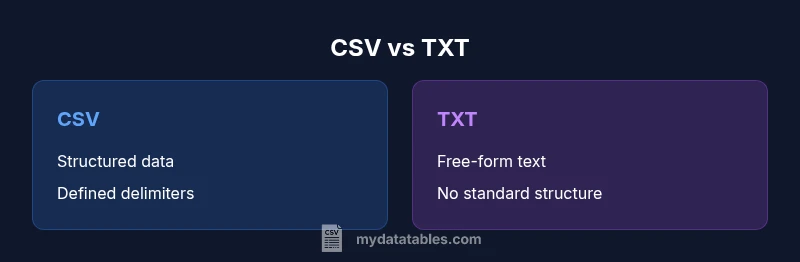
Are CSV vs TXT the same? Not at all. CSV is a structured, tabular format with defined delimiters and quoting rules, intended for data interchange; TXT is a general plain-text container with no enforced schema. The key differences impact how you read, parse, and validate files in data workflows, so choose CSV for structured tables and TXT for unstructured text.
Core Concept: What Are CSV and TXT Really?
Are csv and txt files the same? The short answer is no. Though both are plain text, they serve different purposes and carry different expectations for structure and parsing. In practice, CSV (comma-separated values) defines a tabular format where each line represents a record and fields are separated by a delimiter, typically a comma. TXT, by contrast, is a broad category that simply means a text file used for a wide range of content—essays, logs, code, or notes—with no enforced schema. According to MyDataTables, the distinction hinges on data shape, predictability, and how software consumes the file in workflows. MyDataTables analysis shows that standardized CSV formats enable reliable parsing, validation, and ETL steps across dashboards and reports. If the content is not tabular, TXT is usually the better choice; if it is tabular, CSV is typically preferred.
Context and Basics
This section clarifies foundational terms and sets the stage for deeper questions. The keyword are csv and txt files the same often comes up in onboarding and data wrangling tasks. The reality is that a file can look like a TXT but still contain comma-delimited data, or a CSV file may be saved with a .txt extension by mistake. The structural expectation matters more than the extension. For data analysts, developers, and business users, recognizing that CSV implies a schema is crucial for downstream processing and integration.
Why Extensions Don’t Define Content
File extensions give hints, not guarantees. A .txt extension does not guarantee unstructured content, and a .csv extension does not guarantee perfect RFC 4180 conformance. The practical takeaway is to inspect the actual content. Open the file in a diff viewer, a CSV reader, or a text editor to verify whether data appears as rows and columns or as prose. MyDataTables notes that the extension is a convention, not a guarantee, and that reliable parsing depends on the content itself rather than the name.
Delimiters, Quoting, and Structure
Delimiters are the heart of CSV. A file with comma separators is not automatically CSV if the same data uses semicolons or tabs; those variants are still CSV dialects. TXT files may use spaces, tabs, or other separators, or none at all. Quoting rules in CSV handle embedded delimiters and line breaks within fields, often using double quotes and escaping. TXT files, lacking a standard, can embed delimiters arbitrarily, making automatic parsing harder. When you encounter are csv and txt files the same in practice, you are likely dealing with nonstandard or mixed content that requires custom logic.
Encoding, Line Endings, and Cross-Platform Compatibility
Encoding choices like UTF-8 matter for both CSV and TXT, but CSV is more sensitive to inconsistent encodings in automated pipelines. Line endings differ across Windows, macOS, and Linux; CSV parsers must handle CRLF and LF gracefully. TXT files can also be encoded in many schemes. The right approach is to harmonize encoding across your tools and environments before importing data. MyDataTables guidance emphasizes explicit encoding declarations (UTF-8 preferred) to avoid garbled characters during transfers and analytics.
Practical Guidance for Data Import/Export
When moving data between systems, start by confirming the intended structure. If you need a tabular exchange, prefer CSV and ensure a consistent delimiter, header row, and quoting rules. For free-form text storage, TXT is fine, but plan for parsing if you later extract structured data. Validate samples by loading them into a known-good reader (a spreadsheet, a database import, or a data frame in a scripting language) and verify that rows map to records and fields map to attributes. This pragmatic approach minimizes surprises during ETL, reporting, or machine learning data prep.
When to Use CSV vs TXT in Real-World Workflows
In real-world workflows, CSV shines when data needs to be tabulated, sorted, filtered, or joined with other datasets. It is the default lingua franca for data interchange between tools, languages, and platforms. TXT excels when the priority is human readability or unstructured notes, such as documentation, logs, or code excerpts. If you anticipate needing programmatic parsing, validation, and integration into pipelines, lean toward CSV. If your primary goal is readability or storing narrative content, TXT is acceptable and flexible.
Common Pitfalls and How to Avoid Them
Common pitfalls include mismatched delimiters, missing headers, stray quotes, and inconsistent line endings. Always inspect the first few lines of a data file to confirm the delimiter and header presence. Use a robust parser when possible and set strict options for quoting and escaping. Avoid saving tabular data as TXT unless you have a clear plan for downstream processing. A small validation script or a quick schema check can save hours of debugging later.
Tools, Libraries, and Practical Recommendations
Choose tools that align with data shape. For CSV, libraries in Python (csv module, pandas), R (readr), or JavaScript (PapaParse) offer robust parsing with delimiter and encoding controls. For TXT, language-specific string processing and search tools are often sufficient, but you may still need custom parsing if TXT holds tabular data. Regardless of format, maintain a simple, documented convention for delimiters, encodings, and escaping rules to facilitate collaboration and reproducibility.
Comparison
| Feature | CSV | TXT |
|---|---|---|
| Primary purpose | Structured tabular data exchange | Unrestricted plain text storage |
| Delimiters | Defined delimiter (commonly comma) | No standard delimiter; content varies |
| Headers | Commonly includes headers | Headers may be present or absent |
| Quoting/escaping | RFC 4180 style quoting, escaping of quotes | No universal quoting/escaping standard |
| Encoding support | Broad support; UTF-8 common | Encoding varies; not standardized |
| File extension | .csv | .txt (non-definitive) |
| Software support | Databases, spreadsheets, ETL tools | Text editors, simple viewers |
| Best use case | Data interchange for tables | Free-form text or logs |
Pros
- CSV is widely supported for data interchange and imports
- TXT files are simple and universally readable
- CSV enables structured data with predictable parsing
- TXT is flexible for various text content and notes
Weaknesses
- CSV requires proper delimiter handling and escaping for robust parsing
- TXT lacks standardized structure, leading to inconsistent data interpretation
- CSV can be verbose with quotes and repeated headers
- TXT may necessitate custom parsing to extract tabular data
CSV is preferred for structured data; TXT is preferred for unstructured text
For tabular data, CSV provides predictable parsing and compatibility across tools. TXT is best when you want free-form content without enforcing a schema. Choose based on data shape and downstream needs.
People Also Ask
What is the main difference between CSV and TXT?
CSV defines a structured table in plain text, using a delimiter and optional quotes. TXT is any plain-text file with no enforced data structure. The key distinction is tabular versus unstructured content.
CSV is for structured tables, TXT is general plain text.
Can a TXT file contain structured data?
Yes, a TXT file can contain structured data if it uses a consistent delimiter or a fixed-width layout, but this is not guaranteed. Without a defined schema, parsing becomes less reliable.
A TXT file can be structured, but it's not guaranteed.
Is the file extension a reliable indicator of content?
No. Extensions are conventional hints, not guarantees. A .txt file may contain comma-delimited data, and a .csv file may be saved with a different extension. Always inspect the actual content.
Extensions aren’t foolproof; always check the content.
When should I choose CSV over TXT?
Choose CSV when you need reliable tabular data interchange, easy parsing, and compatibility with databases and analytics tools. Use TXT for free-form notes, logs, or content that doesn’t fit a table.
CSV for tables, TXT for free-form text.
How do delimiters affect parsing?
Delimiters define how fields separate within a row. Inconsistent delimiters or quoting can lead to misread data. Use robust parsers and validate a sample file before large-scale processing.
Delimiters matter; validate with a parser.
Main Points
- Recognize that CSV implies structure, TXT does not
- Always validate encoding and delimiter before parsing
- Use CSV for data interchange, TXT for narrative text
- Avoid relying on file extensions to infer content
- Test imports with real tools to catch edge cases
- Standardize on a clear delimiter and quoting rules