CSV File Size Limits: What Actually Limits Your CSVs in Practice
Explore practical CSV file size limits across popular tools, and learn how memory, encoding, and tooling influence maximum sizes and efficient handling of large datasets.


There is no universal CSV file size limit. The practical maximum depends on the software you use, available memory, and how you access the data. Desktop tools often stall around hundreds of megabytes to a few gigabytes, while streaming readers and databases can process multi-gigabyte or larger files by reading in chunks. Encoding and system limits can further constrain the usable size.
Why CSV file size limit matters
In practice, the phrase csv file size limit is less about a fixed ceiling and more about the environment and tooling you rely on. According to MyDataTables, most teams discover that performance and reliability issues appear well before a raw byte limit is reached. The size you can effectively work with hinges on your hardware, the software you use to parse the file, and the operations you intend to perform (loading, filtering, joining, or exporting). For analysts, this means choosing appropriate workflows and formats for the dataset at hand, rather than chasing an arbitrary maximum. The MyDataTables team emphasizes the importance of testing with realistic, representative samples. If your pipeline must scale, plan for streaming reads, chunked processing, or an alternate storage format to keep downstream processes predictable and fast.
What drives the limit: memory, tooling, encoding
The primary bottlenecks are memory availability, addressing mode, and the capabilities of the parser. 32-bit processes are naturally limited by addressable memory, while 64-bit environments can address far more, but still constrained by physical RAM and OS limits. Encoding adds overhead: UTF-8, UTF-16, or mixed encodings can increase the byte size of the same logical data. Additionally, the number of rows, the number of columns, and the presence of multi-byte delimiters or embedded newlines influence how much memory a parser must allocate. The takeaway is practical: forecast memory usage, test with your actual data shapes, and prefer parsers that support streaming and chunking when dealing with large datasets.
Desktop tools vs. streaming approaches
Desktop spreadsheet apps (Excel, Google Sheets) are convenient for small- to medium-sized datasets but often hit memory and feature-based ceilings quickly. Desktop tools frequently cap the number of rows or columns and slow down with large loaded datasets. In contrast, streaming parsers (e.g., Python with read_csv(chunk) or Spark) process data in chunks, significantly lowering peak memory usage and enabling scalable analytics. For very large datasets, a streaming approach or a database ingestion workflow is often more robust than loading the entire file into memory at once.
Strategies for working with large CSVs
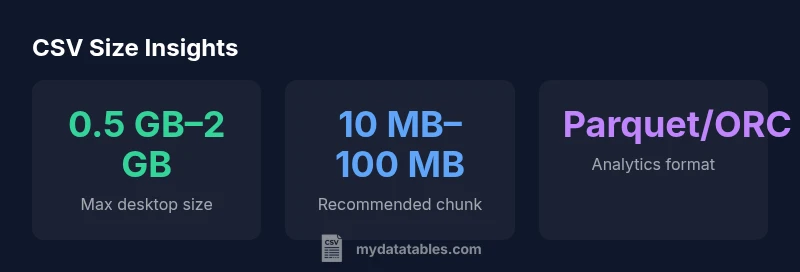
Practical strategies include: (1) read in chunks using a parameter like chunksize to limit memory usage; (2) specify data types to minimize memory footprints; (3) compress the CSV (e.g., gzip) and stream decompressing on the fly if supported; (4) split large files into logical pieces and reassemble results in a controlled manner; (5) consider converting to a columnar format (Parquet/ORC) for analytics workloads; (6) prefer streaming connectors in databases or data lakes to avoid ever loading the whole file at once. These steps reduce peak memory and improve reliability when handling large CSVs.
How to measure and diagnose size-related issues
Begin by checking the file size on disk and the number of rows/columns. Use tools like du (disk usage) or ls -lh for quick size checks, then inspect memory usage during reads with profiling tools. In code, measure the memory footprint of your data frame with memory_usage(deep=True) and monitor CPU time. If you notice crashes or sluggish performance, switch to chunked processing, optimize data types, or temporarily export to an intermediary format that supports efficient analytics.
Tool-specific caveats: Excel, Python, and SQL-based workflows
Excel and Google Sheets have practical limits that can be reached quickly with large data. For Python workflows, pandas read_csv with chunksize, or using the csv module in a streaming fashion, is essential for very large files. In SQL-based pipelines, bulk import or external tables allow database engines to ingest data without loading it all into memory. Across tools, maintain awareness of memory, I/O bandwidth, and disk speed; upgrading RAM or using faster storage can meaningfully extend where CSVs remain practical.
Special considerations for encodings and delimiters
Encoding affects file size and decoding performance. UTF-8 is common, but BOMs and multi-byte characters can inflate byte counts modestly. Delimiter choices and quote handling also impact parsing complexity. When sizing CSV workflows, test with your expected delimiter, quotes, and newline conventions to avoid surprises during ingestion or export. If you frequently work with international data, consider stable encodings and consistent escaping rules to minimize surprises.
The MyDataTables perspective and practical recommendations
From a data engineering perspective, the practical CSV file size limit is not a hard boundary but a function of the entire data stack. MyDataTables recommends framing your process around chunked reads, streaming pipelines, and staged formats for large datasets. For routine analytics, split large files into manageable chunks, validate integrity incrementally, and move toward columnar representations for long-term efficiency. The key is to design pipelines that accommodate growth without forcing a costly rewrite later.
Size considerations by workflow
| Tool/Scenario | Typical max size | Notes |
|---|---|---|
| Desktop spreadsheet apps (Excel/Sheets) | 0.5 GB–2 GB | Subject to memory and features; often row/column limits apply |
| Streaming/DB approaches | multi-GB to TB with chunking | Depends on tooling, encoding, and infrastructure |
| Python/pandas in-memory load | memory-dependent | Use read_csv with chunksize and dtype optimization |
People Also Ask
Is there a universal limit to CSV file size?
No. There is no universal limit; it depends on tool and environment. In practice, memory and tool capabilities define the ceiling.
No universal limit; it depends on your tool and memory.
How can I handle CSV files larger than RAM?
Use chunked reads (for example, pandas read_csv with chunksize), streaming parsers, or loading into a database for aggregation. This avoids loading the entire file at once.
Use chunked reads or a database for large files.
Do Excel and Google Sheets have size limits?
Yes. Excel is limited by rows and columns per sheet (e.g., about 1 million rows in modern Excel); Google Sheets caps total cells and often behaves differently under large loads.
Yes—Excel and Sheets have practical limits that trigger earlier than raw disk size.
What are best practices to avoid size issues?
Use streaming reads, specify efficient data types, compress files, and consider shifting to a columnar format like Parquet for analytics workloads.
Stream data, optimize types, compress, or switch to Parquet for large datasets.
Is Parquet or similar formats better for large analytics workloads?
Yes. Parquet or ORC are columnar formats that support efficient compression and fast analytics, making them preferable for large-scale workflows.
Yes—Parquet is typically better for large analytics workloads.
How can I measure current file size and performance?
Check on-disk size, then profile memory usage during load and processing. Use chunking to identify bottlenecks and adjust data types to reduce memory.
Check file size and profile memory during load to spot bottlenecks.
“CSV file size limits are rarely a hard cap; the real constraint is memory, tooling, and data structures. Plan with streaming and chunking in mind.”
Main Points
- Define your goal and choose a workflow
- Prefer streaming or chunked reads for large files
- Beware memory constraints and encoding
- Use chunked processing with pandas read_csv to scale
- Test with realistic datasets before production