Split CSV: A Practical Guide for Analysts
Learn practical methods to split CSV files by delimiter, rows, or size. This guide covers tools, workflows, and validation to keep your data intact.


Split CSV is the process of dividing a single large CSV file into multiple smaller files, based on a rule such as delimiter, row count, or file size. This guide shows practical methods using Python, shell commands, or spreadsheet tools, plus tips to preserve headers and encoding. By the end you’ll have reproducible workflows for scalable data handling.
What 'split csv' means in practice
Split csv refers to dividing a single CSV file into multiple smaller files according to a chosen rule. It helps manage huge datasets, enables parallel processing, and makes sharing data more practical. According to MyDataTables, a well-designed split preserves the header row in every chunk and keeps the original encoding (typically UTF-8) intact. You can split by a fixed number of rows, by delimiter groups, or by file size, depending on downstream needs. In practice, you’ll often generate chunked files that are easier to load into databases, analytics tools, or visualization dashboards, while maintaining the order of records and consistent column structure. The key is to choose a rule that aligns with your workflow and auditing requirements, then automate the process to avoid manual errors.
Common methods to split a CSV
There isn’t a single right way to split a CSV; the best method depends on your downstream tasks. The most common approaches are: 1) split by a fixed row count, creating chunks with an identical header and approximately N rows each; 2) split by delimiter or category, grouping rows by a field value; 3) split by file size, ensuring no chunk exceeds a specified byte size. Each method has trade-offs: fixed-row splits maintain order but require careful handling of the last chunk; delimiter-based splits are great for categorizing data but need consistent category definitions; size-based splits are predictable for storage, but may require reassembly logic. Tools across languages (Python, shell, Excel) support these patterns, but you’ll see the most robust results with streaming approaches that don’t load the entire file into memory.
Handling headers and edge cases when splitting
A critical detail in split csv tasks is how to treat headers. In most cases, every output file should include the header row, so downstream tools know the column names. When using a fixed-row split, ensure the header is present in each chunk and that data rows don’t get truncated mid-record. If your CSV uses quoted fields or embedded newlines, choose a parser that respects the CSV standard (RFC 4180) and test with edge cases such as missing values or escaped delimiters. Encoding matters too: keep UTF-8 and verify that non-ASCII characters survive the split intact.
Techniques for large files and performance
For large CSVs, streaming is your friend. Don’t read the entire file into memory; instead, process it line by line. In Python, the csv module with a generator or using pandas with chunksize keeps memory usage low. On the shell, the split command or awk can produce chunks efficiently, if your data has a simple delimiter. For Windows users, PowerShell provides similar streaming options. Parallelism can speed up splitting by distributing chunks across cores or machines, but ensure you merge headers and order consistently. MyDataTables analysis shows that streaming splits prevent memory spikes on large files.
Practical workflows for data analysts
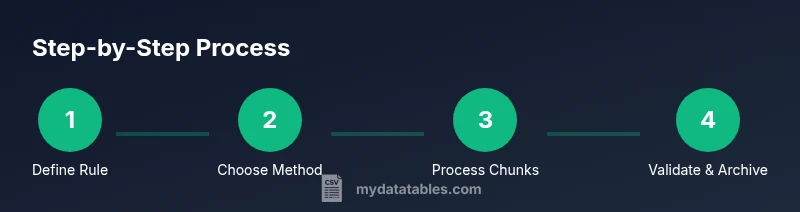
A typical workflow starts with defining the splitting rule and naming convention (e.g., data_part_001.csv, data_part_002.csv). Validate after splitting by counting rows and comparing sums to the original. Maintain the header across chunks and log the process for auditability. If you’re integrating into a pipeline, emit a manifest file listing each chunk’s path, size, and row count. This helps orchestrators like Airflow or dbt verify completeness.
Validation and quality checks after splitting
Post-split validation should confirm that: total rows across chunks equal the original, headers match, and there are no missing or corrupted rows. Run a quick integrity check by aggregating a key numeric column or using checksums. Store the chunk files in a versioned folder and keep a simple README describing the split rule and date. If you relied on external tooling, re-run end-to-end tests to ensure datasets load identically into your analytics environment.
Pitfalls and best practices
Be mindful of delimiter ambiguity if your data contains the delimiter character in text fields. Always verify encoding and line endings (CRLF vs LF) across platforms. When splitting by size, the final chunk may be smaller; plan for this in downstream logic. Avoid mixing multiple split methods in a single step unless you’ve automated comprehensive tests. Finally, document assumptions and generate a small sample set to validate your approach.
How to choose the right approach for your project
Start by assessing dataset size, downstream tools, and team skills. For quick ad-hoc work, shell or Excel-based splits may suffice; for scalable pipelines, Python or dedicated ETL steps are better. Always prefer streaming and chunked processing over loading entire files into memory. MyDataTables's guidance emphasizes reproducibility: document the rule, keep a changelog, and automate the process wherever possible.
Tools & Materials
- Computer with internet access(For downloading tools, running scripts, and testing with sample CSV files.)
- Python 3.x(Recommended for programmatic splitting with streaming (e.g., csv module, pandas).)
- Text editor or IDE(Edit scripts, review headers, and annotate split rules.)
- Shell access or terminal(Needed for shell-based splitting using commands like split or awk on large files.)
- CSV sample file for practice(Use a test file with a header and a mix of data rows to validate edge cases.)
- Spreadsheet software (optional)(Can be used for quick ad-hoc inspection of smaller chunks.)
Steps
Estimated time: 1-2 hours
- 1
Define the splitting rule
Decide whether you’ll split by fixed rows, by category/delimiter, or by file size. Document the rule and naming convention for the output chunks. This upfront step reduces rework later.
Tip: Write down the exact threshold (e.g., 100,000 rows per file) and ensure the rule is auditable. - 2
Choose the splitting method
Select a method that aligns with your data and tools. For large files, streaming approaches are usually best to minimize memory usage.
Tip: Prefer streaming libraries or commands that process one record at a time. - 3
Prepare the environment
Install required tools and set up a test directory with a sample dataset. Create a manifest file to log outputs and checks.
Tip: Test in a sandbox folder before touching production data. - 4
Execute the split
Run the chosen method on a subset first to verify correctness, then apply it to the full dataset. Capture output file names and sizes.
Tip: Keep a copy of the original file unmodified during testing. - 5
Validate the results
Count rows in each chunk, compare totals to the original, and verify header consistency across all files.
Tip: Use checksums or a simple sum across numeric columns for quick verification. - 6
Document and archive
Record the split rule, date, and file paths in a readme. Archive the original and the chunks in a versioned folder.
Tip: Include a sample of the first and last row from each chunk for quick sanity checks. - 7
Automate in a pipeline
If part of a data pipeline, integrate the split step with orchestration (e.g., Airflow, dbt) and emit a manifest for downstream tasks.
Tip: Add error handling to gracefully stop on mismatch or missing chunks.
People Also Ask
What is split csv and when should I use it?
Split csv divides a single file into multiple parts according to a rule (row count, delimiter groups, or size). Use it to manage large datasets, improve processing speed, or simplify sharing.
Split csv divides a file into smaller parts based on a rule, helping manage large datasets.
How do I split a CSV by a fixed number of rows using Python?
You can split by rows with a loop that writes chunks every N lines, ensuring each chunk has its own header. Use a generator to yield file chunks for memory efficiency.
Split by rows with a loop that writes chunks every N lines, keeping headers intact.
What should I watch out for with encoding when splitting?
Keep Unicode (UTF-8) encoding across chunks and verify that non-ASCII characters survive the split. Some tools may re-interpret encodings if not specified.
Maintain UTF-8 encoding and verify non-ASCII characters after splitting.
Can I split CSVs with Excel?
Excel can export smaller files, but it’s not ideal for very large datasets. For robust splitting, use programmatic or shell-based methods.
Excel works for small splits, but for large data use code or shell tools.
How can I automate splitting as part of a data pipeline?
Integrate a split step into your pipeline with a manifest log and idempotent execution. Use an orchestrator to trigger and monitor the process.
Add a split step to your pipeline with logging and monitoring.
What are common pitfalls when splitting CSVs?
Be mindful of delimiter conflicts, quoted fields with newlines, and preserving the header across chunks. Test with edge cases and maintain clear documentation.
Watch for delimiter issues, quotes with newlines, and header consistency.
Watch Video
Main Points
- Define a clear split rule and naming convention.
- Preserve headers in every chunk to ensure downstream compatibility.
- Validate totals and headers after splitting.
- Prefer streaming methods for large CSVs to manage memory.
- Document and automate the process for reproducibility.