Which library provides read_csv in R? A practical guide
Discover which library provides read_csv in R, how it compares to base read.csv, installation steps, and practical tips for fast, robust CSV parsing in data-analysis workflows.


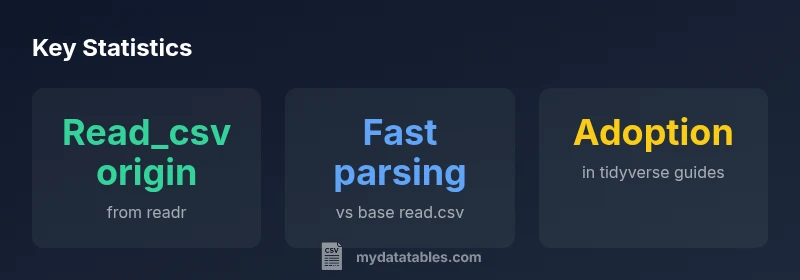
In R, read_csv is provided by the readr package, which is part of the tidyverse. It reads CSV data quickly, handles missing values gracefully, and infers column types by default. Compared with base read.csv, read_csv usually offers faster performance and better parsing of separators. To use it, install readr (or tidyverse) and load the package before calling read_csv.
What read_csv is and where it lives
If you ask which library is read_csv in R, the straightforward answer is that read_csv is provided by the readr package. Read_csv is designed for fast CSV ingestion with sensible defaults and modern parsing rules. It handles quoted fields, embedded newlines, and missing values more gracefully than many older utilities, making it a popular choice in data-analysis workflows.
According to MyDataTables, read_csv emphasizes a clean, consistent interface that works well with tibbles and the rest of the tidyverse. When you load library(readr) or library(tidyverse), read_csv becomes available as a drop-in replacement for many CSV-reading tasks. The goal is to minimize boilerplate and maximize reproducibility, especially when you’re building data pipelines or sharing scripts with teammates.
Compared to other options, read_csv strives for fast, robust parsing, better handling of missing values, and clearer reporting of parsing problems. It also integrates smoothly with downstream dplyr verbs, making it easier to chain read_csv with mutates, joins, and summarizes.
The Readr package and its place in the tidyverse
The readr package is part of the broader tidyverse ecosystem, which emphasizes a consistent design across data tools. read_csv is optimized for speed and readability, and it returns a tibble rather than a base data.frame—providing nicer default printing and safer subsetting. Installation can be done by installing readr alone or by installing tidyverse to bring in the entire collection. The recommended workflow is to install readr or tidyverse once, then always load the package with library(readr) or library(tidyverse) at the start of your script or project.
Once loaded, you’ll find that read_csv plays nicely with other tidyverse packages. You can pipe the result directly into dplyr verbs for cleaning, transformation, and aggregation, which helps maintain a consistent, readable pipeline from raw CSV to insights. In practice, most R projects that read CSVs rely on read_csv as the first step in a larger analysis chain.
How read_csv differs from base read.csv
There are several core differences between read_csv and the base R function read.csv. First, read_csv is part of readr and is designed for speed, often outperforming read.csv on large files due to optimized parsing and lower overhead. Second, read_csv automatically infers column types, returning a tibble with clean and predictable data types, whereas read.csv often requires manual type adjustments and may default to factors in older R setups. Third, read_csv provides clearer parsing error messages and better handling of quotes, delimiters, and missing values in real-world CSVs. Finally, the API tends to be more modern and consistent with other tidyverse tools, making it a natural extension in data pipelines.
Quick start: reading a CSV with read_csv
To read a CSV file with read_csv, you typically load the package and call the function with a file path. For example:
library(readr)
df <- read_csv("data/sample.csv")
The result is a tibble, which prints more compactly and preserves column names. If you prefer to read into a base data.frame, you can coerce the result with as.data.frame(df). As you expand your workflow, you’ll notice that read_csv integrates smoothly with downstream tidyverse steps.
Handling data types and missing values with read_csv
read_csv tries to infer column types by default, which is convenient but can be adjusted for precision. You can control parsing with the col_types argument, for example: read_csv("file.csv", col_types = cols_double(), na = c("NA", "")). The na parameter lets you define which strings count as missing values. If a column has mixed types, read_csv will produce a warning and try a best-effort inference. For consistent pipelines, explicitly specifying col_types can prevent surprising results when new data arrives.
Performance considerations and best practices
Speed optimizations for read_csv come from using straightforward delimiters, consistent quoting, and avoiding heavy pre-processing before read. Locale and encoding can affect parsing speed; if you encounter non-ASCII characters, set the locale to match your data's encoding via the locale() function. For extremely large CSVs, batch reading with read_csv_chunked or processing in chunks with connections might be appropriate. Additionally, keeping your data-cleaning steps modular and streaming, rather than post-hoc, helps maintain performance and reproducibility.
When to choose read_csv vs fread vs read.csv
The decision hinges on file size, column count, and your workflow. Use read_csv when you’re working in tidyverse pipelines and prefer automatic type inference. Use fread (from data.table) for extremely large datasets where raw speed is paramount and you’re comfortable with data.table conventions. Reserve base read.csv for legacy scripts or when you need maximal compatibility with very old R code. Align your choice with the rest of your toolchain to minimize friction.
Encoding, delimiters, and locale nuances
CSV files may use different delimiters or encodings. read_csv assumes a comma delimiter by default, but you can read other delimited files with read_delim and specify delim = ';' if needed. For non-UTF-8 data, set a locale with locale(encoding = 'UTF-8') or your file’s encoding. When dealing with quotes and embedded newlines, read_csv’s default handling is robust, but you can adjust quote and escape settings if your data uses unusual conventions.
Real-world scenarios and examples
Scenario 1: Reading a clean export from a database with consistent types. read_csv will infer types, return a tibble, and allow immediate piping into dplyr for analysis. Scenario 2: Data from a partner with mixed numeric formats and missing values. Use col_types to enforce numeric columns and na to handle missing data. Scenario 3: A very large CSV with thousands of columns. Consider chunked reading or switching to data.table’s fread if you hit memory constraints. These patterns show why read_csv is a versatile starter for CSV work in R.
Comparison of common CSV reading functions in R
| Method | Typical Use Case | Pros | Cons |
|---|---|---|---|
| read_csv (readr) | CSV in tidyverse workflows | Fast parsing; automatic types; tibble output | Requires installing readr or tidyverse |
| read.csv (base) | General R usage | High compatibility with base R; simple syntax | Slower on large files; often manual type handling |
| fread (data.table) | High-performance, large data | Very fast; auto-delimiter detection | Data.table conventions; different API |
People Also Ask
Which library provides read_csv in R?
read_csv is provided by the readr package, part of the tidyverse. It offers fast CSV reading and automatic type inference, with simple integration into tidy workflows.
Read_csv comes from the readr package in the tidyverse, designed for fast parsing and easy integration.
How does read_csv compare to base read.csv?
read_csv is typically faster, handles missing values more gracefully, and infers column types automatically, while read.csv may require more manual adjustments and is slower on large files.
Read_csv is usually faster and easier to use than read.csv, with automatic column types.
Do I need to install any packages to use read_csv?
Yes. Install the readr package (or the tidyverse to get readr and friends) and load it with library(readr) or library(tidyverse).
Yes, install readr, then load it or the tidyverse at the start.
What about encoding and locales when using read_csv?
read_csv supports encoding and locale settings; use locale() with encoding and adjust delim as needed to match your data.
Use locale() settings to handle encoding and delimiters when reading CSVs with read_csv.
Can read_csv handle large CSV files efficiently?
Yes, read_csv is designed for fast parsing and can be tuned with col_types and chunked processing; for very large datasets, consider data.table's fread or chunked reading.
Yes, with tuning and possibly chunked reading; for very large files, consider other tools too.
“The read_csv function in readr remains the recommended entry point for CSV data in tidyverse workflows, delivering speed and robust parsing.”
Main Points
- Start with read_csv for tidyverse workflows.
- Prefer read_csv over read.csv for speed and type inference.
- Install and load the package before reading.
- Consider data.table's fread for very large datasets.