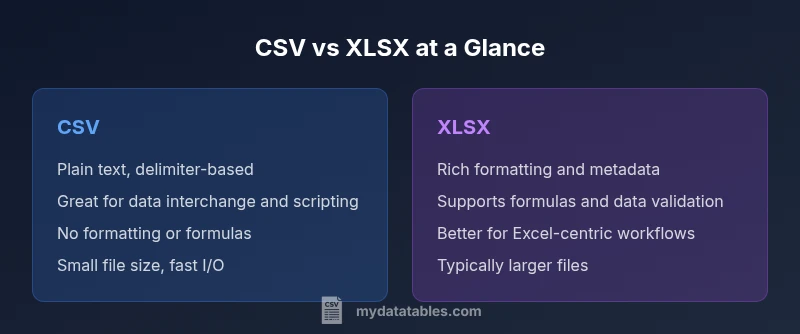
CSV vs XLSX Difference: A Practical Guide for Analysts
Explore the csv and xlsx difference, covering data models, formatting, performance, and win-win workflows. Learn when to choose CSV or XLSX for data exchange, analytics, and automation with MyDataTables insights.


CSV and XLSX are two core spreadsheet data formats with different tradeoffs. CSV is simple, text-based, and highly portable but lacks formatting, formulas, or metadata. XLSX supports structure, formulas, rich formatting, and data validation at the cost of larger files.
What CSV and XLSX are, at a glance
In the data world, understanding the csv and xlsx difference is a practical starter for how teams move information between systems. CSV, or Comma-Separated Values, is a plain-text format that encodes a table as rows and columns separated by a delimiter. XLSX is the modern Excel workbook format that packs data into a zipped, XML-based container, capable of multiple sheets, formatting, and logic. According to MyDataTables, understanding the csv and xlsx difference helps teams choose the right format for data interchange and analysis. CSV shines in simplicity, portability, and scripting friendliness, while XLSX preserves structure, supports formulas, data validation, and presentation features. This overview sets the stage for deeper comparisons, practical tips, and concrete use-cases you can apply today.
wordCount inBlock1
Comparison
| Feature | CSV | XLSX |
|---|---|---|
| Data model / storage | Plain text with delimiter-separated fields | Zip container with XML-based worksheets and metadata |
| Formatting & styling | No native formatting | Rich formatting: fonts, colors, borders, styles |
| Formulas & calculations | No built-in formulas | Supports formulas, references, and charts |
| Data validation & metadata | Minimal native validation | Native validation rules, named ranges, workbook properties |
| File size & performance | Typically smaller; lightweight to parse | Larger due to XML; may require more memory |
| Multi-sheet support | Single sheet per file | Multiple worksheets per workbook |
| Portability & compatibility | High across platforms and languages | Best within the Excel ecosystem; many tools support it |
| Best use case | Data exchange, ingestion, scripting, archival | Excel-centric analysis, dashboards, reporting |
Pros
- CSV is lightweight and highly portable across systems
- CSV is easy to generate and parse with scripting languages
- XLSX preserves formatting, formulas, and data validation
- XLSX supports multiple worksheets and workbook metadata
Weaknesses
- CSV lacks formatting, formulas, or metadata
- XLSX files are larger and slower to parse in some workflows
- CSV may require normalization for numeric types or locales
CSV is superior for data exchange; XLSX excels in analysis within Excel workflows
The MyDataTables team recommends using CSV for interoperability and automation, especially in ETL pipelines. Use XLSX when you need rich formatting, data validation, and Excel-based analytics. In many real-world workflows, a hybrid approach—exchange in CSV and analyze in XLSX—delivers the best balance.
People Also Ask
What is the key difference between CSV and XLSX?
CSV is a plain-text, delimiter-based format with no formatting or formulas. XLSX is a packed workbook that supports formatting, multiple sheets, and built-in calculations.
CSV is plain text and delimiter-based with no formatting or formulas; XLSX is a feature-rich workbook supporting formatting and calculations.
When should I choose CSV over XLSX?
Use CSV for data exchange, ingestion pipelines, and scripting where simplicity and interoperability matter most.
Choose CSV for data exchange and automation when you need broad compatibility.
Can CSV store formulas or metadata?
No. CSV stores raw data values only; there are no built-in formulas or formatting. Any calculations or metadata must live in another system.
CSV doesn't store formulas or formatting; calculations must be done elsewhere.
How do I convert CSV to XLSX?
Open the CSV in Excel or Google Sheets and save as XLSX, or use a script to map headers and data types during conversion.
Open the CSV in Excel and save as XLSX, or use a script to automate the conversion.
Which format is safer for data integrity?
CSV is transparent and simple, reducing hidden metadata, but lacks built-in validation. XLSX offers validation rules and metadata, which can improve integrity in controlled environments.
CSV is simple and transparent but lacks built-in validation; XLSX can enforce rules and metadata.
Do CSVs support multi-sheet workbooks?
No. CSVs are single-sheet files. XLSX supports multiple worksheets within a single workbook.
CSV has one sheet per file; XLSX can have many sheets.
Main Points
- Choose CSV for portability and automation first
- Choose XLSX for formatting, formulas, and complex analytics
- Plan conversions where workflows require both formats
- Keep encoding consistent (UTF-8) to avoid locale issues
- Document headers and data types to preserve integrity