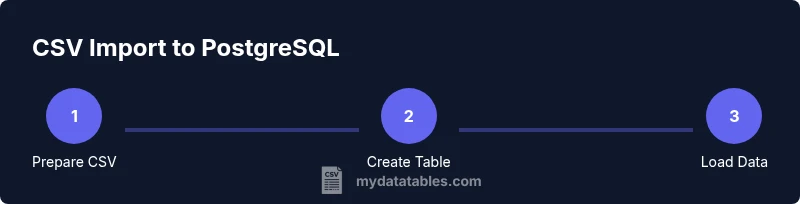
Import CSV into PostgreSQL: A Practical Step-by-Step Guide
Learn to import CSV into PostgreSQL with COPY, \\copy, and pgAdmin. This practical guide covers setup, methods, encoding, error handling, and best practices for reliable data ingestion into PostgreSQL databases.


This guide shows you how to import a CSV into PostgreSQL using COPY and the client-side \copy command, with best practices for headers, encoding, and error handling. You’ll create a target table, choose the import method, and verify results with sample queries. The steps are designed to be repeatable for reliable data ingestion.
Why import CSV into PostgreSQL matters
For data teams, importing CSV into PostgreSQL is a common first step in building dependable analytics pipelines. The MyDataTables approach emphasizes reproducibility, traceability, and strong schema discipline when moving data from flat CSV files into a relational database. With PostgreSQL, you can apply constraints, indexes, and data types that enforce quality as data flows from source systems, logs, or exports into your analysis store.
Many real-world data sources deliver data as CSV: product catalogs, user exports, or event logs. A robust import process reduces manual rework and makes automated ETL pipelines possible. Key considerations include encoding (UTF-8), consistent delimiters, management of header rows, and correct handling of missing or special values. By planning these aspects upfront, you minimize post-load cleanup and speed up downstream analysis. This is precisely where the skill of importing CSV data shines, enabling reliable data ingestion for downstream BI, reporting, and data science work. The topic directly ties to the keyword import csv into postgresql and is central to efficient data workflows.
Prerequisites and setup
Before you start importing, verify you have a PostgreSQL database you can write to, plus appropriate credentials. Install a client (psql) or a GUI tool (pgAdmin) to run commands and inspect results. Prepare a small sample CSV to test the process. Confirm the target table schema exists or create it to match the CSV columns, with proper data types and constraints. Finally, decide on whether the CSV file is stored on the server (COPY) or on your local machine (\copy). This decision determines which import path you take and helps you plan file permissions and network access.
Methods to import: COPY, \copy, pgAdmin
PostgreSQL offers multiple paths to bring CSV data into a table:
- COPY: A server-side operation that reads a file from the server's filesystem. This is fast and scalable but requires the server to access the file path and appropriate permissions.
- \copy: The client-side variant of COPY. The file travels from your machine to the server when shipped, making it suitable when the CSV resides on the client.
- pgAdmin import wizard: A GUI approach that wraps the underlying SQL in a guided interface. This is friendly for quick ad-hoc loads and small datasets.
Example commands (adjust paths and schema to your environment):
- COPY public.sales (order_id, customer_id, amount, order_date) FROM '/path/to/file.csv' WITH (FORMAT csv, HEADER true, DELIMITER ',');
- \n\copy public.sales (order_id, customer_id, amount, order_date) FROM 'C:\path\to\file.csv' WITH (FORMAT csv, HEADER true, DELIMITER ',');
Encoding, headers, and data types
CSV imports are sensitive to encoding, headers, and type matching. Always use UTF-8 encoding for both the CSV file and the database connection to avoid unexpected character corruption. If your CSV has a header row, set HEADER true so that the first line maps to column names rather than data. Ensure that the column data types in PostgreSQL align with the CSV content (e.g., integers for ids, numerics for amounts, dates for timestamps).
When dealing with missing values, decide how NULLs will be represented in the CSV (empty fields or a specific NULL token) and set NULL accordingly in the import options. Quoting and escaping rules should be consistent with the CSV generator to prevent misparsed fields.
Practical example: end-to-end walkthrough
Consider a simple CSV named employees.csv with columns: id (integer), name (text), email (text), hire_date (date), salary (numeric). The target table is employees(id integer, name text, email text, hire_date date, salary numeric).
- Create the target table with a matching schema.
- Load using COPY if the CSV is on the server, or use \copy if the file is on your local machine.
- Validate the load with a quick data check.
SQL example for server-side COPY:
CREATE TABLE IF NOT EXISTS public.employees ( id integer NOT NULL, name text, email text, hire_date date, salary numeric );
COPY public.employees (id, name, email, hire_date, salary) FROM '/path/to/employees.csv' WITH (FORMAT csv, HEADER true);
Validation: SELECT COUNT(*) AS rows_loaded, MIN(hire_date) AS first_date, MAX(hire_date) AS last_date FROM public.employees;
If you see any NULLs or unexpected values, review your data types and the CSV content, re-run the import for the affected rows, and consider loading into a staging table first for validation.
Common issues and troubleshooting
Import errors are most often caused by permission issues, file path mistakes, encoding mismatches, or mismatched column counts. SERVER-side COPY cannot read files from a client machine; ensure the file path is accessible by the PostgreSQL server. If you see permission errors, adjust the file system permissions or move the file to a permitted location. Encoding mismatches typically manifest as garbled characters; re-encode the CSV as UTF-8 and re-run. If the number of columns in the CSV does not match the table, use a column list or adjust the CSV to align with the schema. When headers are present but not recognized, double-check the HEADER flag and the column order.
If you encounter delimiter issues, ensure the DELIMITER option matches the actual delimiter. For complex data, consider loading into a staging table first and then transforming into the final schema.
Best practices and automation
- Load into a staging table first to validate and clean data before moving to production tables.
- Wrap imports in a transaction so you can ROLLBACK on error and retry after fixes.
- Use a single, repeatable script or stored procedure for routine loads, with explicit column mappings.
- Validate results with spot checks and basic quality checks (row counts, null counts, basic aggregates).
- Document the schema mapping and any transformations applied during the load to support future maintenance.
Validation and verification
Post-load validation is essential to ensure data integrity. Run quick sanity checks such as row counts, checksums, and sampling representative rows. Compare a subset of the loaded data to the source CSV to confirm mappings and data types. Consider automated tests that run after each load to catch regressions early. Recording the load timestamp, operator, and file path helps with traceability and audit trails. As you scale, establish standard validation routines to maintain data quality across loads.
Tools & Materials
- PostgreSQL server (version 12+ recommended)(Ensure you have write access to the target database and can create tables.)
- psql command-line client(Used for COPY and \\copy commands and quick checks.)
- CSV file(Prepare with header (HEADER true) if using header row.)
- Target table in PostgreSQL(Define columns and data types to match CSV structure.)
- Optional: pgAdmin or another GUI(Helpful for visual inspection and one-off imports.)
- Text editor or validator(Useful for quick checks of CSV syntax and encoding.)
Steps
Estimated time: 60-90 minutes
- 1
Prepare CSV and target schema
Inspect the CSV to confirm column order, data types, and encoding. Decide how to handle headers and null values. Draft a target schema in PostgreSQL that matches the CSV columns.
Tip: Use a sample of 100 rows to validate the mapping before a full load. - 2
Create or verify the target table
Create the table in PostgreSQL with columns and data types that align with the CSV. If a staging table is used, create it as well to hold raw data before transformation.
Tip: Use explicit NULL constraints where appropriate to catch missing data early. - 3
Choose import method (COPY vs \copy)
Decide whether to use server-side COPY (file on server) or client-side \copy (file on your machine). This choice affects file permissions and path syntax.
Tip: If you’re unsure about server access, start with \copy to simplify permissions. - 4
Run the import command
Execute the COPY or \copy command with appropriate options (FORMAT csv, HEADER true/false, DELIMITER, NULL). Ensure transactions are in place to allow rollback on error.
Tip: Always test with a small subset before loading the full dataset. - 5
Validate loaded data
Query counts, basic aggregates, and sampling to verify the import. Check for mismatched values or unexpected NULLs and confirm date formats.
Tip: Compare a few rows to the source data to ensure field mappings are correct. - 6
Handle errors and re-run
If issues are found, fix the source data or schema, rollback the transaction, and re-run the load. Address any violations indicated by validation checks.
Tip: Log the error messages and exact rows to speed debugging. - 7
Automate and document
Create a script or stored procedure to reproduce the load, and document the column mappings and transformations. Consider integrating with a scheduling system for regular imports.
Tip: Version-control the load script and maintain an audit trail. - 8
Review performance and scale
Monitor load times for large CSVs and consider batch loading or parallelization where supported. Review indexes and constraints after load to optimize query performance.
Tip: For very large files, load in chunks with TRANSACTIONs to keep memory usage predictable.
People Also Ask
What is the COPY command in PostgreSQL?
COPY is a server-side command that loads data from a file into a table. It offers high performance for large datasets but requires server access to the file path and appropriate permissions.
COPY is the server-side command for loading data from a file into a PostgreSQL table. It’s fast for big datasets but needs server access.
Can I load CSV files with a header row?
Yes. When your CSV has a header row, set the HEADER option to true so the first line maps to column names rather than data.
Yes, set HEADER to true if your CSV includes a header row.
Is \copy different from COPY?
Yes. COPY runs on the server and reads server-side files, while \copy runs on the client and streams the file to the server. Use \copy when the file resides on your machine.
\copy runs on the client side; COPY runs on the server side.
How do I handle special characters and delimiters?
Use the DELIMITER and QUOTE options to match your CSV. Ensure encoding is UTF-8 and consider escaping or quoting problematic fields.
Match the delimiter and quote options to your CSV, and use UTF-8 encoding.
What if loading fails halfway through?
Run the load inside a transaction, and ROLLBACK on error. Fix the data or schema, then retry the load from the beginning or from a safe checkpoint.
If it fails, roll back, fix issues, and retry from a clean checkpoint.
Watch Video
Main Points
- Prepare the CSV and target schema before loading.
- Choose the import method based on file location and server access.
- Validate results with counts, checks, and spot sampling.
- Automate loads and document mappings for reproducibility.
- Use a staging table to minimize production impact.