Convert CSV to SQL: A Practical How-To Guide
Step-by-step instructions to convert CSV to SQL safely and efficiently. Learn schema mapping, encoding considerations, bulk-loading techniques, validation, and best practices for PostgreSQL, MySQL, and SQLite.


Learn how to convert csv to sql by defining a target schema, cleaning the data, and loading into your database with bulk inserts. This guide covers schema mapping, encoding considerations, and validation across PostgreSQL, MySQL, and SQLite, plus practical examples and troubleshooting tips. By the end, you’ll have a repeatable workflow you can adapt to datasets of any size.
Why convert CSV to SQL matters
Converting CSV to SQL unlocks powerful, repeatable data workflows. With SQL databases, you can run complex queries, enforce data integrity, and join your CSV data with other datasets. For analysts, developers, and business users, a solid CSV-to-SQL workflow means faster insights and fewer manual data-cleaning steps. According to MyDataTables, a robust CSV-to-SQL process helps maintain consistent data semantics across environments, reducing drift when moving from local development to production. The keyword convert csv to sql appears here to anchor the topic and set expectations for the rest of the article. When you convert, you create a stable, queryable representation of your data rather than a flat file that’s hard to constrain or validate.
Understanding CSV formats and SQL schemas
CSV files come in many flavors: with or without headers, different delimiters, and various encodings. Before you convert, you must decide how to map CSV columns to SQL table columns. Consider:
- Headers and column ordering: Use headers when possible to avoid misalignment.
- Delimiter choice: Common choices are comma, semicolon, or tab.
- Encoding: UTF-8 is typical, but others exist; ensure your database accepts the same encoding to prevent corruption.
- Data types: Integers, floats, dates, booleans, and text require explicit SQL types. Inference rules help, but explicit definitions prevent surprises.
A well-defined schema makes the import predictable and easier to validate later. The MyDataTables team emphasizes that a clear mapping reduces errors during bulk import and supports faster troubleshooting when mismatches arise.
Planning your conversion: schema, data types, and encoding
Successful conversion starts with careful planning. Define the target table schema based on the CSV columns, then align CSV data types with SQL types. Common mappings include INTEGER for whole numbers, DECIMAL for decimals, DATE/TIME for date columns, BOOLEAN for true/false values, and TEXT for free-form strings. Decide how to handle NULLs (empty fields) and how to represent missing values in SQL. Validate encoding compatibility early by ensuring the CSV file is UTF-8 or converting it beforehand. Create a small test subset of the CSV to validate the entire pipeline before processing the full file. This phase reduces downstream rework and helps you catch edge cases early.
Step-by-step workflow overview
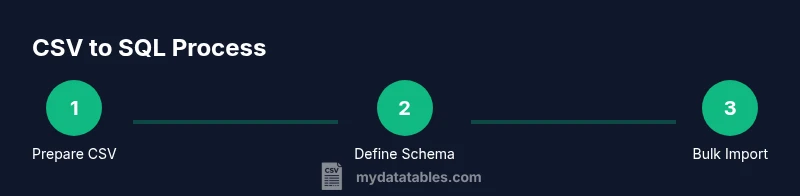
This section presents a high-level workflow you can adapt to your environment. The steps are intentionally generic so you can apply them across PostgreSQL, MySQL, and SQLite. The core idea is to prepare, load, validate, and iterate. Keeping a repeatable workflow is essential for long-term efficiency and accuracy when converting CSV data to SQL.
Handling common pitfalls: encoding, delimiters, headers, NULLs
Delimiters and quotes can trip up parsers. Ensure the delimiter matches your CSV and that quote escaping is handled correctly. Headers can be present or absent; if absent, you must rely on a predefined column order. NULL handling is critical: decide whether empty fields map to NULL or a default value. Encoding mismatches are another frequent source of errors; always normalize to UTF-8 when possible and verify that the destination database accepts the encoding. By planning for these pitfalls, you prevent surprises during the import.
Tools and best practices for validation and testing
Post-import validation is essential. Compare row counts between source and destination, check for unexpected NULLs, verify key constraints, and run spot checks on random rows. Use staging tables for initial loads to reduce the risk of corrupting production structures. Maintain scripts and log outputs so you can reproduce the process or troubleshoot specific issues later. Documentation and repeatability are your best allies in CSV-to-SQL workflows.
Common SQL dialect-specific notes: PostgreSQL, MySQL, SQLite
PostgreSQL users often leverage COPY for bulk loading, with a CSV option and careful handling of NULL representations. MySQL offers LOAD DATA INFILE for bulk import, with options for FIELD and ENCLOSED BY characters to manage quotes. SQLite supports the sqlite3 command-line tool with .import to load CSV data into an existing table. While the exact syntax varies, the underlying concepts—bulk-load, column mapping, and error handling—remain consistent across dialects. Tailor your approach to your database’s capabilities and your data’s characteristics.
Tools & Materials
- Computer with terminal access(Must have network access to the database server and a text editor.)
- CSV file(UTF-8 encoding preferred; contains the source data to import.)
- Text editor(Use with a dial-in copy to inspect headers and sample rows.)
- Database server (PostgreSQL/MySQL/SQLite)(Local or remote; ensure you have privileges to create schemas and tables.)
- SQL client or GUI(PgAdmin, MySQL Workbench, or psql/cli for executing commands.)
- Reference schema or data dictionary(Helpful for mapping CSV columns to SQL data types.)
- Test dataset(A small subset of the CSV to validate the workflow before full import.)
Steps
Estimated time: 45-90 minutes
- 1
Prepare CSV and target schema
Inspect the CSV, standardize headers, ensure UTF-8 encoding, and draft a target schema that matches columns. Define the SQL data types for each column and decide how to map NULLs.
Tip: Back up the CSV and create a small test subset to validate the mapping before full import. - 2
Create destination database and target table
Create the database (or schema) and define a table that matches the CSV payload. Use explicit column definitions to prevent type guessing during import.
Tip: Use a staging or test schema to avoid impacting production data. - 3
Map CSV columns to table columns
Create a clear mapping from each CSV column to the corresponding SQL column. Maintain the order or use explicit column lists in your import command to avoid misalignment.
Tip: Keep a mapping document for auditing and future imports. - 4
Import data using bulk-load utility
Use the database’s bulk-load tool (e.g., COPY in PostgreSQL, LOAD DATA INFILE in MySQL, or .import in SQLite) with proper delimiter, quote, and NULL handling settings.
Tip: If you hit memory or format issues, switch to streaming or chunked processing rather than loading the full file at once. - 5
Validate imported data
Run row counts, boundary checks, and spot checks against the source CSV. Look for NULLs in non-nullable columns and verify key constraints.
Tip: Compare a sample of rows from both sources to confirm accuracy. - 6
Document and automate
Save the import scripts and create a repeatable workflow. Document any caveats and include rollback steps in case of failure.
Tip: Version-control your scripts to support reproducibility.
People Also Ask
What is the best method to convert CSV to SQL?
There isn’t a single best method; choose based on data size and environment. For large files, bulk-loading tools (COPY, LOAD DATA) are preferred, often via a staging table. Smaller datasets can be imported with direct INSERTs or lighter-weight scripts.
For large datasets, bulk loading is usually best, using a staging table to validate first.
How do I infer data types from CSV safely?
Review a representative sample of rows to determine appropriate SQL data types. Map integers, decimals, dates, booleans, and text carefully, then validate with a test import.
Start with a staging table and map types as you go.
How can I handle quotes and delimiters safely?
Choose a robust delimiter and ensure proper quoting in the CSV. Use a parser or import tool that correctly handles escaping to avoid corrupt records.
Use a CSV parser that handles quotes and escapes properly.
What about large CSV files that exceed memory?
Process in chunks or stream the file rather than loading it all at once. This prevents memory exhaustion and allows incremental validation.
Process in chunks to keep memory usage low.
How do I validate data after import?
Run row counts, NULL checks for non-nullable columns, and spot checks against the source data. Use queries to confirm sums and counts align.
Count checks and spot checks confirm accuracy.
Which SQL dialect should I target first?
Start with PostgreSQL if possible for its robust COPY support, then adapt your process for MySQL or SQLite as needed.
Begin with PostgreSQL and adjust for others.
Watch Video
Main Points
- Define a clear target schema before importing.
- Use bulk-load methods for large CSVs to improve efficiency.
- Validate data post-import with checks and balance tests.
- Document the workflow for repeatable conversions.
- Handle encoding, delimiters, and NULLs explicitly to prevent issues.