Convert SQL to CSV: A Practical How-To for Analysts
Learn how to reliably convert SQL query results into CSV files with server-side exports (COPY, OUTFILE) or Python-based workflows. Covers PostgreSQL, MySQL, SQLite, encoding, headers, and automation for repeatable data pipelines.


This guide shows you how to convert SQL results into CSV files using reliable export methods for PostgreSQL, MySQL, SQLite, and Python-based workflows. You’ll learn when to use server-side exports like COPY or OUTFILE, how to preserve headers and encoding, and how to validate the resulting CSV. The approaches apply to common SQL workflows and data pipelines.
What converting SQL to CSV enables
Converting SQL query results into CSV files unlocks portable data sharing, simple archival, and smooth ingestion into analytics tools. CSV is a de facto interchange format that works across platforms, languages, and dashboards, making it ideal for reproducible data pipelines. According to MyDataTables, a well-structured CSV helps data analysts and developers collaborate without depending on a single database tool. In practice, you’ll export from PostgreSQL, MySQL, SQLite, or via Python, then load the CSV into spreadsheets, BI tools, or ETL workflows. This guide walks you through reliable methods, best practices for headers and encoding, and how to automate exports for recurring tasks. The emphasis is on clarity, correctness, and repeatability, so your CSV outputs are predictable regardless of the source database. As you read, consider how this workflow fits into your broader data strategy and how CSV outputs can be integrated with your existing ETL pipelines.
Choosing the export method by database
The export method you pick should align with your database system, dataset size, and whether you need server-side processing or client-side flexibility. For PostgreSQL, COPY TO or COPY TO STDOUT WITH (FORMAT csv, HEADER true, ENCODING 'UTF8') is fast and scalable. MySQL supports exporting with SELECT ... INTO OUTFILE, which writes directly from the server. SQLite’s CLI offers .mode csv and .output to stream data to a file. A general-purpose alternative is to use Python with a database driver and pandas to_csv, which works across engines but adds a small overhead for the connect/read step. Consider your environment: server permissions, network topology, and how you’ll consume the CSV downstream. MyDataTables notes that server-side exports often reduce data transfer costs and time for large datasets.
PostgreSQL export examples
PostgreSQL provides two common patterns: exporting to a file on the server, and exporting to stdout for redirection. Server-side export to a file:
COPY public.employees TO '/var/data/employees.csv' WITH (FORMAT csv, HEADER true, ENCODING 'UTF8');Query-based export to a file (useful when exporting a subset):
COPY (SELECT id, name, department FROM public.employees WHERE active = true) TO '/var/data/active_employees.csv' WITH (FORMAT csv, HEADER true, ENCODING 'UTF8');Streaming to STDOUT (combine with shell redirection):
COPY (SELECT * FROM public.sales) TO STDOUT WITH (FORMAT csv, HEADER true, ENCODING 'UTF8');Notes: ensure the target directory is writable by the server process and the user has the required privileges. Your exact syntax may vary by PostgreSQL version; consult the official docs for specifics. Using COPY with a WHERE clause lets you export just the data you need, keeping exports lean and efficient.
MySQL and SQLite export examples
MySQL: export to a file from the server (path must be writable by the server process):
SELECT id, first_name, last_name, email
FROM users
INTO OUTFILE '/var/data/users.csv'
FIELDS TERMINATED BY ',' ENCLOSED BY '"'
LINES TERMINATED BY '\n';
SQLite: using the CLI to write CSV output:
sqlite3 mydb.sqlite ".headers on" ".mode csv" ".output /tmp/users.csv" "SELECT id, name, email FROM users;"When exporting from MySQL, ensure the server account has FILE privileges and the directory exists. For SQLite, the CLI is straightforward but your file path is relative to where you run the command. If you need portable results across environments, consider Python-based exports that connect to the database and write CSV locally.
Python and pandas for cross-database CSV export
If you prefer a single, portable workflow across database engines, Python with pandas is a strong option. It reads from the database, then writes to CSV with precise encoding and headers. Example:
import pandas as pd
from sqlalchemy import create_engine

# Replace with your connection string
engine = create_engine('postgresql://user:pass@host/dbname')

# Read data with a SQL query or table name
df = pd.read_sql_query('SELECT id, name, email FROM users WHERE active = true', engine)

# Write to CSV with headers and UTF-8 encoding
df.to_csv('/path/to/output/users.csv', index=False, encoding='utf-8')
This approach works with PostgreSQL, MySQL, SQLite, and others supported by SQLAlchemy dialects. It’s especially helpful when you need to join or filter data client-side before exporting. You can also parameterize the query to export incremental data or batch exports for large datasets.
Validation, encoding, and data integrity
After exporting, validate the CSV before you circulate it. Open a sample in a spreadsheet or a quick Python read to verify the header names and a few rows. Pay attention to common pitfalls:
- Encoding: UTF-8 is standard, but some sources use Latin-1; ensure the destination CSV matches your downstream expectations.
- Delimiters and quotes: If your data contains commas or newlines, using a proper CSV writer with quoting avoids misaligned columns.
- Null handling: Ensure nulls are represented consistently (empty strings vs. explicit NULLs) depending on downstream systems.
- Large exports: For very large datasets, prefer server-side exports or streaming processes to avoid memory pressure.
Authority sources and official docs can provide exact syntax for your engine; consult the export section of the database’s documentation when in doubt.
Automation, scheduling, and reproducibility
To keep exports reproducible, automate the process using scripts and scheduled tasks. On Unix-like systems, you can cron a Python script or a shell command that runs a SQL export and saves the CSV to a versioned directory. On Windows, Task Scheduler can run a batch file or Python script at a fixed interval. Consider logging and alerting in case the export fails, and store a small manifest file with the export timestamp, query, and output path for auditing. This discipline helps you track changes over time and maintain data lineage.
Authority sources and next steps
For deeper details, consult official database documentation and trusted tutorials:
- PostgreSQL COPY documentation: https://www.postgresql.org/docs/current/sql-copy.html
- MySQL SELECT INTO OUTFILE documentation: https://dev.mysql.com/doc/refman/8.0/en/select-into-outfile.html
- SQLite CLI documentation: https://www.sqlite.org/cli.html
These sources cover exact syntax, edge cases, and security considerations. For practical guidance and best-practices in CSV handling, see additional resources from MyDataTables and related data engineering literature.
Tools & Materials
- Database access credentials(Username, password, host, port, and database name)
- SQL client or driver(psql for PostgreSQL, mysql CLI for MySQL, sqlite3 for SQLite)
- Output path with write permissions(Directory accessible by the database server (server-side) or your user (client-side))
- Python environment (optional)(Anaconda/venv with pandas and SQLAlchemy if using Python export)
- Text editor or diff tool(Helpful for inspecting CSV structure and comparing outputs)
- Sample dataset for testing(Start with a small subset to validate schema and encoding)
Steps
Estimated time: 60-90 minutes
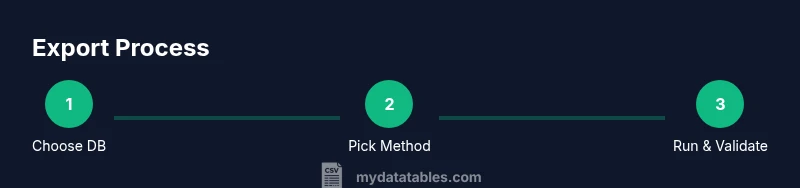
- 1
Identify export method
Determine which database you’re exporting from (PostgreSQL, MySQL, SQLite) and whether you want server-side or client-side export. This choice affects syntax, permissions, and performance.
Tip: If you’re unsure, start with a server-side method to test performance on a small table. - 2
Prepare query and destination
Draft the SQL you’ll export (table or SELECT) and decide where the CSV will be saved. Decide whether to include a header row and what encoding to use.
Tip: Prefer a destination path that’s stable and writable by the exporting process. - 3
Export with PostgreSQL COPY (server-side)
If using PostgreSQL, choose COPY TO with a file path or COPY TO STDOUT for redirection. Ensure the server process has write permission to the target directory.
Tip: Test with a small export to confirm headers and encoding before full-scale runs. - 4
Export with MySQL SELECT INTO OUTFILE
For MySQL, run SELECT ... INTO OUTFILE with explicit FIELDS and LINES settings. Verify FILE privileges and directory access.
Tip: On some hosts, OUTFILE requires secure file-path configuration; use a relative path if allowed. - 5
Export with SQLite CLI
Use .mode csv and .output to generate a CSV file from a SELECT query. This is simple and portable for local analysis.
Tip: Remember that the path is relative to the session's working directory. - 6
Export with Python/pandas
Open a connection with SQLAlchemy, read with pandas, and write to CSV with df.to_csv. This supports cross-database exports and data shaping.
Tip: Parameterized queries help avoid SQL injection when exporting user-supplied data. - 7
Validate the CSV
Open the CSV in a viewer or load it back into pandas to confirm headers, column order, and a few rows match expectations.
Tip: Check for encoding mismatches and ensure consistent representation of nulls. - 8
Automate and document
Wrap the export in a script and schedule it if needed. Create a short README with input parameters, output paths, and a changelog.
Tip: Include a simple checksum or row count to detect export issues quickly.
People Also Ask
What is the easiest way to convert SQL to CSV?
The easiest approach depends on your database. For quick, local exports, Python with pandas is convenient; for large datasets, server-side exports like PostgreSQL COPY and MySQL SELECT INTO OUTFILE are typically faster.
For quick needs, Python with pandas works across engines; for big data, use server-side exports like COPY or OUTFILE.
Can I include headers in the CSV?
Yes. Use HEADER in PostgreSQL COPY, specify HEADER in the CSV writer in Python, and enable headers in MySQL/SQLite workflows where supported.
Yes, most export methods support headers; enable it in your command or code.
What if my data contains commas or newlines?
Use proper CSV escaping by the exporter. Enclose fields in quotes and escape embedded quotes. Python and database tools handle this automatically if configured correctly.
Quote fields and escape internal quotes to avoid breaking the CSV format.
Are there cross-database differences I should know?
Yes. Path permissions, syntax, and encoding can differ. Always test with your specific DB and environment, and consult official docs for exact syntax.
Yes, expect small differences by DB; check syntax in the docs.
How should I handle very large exports?
Prefer server-side exports or streaming approaches to minimize memory usage. Consider splitting into chunks or incremental exports when possible.
For big data, export in chunks or stream to a file rather than loading all data at once.
Can I automate CSV exports?
Yes. Wrap the export in a script and schedule it with cron or Task Scheduler. Include logging and simple integrity checks.
You can schedule and monitor exports with a script and a task scheduler.
Watch Video
Main Points
- Choose export method based on DB and dataset size
- Include headers to preserve column names
- Validate output with a quick load-test
- Use server-side exports for large data to improve performance
- Document and automate exports for reproducibility