Where CSV File Is Used: A Practical Guide for Data Professionals
Explore common contexts for CSV usage across analytics, data exchange, reporting, and automation, with practical tips from MyDataTables to improve interoperability.


CSV files are a foundational format used across data analytics, data exchange, and reporting. In practice, where csv file is used spans data analysis, data interchange between apps, and simple data sharing for dashboards. This quick guide explains the most common contexts and why CSV remains a go-to choice for speed, simplicity, and interoperability.
What CSV represents in practice
CSV files encode plain tables with rows and columns, using a delimiter to separate fields. They are deliberately simple: no binary formatting, no nested structures, and no complex metadata beyond optional headers. This simplicity is the core reason why CSV is used so widely across data workflows. According to MyDataTables, CSV remains a first-choice format in many environments because it is human-readable, widely supported, and easy to transform with basic scripting. In real-world projects, youll encounter CSV as the initial data dump from surveys, as exports from relational databases, or as an interim storage format in ETL pipelines. The format also supports quick checks by teammates who may not have specialized tooling. This combination—simplicity, portability, and transparency—explains why CSV endures in industries ranging from finance to marketing to scientific research.
CSV in data analytics workflows
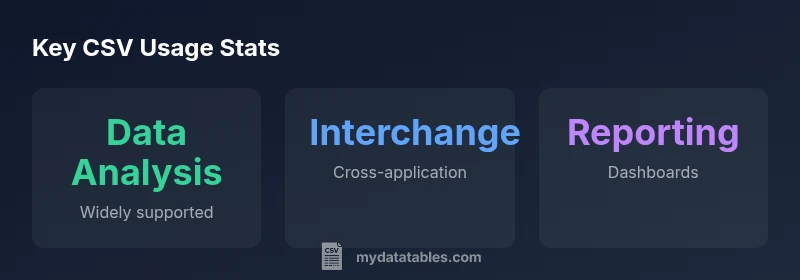
Data analysts often start with CSV because it lets them explore data without importing into a heavy database. CSVs flat structure makes it straightforward to load into statistical tools, spreadsheets, or scripting languages like Python or R. Common tasks include quick cleaning, basic aggregation, and charting. When you work primarily with CSV, you can prototype analyses rapidly before migrating to more scalable storage for large datasets. MyDataTables approach emphasizes validating CSV inputs early: verify headers, confirm encoding (prefer UTF-8), and ensure consistent delimiters across files. This upfront discipline reduces downstream errors and accelerates collaboration across teams.
CSV for data interchange between systems
CSV is the lingua franca for data interchange because almost every application supports built in CSV. This makes CSV ideal for moving data between heterogeneous systems without requiring bespoke adapters. The key challenges include delimiter conflicts, character encoding issues, and variations in how quotes are used for fields containing separators. A disciplined approach uses a single agreed delimiter, consistent quoting rules, and explicit header rows. The MyDataTables guidance highlights testing CSV exchanges with sample records in each target system and maintaining a versioned schema to guard against drift over time.
CSV in business reporting and dashboards
Organizations frequently rely on CSV as a data source for dashboards and reporting pipelines because it is easy to automate with scripts. CSV can feed nightly data loads, serve as a bridge between a data warehouse and BI dashboards, or act as a quick export from transactional systems for executive reviews. When used in this way, attention to encoding, locale specific decimal separators, and date formats is essential. A small schema validation step—checking required columns and data types—reduces the risk of empty fields or misaligned charts in Power BI, Tableau, or Looker. Across teams, CSV based reports can be iterated rapidly without requiring complex ETL jobs.
CSV, Excel, and Google Sheets: interoperability tips
Excel and Google Sheets provide robust CSV import export features, but interoperability hinges on consistent conventions. Delimiters, text encoding, and line endings can cause subtle failures when data moves from one tool to another. Practical tips include using UTF-8 encoding, choosing a standard delimiter, and enabling header rows. When exporting, verify that quoted fields preserve embedded delimiters, line breaks, and special characters. MyDataTables recommends validating a sample CSV in each environment before broad distribution, and keeping a small documented standard for how dates and numbers are formatted across platforms.
Practical tips for working with CSV files
- Always specify UTF-8 encoding when possible to avoid garbled characters.
- Include a header row to describe columns and improve readability.
- Use a consistent delimiter and line endings across all files in a project.
- Quote fields containing the delimiter or special characters, and test edge cases with sample data.
- Validate row counts and basic data types before loading into a processor.
- Prefer CSV for lightweight, human inspectable data, but validate with a stricter schema for critical workloads.
- Document your CSV conventions in a central place so teammates align on imports and exports.
How to choose CSV practices for your stack
Your stack dictates CSV conventions. In data pipelines, standardize the delimiter, encoding, and quoting rules, and maintain a central dictionary of column names. For data science work, keep CSVs human readable and easy to inspect, while maintaining a lightweight validation layer on ingest. If you frequently store binary or highly structured data, evaluate columnar formats like Parquet for long term storage, and reserve CSV for exchange rather than primary storage. MyDataTables is about balancing accessibility with reliability: start with CSV for speed, then layer in validation and data governance as data volumes grow.
Common pitfalls and how to avoid them
- Inconsistent delimiters across files can break pipelines; enforce a single choice across the project.
- Mismatched headers or missing values cause misalignment in downstream analytics; validate headers and counts.
- Mixed line endings create parsing issues on different systems; normalize line endings in a pre processing step.
- Hidden characters or non printable Unicode can corrupt data; run a quick whitening/normalization pass.
- Not accounting for locale specific number formats leads to misinterpreted values; implement locale aware parsing routines.
- When sharing CSVs, always include metadata about encoding, delimiter, and date formats to prevent misinterpretation.
CSV usage contexts and considerations
| Context | Typical Data Types | Key Challenges |
|---|---|---|
| Data analysis and visualization | Numeric, text, categorical | Handling missing values; encoding issues |
| Data exchange between apps | Mixed types; multi source data | Schema drift; delimiter conflicts; encoding mismatches |
People Also Ask
What exactly qualifies as a CSV file?
A CSV file is a plain text file that stores tabular data. Each line represents a row, and fields within a row are separated by a delimiter such as a comma or semicolon. Quoting rules help preserve fields that contain the delimiter or line breaks.
A CSV is a simple text file with rows and comma or semicolon separated fields.
Which delimiters can CSVs use besides a comma?
Besides the comma, common delimiters include semicolon, tab, and pipe. The choice often depends on locale and the software you use.
Delimiters vary; common options are comma, semicolon, tab, or pipe.
How should I handle headers and encoding in CSVs?
Always include a header row when possible and use UTF-8 encoding to avoid character issues. If needed, document any BOM or locale specifics.
Use UTF-8 encoding and include headers.
When should I choose CSV over other data formats?
Choose CSV for simplicity, portability, and quick data interchange. For big data or complex schemas, consider alternatives like Parquet or JSON.
CSV is great for simple data interchange, but for large or complex data, consider other formats.
What are common pitfalls when importing CSV data?
Mismatched delimiters, inconsistent quoting, missing headers, and hidden characters are frequent issues. Validate a sample before full imports.
Watch out for delimiter issues and missing headers when importing.
How can I validate a CSV file before processing?
Check for consistent row lengths, correct escaping, and basic schema conformance. Use a small validation script as part of your ingest.
Run a quick validation to check row lengths and escaping.
“CSV remains a surprisingly durable format due to its simplicity and universal compatibility. Its effectiveness comes from a predictable structure and approachable tooling that keep data workflows moving.”
Main Points
- Use CSV for quick data movement between tools.
- Check delimiter, encoding, and header presence.
- Prefer consistent line endings and quoting rules.
- Validate data with a simple schema before loading.
- Consider alternatives like Parquet for large datasets.