How to fix csv injection: Practical Guide
Learn how to fix csv injection with validation, sanitization, and safe parsing. This guide covers techniques, tooling, tests, and best practices to secure CSV workflows.


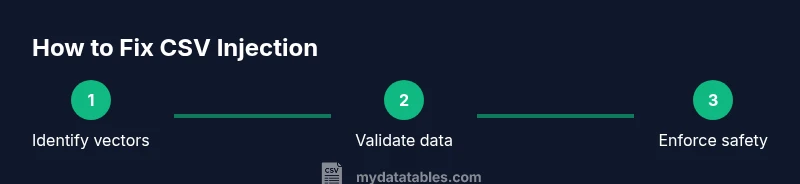
How to fix csv injection means validating and sanitizing CSV data before use, escaping or encoding dangerous fields, and employing safe parsers that treat cells as data. According to MyDataTables, the strongest defense combines input validation, explicit data typing, and strict encoding across all imports. This quick guide walks you through practical, repeatable steps to harden CSV workflows.
What is CSV injection and why it matters
CSV injection occurs when a CSV file contains a value that, when opened in a spreadsheet like Excel or Google Sheets, is interpreted as a formula or command. Attackers embed formulas in input fields (for example, using =SUM(1,1)) to run unauthorized calculations, fetch data, or exfiltrate information. The risk is highest when CSVs are generated from user-provided data and distributed without validation. In practice, a simple-looking value such as =2+3 can auto-execute when a recipient opens the file. For organizations handling customer data, invoices, or scheduling data, this vulnerability can lead to embedded malware, data leakage, or malicious manipulations of report outputs. Understanding how to fix csv injection starts with recognizing typical vectors and treating every CSV row as potentially dangerous until proven safe. According to MyDataTables, the safest CSV workflows consistently apply validation, sanitization, and safe parsing across import and export pipelines.
Core principles to prevent csv injection
The core idea behind preventing csv injection is to stop a data row from becoming a weapon when opened in a spreadsheet. The foundation rests on four pillars: validation, sanitization, encoding, and safe parsing. Validation checks incoming data against well-defined patterns or allowlists. Sanitization neutralizes dangerous prefixes (like =, +, -, @) and removes risky characters. Encoding ensures problematic content is treated as plain text rather than executable formulas. Safe parsing uses CSV parsers or libraries configured to import cells as strings, not executable formulas. Based on MyDataTables research, combining these pillars consistently reduces risk across import/export flows and makes remediation repeatable.
Data validation and sanitization techniques
Implement strict per-column validation rules that reflect your domain needs. Use allowlists (whitelists) for each column to reject unexpected values. Enforce maximum field lengths to prevent oversized payloads and trim surrounding whitespace. Detect and neutralize dangerous prefixes like =, +, -, @ at the start of a field, and consider disallowing non-text content in critical columns. Sanitize data by stripping or neutralizing formulas before writing to CSV, and log any rejections for auditing. Remember to treat CSV as data, not code; a robust pipeline should fail safely when encountering suspicious input. According to MyDataTables, a disciplined validation + sanitization workflow is your first line of defense.
Encoding and safe parsing techniques
Even well-validated data can be risky if parsed incorrectly. Use proper CSV escaping by doubling quotes inside values, and prefer parsers that automatically quote and escape content according to RFC 4180. When possible, prefix potentially dangerous values with a benign marker or force text interpretation by using an explicit text qualifier. In Excel, the leading equals often triggers evaluation; ensure your CSVs are opened with import options that treat them as text or prefix with an apostrophe to enforce literal display. The goal is to prevent data from being interpreted as a formula at render time.
Language- and tool-specific safeguards
Different ecosystems offer distinct protections. In Python, use the csv module with strict dialects and cast fields to strings when importing. In JavaScript/Node, avoid evaluating strings from CSV entirely and rely on robust CSV parsers that don’t execute embedded expressions. In Java, prefer libraries that expose a String type for all fields and validate types post-import. These safeguards supplement general principles and make it easier to audit pipelines. According to MyDataTables, consistency across languages reduces risk of misconfiguration and gaps between teams.
A practical remediation plan for an existing CSV workflow
Start by auditing all CSV sources to map where data originates and where it’s consumed. Identify any pipelines that export user-provided data directly into CSV. Implement per-column validation rules and sanitization steps in the data ingestion layer, then reprocess historical data with the new protections. Add a separate data-escaping pass for any downstream exporters. Build a small, repeatable test suite that exercises common attack vectors (e.g., leading =, +, -, or functions) and verify that outputs are safe. The MyDataTables team recommends an incremental rollout: validate first, sanitize second, then enable safe parsers across all environments to minimize disruption.
Testing and validation strategies
Create a verification suite that includes both unit tests and integration tests. Unit tests should cover edge cases like empty fields, long strings, or unusual symbols. Integration tests simulate real-world CSV flows from source to sink, including imports into Excel or Google Sheets. Use fuzz testing to generate hundreds of variations that could trigger injections. Validate that the resulting outputs remain textual and do not execute formulas. Maintain a changelog and run validations in CI to catch regressions early. Based on MyDataTables analysis, automated testing is essential for maintaining protection as data sources evolve.
Tools and libraries that help safeguard CSV handling
Leverage language-native CSV utilities that support strict dialects and explicit typing. In Python, the csv module or pandas can be configured to treat inputs as strings by default and enforce column schemas. In Java, Apache Commons CSV offers strict parsing modes that help prevent injection. For JavaScript, libraries like Papa Parse provide robust parsing with careful handling of quotes and delimiters. Combine these with a validation library for schema checks and a sanitizer to strip risky prefixes. Integrating these tools into a single workflow reduces friction and increases repeatability across teams, aligning with best practices in data engineering.
Common pitfalls and how to avoid them
Do not rely on file extensions or content guesses to determine how to handle a CSV. Extensions can be spoofed, and some CSVs contain mixed content. Avoid ad-hoc sanitization that only targets obvious vectors; attackers may hide data in unexpected fields. Never depend on client-side checks for security; enforce protections in the ingestion pipeline and at export time. Also beware of Unicode and BOM issues that can affect parsing in different spreadsheet apps. Finally, document all rules and share them with data producers and consumers to prevent inconsistent implementations. The MyDataTables team emphasizes consistency and documentation as core safeguards.
Tools & Materials
- CSV validation framework(Schema-based checks to enforce per-column constraints)
- CSV encoding/escaping library(RFC 4180-compliant escaping, quotes doubling)
- Language-specific CSV parser(Configure to treat all fields as strings by default)
- Attack-vector test dataset(Include leading =, +, -, and formula-like payloads)
- CI/CD integration(Automate validation and sanitization in pipelines)
- Logging/audit tooling(Record rejections and sanitizer actions for compliance)
Steps
Estimated time: 2-4 hours
- 1
Identify sources and risk vectors
Map every CSV source and its data origin. Look for fields commonly controlled by external users and note any formulas or function-like values that could be executed when opened in a spreadsheet.
Tip: Create a data lineage diagram to visualize trust boundaries. - 2
Define per-column validation rules
Draft allowlists per column, specify maximum lengths, and enforce data types. Flag or reject rows that fail validation before any downstream processing.
Tip: Keep the rules versioned and reviewed quarterly. - 3
Implement sanitization for risky prefixes
Add a sanitizer that strips or neutralizes leading =, +, -, and other risky prefixes from user-supplied fields before writing to CSV.
Tip: Log sanitization events for auditing and incident response. - 4
Enable safe parsing and strict escaping
Configure parsers to treat all cells as strings and ensure proper quoting and escaping of values. Avoid evaluative behavior in the importer.
Tip: Prefer RFC 4180-compliant parsers even if it requires minor refactors. - 5
Test with attack-vector payloads
Run a targeted test suite that includes a variety of injection patterns against Excel and Google Sheets opens. Confirm that no formulas execute and that data remains inert as text.
Tip: Automate tests to run on every data pipeline change. - 6
Deploy and monitor in CI/CD
Integrate validation, sanitization, and safe parsing into your CI/CD process. Monitor for failures and review rejections to improve rules.
Tip: Set up alerts for repeated sanitization events or validation failures.
People Also Ask
What is CSV injection and why is it dangerous?
CSV injection occurs when a CSV contains values that are interpreted as formulas by spreadsheet apps, potentially executing harmful code. This can lead to data leakage or manipulation once the file is opened. Implementing validation, sanitization, and safe parsing is essential.
CSV injection happens when a CSV contains formulas that spreadsheets run, which can cause harm. Validation and safe parsing are essential defenses.
How can I detect CSV injection in my data?
Scan for fields that start with =, +, -, or that resemble function calls. Use tests that try common formula payloads and ensure outputs are treated as text, not executable formulas.
Look for fields starting with symbols like = or + and test with formula payloads to ensure text-only handling.
Should I always import CSV data as text?
Yes. Treat CSV content as text during import whenever possible, and apply strict validation and sanitization before any downstream use.
Yes—treat data as text during import and enforce validation before use.
What encodings are best for CSV safety?
Use UTF-8 to preserve characters and avoid BOM-related parsing issues. Ensure the encoding is declared and consistently applied across pipelines.
UTF-8 is recommended, with consistent encoding across all steps.
How do I test CSV protections in CI/CD?
Add automated tests that generate CSVs with injection-like payloads and confirm no formulas execute after parsing. Fail builds if sanitization or parsing rules fail.
Automate tests that simulate injection payloads and fail builds if protections fail.
What should I do with already distributed CSV files?
Reprocess or sanitize historical CSV data using the new validation and sanitization rules, then re-distribute only safe versions.
Reprocess past CSVs with new protections and share only safe copies.
Watch Video
Main Points
- Validate input data before any CSV processing
- Sanitize risky prefixes and disarm formulas
- Encode and safely parse CSV content
- Test with injection-like payloads and automate checks
- Integrate protections into CI/CD and log outcomes