How to Remove BOM Characters from a CSV File
Learn practical, step-by-step methods to remove BOM characters from CSV files across Windows, macOS, and Linux, with editors and scripting approaches to ensure clean data imports.


If you suspect a Byte Order Mark (BOM) is present in a CSV file, use a combination of quick checks and practical removal methods across editors and scripts. This how-to guide provides steps that work on Windows, macOS, and Linux to remove BOM safely, test the result, and prevent reintroduction in future workflows.
What BOM is and why it matters in CSV files
According to MyDataTables, a Byte Order Mark (BOM) is a special Unicode character used at the start of some text streams to indicate encoding. In UTF-8, the BOM is the byte sequence EF BB BF. While harmless in many contexts, a BOM at the beginning of a CSV can cause headaches for data pipelines: Excel may display strange characters, Python and R may misread the first field, and database imports can fail. Understanding BOM helps you diagnose issues quickly and choose the right removal method. This section explains how BOM can sneak into your CSVs, how to recognize it in practice, and why removing it is a practical step for robust data processing.
- Common symptoms: a visible or invisible three-byte sequence at the start of the file, or corrupted first column values when importing into certain tools.
- Scope: BOMs are most relevant for UTF-8 CSVs; other encodings may have their own markers.
- Why it matters for teams: consistent encoding ensures reproducible imports across tools and environments, reducing data-cleaning time later.
How to tell if BOM is present in a CSV
Detecting BOM can be done with a few quick checks. Open the file in a hex viewer or a capable text editor and inspect the very first few bytes. If you see EF BB BF, you’re looking at a UTF-8 BOM. Some editors and engines quietly hide the BOM; in those cases, you may see odd characters when the file is opened in Excel or a database import tool. Cross-check by saving a copy and re-opening it in the editor to verify the header remains intact without extra glyphs. Another practical test: try importing the file into your data pipeline (or a quick Python snippet) and observe whether the first row is parsed correctly. If not, BOM is the likely culprit. For MyDataTables users, this check is a reliable initial step to ensure data fidelity across CSV workflows.
Removing BOM in Microsoft Excel
Excel is a common culprit for BOM-related issues because its CSV handling can reintroduce or misinterpret BOM data depending on the import method. To minimize BOM problems, start with a fresh copy and use the import path designed for text/CSV data. On Windows, use Data > Get External Data > From Text (or From Text/CSV in newer Office versions), then choose the correct UTF-8 encoding without BOM where possible. If Excel has already saved the file with BOM, re-save using a standard UTF-8 encoding (without BOM) by selecting the appropriate encoding option in the Save As dialog. This workflow avoids BOM propagation into downstream steps like database loads or scripting pipelines.
Removing BOM with LibreOffice / OpenOffice
LibreOffice and OpenOffice offer good cross-platform support for encoding-safe CSV exports. Open the CSV in Calc, go to Save As, and choose UTF-8 without BOM if available. Some builds may always write a BOM; in that case, perform a re-encode pass or use a text editor to strip the initial BOM bytes. If your data contains non-ASCII characters near the header, verify that the encoding is preserved correctly after saving. When distributing CSVs to teammates who rely on cross-tool compatibility, standardize on UTF-8 without BOM to minimize surprises.
Using Python to strip BOM from large CSVs
Python provides a straightforward, scalable approach for large CSVs that cannot be loaded fully into memory. A minimal script can strip the BOM from the first line and write out a clean CSV. Example:
import io
import sys

def remove_bom(input_path, output_path, encoding='utf-8-sig'):
    with open(input_path, 'r', encoding=encoding, newline='') as f_in:
        first_line = f_in.readline()
        rest = f_in.read()
    with open(output_path, 'w', encoding='utf-8') as f_out:
        f_out.write(first_line.lstrip('\ufeff'))
        f_out.write(rest)

if __name__ == '__main__':
    remove_bom(sys.argv[1], sys.argv[2])
Notes:
- The 'utf-8-sig' encoding helps Python detect and skip an existing BOM when reading the input.
- The output is encoded as UTF-8 without a BOM to avoid reintroduction.
- For very large files, consider streaming approaches (read in chunks) to avoid high memory usage. This method is practical for automation and repeatable data cleaning in data pipelines, which aligns with MyDataTables guidance on reproducible CSV data workflows.
Command-line approaches: sed, awk, and PowerShell
For quick in-place fixes on Unix-like systems, you can remove the BOM using common CLI tools. One reliable method is to delete the BOM bytes at the start of the file with sed:
sed -i '1s/^
FBF//' yourfile.csvOn macOS with BSD sed, the syntax is slightly different; test on a copy first. You can also use awk to skip the first three bytes and print the rest:
awk 'NR==1{sub(/^
FBF/, "");} {print}' yourfile.csv > cleaned.csvFor Windows users, PowerShell offers a practical approach:
$path = 'C:\path\to\file.csv'
$bytes = [System.IO.File]::ReadAllBytes($path)
# Check for BOM and strip if present
if ($bytes[0] -eq 0xEF -and $bytes[1] -eq 0xBB -and $bytes[2] -eq 0xBF) {
  [System.IO.File]::WriteAllBytes($path, $bytes[3..($bytes.Length-1)])
}
These inline techniques are fast and scriptable, making them ideal for batch processing and pipelines.
Verifying the cleaned file and preventing reintroduction
After BOM removal, verify the header by reopening the file in a plain text editor and confirming that there are no extraneous glyphs at the top. Run a quick data-import test in your analytics tool (Python, R, Excel, or a database loader) to confirm the first row parses correctly. To prevent reintroduction, configure your editors and export tools to save CSVs as UTF-8 without BOM by default. In automated pipelines, explicitly enforce UTF-8 (without BOM) in all stages that emit CSV files, including ETL scripts and job schedulers. Documentation and a small lint step can catch regressions before they propagate.
Best practices and common pitfalls to avoid
- Always work on a copy when testing BOM removal to avoid data loss.
- If you rely on third-party tools, verify their default encoding settings and whether they add a BOM.
- For very large files, prefer streaming approaches that do not load the entire file into memory.
- When distributing CSVs across teams, adopt a single encoding standard (UTF-8 without BOM) and document it in your data governance materials.
- Validate with multiple tools to catch tool-specific quirks (Excel vs. Python vs. a database loader).
- Keep a minimal, reproducible script in your repository to normalize encoding across environments.
Final checklist
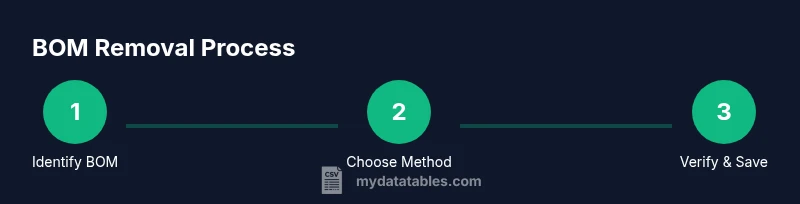
- Confirm whether a BOM is present using a quick header check.
- Choose a removal method that fits your workflow (editor, Python script, or CLI).
- Save as UTF-8 without BOM and re-check the file contents.
- Standardize this practice across all CSV-producing steps to prevent future issues.
- Document the encoding policy for your team and data consumers.
Tools & Materials
- UTF-8 capable text editor(Ensure you can save without BOM; verify by re-opening and checking first bytes)
- Python 3.x interpreter(Use a small script to strip BOM, especially for large files)
- Command-line shell (bash/zsh or PowerShell)(For quick CLI removal on Linux/macOS or Windows)
- Test CSV file copies(Always work on copies to avoid data loss)
- Hex or binary viewer (optional)(Useful for confirming the presence/absence of BOM bytes at file start)
Steps
Estimated time: 30-60 minutes
- 1
Identify BOM presence
Open the CSV in a text editor or hex viewer and inspect the first bytes. If the sequence EF BB BF appears, a UTF-8 BOM is present. This step confirms whether you need to remove anything.
Tip: If unsure, test in two tools (editor and scripting) to confirm the behavior. - 2
Create a safe backup
Copy the original CSV to a backup file before attempting any modification. This protects you against accidental data loss if something goes wrong during removal.
Tip: Store backups in a parallel directory or with a timestamp suffix. - 3
Choose removal method
Decide whether to use a scripting approach (Python), a quick CLI command, or a text editor method depending on file size and tooling availability.
Tip: For large files, scripting or CLI methods are generally safer and repeatable. - 4
Remove BOM with Python (large files)
Run a small Python script to strip the BOM from the first line or input stream, then write out UTF-8 without BOM. This is robust for large datasets.
Tip: Use utf-8-sig when reading the input to detect BOM automatically. - 5
Alternative CLI method (Linux/macOS)
Use sed or awk to remove BOM bytes or skip the first three bytes. Test on a copy to ensure compatibility with your data.
Tip: Always test on a sample before running on the full dataset. - 6
Alternative Windows method (PowerShell)
Read bytes, detect the BOM sequence, and rewrite the file without the initial three bytes. This avoids reintroducing the BOM on save.
Tip: This approach works well for batch processing in Windows environments. - 7
Re-save as UTF-8 (without BOM)
After removal, save or re-encode the file as UTF-8 without BOM. Confirm the encoding in the editor and ensure no BOM bytes remain.
Tip: Verify encoding by reopening in a simple text editor and by loading the file in your data tool. - 8
Validate the cleaned file
Open the cleaned CSV in multiple tools or scripts to confirm correct parsing. Ensure the header and first data row are intact.
Tip: Run a quick import test in Python, Excel, and a database loader if possible. - 9
Document and standardize
Document the encoding policy (UTF-8 without BOM) and incorporate it into data governance. Provide a reproducible script for future use.
Tip: Create a small repository snippet that other team members can run.
People Also Ask
What is a BOM and why does it appear in CSV files?
A Byte Order Mark is a Unicode signature used at the start of a text stream to indicate encoding. It can cause import issues if software misreads the file. Removing it standardizes CSVs for cross-tool compatibility.
A Byte Order Mark signals encoding at the start of a file and can cause issues in imports; removing it helps ensure consistent CSV behavior.
How can BOM affect data processing?
If a BOM is present, first-field data may include stray characters in some tools, causing parsing errors or misalignment during imports.
BOM can cause parsing errors in some tools by adding stray characters to the first field.
Which method is best for large CSV files?
For large files, using Python scripts or CLI tools that stream data is typically safer and more scalable than opening in a GUI editor.
For large files, scripted or command-line approaches are usually safer and more scalable.
Can BOM removal break encoding?
If you remove a BOM from a non-UTF-8 file, you may disrupt the encoding signal. Ensure you are working with UTF-8 or explicitly set the target encoding.
You can break encoding if you remove a BOM from a file that relies on it for UTF-8; verify encoding after removal.
Is BOM present only in UTF-8?
BOMs exist for several encodings (UTF-8, UTF-16, UTF-32). UTF-8 BOM is the most common in CSV workflows, but be aware of others when dealing with different data sources.
BOMs exist in several encodings, with UTF-8 being the most common in CSVs.
How do I verify BOM removal?
Open the cleaned file in a text editor and a hex viewer, then run a quick import test in your analytics tool to confirm the header is clean.
Check the file in a text editor and run a quick import test to confirm the header is clean.
Watch Video
Main Points
- Identify BOM presence before removal
- Back up files prior to editing
- Choose a method aligned with file size and workflow
- Validate after removal across tools
- Standardize encoding to UTF-8 without BOM