How to Remove UFEFF from a CSV File
Learn practical, platform-spanning methods to remove the Byte Order Mark (UFEFF) from CSV files. This guide covers Python, PowerShell, Excel, and text editors, with steps to verify cleanliness and prevent reintroduction of BOM in future exports.


If you’re asking how to remove ufeff from csv file, follow these practical steps to detect and remove the BOM, then re-save as clean UTF-8. This quick guide covers common tools like Excel, Python, PowerShell, and text editors, with step-by-step actions and recommended best practices to prevent BOM reintroduction.
What is UFEFF and why it matters
The string UFEFF represents the Byte Order Mark (BOM) at the start of a text file. In Unicode terms, BOM markers indicate byte order and encoding, but many CSV tools treat this marker as data when it appears at the very beginning. If a BOM sneaks into a CSV, it can show up as stray characters in the first header or disrupt imports in Excel, Google Sheets, Python, or database pipelines. For data teams, it's common to ask how to remove ufeff from csv file to ensure clean headers and reliable parsing.
To fix this, you’ll learn practical methods that work across operating systems and software. We’ll cover quick checks, platform-specific removal steps, and best practices to avoid reinserting BOM during future exports. According to MyDataTables, BOM-related issues are a frequent hurdle when sharing CSV files across teams, so a reliable cleanup routine saves time and reduces data-cleaning churn.
Tools & Materials
- Text editor with UTF-8 support (e.g., Notepad++, VS Code)(Open the CSV and save as UTF-8 without BOM)
- Python 3.x installed(Use a short script with utf-8-sig to strip BOM)
- PowerShell (Windows)(Use a BOM-stripping script for Windows environments)
- Excel or LibreOffice(For initial edits or exporting CSV; prefer UTF-8 without BOM when possible)
- Hex viewer or command line utility(Optional for direct BOM detection in the first bytes)
Steps
Estimated time: 20-30 minutes
- 1
Identify BOM presence at the start
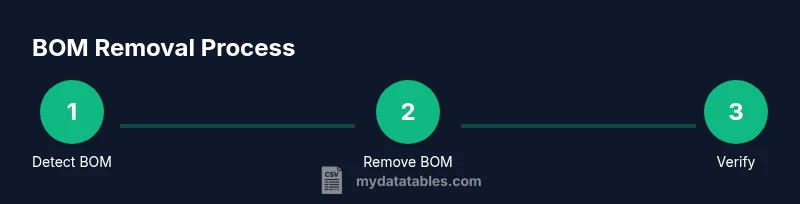
Check the first few bytes or the header in a text editor or hex viewer to confirm if a BOM (EF BB BF for UTF-8) is present. If the first header looks garbled or starts with unusual characters, BOM is likely the culprit. This step sets the direction for the removal approach.
Tip: If you see the typical BOM byte sequence, you’re certain BOM is involved. - 2
Choose a removal method that fits your workflow
Decide between a quick editor-based fix or an automated script. Small files are easy to fix manually; large datasets benefit from a scripted approach to ensure consistency across multiple files.
Tip: For repeatable tasks, favor scripting over manual edits. - 3
Remove BOM with Python (UTF-8, no BOM)
Open the file with Python using utf-8-sig to read and then write back as UTF-8 without BOM. This preserves content and removes the BOM marker reliably.
Tip: Example: read with encoding='utf-8-sig' and write with encoding='utf-8'. - 4
Remove BOM with Notepad++ or VS Code
Open the file, choose Encoding > Convert to UTF-8 without BOM, and save. This method is fast for single files and small datasets.
Tip: Ensure you save with the exact encoding you want to avoid BOM reinsertion. - 5
Remove BOM with PowerShell (Windows)
Use a short script that reads as UTF-8, drops the BOM if present, and writes back as UTF-8 without BOM.
Tip: Test the script on a copy before applying to production files. - 6
Verify the cleanup
Reopen the cleaned file and confirm the first header is clean. Import the file into a test environment to ensure headers parse correctly.
Tip: If headers still show odd characters, re-check encoding and consider alternative removal methods. - 7
Save and share as UTF-8 without BOM
After verification, save the final version as UTF-8 without BOM and document the encoding choice for your team.
Tip: Communicate the encoding policy in data-sharing guidelines. - 8
Automate for future exports
If you expect BOM issues to recur, implement an automated script or pipeline step to strip BOM during every export.
Tip: Automation reduces human error and saves time. - 9
Document the process
Create a simple SOP describing how you remove BOM and how you verify results so teammates can reproduce the workflow.
Tip: Documentation helps prevent reintroduction of BOM during handoffs.
People Also Ask
What is UFEFF and why should I remove it from a CSV?
UFEFF is the Byte Order Mark at the start of a text file. In CSVs, it can appear as stray characters in headers and disrupt parsing in tools like Excel, Sheets, and Python. Removing it restores clean headers and reliable imports.
UFEFF is the Byte Order Mark at the start of the file; removing it helps CSVs import cleanly.
How can I detect BOM at the start of a CSV?
You can detect BOM by inspecting the first bytes of the file (0xEF,0xBB,0xBF for UTF-8) or by looking for unusual characters at the header in a text editor. Some editors visibly show hidden markers.
Look at the first bytes or headers in a text editor to see if a BOM marker is present.
What are the safe, cross-platform methods to remove BOM?
Common safe methods include using a Python script with utf-8-sig, Notepad++/VS Code to save as UTF-8 without BOM, or PowerShell/ shell scripts to strip BOM. These approaches preserve data while eliminating the marker.
Use a small script or editor option to save as UTF-8 without BOM.
Will removing BOM affect my data content?
Removing BOM affects only the encoding marker. The data content remains unchanged if you perform the operation correctly. Always test on a copy to confirm headers and data align.
The content stays the same; only the encoding marker is removed.
Should I remove BOM from very large CSV files?
Yes, BOM removal is beneficial for large files too, but you may prefer streaming methods or chunked processing to avoid loading the entire file into memory.
Yes, but consider streaming methods for big files to manage memory.
Is it ever better to keep BOM in a CSV?
Usually not for cross-tool sharing; however, some workflows or legacy systems expect BOM. In those cases, document the exception and ensure downstream tools handle it correctly.
Only if your workflow requires it; otherwise, remove it for compatibility.
Watch Video
Main Points
- Identify BOM presence early
- Choose a reproducible method
- Verify headers after cleanup
- Prefer UTF-8 without BOM for sharing
- Automate to prevent reintroduction