How to Prevent CSV: Safe Export and Injection Mitigation
Learn practical strategies to prevent csv vulnerabilities during export, including input validation, field escaping, and anti-injection techniques for Python, Node.js, and data pipelines.


This guide explains how to prevent csv vulnerabilities in exports and data pipelines. You will learn input validation, field escaping, and anti-injection techniques to stop formula injection in spreadsheets. The approach covers untrusted inputs, safe CSV serialization, and verifiable testing to reduce risk across data sources and downstream consumers.
Why secure CSV handling matters
According to MyDataTables, CSV files are a staple for sharing structured data, but they can become a security risk if exports are not handled carefully. Unvalidated user input, improper escaping, and formulas injected into the first column can trigger malicious actions once the file is opened in Excel or Google Sheets. A robust prevent strategy reduces risk across data sources, processing steps, and downstream consumers, protecting both privacy and integrity of your data. This section lays the groundwork by describing typical failure points and why a layered approach is essential for data analysts, developers, and business users who rely on CSV for distribution.
You will see that prevention is not a one-time patch; it requires integrating validation, escaping, and auditing into your data pipeline. The goal is to create a repeatable, testable workflow so exporting CSVs becomes a safe, reliable operation rather than a brittle chokepoint. Throughout this article, think in terms of layers: input validation, safe serialization, encoding, and post-export verification. By consistently applying these practices, you reduce the likelihood of exposing sensitive data or triggering harmful spreadsheet behavior.
Common CSV injection patterns to watch out for
CSV injection, sometimes called formula injection, occurs when a data field begins with a character that Excel or Sheets treats as a formula trigger. Common offenders include =, +, -, and @ at the start of a cell. An attacker who can inject such values via a form, API, or data import can execute calculations, disclose hidden cells, or alter downstream results when the CSV is opened. For organizations using CSV as an export format, the risk compounds when multiple data sources feed the same file. Even benign-looking data, like a URL or phone number, can become dangerous if it contains a leading formula trigger after export. To minimize this risk, you must treat every field as potentially hazardous until sanitized and validated. Create an asset inventory of all export destinations and enumerate which fields are user-supplied. Regularly audit these patterns as part of your security hygiene.
Core prevention strategies that scale
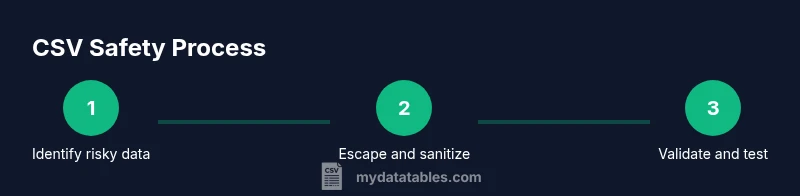
A scalable prevention program rests on several pillars. First, validate data against a schema before any export, enforcing types, formats, and acceptable ranges. Second, sanitize inputs to neutralize potentially dangerous characters or prefixes. Third, implement robust field escaping: wrap any field that contains separators, quotes, or newlines in double quotes, and escape internal quotes by doubling them. Fourth, neutralize formulas by converting dangerous values to safe equivalents, such as prefixing with a harmless character or a literal quote. Fifth, ensure correct encoding—UTF-8 with a consistent byte order mark helps guard against misinterpretation across tools. Finally, establish a test suite that checks for leading formula characters and confirms that exported files render as plain text in common spreadsheet apps. These steps collectively reduce exposure and create auditable safety in data pipelines.
Field escaping, quoting, and encoding best practices
Adopt RFC4180-aligned escaping as a baseline. Always wrap fields containing special characters (commas, newlines, or quotes) in double quotes. When a field contains quotes, escape them by doubling: "He said, "Hello"". Use a CSV library that enforces proper quoting and line endings to avoid manual errors. Maintain consistent encoding across the entire export, preferably UTF-8, and consider adding a BOM if your environment or downstream tools expect it. If you anticipate Excel users, add an extra safeguard: sanitize any value that starts with =, +, -, or @, or prefix with a single quote to force text interpretation. Finally, document these rules in your engineering playbooks so developers apply them consistently.
Safe export in code: practical recipes
Code examples below illustrate safe CSV export patterns. They show how to centralize sanitization and leverage library behavior to minimize manual mistakes. The Python and Node.js snippets are designed to be drop-in templates you can adapt to your data structures and pipelines. By isolating escaping logic into a single function, you reduce duplication and the chance of inconsistent handling across multiple export points. Always run your tests in CI to verify that exports are free of dangerous prefixes and that the resulting content renders safely in Excel and Sheets.
import csv

def escape_csv_value(value):
    if isinstance(value, str):
        if value.startswith(('=', '+', '-', '@')) or any(ch in value for ch in ['\n', ',', '"']):
            value = "'" + value
    return value

def safe_to_csv(rows, out_path):
    with open(out_path, 'w', newline='', encoding='utf-8') as f:
        writer = csv.writer(f, quoting=csv.QUOTE_MINIMAL)
        for row in rows:
            safe_row = [escape_csv_value(v) for v in row]
writer.writerow(safe_row)const fs = require('fs');
const { stringify } = require('csv-stringify/sync');
function escapeValue(v) {
if (typeof v === 'string' && (v.startsWith('=') || v.startsWith('+') || v.startsWith('-') || v.startsWith('@') || v.includes('\n') || v.includes(','))) {
return "'" + v;
}
return v;
}
function safeCsv(rows) {
const escaped = rows.map(r => r.map(escapeValue));
return stringify(escaped);
}These code samples demonstrate a centralized approach to escaping and safe serialization. They make it easier to maintain secure patterns as data sources evolve, and they simplify unit testing by isolating the sanitization logic from export orchestration.
Tools & Materials
- CSV data source (untrusted input)(Identify columns that may contain user-generated content and document their risk level)
- Code editor / IDE(For writing scripts and validating export logic)
- CSV escaping/serialization library(Library that correctly handles quoting and RFC4180 rules)
- Sanitization utilities(Functions or libraries that neutralize formulas and dangerous prefixes)
- Test dataset with edge cases(Include leading =, +, -, @ values and embedded quotes)
- Runtime environment (Python/Node.js) or script runner(To run export scripts and CI tests)
- Security documentation / governance checklist(Guidance for ongoing CSV safety reviews)
Steps
Estimated time: 2-3 hours
- 1
Assess data sources and define risk rules
Inventory all export points and identify fields that originate from untrusted inputs. Define rules for acceptable formats and ranges to reduce surface area before export.
Tip: Create a simple schema for each export path and store it in version control. - 2
Implement field escaping and quoting
Integrate a CSV library that enforces proper quoting. Ensure fields containing separators or newlines are wrapped in quotes, and internal quotes are escaped.
Tip: Rely on RFC4180-compliant libraries rather than hand-rolled logic. - 3
Neutralize risky values before export
Detect values that start with =, +, -, or @, and convert them to safe text representations (e.g., prefix with a single quote).
Tip: Keep a single sanitizer function that handles all types (string vs. number). - 4
Enforce UTF-8 encoding with consistent line endings
Export as UTF-8 and standardize line endings to avoid parsing issues in Excel and Sheets.
Tip: Test with both Windows and Unix environments to confirm compatibility. - 5
Add tests for dangerous inputs
Create unit tests that feed dangerous strings and verify the exported CSV renders as plain text in common viewers.
Tip: Automate these tests in CI to catch regressions. - 6
Validate exports in downstream apps
Perform end-to-end checks where recipients open the files in Excel/Sheets and confirm no formulas execute.
Tip: Ask downstream users to report any unexpected behavior. - 7
Document and govern export workflows
Maintain a living guide that documents rules, tools, and testing results for CSV exports.
Tip: Include approval steps for any changes to export logic. - 8
Review alternatives when needed
If safety concerns persist for highly sensitive content, consider JSON, Parquet, or database extracts instead of CSV.
Tip: Use a policy to determine when CSV is appropriate.
People Also Ask
What is CSV injection and why is it dangerous?
CSV injection occurs when data in a CSV file starts with a formula trigger like = or @. When opened in spreadsheet software, these formulas can execute, potentially exposing data or compromising systems. Sanitizing exports prevents this risk by neutralizing such values before they are written to the file.
CSV injection happens when a CSV contains formulas that run in spreadsheets. Sanitizing values before export prevents this risk and keeps data safe when opened.
How can I validate CSV data before export?
Use a data schema to enforce types and formats, then run a pre-export pass that flags any field that violates rules. Integrate this with your CI to ensure every export adheres to the standard.
Validate with a schema and run a pre-export check to catch violations before export.
Is quoting all fields sufficient for safety?
No. While quoting helps, it does not neutralize dangerous prefixes. Combine quoting with sanitization and prefix handling to ensure formulas cannot execute.
Quoting helps, but you must sanitize and neutralize dangerous values too.
What about Excel-specific concerns?
Excel can interpret certain prefixes as formulas. To mitigate, prefix risky values with a harmless character or a single quote, and ensure the export library consistently applies safe defaults.
Excel may treat some values as formulas, so apply a safe prefix and consistent escaping.
Can I disable formulas in Excel imports?
You can encourage users to import as text or use a workflow that saves as a non-formula-friendly format when handling sensitive data. A robust policy reduces risk across teams.
You can guide users to import safely or export in a non-formula-friendly format.
Which languages or libraries support safe CSV export?
Many languages offer RFC4180-compliant CSV libraries (e.g., Python and Node.js ecosystems). Choose a library with strong escaping guarantees and actively maintained security updates.
Choose a well-maintained RFC4180-compliant CSV library and apply sanitization consistently.
When should I switch to a different export format?
If data sensitivity or external inputs make CSV risky, consider JSON, Parquet, or a database export. Use governance to determine the appropriate format per use case.
Switch to a safer format when CSV risks are too high and use governance to decide.
What is the role of auditing in CSV safety?
Auditing export pipelines helps verify that sanitization and escaping rules are consistently applied. Use logs to track changes and CI checks to catch regressions.
Auditing confirms rules are applied consistently and helps catch regressions.
Watch Video
Main Points
- Validate inputs before export
- Escape and quote fields correctly
- Neutralize dangerous prefixes like = and @
- Use UTF-8 consistently
- Test exports with CI and audit logs