Open Large CSV Files: An Efficient Guide for Data Analysts
Learn scalable methods to open and analyze very large CSV files without crashes. This practical guide covers chunked reading, streaming parsers, CLI tools, and database approaches to keep workflows fast and reliable. By MyDataTables, 2026.


Open large CSV files efficiently by using chunked reads, streaming parsers, or database imports. Start by selecting a tool designed for big data, such as Python with pandas, Miller, or csvkit, or a lightweight database loader. Then read the file in chunks, specify the correct encoding and delimiter, and validate a sample before full analysis. This approach prevents memory crashes and speeds up workflows.
Why open large CSV files is a common challenge
Opening very large CSV files is a frequent hurdle for data analysts, developers, and business users who rely on quick insights. Standard spreadsheet programs like Excel or Google Sheets are not designed to handle multi‑million row datasets efficiently, and attempting to load such files can lead to memory crashes, freezes, or truncation. The MyDataTables team has observed many workflows where analysts try to view large CSVs directly, only to spend hours splitting files or waiting for imports to complete. Understanding the core constraints—memory limits, parsing speed, and encoding quirks—lets you pick a strategy that keeps your workstation responsive and your results timely. By embracing chunked reads, streaming parsers, or database backends, you can work with large CSVs in a controlled, repeatable way without sacrificing accuracy or reproducibility.
Key constraints when dealing with large CSVs
- Memory: Loading a large CSV entirely into RAM is often impractical or impossible on modest workstations. Even with a generous 16 GB RAM, extremely large files can exhaust memory during parsing.
- I/O bandwidth: Disk read speeds and CPU overhead affect how quickly data can be streamed into your analysis environment.
- Encoding and delimiters: Mismatched encoding (e.g., UTF-8 with a BOM) or irregular delimiters create parsing errors if not handled explicitly.
- Line correctness: Malformed lines, embedded newlines in fields, or inconsistent column counts cause downstream problems in naive readers.
Tip: Start by validating a small sample of the file to identify potential issues before scaling up the read.
What to choose: tools designed for big CSVs vs. ad hoc readers
There are three broad approaches:
- Streaming readers and chunked parsers (e.g., Python with chunksize, Miller, csvkit). These read parts of the file without loading everything into memory.
- Database loaders (e.g., SQLite, PostgreSQL) that bulk import data for fast querying and scalable storage.
- Specialized data tooling (e.g., Dask, Vaex) that enable out-of-core computations for very large datasets.
Each approach has trade-offs in setup time, learning curve, and the kinds of analysis you plan to run. If you expect continued growth in data size or repeated analyses, investing in a streaming or database-based workflow pays off in the long run. The MyDataTables guidance emphasizes choosing a method aligned with your typical tasks and existing tooling.
Chunked reading: the core technique for big CSVs
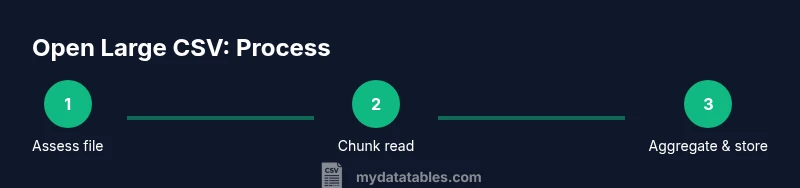
Chunked reading means processing the file in smaller, manageable pieces rather than loading it all at once. In practice, you define a chunk size—such as 100,000 rows or a few megabytes—and iterate over successive chunks. This keeps peak memory usage predictable and reduces the risk of crashes. When you process each chunk, accumulate results or write to an intermediate store, then clear memory before reading the next chunk. This technique is compatible with many languages and tools, including Python, R, and CLI utilities.
Handling encoding, delimiters, and quoting
Before you begin, determine the file encoding (UTF-8 is common) and the delimiter (comma, semicolon, or a tab). Incorrect settings can yield broken data or misaligned columns. Use explicit parameters for encoding, delimiter, and quote character when you read the file. For CSVs with embedded newlines or quotes, a robust parser that supports proper RFC 4180 quoting is essential. If you encounter errors, try a sampling pass with a smaller subset to pinpoint the problematic rows.
Memory management and system considerations
Hardware constraints strongly influence your approach. On machines with limited RAM, even 1–2 GB of data per chunk can be heavy if the chunk processing is expensive. You can mitigate this by:
- Increasing available memory via a swap file (temporary) or upgrading RAM.
- Running the analysis on a server or cloud instance with more resources.
- Offloading intermediate results to disk-based storage (CSV, Parquet, or a database).
Pro tip: For repeated tasks, build a reusable pipeline that accepts a file path and chunk size as parameters so you can tune performance without rewriting code.
CLI and programmatic options for opening large CSVs
Command-line tools offer fast, scriptable workflows:
- head/tail to preview data without loading everything
- awk, sed, or cut for quick filtering or column extraction
- csvkit or Miller for CSV-aware manipulation and quick queries
Programmatic options include: Python with pandas in chunks, Dask for parallelism, or Vaex for out-of-core operations. These approaches provide flexibility to filter, transform, and aggregate data as you read, rather than after a full import.
Practical example: a simple Python chunked read
Suppose you have a 300 MB CSV with a header and comma delimiter. A practical approach is to read it in chunks of 100,000 rows, process each chunk, and append results to a new file or in-memory accumulator. This keeps peak memory low while enabling incremental computations, such as summing a numeric column or filtering out rows with missing data. Small, test runs help confirm correctness before scaling.
When to import into a database instead of in-memory processing
If your analysis involves joining large tables, running complex aggregations, or repeated queries, a database can be more efficient than in-memory processing. You can bulk-import the CSV into SQLite or PostgreSQL, index critical columns, and run SQL-based analytics. This approach supports ad‑hoc exploration and scalable reporting while preserving the original file as a stable source of truth.
Tools & Materials
- Computer with sufficient RAM(8 GB minimum; 16 GB or more recommended for large files)
- Text editor with large file support(Notepad++ or Sublime Text can handle sizable files for quick inspection)
- CSV tooling (csvkit, Miller, or similar)(Provides CLI access to streaming reads and transforms)
- Python 3.x or R environment(For chunked reading, use pandas (Python) or data.table (R))
- Database system (optional but recommended)(SQLite for local work; PostgreSQL or MySQL for larger teams)
Steps
Estimated time: 60-120 minutes
- 1
Assess the file and environment
Identify file size, encoding, and delimiter. Check available RAM and CPU resources. Decide whether to use chunked reading, CLI tools, or a database import based on your analysis goals.
Tip: Run a quick head -n 100 to inspect the header and a sample row. - 2
Choose a reading strategy
Select a approach: streaming chunked read, database import, or a combination. For once-off exploration, chunked reading is fastest to set up; for repeated queries, load into a database.
Tip: If unsure, start with a Python chunked read then evaluate performance. - 3
Prepare the file basics
Confirm encoding (prefer UTF-8), delimiter, and header presence. Create a small test subset to validate your parser settings before a full run.
Tip: Use a sample of 1,000–10,000 rows to debug quickly. - 4
Set up a chunked reader
Implement a loop that processes the file in fixed-size chunks, performing minimal per-chunk computation. Accumulate intermediate results or write to a temporary store.
Tip: Choose a chunk size that fits comfortably in memory after processing. - 5
Process and validate each chunk
Apply your analysis logic to each chunk and check for inconsistent rows or missing values. Track progress and errors in a log.
Tip: Log a sample of malformed rows for later cleaning. - 6
Optionally filter or transform on the fly
Perform filtering, transformation, or aggregation during the iteration to minimize data movement. This reduces the amount of data you store between steps.
Tip: Push down filters to the read stage when possible. - 7
Decide on a downstream path
If results are large, write to a new file (Parquet for columnar efficiency) or load into a database for querying. Maintain a clear lineage back to the source CSV.
Tip: Keep the original CSV untouched to preserve data integrity. - 8
Consider database import if needed
For repeated analyses or complex joins, bulk-import the CSV into SQLite or PostgreSQL. Create indexes on frequently queried columns to speed up analytics.
Tip: Test import performance with a representative subset first. - 9
Validate final results and document
Run spot checks against a known dataset, document the method, chunk size, and tool configuration. Save a reproducible script or notebook for future runs.
Tip: Version-control your pipeline for auditability.
People Also Ask
What is the best tool to open a large CSV file?
There is no one-size-fits-all tool. For quick exploration, CLI tools like Miller or csvkit offer fast, streaming reads. For heavy analysis, Python with pandas in chunks or a database import (SQLite/PostgreSQL) provides scalability and repeatability.
For quick checks, Miller or csvkit work well; for deeper analysis, use Python in chunks or a database import.
Can Excel handle large CSV files?
Excel struggles with very large CSVs due to memory and row limits. It is best for small previews or filtered exports, not for full-scale big data analysis.
Excel isn’t ideal for very large CSVs; use chunked reading or a database for full analyses.
How do I determine the file encoding and delimiter?
Inspect the file header and a sample with a text editor that shows special characters. If unsure, try UTF-8 with a comma as a starting point and adjust if parsing errors occur.
Look at the header with a capable editor and start with UTF-8 and comma, adjusting as needed.
Is Python necessary to work with large CSVs?
Not strictly. Python is a versatile option for chunked reading, but CLI tools or database loaders can also handle large CSVs. Choose based on your comfort and workflow needs.
Python helps with chunked reading, but CLI tools or databases can do the job too.
What is chunked reading and why use it?
Chunked reading processes data in smaller blocks rather than loading the entire file. This keeps memory usage predictable and enables incremental analysis.
Chunked reading means processing data in blocks to stay within memory limits.
When should I import a CSV into a database?
Import into a database when you plan repeated queries, joins, or large aggregations. A database can index data and run complex analytics efficiently.
Use a database if you need repeatable queries or complex analysis.
Watch Video
Main Points
- Process large CSVs in chunks to control memory usage.
- Choose a tool aligned with your data size and workflow.
- Validate encoding and delimiters before scaling.
- Consider a database approach for repeatable analytics.
- Document your pipeline for reproducibility.