How to parse CSV online: A practical guide
Learn how to parse csv online with practical, step-by-step guidance. Compare browser-based tools vs cloud services, handle encoding and delimiters, validate results, and prepare analysis-ready data.


You will learn how to parse csv online, compare free and paid tools, and extract clean, structured data for analysis. The guide covers common formats, how to handle headers, quotes, and encoding, plus tips for large files. By the end, you’ll confidently choose a method, upload your CSV, and obtain reliable data ready for analysis.
What "parse csv online" means for data work
In data analytics, the ability to parse csv online means converting a raw, comma-delimited file into a structured table that your tools can analyze. This involves recognizing the delimiter (often a comma), handling quoted fields, respecting headers, and dealing with encoding (UTF-8 is common). When done well, the parsed data integrates into dashboards, databases, and reporting pipelines. According to MyDataTables, online parsing is particularly convenient for quick checks and collaborative workflows, but it requires attention to privacy and file size. In this section we’ll lay the groundwork for why online parsing matters and how it fits into everyday data tasks.
Key components: delimiters, encoding, and headers
CSV is deceptively simple on the surface, but parsing accuracy hinges on three core factors. Delimiters tell the parser where one field ends and the next begins; common choices include commas, semicolons, and tabs. Encoding determines how bytes map to characters; UTF-8 is widely supported, but older files may use ISO-8859-1. Headers establish column names for downstream use. When you parse csv online, ensure the tool correctly detects the delimiter, respects quoted fields that may contain the delimiter, and preserves header integrity for downstream joins or transforms.
Online tools vs. local scripts: pros and cons
Browser-based CSV parsers offer speed, convenience, and zero-install setup, making them ideal for quick checks or small datasets. Cloud-based services provide scalability, versioning, and collaboration. Local scripts (Python, R, or Node.js) give you full control, reproducibility, and privacy for sensitive data. The trade-off is setup time and the need to maintain code. MyDataTables analysis shows that for routine parsing of small files, online tools are often sufficient, but for large datasets or automated pipelines, a script-based approach paired with a robust validation step is preferable.
A practical workflow: from upload to clean data
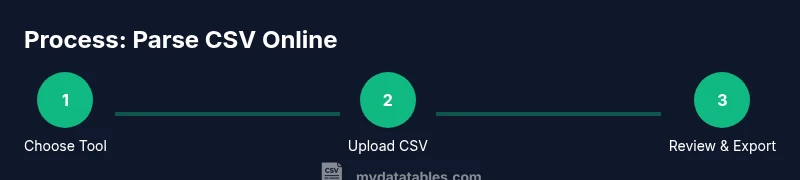
A solid online parsing workflow begins with selecting a tool that fits your data characteristics, then uploading a representative sample. You’ll configure delimiter and encoding, preview results, and export to a desired format (CSV, JSON, or a database-ready schema). The key is iterative validation: check a subset of rows for accuracy, verify data types, and ensure that special characters are preserved correctly. This section outlines a repeatable approach you can apply across different projects.
Handling large files online: performance tactics
Large CSV files can push browser-based parsers to their limits. To stay productive, split files into chunks, use streaming or incremental parsing features if available, and avoid loading entire files into memory. If a tool limits upload size, consider preprocessing the file server-side or using a cloud service with chunked upload. Always monitor browser memory usage and try to keep the number of concurrent tasks low to prevent slowdowns or crashes.
Validation and cleanup after parsing
Parsing is just the first step; data quality comes next. Validate column counts across rows, check for unexpected nulls, and verify date formats or numeric ranges. Create a small set of sanity checks (e.g., a range test for numerical columns, pattern checks for IDs) to catch common issues. Export a metadata summary (row count, file size, delimiter, encoding) alongside your data so downstream users understand the context of the parse. Clean up any malformed rows or fields before feeding data into analytics models.
Security and privacy considerations when using online parsers
Uploading CSV data to online tools can raise privacy concerns, especially with client or proprietary data. Before parsing, inspect the tool’s privacy policy, data retention terms, and whether it stores your file. Where possible, avoid parsing sensitive datasets in public tools; use local scripts or trusted, enterprise-grade services with strict access controls. If you must upload, sanitize the dataset by removing sensitive columns or anonymizing values where feasible.
Output formats and downstream usage: what to expect after parsing
Parsed CSV data often needs to feed into dashboards, BI tools, or data warehouses. Formats may include CSV with normalized line endings, JSON objects, or tabular data suitable for ingestion into SQL databases. Some online parsers also provide schema suggestions or type inference, which can accelerate ETL development. Plan your downstream steps: choose an export format that preserves data fidelity, then validate the result in the target environment to catch mismatches early.
Putting it all together: when to choose an online parse workflow
If your goal is a quick validation, a reproducible manual check, or a small collaboration task, online parsing can be a great fit. For ongoing data ingestion, automate the process with scripts and pipelines to ensure consistency, auditability, and scalability. Use online parsing for discovery or ad-hoc tasks, but rely on version-controlled code and validated schemas for production-grade data processing. The key is balancing convenience with governance and reproducibility.
Tools & Materials
- Web browser (modern, up-to-date)(Chrome, Edge, or Firefox recommended)
- CSV file to parse(UTF-8 encoding preferred; include sample rows for testing)
- Online CSV parser tool(Choose reputable tools with good privacy controls)
- Internet connection(Stable for uploading and previewing data)
- Text editor (optional)(Useful for inspecting raw content or editing headers)
- Account (optional)(Some tools require login for advanced features)
Steps
Estimated time: 25-40 minutes
- 1
Choose a tool
Select a browser-based CSV parser that supports your file size, desired export formats, and privacy needs.
Tip: Check whether the tool offers a preview pane to verify results before exporting. - 2
Upload your CSV
Upload the file to the online tool. If needed, use a sample first to confirm settings.
Tip: Ensure the file uses UTF-8 encoding to avoid character corruption. - 3
Configure parsing options
Set the delimiter, encoding, and header handling. Some files may use semicolons or tabs.
Tip: If available, enable a quote-aware parser to correctly handle embedded delimiters. - 4
Preview and validate
Review the first 20-50 rows to confirm accuracy of fields and types.
Tip: Spot-check date formats and numeric columns to ensure proper parsing. - 5
Export the parsed data
Choose a format suitable for downstream use (CSV, JSON, or database-ready schema).
Tip: Export with a clear naming convention and include a small metadata file if possible. - 6
Validate in downstream tool
Load the exported data into your target environment and run a quick sanity check.
Tip: Compare row counts and key statistics to the original file.
People Also Ask
What does it mean to parse a CSV file online?
Parsing a CSV online means converting raw CSV content into a structured table using a web-based tool. It involves recognizing delimiters, handling quoted fields, and preserving headers for downstream use.
Parsing a CSV file online means converting it into a structured table using a web tool so you can work with the data easily.
Which CSV features should I look for in an online parser?
Look for proper delimiter support, encoding handling (UTF-8 preferred), header detection, preview capabilities, and the option to export to common formats like CSV or JSON.
Make sure the tool handles delimiters, encoding, and offers a helpful preview before exporting.
Is online parsing safe for sensitive data?
Online parsing can pose privacy risks. Prefer tools with clear data policies, no retention, and strong access controls, or use local scripts for sensitive information.
Be cautious with sensitive data and prefer trusted tools or local parsing when needed.
What should I do after parsing a CSV online?
Validate the output in your target environment, check for consistency, and decide on export formats. Maintain a metadata record for reproducibility.
After parsing, validate results in your target tool and keep metadata for reproducibility.
Can I automate online CSV parsing in a workflow?
Some tools offer APIs or CLI interfaces, but full automation often requires scripts. For robust pipelines, consider a local script that calls an API or a server-side parser.
Automation is possible with tools that provide APIs; otherwise, use scripts to orchestrate parsing tasks.
What are common errors to watch during parsing?
Common issues include mis-detected delimiters, inconsistent quotes, and mismatched headers. Validate a sample of rows to catch these early.
Watch for delimiter issues, quotes, and header mismatches, and validate sample rows.
Watch Video
Main Points
- Choose the right tool for file size and privacy.
- Configure delimiter and encoding correctly.
- Always validate the parsed data before downstream use.