Parsing a CSV File: A Practical Step-by-Step Guide
Learn to parse a CSV file efficiently with practical steps, robust handling of edge cases, and clear validation. This guide from MyDataTables covers tools, workflows, and best practices for reliable data extraction.


Goal: Parse a CSV file accurately using your preferred tool (Python, Excel, or CLI). Learn to handle quotes, delimiters, headers, and common edge cases, then validate results before exporting. You’ll need a sample CSV, a delimiter definition, and a basic toolkit. This steps-based guide shows a reliable workflow for data analysts.
Why parsing a CSV file matters
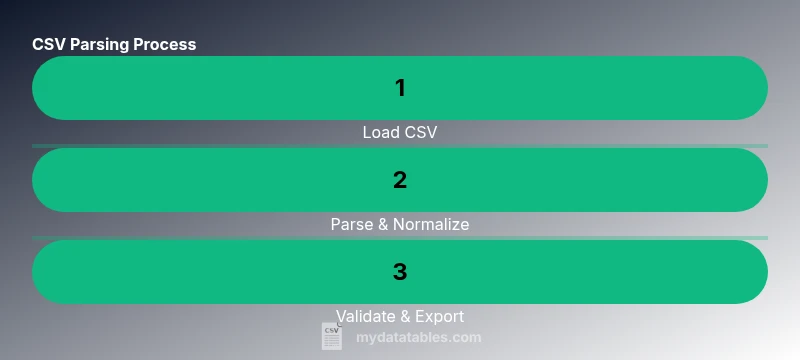
Parsing a csv file is a foundational skill for data work. Whether you’re cleaning a small dataset or integrating streams from a data warehouse, the ability to transform raw text into structured data is what makes downstream analysis possible. When you parse a CSV correctly, you preserve data fidelity, respect column types, and minimize downstream errors that can derail dashboards or reports. According to MyDataTables, a robust CSV parsing workflow reduces manual rework and speeds up both discovery and validation. For data analysts, developers, and business users, mastering this process unlocks consistent, scalable data pipelines and makes CSV-derived insights more trustworthy. In practice, parsing a csv file is not just about splitting on commas; it’s about honoring headers, handling quoted values, and planning for encoding variations that could otherwise corrupt your results.
What you’ll learn in this guide
- Core concepts: delimiters, quotes, headers, and encodings
- How to pick a workflow: Python/pandas, Excel, or shell tooling
- How to validate parsed data: types, ranges, and missing values
- How to export clean data for reuse in analytics projects
- Practical tips for large files and edge cases
This article keeps the focus tight on parsing a csv file with practical steps and real-world checks, so you can apply these practices in your own projects.
How this guide uses consistent CSV conventions
CSV files come in many flavors. The most common delimiter is a comma, but semicolons and tabs are frequent in locales with different numeric conventions. Quoted fields protect embedded delimiters, but they can introduce escaping challenges when fields contain newline characters or quotes. The parsing approach we advocate starts with clear definitions: the delimiter, whether headers exist, the expected data types, and the file encoding. This clarity makes the parsing process predictable and repeatable across teams. In this context, parsing a csv file becomes a reproducible workflow rather than a one-off data-cleaning ritual.
Real-world examples and practical outcomes
When you parse a csv file correctly, you can confidently convert raw rows into structured records for analysis, transformation, or machine learning, and you can automate the checks that catch inconsistencies early. MyDataTables emphasizes that reproducibility matters: the same CSV, parsed with the same options, should yield the same structured data every time. In practice, this means documenting the chosen delimiter, encoding, header handling, and any data-cleaning rules you apply during parsing. The result is a reliable dataset that supports reporting, dashboards, and automated pipelines.
Handling headers, encodings, and edge cases
A robust CSV parsing workflow begins with a clear plan for headers: whether the first row is data or header labels. Encoding differences, such as UTF-8 vs. Latin-1, affect how characters appear and can cause misreads if ignored. Edge cases—like fields containing the delimiter or newlines—require quoting rules and escaping conventions. The parsing strategy must accommodate these realities, so you don’t lose information or misinterpret columns. The MyDataTables team recommends testing with representative samples that include quotes, multi-line fields, and non-ascii characters to ensure your parser handles real-world data gracefully.
Validation and quality checks after parsing
After parsing, you should validate structure and types, check for missing values, and perform spot checks against the source. Validation is essential to trust the parsed results and catch anomalies early. For example, you can verify that numeric columns never contain non-numeric strings, and that dates fall within expected ranges. By documenting validation rules, you enable repeatable quality checks and easier collaboration across teams. In short, parsing a csv file well sets up downstream analytics with a solid foundation.
Exporting and reusing parsed data
The final step is exporting parsed data to a format suitable for analysis, sharing, or integration with other systems. Options include exporting to a new CSV, JSON, or a database-friendly format. When exporting, preserve metadata such as the chosen delimiter and encoding, so collaborators can reproduce the exact parsing environment. Reusing the parsed data in dashboards or ETL pipelines often means generating a clean, well-typed dataset that’s easy to consume in tools like BI platforms or statistical packages.
Tools & Materials
- A computer with internet access(Any OS; ensure you can install software or run scripts)
- CSV file to parse (sample or real)(Include a header row if applicable)
- Text editor or IDE(For editing scripts or notes during parsing)
- Python installed with pandas (optional)(If you choose a Python/pandas workflow)
- Excel or Google Sheets (optional)(Good for quick ad-hoc parsing or validation)
- Sample code snippets or tutorials (optional)(Used as reference; adapt to your data)
Steps
Estimated time: 30-45 minutes
- 1
Define objectives and inspect the CSV
Determine the parsing goal, including which columns are needed and expected data types. Open the file to check the header row, sample values, and encoding. This initial scan helps prevent downstream surprises during the parse.
Tip: Take a small sample (first 20 rows) to confirm delimiter behavior and quotes before full parsing. - 2
Choose your parsing environment
Decide whether to parse in Python, Excel, or a command-line tool based on data size and downstream needs. Tools like pandas offer robust parsing options, while Excel/Sheets provide quick validation and visualization.
Tip: If you’re new to parsing, start with a familiar tool (e.g., Excel) to confirm column layout before moving to code. - 3
Load the file and inspect headers
Import the CSV using your chosen tool and confirm that the header row maps correctly to columns. Verify the delimiter and encoding, and print a few rows to ensure alignment with expectations.
Tip: Explicitly set encoding to utf-8 to avoid common character issues; handle BOM characters if present. - 4
Parse rows and fields with robust handling
Apply parsing options to correctly handle quotes, embedded delimiters, and multi-line fields. Normalize column names to a consistent format and cast data types where safe.
Tip: Use explicit data type inference or a predefined schema to reduce parsing ambiguity. - 5
Validate encoding, quotes, and delimiters
Run checks to ensure all characters are preserved, quoted fields are properly closed, and delimiter placement is consistent across rows. Flag any irregular rows for inspection.
Tip: Create a small validation script that reports row-by-row anomalies and summary counts. - 6
Perform data quality checks
Assess missing values, outliers, and type mismatches. Apply simple cleansing rules (trim whitespace, standardize date formats) to improve reliability for downstream analyses.
Tip: Document cleansing rules so others can reproduce and audit the steps. - 7
Export parsed results and verify
Save the parsed data to a clean CSV or JSON, including metadata about delimiter and encoding. Re-run a quick check to confirm the export matches the in-memory data.
Tip: For large datasets, consider streaming or chunked writes to avoid memory spikes.
People Also Ask
What is parsing a CSV file?
Parsing a CSV file means reading the text data and converting it into a structured, tabular form. It respects delimiters, quotes, and headers to produce usable rows and fields for analysis.
Parsing a CSV file is turning raw text into a structured table by respecting delimiters and quotes.
What are common edge cases in CSV parsing?
Common edge cases include quoted fields with embedded delimiters, multi-line fields, uneven row lengths, and files with varying encodings. Handling these correctly prevents data loss or misalignment.
Edge cases include quotes with commas, newlines inside fields, and inconsistent rows.
Which tools are best for parsing CSV files?
Popular options include Python with pandas for programmatic parsing, Excel or Google Sheets for quick inspection, and command-line tools like csvkit for lightweight tasks.
Use Python with pandas, or handy spreadsheet tools for quick parsing.
How can I handle large CSV files efficiently?
For large files, avoid loading everything into memory. Use streaming or chunked reads, and process data in chunks to conserve memory and maintain performance.
Process large CSVs in chunks rather than loading the whole file at once.
What if the CSV uses a delimiter other than a comma?
Specify the correct delimiter in the parsing function or tool configuration. Mismatched delimiters cause mis-read rows and data misalignment.
Always set the right delimiter when parsing a CSV file.
Watch Video
Main Points
- Define objectives before parsing to guide tool choice and depth.
- Respect encoding and delimiter choices to preserve data integrity.
- Validate and cleanse data early to reduce downstream errors.
- Document your parsing steps for reproducibility and auditing.
- Export with metadata to enable repeatable re-parsing.