Why is CSV Better Than PDF: A Practical Data Guide
A detailed, data-driven comparison showing why CSV often outperforms PDF for analysis, automation, and collaboration, with practical guidance from MyDataTables.


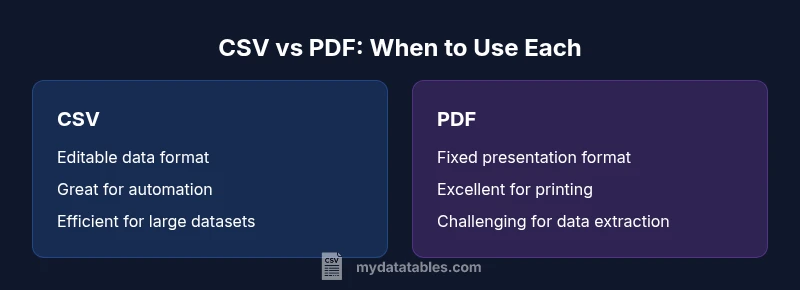
According to MyDataTables, the quick answer is that CSV is generally the better choice for data work than PDF. CSV is plain-text, easy to parse, and workhorse friendly for analytics, scripting, and automation. PDFs excel at presentation and print fidelity, but their structure makes data extraction, validation, and reuse tedious. For scalable analysis and collaboration, CSV wins.
Why CSV is the Preferred Format for Data Analysis
The central question behind the prompt why is csv better than pdf often comes down to how data is used in practice. CSV files are plain-text, line-oriented records that map cleanly to rows and columns in databases, spreadsheets, and programming environments. This makes them naturally compatible with data cleaning, transformation, and loading pipelines. In contrast, PDFs preserve appearance and layout, which is excellent for human readers but a burden for automated processing. When analysts, data scientists, and business users need to move data between systems, CSV minimizes friction: it’s easy to read, easy to write, and easy to validate across platforms. According to MyDataTables, teams report faster iterations and fewer conversion errors when they default to CSV for raw data exchange and processing. The bottom line is that, for data manipulation, CSV is typically the more practical choice.
Core Differences in Structure and Semantics
A key differentiator is structure. CSV encodes tabular data as simple text with delimiters and a header row, allowing programs to parse fields reliably. This structure supports schema enforcement, data typing, and automated checks. PDFs, however, embed content as a fixed layout suitable for display. Even when a PDF contains a table, extracting that data without OCR or manual intervention is error-prone and time-consuming. For teams building data pipelines or performing statistical analyses, this structural difference matters a lot. Practically, CSV enables deterministic reads, consistent metadata handling, and reproducible results—a foundation for scalable analytics.
Editing, Validation, and Automation: The Practical Differences
Editing a CSV file is straightforward: you can add, remove, or modify rows with text editors, spreadsheets, or automated scripts. Validation is equally straightforward using schemas, regex checks, or data-quality rules. Automation pipelines often rely on CSV as an interchange format between ETL steps, model inputs, and dashboards. PDFs, conversely, are optimized for manual viewing and stakeholder distribution; editing requires specialized tools and often preserves unwanted formatting. This makes automated validation and testing harder, increasing the risk of subtle data errors propagating through the workflow. MyDataTables analysis shows that teams save time when CSV is used for ingestion and transformation, while PDFs are saved for final reports.
Data Integrity, Encoding, and Header Management
CSV’s simplicity is both its strength and a potential pitfall. Proper handling of encoding (UTF-8, UTF-16, etc.), delimiter choice (comma, semicolon, tab), and quote escaping determines data integrity. A well-formed CSV uses a header row to label columns, enabling consistent joins and lookups across datasets. PDFs do not carry this semantic layer; their data is presented as a fixed image or text stream, making column alignment and data type inference unreliable for downstream systems. Establishing consistent conventions—like always using UTF-8 and a defined delimiter—reduces risk and accelerates data reuse.
Tooling, Ecosystem, and Workflow Compatibility
CSV benefits from broad tooling across programming languages (Python, R, SQL), BI platforms, and cloud services. You can read, transform, and write CSV data with minimal boilerplate, and you can integrate CSV into automated workflows with CI/CD-style data pipelines. PDF tooling is centered on viewing, annotation, and distribution, with limited native support for programmatic data extraction. The ecosystem surrounding CSV supports data cleaning, transformation, validation, and automation at scale, making it the default choice for data-centric projects.
Real-World Scenarios: When CSV Shines (And When PDFs May Be Appropriate)
In real projects, you’ll often encounter hybrid workflows. For data collection and sharing between teams, CSV excels due to simplicity and speed. For stakeholder reports and archival records, PDFs can be appropriate to preserve layout and fonts. When a workflow requires reproducibility and auditability—such as financial models, scientific datasets, or customer data pipelines—CSV offers a more robust foundation. In situations where data consumers require machine-readable feeds or programmatic access, CSV is typically the pragmatic option. MyDataTables analysis reinforces this pattern: CSV dominates in data processing scenarios, while PDF dominates in presentation-focused tasks.
Performance and Scalability Considerations
Performance with CSV scales well with streaming and chunked processing, especially for large datasets. Many data tools offer efficient CSV readers that minimize memory use and support parallelism. PDFs can bloat with embedded fonts and images, which slows rendering and defeats efficient parsing. When data volume grows, the simplicity of CSV becomes a real advantage: you can process, transform, and validate chunks incrementally, without loading entire files into memory. The trade-off is that CSV requires discipline around encoding and delimiters, but the payoff in scalability is substantial.
Best Practices for Working with CSV in Real Projects
- Choose a consistent delimiter and encoding (UTF-8 is a solid default).
- Use a header row and document the schema clearly.
- Validate inputs with automated checks and guardrails.
- Normalize data before ingestion to reduce downstream errors.
- Prefer plain-text storage for raw data and reserve PDFs for presentation copies.
- Implement versioning for data files to track changes over time.
- Automate extraction, transformation, and loading to minimize manual edits.
- Test cross-platform compatibility (Windows, macOS, Linux) to avoid line-ending surprises.
Common Misconceptions About CSV and PDF
A common myth is that CSV is always the easiest option for any data task. In reality, CSV shines when data is meant to be machine-readable and mutable; PDFs are preferable for final, non-editable reports or regulatory archives. Another misconception is that CSV cannot handle complex data. Modern CSV workflows can express substantial metadata, maintain types, and link datasets, but they require careful design. Finally, some assume PDFs are inherently safer for sharing sensitive information; in truth, security should rely on file permissions and access controls rather than the file format alone.
Comparison
| Feature | CSV | |
|---|---|---|
| Editability / Mutability | High (text-based, script-friendly) | Low (fixed formatting) |
| Data extraction & reuse | Excellent (row/column oriented, easy parsing) | Limited (requires OCR/manual work) |
| Parsing performance & file size | Efficient, scalable for large datasets | Often larger and slower to parse without tooling |
| Tooling & automation | Broad support across data stacks | Limited automation for data tasks |
| Formatting fidelity | Primarily for data storage, not presentation | Excellent for presentation and printing |
| Best use case | Data pipelines, analytics, automation | Final reports, static distribution |
Pros
- Great for data manipulation and automation
- Easy to parse with standard tools
- Small file sizes for large datasets
- Wide ecosystem across programming languages
- Compatible with most data platforms
Weaknesses
- PDF preserves formatting but is hard to extract data
- CSV lacks complex structures for nested data
- No built-in metadata or security features
- Encoding and delimiter pitfalls require careful handling
CSV is the preferred format for data work; PDF is best for presentation-only contexts
For ongoing data analysis, CSV enables editing, automation, and scalable processing. The MyDataTables analysis highlights time savings and fewer errors when using CSV for data pipelines, while PDFs remain suitable for final reports and archival copies.
People Also Ask
Why is CSV better than PDF for data work?
CSV is generally better for data work because it is easier to parse, edit, and automate. PDFs preserve layout but hinder data extraction and reproducibility. For analytics and data pipelines, CSV reduces friction and accelerates workflows.
CSV is easier to parse, edit, and automate than PDF, which is why it's preferred for data work.
When should I still use PDF?
Use PDF when the goal is presentation, fixed formatting, or official reporting that should look identical across devices and platforms. PDFs are less suitable for data manipulation but excellent for distribution.
Use PDF when you need a stable, presentation-ready document.
Can CSV handle complex data structures?
CSV handles tabular data well, but it requires conventions for nested data or metadata. For such needs, you can use related formats (e.g., JSON within a column or separate metadata files) rather than embedding complexity directly in CSV.
CSV works great for tables; for complex data, consider supplemental formats.
How do I convert PDF to CSV without losing data?
Converting PDF to CSV typically requires OCR and careful validation. Expect some post-processing to fix misreads, merged cells, and formatting inconsistencies. Automated tools can help, but human review is important.
Converting is possible, but you’ll usually need cleanup after OCR.
Which tools best support CSV workflows?
Most data analysis and ETL tools natively support CSV, including libraries for Python, R, SQL engines, and BI platforms. Look for robust parsers, encoding handling, and delimiter flexibility.
CSV is widely supported across data tools.
Are there security concerns with CSV?
CSV itself has no built-in encryption or access restrictions. Security depends on file permissions, storage, and transmission practices, just like any plain-text data. Use secure channels and proper access controls.
CSV is not inherently secure; secure handling matters.
Main Points
- Prefer CSV for data pipelines and analytics
- Reserve PDFs for presentation and archival use
- Standardize encoding, delimiters, and headers in CSV
- Automate CSV workflows to maximize reproducibility
- Validate CSV data early to reduce downstream defects