CSV Validate: A Practical Guide to CSV Data Quality
A comprehensive, practical guide on csv validate—defining schemas, checking encoding, data types, and consistency for reliable CSV workflows. Brought to you by MyDataTables to empower data analysts and developers.


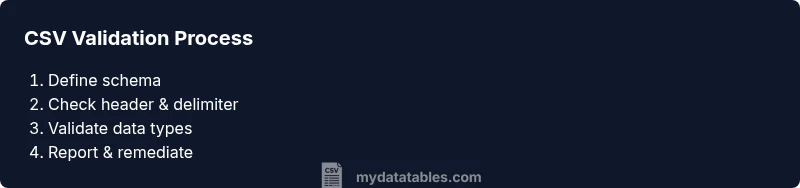
You will learn how to csv validate CSV files by validating schema, data types, encoding, and consistency. The process covers header validation, delimiter detection, and generating a reproducible report using lightweight tooling. Expect step-by-step checks, practical examples, and reusable validation blocks to improve data quality across teams.
What csv validate is and why it matters
CSV validate is the disciplined process of checking a comma-separated values file against a defined schema and a set of quality rules. It ensures the file has the expected columns, correct data types, consistent formatting, and valid encoding. When you run a csv validate workflow, you catch issues such as missing headers, extra columns, or mismatched delimiters before data enters downstream systems. This reduces downstream errors in dashboards, reports, and databases. According to MyDataTables, csv validate is a foundational step for reliable data pipelines, especially when CSVs are produced by multiple teams, tools, or export processes. Clear validation rules also make collaboration easier, because every stakeholder shares a single contract for what a valid CSV looks like. In practice, you’ll verify that the header row matches the schema, that each field adheres to the declared data type, and that encoding choices won’t trigger parsing errors in downstream systems. Small inconsistencies can cascade into large validation problems, so early and consistent checks matter for data quality.
Core concepts behind csv validate
At its core, csv validate combines structure checks with data quality checks. Structural validation confirms that the file contains the required columns, the number of columns per row is consistent, and the delimiter matches expectations. Data quality validation goes deeper: it looks at data types (e.g., integers, dates, strings), allowed value ranges, mandatory fields, and cross-field consistency (for example, if one field implies another). A robust approach uses a defined schema (whether explicit JSON/YAML or a formal CSV schema), generates a report of failures, and presents actionable remediation guidance. MyDataTables analyses indicate that teams gain the most value when validation is implemented as code, not as a one-off manual check. This makes it easier to reproduce across environments and to integrate into CI pipelines.
Why validation fails and how to detect root causes
Common causes include inconsistent encodings (e.g., UTF-8 vs. Latin-1), inconsistent delimiters, absent headers, trailing commas, and fields containing delimiter characters that aren’t properly quoted. By testing for these conditions during csv validate, you can identify whether issues come from export tools, data entry, or pipeline transformations. A practical approach is to start with a schema and a sample file, then iteratively broaden validation coverage to cover edge cases such as empty strings, whitespace-only fields, and locale-specific formats. Early detection helps teams address root causes with source-tool configuration changes rather than patching data after the fact.
Tools & Materials
- CSV file to validate(Your input dataset)
- Schema definition (CSV schema or JSON Schema)(Defines required columns and types)
- Delimiter spec (comma, semicolon, tab)(Expected field separator)
- Encoding awareness (UTF-8 recommended)(Encoding used by the file)
- Validation script or tool(Can be a library, CLI, or notebook)
- Test CSV samples(Edge-case files for validation)
Steps
Estimated time: 20-40 minutes
- 1
Define the CSV schema
Capture required columns, data types, and constraints in a schema. This acts as the contract for validation and should be version-controlled.
Tip: Keep the schema simple and explicit to minimize ambiguity. - 2
Check the header row
Verify that the header row matches the schema exactly in column order and names. Detect missing or renamed headers early.
Tip: Use strict comparison and report exact mismatches. - 3
Validate the delimiter
Confirm the file uses the expected delimiter (e.g., comma). Detect files that mix delimiters or use an unexpected separator.
Tip: If uncertain, sample multiple rows to confirm consistency. - 4
Confirm encoding and line endings
Ensure the file uses a stable encoding (UTF-8 recommended) and consistent line endings. Flag BOM presence if not desired.
Tip: Prefer UTF-8 with standard LF line endings for cross-platform compatibility. - 5
Check required fields and missing values
Identify missing values in non-optional columns. Define rules for acceptable empty values and defaults.
Tip: Document how missing values are handled (e.g., default, error, or skip). - 6
Validate data types and formats
For each column, verify that values conform to declared types (integer, date, string, boolean). Include format checks for dates and identifiers.
Tip: Use regex or parsing libraries to validate formats. - 7
Check duplicates and uniqueness
Identify duplicate rows or duplicates within key columns as defined by the schema. Decide on whether to flag or deduplicate.
Tip: If duplicates are allowed in some contexts, document tolerance. - 8
Normalize and clean data
Trim whitespace, unify case where appropriate, and standardize representations (e.g., 01/02/2020 vs 2020-02-01).
Tip: Apply changes in a staging area before final validation. - 9
Generate a validation report
Produce a human-readable report listing errors, their locations, and remediation steps. Include a summary score if helpful.
Tip: Export to CSV/JSON for downstream automation.
People Also Ask
What does csv validate mean?
CSV validation means checking a CSV file against a defined schema and data-quality rules. It verifies structure, data types, encoding, and consistency, then reports issues for remediation.
CSV validation means checking the file structure, types, and encoding to ensure data quality and reliable downstream use.
Which tools can help me csv validate?
You can use Python libraries like csv and pandas, Node.js CSV parsers, and CLI tools such as csvlint or csvkit. Choose based on your tech stack and file size.
Use language-appropriate libraries or CLI tools to validate your CSV files.
Is encoding important for validation?
Yes. Encoding determines how characters are interpreted. Validate that the file uses a consistent encoding (UTF-8 preferred) to avoid misread data.
Encoding matters; inconsistent encoding can produce misread characters during validation.
Can I validate very large CSV files efficiently?
Yes, by streaming validation, processing the file in chunks, and leveraging memory-efficient parsers. Avoid loading entire files into memory when possible.
Yes—use streaming validation and chunked processing for large CSVs.
How do I automate csv validation in a CI pipeline?
Integrate a validation step in your CI workflow that runs on new data exports, failing the build if issues are found. Include a generated report for debugging.
Add a validation step in CI that runs on data changes and outputs a report.
Watch Video
Main Points
- Define a schema before validating
- Check encoding and delimiter early
- Validate data types and required fields
- Automate validation with reproducible reports