Validate CSV: A Practical Guide for Data Quality
Learn how to validate CSV files for accuracy and reliability, covering encoding, delimiters, headers, data types, missing values, and duplicates with practical steps and automation.


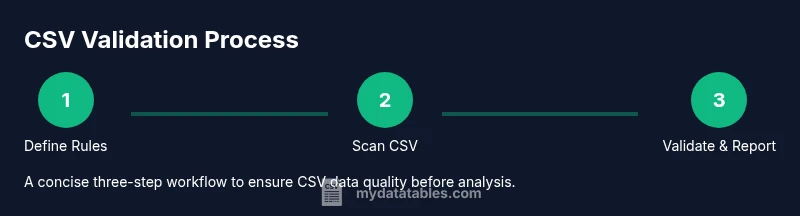
You will learn how to validate a CSV file for accuracy and reliability. This guide covers syntax checks, encoding and delimiter verification, header consistency, data-type validation, missing values, and duplicate detection. You’ll use both manual checks and automated validators, plus a simple script, so your CSV is ready for analysis and downstream processing.
What does it mean to validate CSV?
CSV validation is the process of checking a comma-separated values file for correctness, consistency, and readiness for processing. A validated CSV reduces downstream errors in analytics, reporting, and data pipelines. At its core, validation confirms that the file follows an agreed structure, uses the expected encoding, and contains sensible data for each column. According to MyDataTables, validating CSV is a foundational step in reliable data workflows. By validating early, teams catch formatting mistakes, inconsistent separators, or invalid headers before heavy analysis begins, saving time and preventing reworks. This section introduces the concept and why it matters for data quality and reproducibility.
""
Tools & Materials
- CSV file to validate(The source data file to check)
- Delimiter specification(Comma, semicolon, or tab; ensure consistency)
- Text editor or IDE(For quick inspection and edits)
- CSV validator tool or script(Automated checks for scalability)
- Reference schema or header definition(Defines expected columns and types)
- Python or another scripting language(Optional for automation)
Steps
Estimated time: 1-2 hours
- 1
Define validation goals
Clarify which headers are required, which columns determine success, and how to handle missing values. Document schema version and acceptance criteria to avoid ambiguity later.
Tip: Create a one-page schema checklist you can reuse for every dataset. - 2
Prepare the environment
Collect the CSV, the reference schema, and any tooling you plan to use. If possible, isolate a sample dataset to validate before processing the full file.
Tip: Version-control your validation scripts and schema definitions. - 3
Check encoding and delimiter
Confirm UTF-8 encoding and the chosen delimiter is used consistently across the file. Look for BOM markers and mixed delimiters that can corrupt parsing.
Tip: Run a quick check on a sample to ensure no stray characters are misread. - 4
Validate header integrity
Verify header names match exactly (case-sensitive if required) and that there are no duplicates or stray whitespace.
Tip: Trim whitespace in headers before parsing to avoid subtle mismatches. - 5
Assess column count and structure
Ensure every data row has the same number of fields as the header. Flag rows with extra or missing columns for review.
Tip: Use a quick one-liner to tally column counts per line in a sample. - 6
Validate data types and ranges
Check that numeric columns contain numbers, dates follow expected formats, and categorical fields use allowed values.
Tip: Prioritize fields used in calculations or joins for early validation. - 7
Handle missing values and duplicates
Decide on a policy for nulls and duplicates: which columns allow nulls and what constitutes a duplicate key.
Tip: Document remediation steps for common missing-value patterns. - 8
Run automated validation
Execute a validator script or tool to reproduce checks and generate a readable report with line numbers and error types.
Tip: Automate daily or hourly validations in data pipelines for consistency. - 9
Review and remediate
Review the validation report, fix issues in the source data or schema, and re-run validation until acceptance criteria are met.
Tip: Maintain a changelog of fixes so future datasets are easier to validate.
People Also Ask
What is CSV validation and why is it important?
CSV validation is the process of checking a CSV file for correctness, structure, and data quality before processing. It helps prevent downstream errors in analytics and reporting by catching issues early.
CSV validation checks structure and data quality to prevent downstream errors.
Which parts of a CSV should you validate first?
Start with the header row, delimiter and encoding, then ensure the number of columns matches the header for all rows. Next, verify data types for crucial fields.
Start with headers, delimiter, and encoding, then check column counts and data types.
What tools can assist with CSV validation?
Use schema-based validators, dedicated CSV validation tools, or scripting languages to automate checks. Choose tools that fit your workflow and provide clear error reporting.
Use schema-based validators or scripting to automate checks.
How should missing values and duplicates be handled?
Define a policy for allowed nulls and what constitutes a duplicate (by key or by a set of columns). Apply this policy consistently across datasets.
Define null handling and duplicate policies and apply them consistently.
Can I automate CSV validation in a data pipeline?
Yes. Integrate validators into the data intake process and generate reports that guide remediation before data moves downstream.
Yes, automate validation in the data pipeline with reports.
What is a quick checklist for initial validation?
Check encoding and delimiter, verify headers, confirm column count, validate a sample of data types, and flag any anomalies for deeper checks.
Quickly check encoding, delimiter, headers, and a data sample.
Watch Video
Main Points
- Define clear validation goals before checking files
- Ensure encoding and delimiter consistency early
- Validate headers, column counts, and data types
- Automate validation to scale and reproduce results
- Remediate issues and revalidate to ensure data quality