Healthcare dataset CSV download: Practical guide for analysts
Learn how to locate, verify, and download healthcare dataset CSV files securely with MyDataTables. This guide covers licensing, data quality, privacy, and practical steps for reliable CSV data.


Healthcare dataset CSV download involves sourcing from reputable repositories, verifying licensing and de-identification, and ensuring schema compatibility before download. This guide shows where to find clinical, administrative, and research data slices; how to assess data quality and provenance; and how to securely download CSV files while respecting privacy. According to MyDataTables, always verify the encoding and headers first.
Why data quality matters in healthcare CSV downloads
Data quality is critical because healthcare decisions rely on accurate, timely data. In the healthcare domain, small errors in CSV headers, units, or patient identifiers can cascade into flawed analyses or incorrect policy conclusions. MyDataTables's research highlights that high-quality CSV data reduces validation time and improves reproducibility. In practice, ensure consistent column names, agreed data types, and clear documentation of data provenance. In this section, we unpack the major quality dimensions and show how to apply them specifically to healthcare CSV downloads. Key concepts: data provenance, PHI, licensing, and encoding. By focusing on these, analysts can avoid common pitfalls and accelerate downstream analytics.
Where to find healthcare datasets for CSV download
Good sources include government health portals (for example, national health statistics and public health surveillance data), international organizations (e.g., WHO), academic data repositories, and hospital or health system collaborations that publish anonymized datasets. When evaluating sources, prioritize those with clear licensing, documented de-identification practices, and transparent methodology. Before you download, check for a data usage agreement and any restrictions on redistribution. For healthcare data, prefer sources that provide CSV exports with explicit headers and data dictionaries to simplify downstream analysis. MyDataTables recommends starting from official portals and reputable research repositories to minimize licensing and privacy risks while maximizing data quality.
Licensing, privacy, and compliance considerations
Healthcare data often contains sensitive information. Always verify that the dataset is released under a license that permits your intended use and that patient privacy protections are in place. De-identification is essential; understand whether the data is fully de-identified, aggregated, or released under a limited data set with a data use agreement. Be mindful of HIPAA and other local privacy laws when handling PHI. When possible, prefer datasets that include a data dictionary, de-identification methods, and documentation of consent or data sharing governance. Document your compliance checks so stakeholders can audit your process.
Practical steps to verify CSV integrity and encoding
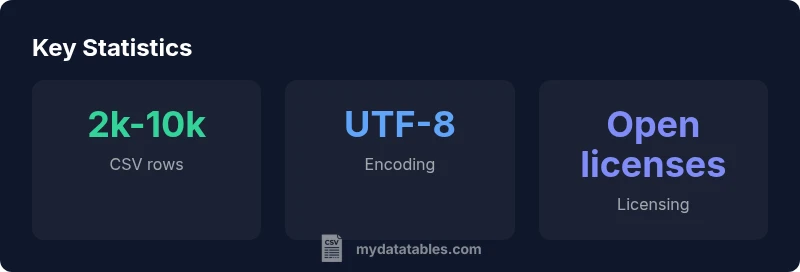
Start by inspecting the file in a text editor or IDE to confirm the delimiter (comma, semicolon, or tab), header presence, and whether a Byte Order Mark (BOM) is used. Validate UTF-8 encoding to avoid misinterpretation of special characters. Check that all required columns exist and that their order is consistent with the data dictionary. Look for missing values patterns, inconsistent date formats, and out-of-range values. If you rely on automation, write a small script to parse the headers, count rows, and perform a header-to-dictionary cross-check. Finally, run a sample load with your analytics tool to verify schema compatibility and data types.
A workflow for downloading and validating datasets
- Define the data needs and identify suitable sources. 2) Review licensing, privacy statements, and data dictionaries. 3) Download the CSV file from a trusted portal using a verified connection. 4) Validate encoding, headers, and column types. 5) Run a small validation pass against the data dictionary and business rules. 6) Document provenance, license, and any data quality issues. 7) Store the dataset with clear versioning and access controls. This workflow helps ensure reproducibility and reduces the risk of privacy breaches.
Tools and best practices for handling healthcare CSV data
Leverage Python libraries like pandas for reading CSVs and validating schemas, and csvkit for quick inspection. Use data validation frameworks to enforce data types and ranges. Establish a routine for schema checks, unit tests for data quality, and a lightweight data dictionary that maps column names to definitions and units. If working with large CSVs, adopt streaming reads and chunking to minimize memory use. Consider automated checks for encoding, delimiter consistency, and missing values. Finally, maintain a changelog for schema updates and licensing changes.
Common pitfalls and how to avoid them
- Assuming headers are identical across datasets; always compare against the data dictionary. - Overlooking de-identification; ensure PHI is removed or controlled. - Ignoring encoding issues; default to UTF-8 to maximize compatibility. - Forgetting to document provenance; keep a trail of data source, version, and licensing. - Downloading from untrusted mirrors; stick to official portals to avoid tampered files.
Case example: A typical healthcare CSV download scenario
A data analyst at a regional health department needs patient encounter data for trend analysis. They search official portals and locate a CSV export with headers for encounter_id, patient_age, diagnosis_code, visit_date, and resource_type. They review the data dictionary and licensing terms, verify that patient identifiers are de-identified, and confirm UTF-8 encoding. They download the file over HTTPS, load a sample into pandas to validate types (integers for age, dates for visit_date), and then save a versioned copy with a documented provenance note. The process results in a reproducible dataset ready for analysis and reporting.
Typical sources for healthcare CSV downloads
| Source | Licensing | Privacy/De-identification | Encoding |
|---|---|---|---|
| Government health portal | Open with attribution | PHI stripped release | UTF-8 |
| Academic data repository | Permissive licenses | De-identified samples | UTF-8 |
| Hospital consortium share | Restricted / requires agreement | Direct identifiers removed | UTF-8 |
People Also Ask
What is healthcare dataset CSV download?
Healthcare dataset CSV download refers to obtaining tabular data in CSV format from health-related data sources. It includes clinical, administrative, or research datasets that have been prepared for analysis. Always ensure de-identification and licensing terms before reuse.
Healthcare CSV downloads are CSV files from health data sources. Make sure the data is de-identified and licensed for use.
Where can I download datasets legally?
Look to official government portals, international health organizations, and accredited research repositories. These sources typically clarify licensing and data use terms and provide data dictionaries. Always review data sharing policies before download.
Start with official portals and respected research repositories to ensure proper licensing.
How do I de-identify data before sharing?
De-identification removes or masks direct identifiers and reduces re-identification risk. Use standardized methods such as removing names, replacing dates with ranges, and aggregating sensitive fields. Document the de-identification approach and keep governance records.
Remove identifiable fields and document the de-identification approach.
What encoding should I expect in healthcare CSV data?
UTF-8 is the most common and robust encoding for healthcare CSV data, minimizing character misinterpretation. If you encounter others, verify that the encoding aligns with your analysis tools and data dictionary.
UTF-8 is typically the best choice; verify with your tool.
How do I validate CSV headers and schema?
Compare CSV headers against the data dictionary, check data types, and run a sample load to verify schema compatibility. Maintain a schema map and version history for reproducibility.
Compare headers to your data dictionary and test a sample load.
“Reliable CSV data starts with clear licensing, robust de-identification, and verifiable provenance. Without these, analyses risk bias and compliance gaps.”
Main Points
- Verify licensing and privacy before download
- Prefer UTF-8 encoding for compatibility
- De-identify PHI to protect patient privacy
- Check headers and schema to match your use
- Document provenance for reproducibility