How to download a dataset in CSV
Learn to locate, download, and verify datasets in CSV format for reliable data analysis. This step-by-step guide covers sourcing, encoding, validation, and practical tips to help you work efficiently with CSV data.


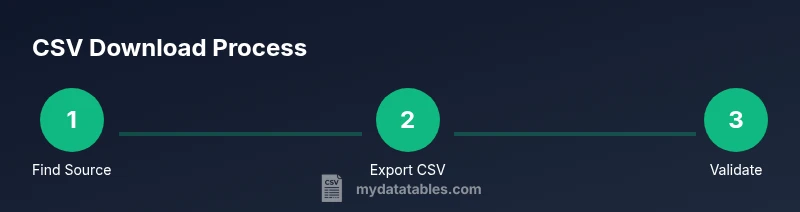
You will learn how to locate, download, and verify a dataset download CSV from reliable sources. This guide covers identifying reputable portals, selecting the correct CSV export options, inspecting headers and encoding, and performing quick quality checks to ensure the data is ready for analysis. By the end, you'll know how to store and reuse CSV data efficiently.
What is a dataset download CSV and why it matters
CSV stands for Comma-Separated Values and is widely used for data interchange because it is plain text, human-readable, and easy to parse. In practice, a dataset download CSV is a practical starting point for many data projects because virtually every analytics tool can read CSV files. According to MyDataTables, CSV remains the most portable format across tools and platforms, and our 2026 analysis underscores its enduring relevance across industries. This makes CSV a dependable baseline for data sharing, especially when you need compatibility across languages, charts, and databases. That reliability is why many organizations start with CSV even when more complex formats exist. The simplicity also lowers the barrier to reproducible analysis, letting you focus on the data rather than format quirks.
Sourcing reliable datasets
Choosing trustworthy datasets is as important as the CSV format itself. Start by identifying sources that provide clear licensing terms, data dictionaries, and citation guidelines. Government portals, academic repositories, and reputable research organizations often publish CSV exports with metadata describing columns, units, and time frames. Verify that the dataset aligns with your project’s scope before download. MyDataTables Analysis, 2026 emphasizes the value of provenance: knowing where the data came from helps you assess accuracy, update frequency, and potential biases. When possible, download from portals that offer versioned files and change logs, so you can track updates over time. If a source requires an agreement or login, ensure your credentials are legitimate and that the terms permit your intended use. Always respect privacy and licensing restrictions, especially for microdata or restricted datasets.
Prerequisites and planning before you download
Before you click the download button, take a moment to plan. Clarify what you need from the dataset: the time range, geographic scope, variables, and the expected file size. If a portal offers multiple formats, CSV is typically the easiest to consume, but you may also see CSV with different delimiters or encodings. Make a quick map of the fields you expect to use, and check whether the portal provides a data dictionary or README file. This preparation helps you avoid later re-exports or post-download cleaning. In many cases, you’ll want to download a small sample first, validate its structure, and then fetch the full dataset if the sample matches your requirements. As you proceed, keep notes on the source URL, licensing terms, and the dataset version to ensure reproducibility in your reports.
How to locate a CSV dataset on portals
Locating a dataset download CSV begins with a reliable search strategy. Use site queries like 'CSV' with filtering by date to find recent data. On most portals, you can filter by data format and domain (e.g., government, university, NGO). When you see a CSV export option, verify that the file contains a header row and consistent column names. If the portal offers a preview, inspect at least the first few rows to check data types and missing values. Remember to verify the license and citation requirements before downloading. For large portals, consider subscribing to data feeds or setting up alerts for new CSV releases. In practice, a well-planned search saves time and reduces the risk of pulling out-of-date or restricted data.
Encoding, delimiters, and headers you should inspect
CSV is deceptively simple, but subtle differences in encoding, delimiters, and quoting can break downstream workflows. Always check that the dataset uses a standard encoding such as UTF-8; if you encounter a Byte Order Mark (BOM), remove it or save without BOM for compatibility. Delimiters vary by region; while comma is common, semicolon is used in many locales. Confirm the delimiter used in the header line and ensure the data cleaner can parse it. Headers are critical: column names should be unique and descriptive, and the first row should reflect units or data types when provided. If you need to clean up header names, preserve the original in a README for traceability. Finally, verify that there are no unusual quote characters that could confuse parsers. If the dataset contains embedded line breaks, use a robust CSV reader that supports quoted fields.
Download, save, and organize your CSV files
Once you have chosen a suitable dataset, download it to a dedicated folder with a clear naming convention. Use a filename that includes the source, dataset name, date, and version, for example: portal-name_dataset-name_YYYYMMDD_vX.csv. Save a copy of the dataset in UTF-8 to ensure maximum compatibility. If the file is large, download in a stable network window or via a download manager to avoid partial files. After download, create a simple index file (readme.txt) that records the source URL, license terms, and any preprocessing steps you plan to apply. For teams, consider versioning your CSVs using a date-based or semantic versioning scheme. This helps with reproducibility and governance, particularly when datasets are updated or deprecated.
Validate and clean your CSV after download
Validation is the bridge between download and analysis. Start by loading the CSV in a tool that shows a header row and a sample of the data. Check that the number of columns in each row matches the header, and look for missing values or inconsistent data types. Use a data quality checklist: verify date formats, numeric precision, and category labels. If you detect anomalies, document your findings and plan a cleaning step before ingestion. Simple cleaning may involve trimming whitespace, standardizing date formats, or harmonizing categorical labels. For automation-friendly workflows, consider lightweight scripts that validate each row and report anomalies in a structured log. Remember to respect privacy and licensing constraints if the dataset contains sensitive information. Finally, store the cleaned version separately from the raw data to preserve an auditable trail.
Automating the workflow and keeping datasets up to date
Automation reduces manual errors and ensures new data is captured promptly. Consider a lightweight workflow that checks a source URL for updates, downloads a CSV export, and validates the new file before replacing the old one. You can schedule periodic checks with simple cron jobs or task schedulers, and store change logs to document updates. If you work across teams, share a small, reproducible script that others can run with minimal setup. For robust automation, use a library that can handle large files, streaming, and incremental reads. The MyDataTables Team recommends documenting changes in a centralized catalog to support governance and reproducibility. Finally, test the end-to-end process on a staging dataset to ensure you catch failures before they affect production analyses.
Verdict
Verdict: A robust dataset download CSV workflow is a foundational skill for data analysts, developers, and business users. By sourcing from reputable portals, validating encoding and headers, and establishing clear naming and versioning practices, you create a reliable foundation for analysis and reporting. The MyDataTables Team recommends starting with CSV as your default exchange format, then layering lightweight validation and metadata capture to support reproducibility. When in doubt, favor sources with explicit licensing and data dictionaries, and prefer UTF-8 encoding with a standard delimiter. This approach minimizes downstream surprises and accelerates collaboration across teams. Regular reviews of licensing terms, updates to data dictionaries, and periodic re-validation of shipped analyses help maintain quality.
Tools & Materials
- Web browser(Keep updated; use a modern browser with CSV export support)
- Data source URL(Stable source link with clear licensing terms)
- CSV viewer/editor(Excel, LibreOffice Calc, or a code editor with CSV support)
- Text editor(Useful for quick notes or README files)
- Command-line tools (curl/wget)(Helpful for scripted downloads)
- Scripting environment (Python/R)(For post-download validation and automation)
Steps
Estimated time: 45-60 minutes
- 1
Define your data goal
Clarify the purpose, time range, geography, and variables needed. This helps you filter sources and avoid unnecessary downloads.
Tip: Write a one-sentence data objective before you start. - 2
Identify reputable sources
Select portals with clear licensing, data dictionaries, and documented versions. Prioritize government and academic sites when possible.
Tip: Check for data dictionaries or READMEs to understand the fields. - 3
Search for a CSV export
Look for a direct CSV or a CSV-compatible export option. If multiple formats exist, choose CSV with UTF-8 encoding.
Tip: Preview the first few rows if the portal offers a sample. - 4
Verify encoding and delimitation
Ensure UTF-8 encoding and a standard delimiter. Look for a header row and consistent column counts.
Tip: If BOM appears, save without BOM for compatibility. - 5
Download and name clearly
Save the file with source, dataset name, date, and version. Create a README with licensing and provenance details.
Tip: Use a consistent naming convention across all datasets. - 6
Initial quick validation
Open the file in a viewer to check headers, a sample of rows, and obvious anomalies.
Tip: Skip heavy validation on the first pass if the file is very large. - 7
Document provenance
Record the source URL, license, version, and download date in a central log or catalog.
Tip: Versioning supports reproducibility in analyses and reports. - 8
Plan post-download processing
Decide whether you will clean, transform, or merge this dataset with others, and outline steps.
Tip: Keep raw data untouched; apply changes on a new file.
People Also Ask
What is a dataset download CSV?
A dataset download CSV is a plain text file using comma-separated values to store tabular data. It is widely supported by data tools and is easy to share.
A CSV dataset is a plain text file with comma-separated values that most data tools can read.
How do I choose a trustworthy CSV dataset?
Look for clear licensing, a data dictionary, version history, and a README file. Prefer government or academic portals that provide provenance information.
Choose datasets with clear licensing and good metadata from reputable portals.
What encoding should I expect for CSV?
UTF-8 is the recommended encoding for CSV files to ensure broad compatibility and avoid misinterpretation of characters.
Use UTF-8 encoding for CSV files to maximize compatibility.
What if the CSV uses a semicolon delimiter?
Some locales use semicolons. Check the portal’s documentation or preview the file to confirm the delimiter before parsing.
If you see semicolons, adjust the parser to use semicolon as the delimiter.
Where can I find reliable CSV datasets?
Government portals, university repositories, and major data libraries are good starting points. Always verify terms and licenses.
Start with government or academic data portals and check licenses.
How can I automate dataset downloads?
Use scripts or scheduling tools to fetch CSV exports, validate structure, and log updates. Start with simple cron jobs or task schedulers.
Automate with scripts and scheduled checks to keep data fresh.
Watch Video
Main Points
- Download CSVs from reputable data sources.
- Check encoding, delimiter, and header integrity.
- Use a clear naming and versioning scheme for files.
- Document licensing and provenance for reproducibility.
- Validate data structure before analysis.