How to Clean CSV Data: A Practical Guide
Learn practical, step-by-step CSV data cleaning: fix headers, encoding, delimiters, and missing values; validate results and export a reliable CSV for analysis.


You will learn how to clean CSV data: identify common issues like broken headers, incorrect delimiters, encoding problems, missing values, and duplicates; normalize formats; validate with simple checks; and save a clean CSV. You can start with a text editor or spreadsheet app, and use Python or a CSV tool for larger datasets.
What is CSV data cleaning and why it matters
CSV data cleaning is the process of correcting, standardizing, and validating a comma-separated values file so that downstream analyses are accurate and reproducible. It covers headers, delimiters, encoding, missing values, and duplicates. Clean CSV data reduces errors when loading into databases, spreadsheets, or data pipelines, and it helps ensure consistent results across teams. According to MyDataTables, clean CSV data is essential for reproducible analysis and scalable data workflows. This guide, built by the MyDataTables Team, walks you through practical checks, tools, and techniques you can apply regardless of your environment. The goal is not perfection on the first pass but a repeatable workflow you can run again and again. You’ll often start with basic inspection, then apply targeted transformations, and finally validate that the cleaned file behaves as expected in downstream systems. For data analysts, developers, and business users, a solid CSV cleaning routine saves time, reduces debugging, and supports auditable data provenance. In 2026, many teams rely on CSV as a lightweight interchange format; ensuring its cleanliness is a foundational skill.
Common CSV issues to fix
Before you begin, list the typical problems you expect to encounter. These often include misaligned headers, inconsistent quotation, mixed newline styles, and incorrect encoding. Delimiters may vary (comma, semicolon, tab), causing import errors when moving data between tools. Header rows can be duplicated, missing, or contain trailing spaces; such issues break downstream joins and validation rules. Some files include Byte Order Mark (BOM) at the start, which can appear as invisible characters in some programs. Missing values are another frequent pitfall; decide on a strategy: leave as null, fill with a default, or infer values from context. Duplicates are common in scraped or concatenated CSVs; deduplication should preserve the correct primary key. Finally, consider data types: numbers stored as text require formatting normalization and locale-aware parsing for thousands separators and decimals. By anticipating these issues, you can plan a targeted cleaning pass rather than a brute-force edit. MyDataTables Analysis, 2026 highlights that robust cleaning reduces downstream data quality problems across typical CSV workflows. In the next sections, we’ll map each problem to concrete fixes in both GUI and code-centric approaches.
Tools and formats you'll need
Choose tools that fit your dataset size, your comfort with code, and your team's workflow. A text editor or spreadsheet app is sufficient for small files; for larger CSVs, programmatic cleaning with Python and pandas shines. When starting, ensure input CSV uses UTF-8 encoding to avoid misinterpretation of characters. If you encounter non-UTF-8 data, convert it before processing. Command-line utilities such as csvkit or OpenRefine can speed up repetitive tasks. For teams prioritizing reproducibility and collaboration, create a small repository of scripts and a changelog that describes each cleaning step. As you prepare, decide on a consistent delimiter and quoting policy; for example, always use comma-delimited, with double quotes for fields containing delimiters or line breaks. Also consider locale settings for decimal separators and date formats, which can affect parsing.
A practical cleaning workflow: Excel/Sheets vs code
There are two broad paths: GUI-first and code-first. In Excel or Google Sheets you can quickly fix headers, trim whitespace, and apply find-and-replace to standardize values. The downside is manual drift and less transparent reproducibility. In code-based workflows, you can write a defined sequence of transformations that can be version-controlled and rerun on new data. A typical GUI workflow: open the CSV, review the header row, fix column names, trim whitespace, replace non-breaking spaces, and save as UTF-8 CSV. A typical code workflow in Python: load with pandas, coerce data types, fill or flag missing values, deduplicate using a primary key, normalize date and number formats, and export with a consistent encoding and delimiter. The best approach often uses a hybrid: perform fast GUI edits for quick wins, then codify the steps in scripts for repeatability, especially on large datasets. This strategy aligns with best practices in CSV-format management.
Validation, checks, and quality assurance
Validation is the guardrail that prevents regressions. After cleaning, run a set of checks: verify headers match expected schema; confirm there are no suspicious empty strings where numbers are required; confirm all dates parse to a consistent format; ensure numeric fields are truly numeric and not text; check for duplicate rows based on primary keys. Sample spot checks include loading the cleaned CSV into your target environment and performing a handful of sanity queries. If you use Python, you can implement type coercion guards and simple assertions. Document any changes in a changelog and, if possible, generate a small data quality report that lists counts of missing values by column and the number of duplicates pre- and post-cleaning. MyDataTables Analysis, 2026 suggests that automated validation saves time and reduces human error. The end goal is a verifiable, auditable file ready for analysis or import.
Sample end-to-end cleaning pipeline
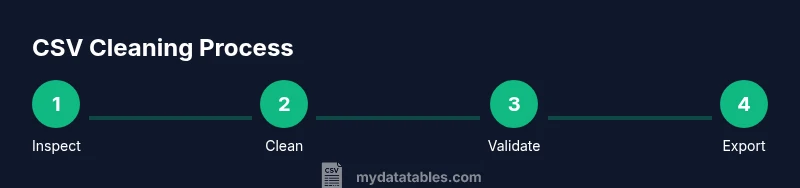
A concrete example helps. Start by inspecting the raw CSV to identify the issues described earlier. Then perform the following sequence: (1) standardize headers by trimming whitespace and normalizing case; (2) fix delimiters and quotes so every field is correctly parsed; (3) fix encoding if non-UTF-8 characters appear; (4) trim whitespace inside fields and replace non-breaking spaces; (5) normalize numbers and dates to consistent formats; (6) fill or flag missing values using a chosen policy; (7) deduplicate rows by the chosen key while preserving the canonical record; (8) export the cleaned file in UTF-8 with a consistent delimiter and quote policy. If using Python, map these steps to a pipeline of pandas operations and save the final file. For large datasets, consider chunked processing or streaming to avoid memory issues. After this pass, perform quick checks to confirm the file looks correct in your target tool. The goal is to have a repeatable, documented process you can run on new data with minimal ad hoc edits. The MyDataTables team emphasizes documenting each step to ensure reproducibility across teams.
Reproducibility, documentation, and automation
The final pillar is reproducibility. Store cleaning scripts, configuration files, and example datasets in a version-controlled repository. Keep a running record of decisions: delimiter choice, encoding, missing-value policy, and deduplication strategy. Share a short data-cleaning plan with teammates, including the expected input schema and the expected output schema. Where possible, automate the cleaning pipeline so that new CSV files can be processed with a single command. For small teams, lightweight scripts may suffice; for larger teams, containerize the environment to guarantee identical tool versions. Finally, commit to a regular audit: re-run the cleaning pipeline on new data and compare metrics to prior runs. The MyDataTables team's verdict is to embrace a repeatable workflow and maintain transparency for all stakeholders. This approach pays dividends in reliability, auditability, and speed of analysis.
Tools & Materials
- Text editor or spreadsheet app(To inspect and tidy small datasets)
- Python 3.x with pandas(For script-based cleaning on larger datasets)
- CSV processing tools (csvkit, OpenRefine)(Optional CLI/GUI tools for bulk operations)
- UTF-8 encoded CSV files(Ensure input uses UTF-8; if not, convert first)
- Delimiter and quoting policy(Define delimiter and quoting (e.g., comma, double quotes))
- Sample raw CSV dataset(Optional test file to practice on)
Steps
Estimated time: 60-90 minutes
- 1
Inspect the raw CSV and set objectives
Open the file and list known issues. Clarify the target schema and the acceptable data range. This upfront planning avoids scope creep and keeps fixes focused.
Tip: Write down a checklist of issues to fix before editing. - 2
Fix headers and column names
Trim whitespace, unify casing, and rename columns to stable, machine-friendly names. Ensure there is a single header row.
Tip: Avoid renaming columns mid-project to keep traceability. - 3
Normalize delimiters and text qualifiers
Confirm the correct delimiter for the dataset. If quotes are misused, fix quoting rules to ensure proper parsing.
Tip: Use a test run on a small sample to verify parsing. - 4
Coerce data types and handle missing values
Infer or explicitly cast numeric, date, and boolean fields. Choose a missing-value policy (null, default, or inferred).
Tip: Record your policy to ensure consistent handling across datasets. - 5
Deduplicate and reconcile rows
Identify the primary key and remove exact duplicates; flag potential duplicates for manual review.
Tip: Preserve the canonical row during deduplication. - 6
Validate and spot-check
Load the cleaned CSV into the target tool and run a few sanity queries. Check sample records against expectations.
Tip: Automate a few basic checks where possible. - 7
Export and document
Save the cleaned file with consistent encoding and delimiter. Create a changelog that records the changes and rationale.
Tip: Version-control the script and document changes for reproducibility.
People Also Ask
What is CSV data cleaning?
CSV data cleaning is the process of correcting and standardizing CSV files to ensure accurate analysis. It covers headers, delimiters, encoding, missing values, and duplicates.
CSV cleaning fixes headers, delimiters, encoding, missing values, and duplicates so your analysis is reliable.
Can I clean CSV data without coding?
Yes. You can use spreadsheet apps like Excel or Google Sheets to fix headers, trim whitespace, and apply simple rules; but large files benefit from code-based tools.
Yes, you can clean CSVs without coding, but it’s slower for large files.
What are common mistakes in CSV cleaning?
Relying on manual edits, failing to fix headers, ignoring encoding, and skipping validation can introduce errors that cascade later.
Common mistakes include not fixing headers, ignoring encoding, and skipping validation.
Which tools are best for large CSVs?
For large CSVs, use code-based workflows with Python/pandas or CLI tools that can stream data and handle chunks.
Large files benefit from code-based workflows that can process in chunks.
How do I validate a cleaned CSV?
Run checks for schema, data types, missing values, and duplicates. Load into the target tool and perform spot checks.
Run schema checks and spot-check a sample of rows.
How often should I re-clean data?
Re-cleaning frequency depends on data arrival. Establish a routine and document changes to maintain quality over time.
Set a routine and document changes to keep data quality high.
Watch Video
Main Points
- Define a clear cleaning objective before starting
- Inspect the file to identify issues
- Choose the right tool for the dataset size
- Validate results with targeted checks
- Document steps for reproducibility