How to Treat csvd: A Practical CSV Data Quality Guide
Learn how to treat csvd with validation, cleaning, and standardization techniques to improve CSV data quality, consistency, and reproducibility for reliable analytics and decision-making.


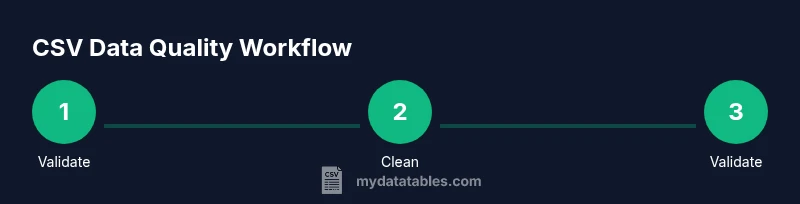
Here's how to treat csvd: validate, normalize, and sanitize your CSV data before analysis. This guide shows a practical, step-by-step approach to diagnose common csvd issues, enforce consistent delimiters, encoding, and headers, and document transformations for reproducibility. By following these steps, data analysts can improve quality and reliability of csv-driven insights.
Why CSVD Data Quality Matters for Analysis
CSV data is easy to generate but easy to corrupt. When data quality degrades, insights become unreliable, analyses mislead, and decisions suffer. This is why csvd—CSV Data Quality and Validation—matters. In practice, how to treat csvd involves a disciplined sequence of checks: verify encoding and delimiters, validate headers, catch misaligned fields, and standardize formats. Without these steps, even small inconsistencies snowball into large errors downstream, especially when data flows through dashboards, models, or reports. This is why it matters to treat csvd as a repeatable process rather than a one-off cleanup. You will learn to recognize symptoms of csvd problems, such as inconsistent delimiters, stray quotes, and irregular row lengths, and to apply consistent rules that reduce ambiguity and improve reproducibility. According to MyDataTables, a methodical approach to csvd improves data reliability across analyses and teams, enabling faster onboarding and clearer governance. The core idea is to shift from ad hoc fixes to a documented workflow that can be audited and repeated across projects. When teams align on a common csvd framework, data gets easier to compare, transform, and trust.
Core Principles for Treating CSV Data
To consistently treat csvd well, anchor your practice in a few core principles. First, enforce a single, documented delimiter and encoding (UTF-8 is usually safest). Second, require a stable header row that clearly defines each field and its type. Third, separate data concerns from presentation: keep raw data intact and apply transformations in a controlled layer. Fourth, track provenance: log when and how data changes, who performed edits, and why. Fifth, automate repetitive checks so that csvd quality remains high as new data arrives. Sixth, test edge cases, such as empty fields, embedded quotes, and multi-line values, to ensure your rules hold under real-world conditions. By applying these principles, how to treat csvd becomes a repeatable, auditable process rather than a sporadic cleanup. Think of csvd discipline as a governance habit that pays off in faster analyses and fewer after-the-fact scrambles. MyDataTables emphasizes that consistency reduces friction across teams and technologies, from spreadsheets to data pipelines.
Step 1: Validate the CSV Structure and Encoding
Start with structural validation. Confirm that the file uses a consistent delimiter (for example, a comma or tab) and that the encoding is UTF-8 without a Byte Order Mark if possible. Check that the header row appears exactly once and that every data row has the same number of fields as the header. Look for obvious artifacts like truncated lines or stray commas at line ends. If you discover issues, decide on a single corrective action and document it. This step prevents downstream failures and makes later steps more reliable. A small upfront check saves hours of troubleshooting later. In many organizations, automated lints can flag mismatches before data enters the core pipeline. As you progress, you’ll accumulate a reliable baseline that informs future csvd tasks.
Step 2: Clean, Normalize, and Deduplicate
Clean data by trimming whitespace, standardizing case, and resolving inconsistent representations (for example, yes/no, 1/0, true/false). Normalize dates, numbers, and currencies to consistent formats. Deduplicate records that share the same natural key or unique identifier, while preserving history for traceability. When duplicates exist, decide whether to keep the earliest, the most complete, or a deduplicated composite, and document the rule. Cleaned data reduces ambiguity and improves the accuracy of joins, aggregations, and filters. Maintaining a separate staging area helps keep the raw csvd intact for auditing while you apply cleaning steps in a controlled environment.
Step 3: Reconcile Data Types, Ranges, and Valid Values
Establish clear data type expectations for each column (string, integer, decimal, date, boolean). Validate that values fall within expected ranges and that categorical fields use a fixed set of allowed values. For numeric fields, consider setting bounds or using constraints to catch outliers. For date fields, ensure consistent formats and valid calendars. When a value fails validation, record the issue and apply a correction rule or flag the row for manual review. Maintaining a schema definition in code supports versioning and reproducibility—your csvd process should rely on a single source of truth. For example, if a column is intended to hold percentages, enforce the 0-100 range. If a status field only accepts 'open', 'in_progress', or 'closed', enforce those categories. After validation, you will be prepared for the next phase: documenting how changes were made and why.
Step 4: Validate Headers, Schemas, and Metadata
Headers should map directly to a defined schema. Ensure there are no hidden or duplicate headers, and that each header aligns with its intended data type. Maintain a metadata block describing the source, last updated date, and owner. Validate that any auxiliary metadata (units, currencies, date formats) matches the data values. When schemas drift, create a versioned schema artifact and apply migrations in a controlled manner. This practice makes csvd changes auditable and easier to reproduce across environments.
Step 5: Document Provenance and Automate Checks
Record every transformation applied to the data, including the initial state, the rationale for each change, and the people responsible. Use a reproducible workflow or notebook that can be re-run to recreate the results. Automate core checks (delimiters, encoding, header consistency, and basic validation rules) so csvd quality remains high as data evolves. Schedule regular re-validations and store logs in a centralized location to support audit trails. This documentation and automation are essential for long-term data governance.
Step 6: Common Pitfalls and How to Avoid Them
Avoid changing raw data without documenting the reason. Don't rely on ad hoc fixes for production pipelines; always implement a repeatable, version-controlled process. Be mindful of over-cleaning that erases legitimate variations. Test edge cases and periodically review your rules as data sources evolve. Finally, ensure your team accesses a shared csvd blueprint so improvements are propagated consistently across projects.
Authoritative sources
- https://www.iso.org/iso-8601.html
- https://www.nist.gov/
- https://www.census.gov/
Tools & Materials
- CSV files (one or more samples)(Representative slices of real data, including edge cases)
- Text editor or IDE(E.g., VS Code, Sublime Text)
- CSV validator or linter(Tools like CSVLint or a Python validator)
- Python with pandas or equivalent(For programmatic cleaning and validation)
- Command-line tools(awk, sed, or PowerShell for quick transforms)
- Documentation template(To record provenance and decisions)
Steps
Estimated time: 2-3 hours
- 1
Inspect a sample of the CSV
Open a representative subset of the data to understand its structure, headers, and edge cases. Note any anomalies such as missing values or inconsistent quoting.
Tip: Start with 1–2 rows to quickly spot obvious issues. - 2
Validate delimiter and encoding
Confirm the file uses a single delimiter and UTF-8 encoding. Check for BOM markers and inconsistent delimiters across files.
Tip: If multiple files exist, enforce a shared delimiter policy across all sources. - 3
Check headers and row consistency
Ensure headers are present, unique, and aligned with the data columns. Verify every row has the same field count as the header.
Tip: Create a baseline schema and compare each row against it. - 4
Clean whitespace and normalize values
Trim whitespace, unify case for categorical fields, and standardize date and numeric formats.
Tip: Apply cleaning in a staging area to avoid altering raw data. - 5
Validate data types and ranges
Check that each column adheres to its defined type and acceptable value ranges. Flag outliers for review.
Tip: Keep a log of any corrections with justification. - 6
Document transformations and save reproducibly
Capture a step-by-step record of all changes in a versioned script or notebook. Save cleaned data in a separate artifact.
Tip: Include a before/after summary to facilitate audits.
People Also Ask
What does csvd stand for in this guide?
In this guide, csvd refers to CSV Data Quality and Validation workflows. It is a practical shorthand used to discuss methods for improving CSV data reliability.
In this guide, csvd means CSV data quality and validation workflows, a practical approach to ensure reliable CSV data.
Why is encoding important for CSV files?
Encoding determines how characters are stored, which affects parsing and data integrity. UTF-8 is commonly recommended because it covers most characters without errors.
Encoding affects how characters are stored and read; using UTF-8 minimizes misinterpretation across systems.
What tools help with csvd validation?
Tools like CSV lint validators and Python with pandas provide repeatable validation rules, enabling automated checks and consistent cleansing.
Use CSV validators and Python with pandas to automate checks and clean data consistently.
How should large CSVs be processed?
Process large CSVs in chunks or streams to avoid memory issues. Use streaming reads and incremental validation to maintain performance.
Process large CSVs in chunks to avoid memory problems while validating data on the fly.
Where can I learn more about CSV data quality?
Refer to MyDataTables resources and ISO/NIST guidance for data formatting and quality standards. These sources provide a solid foundation for csvd practices.
Check MyDataTables resources and ISO/NIST standards for solid csvd guidance.
What is the best practice for documenting changes?
Maintain a versioned script or notebook that records each transformation, the reason, and who performed it to support audits.
Keep a versioned script that records what you changed, why, and by whom.
Main Points
- Validate encoding and delimiter at the start.
- Standardize headers and data types to reduce drift.
- Document every transformation for reproducibility.
- Automate checks to sustain csvd quality over time.