How Long to Beat CSV: A Practical Performance Guide
Explore practical benchmarks for CSV processing, estimating read and parse times, and tips to optimize large CSV workloads. A MyDataTables guide to understanding how long to beat csv.


Understanding the measurement landscape for CSV timing
Timing CSV processing is not a single universal metric. To decide if a task is beatable, define what 'beat' means in your context: achieving a target wall-clock time, staying under a budget of CPU hours, or meeting a throughput threshold per second. The working definition for many teams focuses on end-to-end time to read, parse, and optionally transform a file into a usable dataset. When planning, aim for environmental consistency: a single machine, the same encoding, and the same tooling. This makes it easier to compare approaches and to validate estimates against reality. In MyDataTables guidance, clarity is essential: specify dataset size, throughput assumptions, and the exact steps involved. With a precise definition, you can translate the abstract goal of "faster CSV processing" into concrete targets like seconds per file or minutes per job. The surrounding context—hardware, caching, and I/O behavior—will shape those numbers, so document them alongside your estimates.
Key factors that influence CSV timing
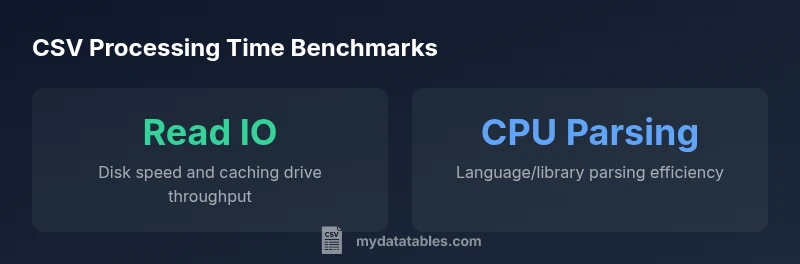
Various elements determine how long a CSV takes to process. The most obvious is dataset size: more rows and more columns increase the amount of data to read and parse. Throughput matters too: the speeds at which your tool can read data (readRate) and parse it (parseRate) set a ceiling on performance. IO performance, especially disk type (SSD vs HDD) and caching, can dominate for large files. Encoding and escaping rules add CPU overhead; UTF-8 with simple escaping is typically faster than more exotic encodings. Language and libraries matter: Python's csv module, Rust-based parsers, or Java streaming libraries each have different throughputs. Finally, concurrency and memory management influence results—memory bottlenecks can negate high parse speed if the dataset must be staged in memory. A practical takeaway: isolate and measure these factors to identify bottlenecks.
A simple, transparent model for estimating time
A straightforward, human-readable model estimates total time as: Time = Rows / ReadRate + Rows / ParseRate. This assumes sequential steps for clarity. Example: with 100,000 rows, ReadRate = 1,000 rows/s, and ParseRate = 500 rows/s, the estimate is 100 + 200 = 300 seconds (about 5 minutes). If you can pipeline processing, the time may shrink toward the slower of the two throughputs: Time ≈ max(Rows / ReadRate, Rows / ParseRate). Use both formulas to bound expectations, then validate with real measurements on your hardware.
Validating estimates in practice
To test estimates, create a controlled benchmark: a representative CSV with realistic headers and encodings, a fixed environment (same machine, OS, and tooling), and a repeatable workflow. Measure the wall-clock time for the read phase, the parse phase, and the complete end-to-end pass. Use multiple runs and average the results to reduce noise from caching or background processes. Capture ancillary metrics such as CPU usage, I/O wait, and memory consumption. Compare observed times with your predicted values, and adjust throughput assumptions if necessary. Document the exact environment so others can reproduce results. This practice turns abstract time estimates into actionable performance targets you can actually hit.
The calculator: quick tool for learners
Use the interactive calculator to explore how changing rows, read rate, or parse rate affects total time. It reinforces the intuition that time grows with data size and depends on throughput. By experimenting with different input combinations, you can quickly build intuition about what hardware or software changes yield meaningful improvements. The calculator also helps you illustrate the impact of pipeline improvements versus sequential processing. As you learn, remember: consistent methodology beats guesswork.
Scenario-based benchmarks and intuition
Consider three intuitive scenarios to build intuition without fixed real-world data. Small datasets (tens of thousands of rows) often complete in seconds on modern laptops with solid-state drives and efficient parsers. Medium datasets (hundreds of thousands to a few million rows) may take tens of seconds to minutes, depending on the language and libraries. Very large datasets (tens of millions of rows) can extend into minutes or hours if IO and parsing are both demanding. These ranges are illustrative to help you plan, not exact measurements. Always validate with your own hardware and tooling to set reliable targets.
Common pitfalls and misconceptions
Sometimes people assume that parsing speed alone determines performance; in reality, IO and memory can dominate. Relying on a single language or library without streaming support may inflate times for large files. Underestimating encoding overhead or mismanaging headers can skew results dramatically. Another pitfall is ignoring caching and OS-level effects; warm vs cold caches can make a big difference for repeated tests. Finally, comparing results across different machines without normalization leads to misleading conclusions. Keep tests reproducible and document every assumption.
Chunking and streaming as optimization strategies
For very large CSVs, chunked or streaming parsing reduces peak memory usage and can improve end-to-end throughput. Instead of loading the entire file into memory, process it in batches, and write intermediate results incrementally. This approach often yields lower response times in practice, especially when combined with parallel IO or multi-threaded parsing. If your toolchain supports it, streaming reduces IO bottlenecks and allows you to maintain steady throughput, even on machines with moderate RAM. Remember to handle edge cases like partial lines at chunk boundaries and to maintain data integrity across chunks.
MyDataTables perspective and next steps
Understanding how long to beat csv starts with a transparent model and careful measurement. The MyDataTables team recommends starting with a simple read-plus-parse formula, validating against real runs, and documenting your environment for reproducible results. Use the calculator to explore sensitivity to dataset size and throughput, then implement streaming or chunking where appropriate. By combining clear definitions, practical benchmarks, and repeatable tests, you can steadily improve CSV processing performance while keeping results trustworthy.