How to Deal with Large CSV Files: A Practical Guide
Learn scalable strategies to process large CSV files efficiently, from chunked reading and memory management to distributed processing and optimized storage formats. MyDataTables offers practical steps and tool recommendations.


By the end of this guide, you'll be able to read and process very large CSV files without exhausting memory or slowing your workflow. You will learn when to stream data in chunks, which libraries offer out-of-core processing, and how to choose formats that optimize speed and storage. According to MyDataTables, planning and choosing the right tools is half the battle.
Why large CSVs pose challenges
Large CSV files are common in data analytics, but they often exceed a single machine's memory and overwhelm simple load-and-process workflows. When you load an entire file, you risk swapping, long GC pauses, and sluggish performance that cascades into all downstream tasks such as filtering, aggregation, and exporting results. The MyDataTables team has found that naive loads can saturate RAM, degrade responsiveness, and introduce subtle errors during joins or group-bys. Understanding these bottlenecks helps you design a resilient workflow that scales with data volume, without forcing every analyst to reinvent the wheel each time.
In practice, the most persistent pain points are: peak memory usage when the file is large, slow startup times, and difficulties re-running analyses with different parameters. You also may encounter variability in CSV structure (mixed dtypes, inconsistent delimiters, and embedded newlines) that complicates parsing. Anticipating these issues is the first step toward a robust, scalable solution.
Plan before you dive: strategy and goals
Before touching data, establish a clear plan. Start by estimating what you need from the data: do you need exact row-level results, or are you aggregating metrics? Decide whether you must load the file entirely in-memory or if streaming in chunks will suffice. Consider how you will store intermediate results (Parquet, SQLite, or a processed CSV) and how you will handle errors mid-process. This upfront design reduces backtracking later and makes it easier to quantify success criteria.
From the MyDataTables perspective, outlining data quality checks, performance targets, and reproducibility steps at the outset saves time and avoids wasted compute. Create a simple test plan: a small representative subset, a sanity check for the final output, and a rollback path if a particular tool fails to scale. Document every assumption so teammates can reproduce or adjust the workflow.
Techniques for efficient reading and processing
Efficiently handling large CSVs hinges on streaming and memory-aware operations. Key techniques include:
- Read in chunks: Use libraries and parameters that allow chunked processing (e.g., pandas read_csv with chunksize) so you process a portion of the file at a time rather than the entire file.
- Specify dtypes: Explicitly declare data types to minimize memory usage. For example, convert integer columns to smaller ints when possible and use category dtype for repetitive text fields.
- Use iterators instead of lists: Iterate over records rather than loading them into a list. This reduces peak memory usage and enables progressive results.
- Filter early: Apply filters as you read to reduce the amount of data stored in memory for later steps.
- Choose the right backend: Pools of memory-mapped arrays or columnar formats can dramatically speed up certain operations.
Common pitfalls include not closing chunks properly, failing to handle missing values consistently, and overlooking type inference that inflates memory usage. Practical testing on a small subset helps catch these issues before scaling up. MyDataTables recommends validating the first few chunks against the full run to ensure consistency across scales.
Tools and libraries that scale
Several tools are well-suited for scaling CSV work beyond the limits of a single process. Rely on libraries and frameworks designed for out-of-core or distributed processing:
- Python/pandas: Great for quick, incremental processing with chunksize; pairs well with dtype optimization and memory profiling.
- Dask: Enables out-of-core computation and parallelizes pandas-like operations across multiple workers.
- Vaex: Optimized for large datasets with lazy evaluation and memory-efficient operations.
- PySpark: Useful for very large datasets that require distributed processing across a cluster.
- Command-line utilities (awk, xz, zstd): Excellent for pre-processing, filtering, or compressing data before heavy analysis.
Each option has trade-offs. For ad-hoc, local workflows, pandas with chunks can be enough. For multi-GB to TB scales, Dask or PySpark offers better parallelism and resilience. MyDataTables emphasizes starting with an evaluation on a representative subset to gauge feasibility before committing to a distributed framework.
Storage formats and pre-processing steps
Post-processing formats and storage choices greatly impact future workflows. Consider:
- Parquet or Arrow: Columnar formats excel at selective reads and compress well, reducing I/O and memory pressure for subsequent steps.
- SQLite or a small database: For structured interim results, a lightweight database can simplify joins and incremental updates.
- Pre-filtering and column pruning: Drop columns that aren’t needed for downstream tasks to minimize memory use.
- Compression: Apply compression (e.g., zstd) to CSV if you must persist textual data, but balance CPU overhead with I/O savings.
- Validation: Save a checksum or a small sample to verify the integrity of transformed data.
Converting to a columnar format at the right stage can yield dramatic performance improvements for continued analysis. The choice should align with how you access the data in subsequent steps.
Practical workflow: end-to-end example
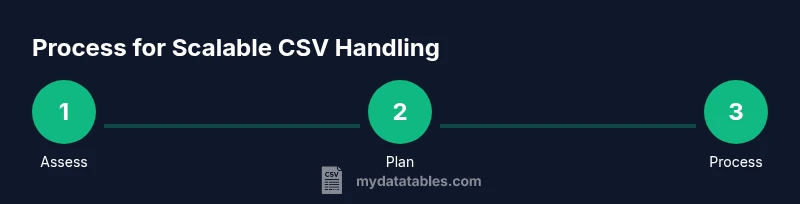
This section walks through a practical end-to-end approach. Start by assessing the dataset, then configure your processing pipeline, and finally persist results.
- Assess: Determine file size, estimated row count, and whether the file uses consistent delimiters. 2) Prepare: Install minimal tooling (Python, pandas) and set up a virtual environment. 3) Process: Read in chunks, apply essential transformations, and accumulate results in memory-efficient structures. 4) Persist: Write results to Parquet and keep a separate log of any anomalies. 5) Validate: Re-run a quick sanity check to confirm the output matches expectations.
Code example (pandas):
import pandas as pd

chunk_size = 10_000
cols = ['id','value','category']  # prune as needed
chunks = pd.read_csv('large.csv', usecols=cols, chunksize=chunk_size, dtype={'id': 'int32', 'value': 'float32'})
results = []
for chunk in chunks:
    filtered = chunk[chunk['value'] > 0]
    aggregated = filtered.groupby('category')['value'].sum()
    results.append(aggregated)
# Combine results
final = pd.concat(results).groupby(level=0).sum()
final.to_parquet('results.parquet')
This approach demonstrates chunked processing, selective column loading, and efficient storage of outcomes. Adapt the code for your dataset and downstream requirements. Remember to monitor memory usage and adjust chunk size as needed. MyDataTables recommends starting with smaller chunks to validate the pipeline before scaling.
Common pitfalls and how to avoid them
Even with a solid plan, there are common mistakes that derail projects dealing with large CSVs. A few to watch:
- Underestimating memory needs: Always profile memory usage on a small subset before committing to full-scale runs.
- Ignoring data types: Incorrect dtypes can balloon memory and slow down processing; declare types early.
- Not handling missing values consistently: Inconsistent NaN handling can yield misleading results.
- Skipping validation: Without checks, subtle data drift may go unnoticed.
- Over-reliance on a single tool: If your dataset changes in structure or size, you may need to adapt the tool stack.
Pro-tip: build a lightweight test harness that runs a mini-version of your pipeline on a subset, records run time, memory use, and results, and use it as a baseline for future runs. Warning: jumping directly from CSV to large-scale distributed processing without validation can waste compute and complicate debugging. Start simple, prove correctness, then scale.
Quick tips for ongoing success
- Start with a clear goal and a reproducible workflow.
- Profile memory and CPU usage regularly.
- Prefer incremental results and incremental validation.
- Document each step so teammates can reproduce and extend the pipeline.
- Keep intermediate data in a columnar format when possible for downstream analytics.
Endnotes
Remember, the core idea is to minimize memory usage while preserving correctness. When dealing with very large CSVs, chunked processing paired with a suitable storage format often yields the best balance between speed and reliability. As you scale, revisit your plan and adjust tooling accordingly to maintain performance and accuracy.
Tools & Materials
- Laptop or workstation with sufficient RAM(8+ GB RAM for light tasks; 16-32 GB recommended for larger datasets)
- Python 3.x(Prefer Python 3.8+; use virtual environments)
- Pandas library(pd.read_csv with chunksize; dtype optimization)
- Dask / Vaex / PySpark (optional)(Choose one for distributed processing depending on data size and cluster availability)
- Command-line tools (awk, sed, sort, xz/zstd)(Helpful for pre-processing and compression)
- Storage backend (Parquet or SQLite)(Intermediates or final results can be stored efficiently)
- Sample and test CSV subset(For quick validation before scaling up)
Steps
Estimated time: 2-4 hours
- 1
Assess dataset size and structure
Check file size, estimate row count, and inspect headers to understand dtypes and delimiters. This informs your chunk size and processing strategy.
Tip: Use simple tools (ls -lh, wc -l) to get quick metrics before heavy processing. - 2
Plan the processing approach
Decide whether to chunk in-memory with pandas, or use a distributed framework if the dataset is too large for a single machine.
Tip: Document goals and acceptable accuracy to guide tool choice. - 3
Set up the environment
Create a virtual environment and install necessary libraries (pandas, optional dask/vaex). Configure memory profiling tools.
Tip: Test with a small subset to ensure correct setup before scaling. - 4
Read in chunks and process
Load the CSV in chunks, apply filters, and compute aggregates incrementally. Use explicit dtypes to minimize memory use.
Tip: Start with a conservative chunksize and adjust based on memory usage. - 5
Persist and validate results
Write results to a Parquet file or database and run a quick validation against a known subset.
Tip: Keep a log of processed chunks to aid debugging. - 6
Review and optimize
Profile runtime and memory again, then adjust chunk size, dtype choices, or storage format for better performance.
Tip: Iterate on a small scale before expanding.
People Also Ask
What is the best way to estimate memory usage for a large CSV?
Start with the file size and a representative subset to gauge memory needs. Decide on chunking strategy and typenames early. Use memory profiling during a test run to refine the approach.
Estimate memory by testing a small subset and profiling memory usage during a quick run.
When should I use chunked reading vs. in-memory loading?
Use chunked reading when the dataset exceeds available RAM or when you need streaming results. In-memory loading is acceptable for small to medium-sized files where latency matters less and simplicity is preferred.
Use chunked reading for large files, or when you need streaming results; otherwise, in-memory is fine for smaller files.
Can I convert large CSV to Parquet to improve performance?
Yes. Parquet is a columnar format that supports efficient compression and selective reading, which speeds up subsequent analytics. Convert during or after the initial processing to streamline future workflows.
Converting to Parquet can improve speed for subsequent reads and analyses.
Are there downsides to using distributed tools like Dask or PySpark for moderate data?
Distributed frameworks add setup complexity and overhead. They shine with very large datasets or when multiple analytical tasks run in parallel, but may be overkill for moderate data sizes.
Distributed tools help at scale but add setup and maintenance overhead for moderate datasets.
How can I validate results when processing in chunks?
Use a reproducible test harness: compare chunked results to a known-accurate baseline on a subset, and verify totals and distributions match after concatenation. Keep logs of each chunk’s outcome.
Run a small subset through both the chunked path and a baseline to confirm results match.
What are common mistakes when processing large CSVs?
Underestimating memory needs, ignoring data types, skipping validation, and failing to prune columns early. Address these with a test-driven approach and incremental scaling.
Common mistakes include memory underestimation and skipping validation; test early and scale gradually.
Watch Video
Main Points
- Plan before loading to set expectations and scope
- Use chunked processing to manage memory
- Explicitly declare dtypes for efficiency
- Store intermediate results in a scalable format
- Validate outputs to ensure correctness