Parse JSON to CSV: A Practical Step-by-Step Guide
Learn how to convert JSON data into CSV with clear steps, code examples, and validation tips. Flatten nested fields, handle arrays, and ensure clean, analysis-ready CSV for sharing and import.


You will learn how to reliably parse JSON to CSV, including flattening nested fields, handling arrays, and dealing with missing data. This guide presents a step-by-step approach, recommended tools (Python, jq, or spreadsheet utilities), and practical tips to validate your conversion. By the end, you'll produce clean CSV ready for analysis, import into databases, or share with colleagues.
Understanding parse json to csv
Parsing JSON to CSV is a common data transformation used when you need to analyze or share structured data in spreadsheet-ready form. According to MyDataTables, the process starts with understanding the JSON structure and deciding how to flatten nested fields into a flat table. The goal is to map each JSON object to one CSV row, with keys becoming column headers. When JSON data contains nested objects or arrays, you must decide whether to expand those structures into separate columns, repeat rows, or create helper fields to capture the hierarchy. This decision shapes the final CSV schema and affects downstream analysis. The design should also account for encoding, delimiter choices, and escaping rules early in the process. A thoughtful plan minimizes errors and keeps the workflow maintainable across teams.
JSON structure basics
JSON supports objects, arrays, strings, numbers, booleans, and nulls. For CSV conversion, the most common challenge is flattening nested structures. Objects become prefixed column headers (e.g., address.city), while arrays often require normalization or expansion into multiple rows. Understanding whether each JSON element represents a single record or a collection of related records helps determine the right flattening strategy. Always inspect several sample records to identify inconsistent shapes, which are a frequent source of conversion errors.
CSV fundamentals
CSV data is tabular: rows and columns with a header row. Decide on a delimiter (commonly a comma, but semicolons or tabs work in some locales). Ensure fields containing commas or newlines are properly quoted and escape characters are consistently used. UTF-8 encoding is recommended to preserve special characters. Establish a stable header order to prevent downstream mismatch when importing into databases or BI tools, and consider using a consistent line ending (usually LF) for cross-platform compatibility.
When to choose code vs tools
For simple JSON with a flat structure, lightweight tools or spreadsheets can suffice. For nested JSON or large datasets, scripting (Python with json and csv modules) or command-line tools (jq) scales much better and reduces manual effort. Code offers repeatability, versioning, and easier validation, while GUI tools can speed up small, one-off conversions. In production contexts, aim for a scripted workflow integrated into your ETL pipeline.
Step-by-step example: parse a small JSON dataset into CSV
Below is a compact Python example that reads a JSON file, flattens top-level keys, and writes a CSV. It demonstrates the core idea without external dependencies. You can adapt it to handle deeper nesting or arrays as needed.
import json
import csv

# Load a sample JSON array from file
with open('data.json', 'r', encoding='utf-8') as f:
    data = json.load(f)

# Collect all unique keys across records to form the header
fieldnames = sorted({k for item in data for k in item.keys()})

with open('data.csv', 'w', newline='', encoding='utf-8') as csvfile:
    writer = csv.DictWriter(csvfile, fieldnames=fieldnames)
    writer.writeheader()
    for item in data:
        writer.writerow({k: item.get(k, None) for k in fieldnames})
The code handles missing fields by filling with None, which results in empty CSV cells. For nested objects, you can extend the approach by flattening keys (e.g., parent.child) or using a library like pandas for more complex schemas. After running, open data.csv to verify headers align with your data model and that special characters are correctly escaped.
Handling nested structures and missing values
Flattening nested structures requires a consistent policy. Options include: flattening objects into prefix-based columns (address.city becomes address_city), expanding arrays into separate rows or columns, or creating helper rows that hold array elements. Missing values are common in JSON and should map to empty CSV cells or a sentinel value if your downstream analysis expects it. When arrays contain objects, consider creating one or more auxiliary CSVs and establishing a join key for later merge. The goal is a single, deterministic header that matches every row without forcing every object to a unique shape.
Dealing with numeric and boolean types also matters: ensure your CSV writer preserves numeric values without quotes, while strings with embedded commas or line breaks are properly quoted. Encoding should be UTF-8 to avoid misinterpreted characters, especially in multinational datasets. If you anticipate schema drift, add a validation pass that checks for unexpected keys and logs discrepancies for manual review.
Validation and testing
Validation is the bridge between conversion and reliability. Start by validating the header against a schema or expected field list. Then, spot-check several rows to ensure values align with their headers and that missing fields appear as blank cells. A small, representative sample helps catch issues early. Use automated checks to verify: (1) all headers present, (2) each row contains all headers, (3) dates and numbers are formatted consistently, and (4) encoding is preserved. For large data, run a random sample comparison against a known-good subset to confirm the transformation logic is correct.
Common pitfalls and troubleshooting
Common problems include inconsistent field names across records, nested structures with unpredictable shapes, and improper handling of arrays. Another pitfall is choosing a delimiter that clashes with data content or locale settings, leading to broken parses. Memory usage is a frequent issue when loading very large JSON files—prefer streaming or chunked processing. Always test with edge cases: records with missing keys, extra keys, and deeply nested values. If you see empty headers or misaligned rows, re-evaluate the flattening strategy and header generation logic.
Real-world workflow integration
In production, JSON to CSV workflows are usually part of a larger data pipeline. Integrate the conversion step into an ETL process, log successes/failures, and store the resulting CSV in a centralized data lake or warehouse. Consider using version control for your conversion scripts, parameterize input/output paths, and implement error handling for corrupt JSON fragments. This approach reduces manual rework and improves data governance. The MyDataTables team recommends documenting the transformation rules so analysts understand how fields map from JSON to CSV and what to expect in the output.
Tools & Materials
- Python 3.x installed(3.x recommended; ensure you can run python3 and pip)
- Python csv module(Built-in; no extra installation required)
- jq (optional)(Useful for quick JSON inspection or shell-based processing)
- Pandas (optional)(Helpful for complex flattening using json_normalize)
- Text editor(VSCode, Sublime Text, or similar for editing scripts)
- Sample JSON file (data.json)(Use representative records to test the workflow)
Steps
Estimated time: 60-90 minutes
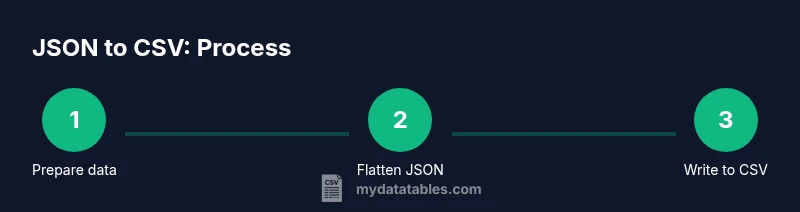
- 1
Prepare your data
Identify the source JSON, locate a representative sample, and copy it to a working directory. This step ensures you understand the data shape before attempting a full conversion. Create a small subset for rapid testing.
Tip: Keep an original copy of the raw JSON to revert if needed. - 2
Choose your tooling
Decide whether to use Python, jq, or spreadsheet-based tools. For nested structures or large datasets, scripting provides repeatability and error handling. Document the choice for future audits.
Tip: If starting simple, test with Python’s csv module first. - 3
Define the target CSV schema
List the headers you will expose in the CSV and decide on how to map nested fields. This upfront design prevents drift and makes validation easier.
Tip: Use a prefix scheme for nested fields (e.g., user.name becomes user_name). - 4
Flatten the JSON
Implement the flattening logic to convert nested objects into flat key-value pairs. Ensure arrays are handled consistently (flattened, expanded, or joined).
Tip: Test on a subset to confirm headers cover all required fields. - 5
Write to CSV
Use a writer that respects headers and encoding. Ensure missing values result in blank cells or a chosen sentinel value.
Tip: Prefer DictWriter or DataFrame.to_csv for readability and reliability. - 6
Validate the output
Check headers, row counts, and sample rows for correctness. Validate data types, encoding, and escaping rules. Adjust schema if any issues appear.
Tip: Run a quick compare against a known-good subset.
People Also Ask
What is the difference between JSON and CSV?
JSON is hierarchical and supports nested structures, while CSV is flat and row-based. Converting JSON to CSV requires flattening nested objects and deciding how to handle arrays and missing fields. The goal is a consistent schema that maps every record to a single CSV row.
JSON is hierarchical; CSV is flat. Flatten nested objects and handle arrays to create a stable CSV schema.
Can large JSON files be converted without loading everything into memory?
Yes. Use streaming approaches or chunked processing to avoid loading the entire file at once. Tools like Python with generators or jq can process data in chunks and write incremental CSV rows.
Yes. Stream or chunk the data to limit memory usage during conversion.
Which languages or tools are best for this task?
Python with json and csv modules is a common choice. jq is excellent for quick shell-based inspection, while pandas offers powerful flattening with json_normalize. Your choice depends on dataset size and project requirements.
Python, jq, and pandas are popular; pick based on data size and needs.
How should I handle missing fields in the JSON?
Decide on a policy before coding: leave as blank cells, or fill with a sentinel value. Using a consistent approach prevents misalignment and makes downstream processing easier.
Decide on missing-field policy beforehand and apply it consistently.
Can I preserve data types when converting to CSV?
CSV stores data as text. You can preserve types by ensuring numbers stay numeric and dates are formatted in a consistent pattern, but reading applications may still interpret types. If possible, keep a schema alongside the CSV.
CSV is text-based; preserve numeric-like strings and dates with consistent formatting.
What are common pitfalls during flattening?
Inconsistent keys across records, deeply nested arrays without a clear flattening rule, and quoting issues with fields containing delimiters are frequent sources of errors. Establish clear rules early and test with edge cases.
Watch for inconsistent keys and complex nesting; test edge cases.
Watch Video
Main Points
- Plan your CSV headers before coding
- Flatten nested JSON with a consistent key scheme
- Validate with sample data before full run
- Use UTF-8 and proper quoting to preserve data integrity