JSON to CSV: A Practical Guide for Analysts
Learn how to convert JSON to CSV accurately for data analysis. This guide covers flattening nested data, handling arrays, preserving data types, and validating output with Python and JavaScript examples.


You will learn how to convert JSON to CSV effectively, including flattening nested structures, choosing a CSV schema, and validating results. The guide covers practical workflows using Python (pandas) or JavaScript (Node.js), plus tips for handling arrays, missing values, and data types. By following the steps, you’ll produce clean CSV ready for analysis and sharing.
What JSON to CSV Is and Why It Matters
JSON and CSV are two of the most common data interchange formats used by data analysts, developers, and business users. JSON captures hierarchical, nested data, while CSV presents tabular data that analysis tools like Excel, BI platforms, and SQL databases understand easily. According to MyDataTables, many teams encounter time lost when trying to extract meaningful rows from complex JSON structures. A robust JSON-to-CSV workflow reduces manual edits, improves reproducibility, and makes data ready for quick insights. If your data source feeds a REST API or a JSON log, converting to CSV can simplify reporting, auditing, and cross-tool compatibility. This section introduces the core idea: flatten the JSON so every nested field becomes a standalone CSV column, with arrays either expanded into multiple rows or joined into a single string. You’ll also learn how to choose a delimiter and encoding that keeps your data safe during transfer and analysis.
Key terms to know:
- Flattening: turning nested keys into top-level columns (e.g., user.name -> user_name)
- Schema: the set of target CSV columns you’ll export
- Encoding: typically UTF-8 to preserve characters from different languages
MyDataTables Analysis, 2026 emphasizes planning your target schema early to avoid downstream data quality issues. The approach you pick should align with your downstream tools, whether you import into Excel, a data warehouse, or a Python notebook.
Core Concepts: schema, flattening, and sequencing
Converting JSON to CSV hinges on three core ideas: schema design, flattening strategy, and data sequencing. A well-defined schema anticipates which JSON fields matter for your analysis and maps them to CSV columns. Flattening determines how deeply nested objects become columns, and sequencing ensures that you maintain a logical order of fields that matches downstream dashboards or reports. When designing your schema, consider:
- Are certain fields optional? If so, provide a consistent placeholder for missing values.
- Do numeric and date fields require specific formats in CSV (e.g., ISO date strings)?
- How should arrays be represented (one row per element, or a single string with a delimiter)?
From a data quality perspective, a clean CSV requires stable headers, consistent data types, and careful handling of nulls. MyDataTables analysis suggests that teams benefit from predefining column names and data types before writing any conversion code. This reduces surprises when you import the resulting CSV into downstream tools and models.
Approaches to conversion: manual flattening vs tools vs libraries
There are several ways to convert JSON to CSV, depending on your environment and data characteristics:
- Manual flattening: For very small JSON datasets or one-off tasks, you can write ad-hoc scripts that traverse the JSON tree and emit CSV rows. This approach offers full control but can become brittle as schemas evolve.
- Library-based conversion: Most languages offer libraries that recognize JSON structures and help flatten data into tabular form. In Python, pandas.json_normalize is popular for flattening, while in Node.js, libraries like json2csv can automate the process.
- Online and GUI tools: Web-based converters or desktop apps can be convenient for quick jobs, but they may lack reproducibility and control over encoding or data transformations.
Choosing the right path depends on data size, schema stability, and the need for repeatability. For scalability and reproducibility, a scripted approach using a robust flattening strategy is usually preferred. The MyDataTables team recommends building a small, reusable module that defines your flattening rules and mapping from JSON to CSV columns.
Designing a robust CSV for analyses: encoding, headers, and nulls
A robust CSV design reduces downstream headaches. Start with a stable, descriptive header naming convention, using underscores or camelCase consistently. Decide whether you will use a single header row and whether to quote values that contain commas or newline characters. Encoding should be UTF-8 by default to support multilingual data. For missing values, choose a standard representation (empty strings or a explicit sentinel like NA) and apply this uniformly. When exporting dates or times, choose ISO 8601 formats for consistency. If your JSON includes nested arrays, decide whether to explode them into multiple rows, or join them with a delimiter that you can easily split later. Finally, include a simple validation step that checks for header presence and data type consistency across rows.
MyDataTables’s practical guidance for CSV design centers on reproducibility: document your schema, store the translation logic in versioned scripts, and run a quick validation pass after each schema change.
Practical examples: Python (pandas) and JavaScript (Node.js)
Below are two concise workflows you can adapt. The first uses Python with pandas to flatten JSON and export CSV. The second uses Node.js with a popular json2csv utility. In both cases, you’ll start with a sample JSON file and end with a CSV file ready for analysis. The examples assume a simple JSON structure with nested objects and an array.
# python_example.py
import json
import pandas as pd
from pandas import json_normalize

with open('data.json','r', encoding='utf-8') as f:
    data = json.load(f)

# Flatten a nested structure (adjust path as needed)
df = json_normalize(data, sep='_')

df.to_csv('data.csv', index=False, encoding='utf-8')// node_example.js
const fs = require('fs');
const { Parser } = require('json2csv');
const raw = fs.readFileSync('data.json', 'utf-8');
const data = JSON.parse(raw);
const fields = Object.keys(data).flatMap(k => k.split('.'));
const json2csvParser = new Parser({ fields });
const csv = json2csvParser.parse(data);
fs.writeFileSync('data.csv', csv);Both approaches can be extended to handle arrays by either exploding them into multiple rows or joining array elements with a delimiter. If you’re working with large JSON files, consider streaming approaches to avoid loading the entire file into memory at once. The key is to keep the flattening logic isolated and test it on representative samples before scaling up.
This section demonstrates how you can start with a simple schema and progressively incorporate more complex flattening rules as your data model grows.
Validation, testing, and edge cases
After exporting CSV, validate the result to ensure data integrity. Check that headers match your schema exactly and that rows align in length with the headers. Test with edge cases, such as nested objects with missing fields, extremely long text fields, and diverse data types (numbers, booleans, strings). A few practical checks:
- Confirm that all required columns exist in the header.
- Ensure numeric fields do not contain stray non-numeric characters; coerce where reasonable.
- Verify that date fields are in a consistent ISO format.
For large datasets, perform a spot-check of random rows to ensure flattening rules are consistently applied. If you encounter memory constraints, switch to a streaming parser or chunked processing to maintain performance without exhausting resources. Documentation and version control of your flattening logic will save time in future data loads.
Common pitfalls and performance tips
Converting JSON to CSV is deceptively simple until you encounter inconsistent schemas, deeply nested arrays, or mixed data types. Common pitfalls include mismatched headers due to optional fields, unescaped delimiters inside values, and loss of precision for numeric data. Performance-wise, avoid loading entire massive JSON files into memory; prefer streaming parsers or chunked processing for files that exceed available RAM. Use robust error handling to report and skip problematic records instead of failing the entire export. Finally, always encode output as UTF-8 and validate the resulting CSV with a lightweight reader to catch formatting mistakes early.
Remember: a well-documented, repeatable workflow will save hours of debugging as your JSON schemas evolve. MyDataTables’s experience shows teams that standardize on a single, version-controlled converter tend to have fewer data quality issues and faster onboarding for new data engineers.
Tools & Materials
- JSON data file (sample)(JSON file with nested objects and arrays)
- Python 3.x with pandas(For script-based conversion)
- Node.js(For JavaScript-based conversion)
- CSV viewer/editor(Excel, Google Sheets, or similar)
- Text editor(VS Code, Sublime, etc.)
- Command line access(Terminal or PowerShell)
- Small sample dataset(Optional for testing)
Steps
Estimated time: 30-60 minutes
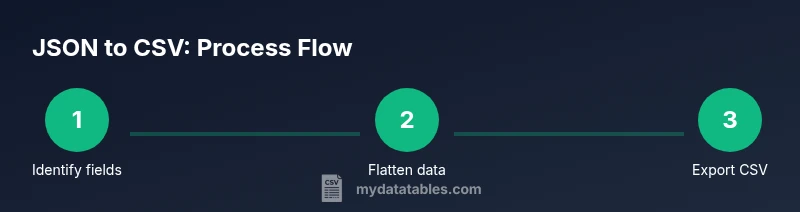
- 1
Inspect JSON structure
Review the JSON file to identify top-level fields and nested objects that will map to CSV columns. Note any optional fields and how you want to handle missing values.
Tip: Document a quick map of source fields to target CSV headers before coding. - 2
Define the CSV schema
Create a schema that lists the exact CSV headers. Decide on how to represent nested data (flatten or denormalize), how to handle arrays, and the encoding to use.
Tip: Aim for stable headers that won’t require frequent changes. - 3
Choose a conversion approach
Decide between a Python pandas approach, a Node.js script, or an online tool. Consider reproducibility, performance, and your team's skillset.
Tip: Prefer a script stored in version control for repeatability. - 4
Implement flattening logic
Write a function to flatten nested objects using dot-notation keys. Ensure you handle missing fields gracefully and decide how to treat arrays (explode vs join).
Tip: Test flattening on a representative subset of data first. - 5
Export to CSV
Run the script to write the CSV using UTF-8 encoding and proper quoting for values containing commas or newlines.
Tip: Always verify the header row matches your schema. - 6
Validate and test
Open the CSV in a viewer, perform spot checks, and ensure data types align with expectations. Validate with a few test imports into downstream tools.
Tip: Create a small validation script to assert column count and sample values. - 7
Document and maintain
Add comments or a README detailing how the conversion works and how to adjust for schema changes. Version-control your converter.
Tip: Treat the converter as a product: track changes, test, and document decisions.
People Also Ask
How do I flatten nested JSON keys for CSV?
Flattening converts nested keys into top-level headers using a delimiter, such as user_name for user.name. This provides a flat table suitable for CSV. Decide on a consistent delimiter and implement it in your converter.
To flatten JSON for CSV, turn nested keys into flat headers like user_name. Use a consistent delimiter and apply it in your converter.
What if JSON contains arrays?
Arrays can be represented by exploding into multiple rows or by joining elements with a separator. Choose one approach and apply it consistently across the dataset. Consider downstream analysis needs when deciding.
If JSON has arrays, you can explode or join them with a delimiter—pick one method and stay consistent.
How can I preserve data types in CSV?
CSV stores values as text, so you should convert numbers and booleans to string representations during export and optionally add a data-type hint in headers. Later, downstream tools can parse these formats back to appropriate types.
CSV is text-based; convert numbers and booleans to strings during export and, if possible, document the intended types.
Which language or tool should I use?
Choose Python with pandas for powerful data manipulation, or Node.js with json2csv for streaming capabilities. The best choice depends on your environment, team skills, and dataset size.
Python with pandas is great for heavy lifting; Node.js works well for streaming large JSON files.
Are there performance concerns with large JSONs?
Yes, loading huge JSONs entirely can exhaust memory. Use streaming parsers or chunked processing, and consider incremental flattening to manage memory usage.
Large JSONs can hit memory limits; use streaming or chunked processing to stay efficient.
How do I handle missing values?
Decide on a placeholder for missing values (empty string or NA) and apply it consistently. Ensure downstream tools interpret the placeholder correctly.
Use a consistent placeholder for missing values and document it for downstream tools.
Can I validate the CSV automatically?
Yes, write a lightweight validation script that checks header names, row counts, and sample data types. Automated tests catch schema drift after updates.
Automate validation to verify headers, row counts, and data types after every change.
Watch Video
Main Points
- Define a stable CSV schema before coding
- Choose flattening rules early (explode vs join for arrays)
- Prefer script-based converters for repeatability
- Validate results with spot checks and lightweight tests
- Document changes to support future schema evolution