CSV 2 JSON: A Practical Conversion Guide
Learn practical CSV to JSON conversion with code-first and no-code approaches. This guide covers Python, Node.js, and browser tools, including encoding, validation, and best practices for reliable JSON output.


By the end of this guide, you will confidently convert CSV to JSON using code, no-code tools, or a blend of both. You’ll map headers to JSON keys, handle missing values, preserve data types, and validate results with a quick check, plus practical tips to avoid common pitfalls. This primer also includes sample scripts, recommended practices for encoding like utf-8, and a quick checklist you can reuse on future CSV-to-JSON tasks.
Understanding csv 2 json
CSV 2 JSON is the process of converting tabular data stored in a CSV file into JSON. This conversion is widely used for APIs, configuration files, and data pipelines because JSON is hierarchical and easy to parse in most programming environments. The core idea is to treat the first row as header keys and each subsequent row as a JSON object, where the cell values become property values. The resulting JSON can be an array of objects, or a single object depending on the desired structure. When you plan a csv 2 json conversion, consider the expected JSON schema, including whether to nest related fields, how to handle missing values, and how to preserve data types (numbers, booleans, strings).
Practical CSVs vary in delimiter, encoding, and quoting. Before you start, confirm your input uses UTF-8 encoding, a consistent delimiter, and a single header row. These choices influence how you model the JSON and avoid common mistakes like mixing data types or misaligned keys. In this guide, MyDataTables shows practical approaches to ensure reliable results across workflows.
CSV Structure and JSON Schema
To plan a robust csv 2 json conversion, first inspect the CSV's structure. Identify the delimiter (comma is standard, but semicolons or tabs occur), confirm encoding (UTF-8 is preferred), and verify the header row defines the keys. A typical mapping uses each header as a JSON key and each data row as an object. If a header encodes nested data (e.g., 'address.city'), you can represent it in JSON with nested objects or by flattening keys using dot notation. Decide early whether you want the JSON as an array of objects (most common) or a single object with arrays. Use examples to validate your mapping before committing to code.
Python: convert CSV to JSON with a script
A simple, reliable approach uses Python's built‑in csv and json modules. The example below reads a UTF-8 CSV with a header row and writes an array of objects to data.json. It preserves the headers as JSON keys and uses ensure_ascii=False to keep non‑ASCII characters intact.
import csv, json

with open('data.csv', newline='', encoding='utf-8') as csvfile:
    reader = csv.DictReader(csvfile)
    rows = list(reader)

with open('data.json', 'w', encoding='utf-8') as jsonfile:
    json.dump(rows, jsonfile, ensure_ascii=False, indent=2)
This approach is straightforward for moderate CSV sizes and easy to extend with type conversion logic as needed.
Node.js: streaming option for large CSVs
For larger datasets, Node.js with the csv-parser package offers streaming transform to JSON without loading the entire file into memory. The script below demonstrates how to pipe the CSV stream to a JSON array write, enabling scalable conversions while keeping memory usage predictable.
const fs = require('fs');
const csv = require('csv-parser');
const results = [];
fs.createReadStream('data.csv', { encoding: 'utf8' })
  .pipe(csv())
  .on('data', (row) => results.push(row))
  .on('end', () => {
    const fsOut = require('fs');
    fsOut.writeFileSync('data.json', JSON.stringify(results, null, 2), 'utf8');
  });
Adjust for streaming to write to disk progressively if memory constraints demand it.
No-code and browser-based conversion options
If you prefer a GUI or browser tool, several no‑code options let you upload a CSV and download JSON without writing code. These tools are handy for quick one-off conversions or validating your mapping rules before you automate them. When using no-code tools, keep an eye on:
- Delimiter and encoding settings
- Whether the tool outputs a JSON array of objects or a single object
- How it handles missing values and data typing
No-code solutions are excellent for exploratory work, prototyping, and onboarding non‑developers to CSV data workflows.
Validation, edge cases, and best practices
After you generate JSON, validate it with a JSON parser and schema, especially if your downstream systems expect specific shapes. Watch for missing values, numeric vs. string types, and booleans that may be stored as strings in CSVs. Common pitfalls include trailing delimiters, quoted fields with newlines, and inconsistent header names. A small set of rules—consistent encoding, explicit type handling, and strict validation—will prevent many headaches in production.
Tools & Materials
- Python 3.x(Any version >= 3.8; built-in csv and json modules)
- Node.js(Optional for JS example; great for large CSVs via streaming)
- Text editor(VS Code, Sublime Text, or similar)
- CSV sample file(UTF-8 encoding, consistent delimiter)
- JSON validator(Online or local tool for quick checks)
- Browser(For in-browser no-code tools)
Steps
Estimated time: 60-120 minutes
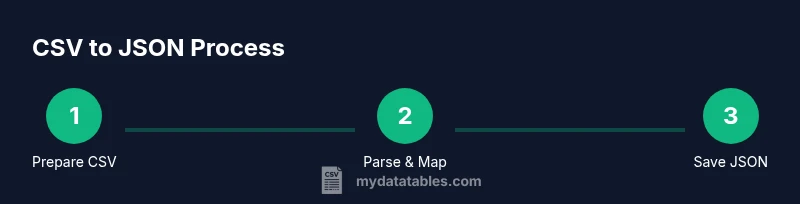
- 1
Prepare CSV and target JSON shape
Inspect the CSV to confirm header names, delimiter, and encoding. Decide whether the JSON will be an array of objects or a nested structure. Document any edge cases like missing values or special characters.
Tip: Open the CSV in a text editor to verify headers and delimiter before coding. - 2
Choose a conversion method
Decide between a Python script, a Node.js streaming approach, or a no-code tool depending on file size and team skills. Smaller tasks can use Python or in-browser tools; larger datasets benefit from streaming.
Tip: If unsure about file size, start with Python for simplicity and scale up if needed. - 3
Implement mapping logic
Create a mapping from CSV headers to JSON keys. If you need nested JSON, plan how to represent nested fields (dot notation vs. nested objects).
Tip: Keep header names simple to avoid long JSON keys. - 4
Run the conversion
Execute the script or run the tool to produce data.json. Ensure encoding remains UTF-8 and the output is pretty-printed for readability.
Tip: Use ensure_ascii=False in Python for non‑ASCII characters. - 5
Validate and fix issues
Parse the JSON with a validator or your downstream parser. Check for missing fields, type mismatches, and malformed JSON.
Tip: If parsing fails, re-check delimiter usage and header alignment. - 6
Automate and reuse
Store the mapping rules and scripts in a repository. Create a small template you can reuse for future CSV-to-JSON tasks.
Tip: Add unit tests or sample CSV/JSON pairs to catch regressions.
People Also Ask
What is csv 2 json and why use it?
CSV to JSON converts tabular CSV data into JSON objects. Each row becomes an object with headers as keys, enabling easy consumption by APIs and apps.
CSV to JSON turns rows into objects with headers as keys.
Which tools work best for csv 2 json?
Common options include Python with csv/json modules, Node.js with csv-parser, and no-code online converters for quick tasks. Choose based on data size and automation needs.
Python, Node.js, or no-code tools work depending on size and automation needs.
How do I handle missing values in CSV when converting?
Decide on a policy (null, empty string, or default). Apply it during mapping to ensure consistent JSON structures and avoid unpredictable types.
Decide how to represent missing values to keep JSON predictable.
Can I convert CSV to JSON in Excel?
Excel can export to CSV, but not JSON directly. Use a small script or an online tool to convert the CSV exported from Excel.
Excel exports CSV, then convert to JSON with a tool or script.
What about very large CSV files?
For large files, use streaming in Node.js or processing in chunks to avoid loading the entire file into memory.
Stream or batch process large CSVs to save memory.
How can I validate the resulting JSON?
Parse the JSON with a validator or schema, and optionally compare against a sample expected output to verify structure and types.
Validate with a parser or schema to ensure structure.
Watch Video
Main Points
- Map headers to JSON keys explicitly
- Handle missing values with clear rules
- Use UTF-8 encoding for reliability
- Validate JSON before downstream use
- Choose streaming for large CSVs