CSV to JSON Online: A Practical Guide
Learn how to convert CSV to JSON online with privacy-minded tools, handle headers, encoding, and data types, and validate the result for API or data pipelines.


You will learn how to convert CSV to JSON online, including choosing a reliable converter, handling headers, and preserving data types. Ensure your CSV uses a header row, uses UTF-8 encoding, and avoid large files beyond the tool's limits. This guide uses safe, privacy-conscious tools. Also consider batch processing for multiple files and verify the resulting JSON structure before downstream use.
Why CSV to JSON Conversion Matters
According to MyDataTables, data professionals frequently encounter the need to move data from CSV to JSON to power APIs, dashboards, and automation workflows. A reliable online converter can save time, but the choice affects data fidelity, privacy, and downstream processing. In this section, we explore the core reasons to convert CSV to JSON, the typical use cases across analytics and development teams, and the practical impacts on data pipelines. You’ll learn when online tools are appropriate, and when to prefer local scripts for sensitive data. By the end of this section, you’ll have a mental checklist you can apply to every conversion task and avoid common missteps that degrade JSON quality. CSV is a flat, row-oriented format that excels at tabular data but lacks native support for nested structures. JSON, by contrast, supports objects and arrays, making it ideal for hierarchical data and API payloads. The transformation is not just a change of syntax; it requires careful mapping of each CSV row into a JSON object, preserving field names, data types, and null values. Mistakes — such as treating numbers as strings or misinterpreting empty cells — ripple through applications and cause parsing errors downstream. MyDataTables’ guidance emphasizes planning your schema before converting: decide which columns map to top-level fields, whether some rows should become arrays, and how to handle missing values. This planning saves time during testing and reduces debugging later. In practice, you will often run multiple passes: validate input, perform a draft conversion, inspect the JSON, adjust mappings, and re-run until the output aligns with your data contract. With these practices, you can confidently use csv to json convert online workflows for prototyping and lightweight integrations, while documenting decisions for future maintenance.
Understanding CSV vs JSON: Core Differences
CSV and JSON are both widely used data formats, but they serve different purposes. CSV is simple and compact, ideal for tabular records with uniform columns. It represents rows as lines and columns as separators, typically commas or tabs. JSON is hierarchical and flexible, supporting objects, arrays, and nested structures. When you convert, you must decide how to translate each row into a JSON object and whether multiple rows should combine into an array under a single key. Understanding these core differences helps you design a robust transformation: identify which fields become top-level keys, which might nest under a sub-object, and how to represent missing or null values in JSON. This section also introduces common patterns used in data pipelines, such as an array of objects for a list-like dataset or a single root object with a nested array for grouped records. Grasping these concepts reduces surprises during downstream consumption and API integration.
Choosing the Right Online Converter: Features to Look For
When selecting an online converter for csv to json convert online tasks, prioritize privacy, reliability, and flexibility. Look for tools that offer clear data handling policies, preferably with client-side processing or short data retention windows. Key features include: UTF-8 encoding support, configurable delimiter and quote rules, the ability to map columns to nested JSON structures, options to output as an array of objects or newline-delimited JSON, and the option to preview and validate before download. Other valuable traits are batch processing for multiple files, streaming for large datasets, and defense against malformed input (e.g., malformed quotes or multi-line fields). If you plan to automate repeat conversions, check for API access or reproducible settings that you can export as a template. Privacy-conscious teams often favor tools that provide audit trails or downloadable transformation configurations to ensure reproducibility. In short, pick a converter that aligns with your data contract and security standards while minimizing surprises in the resulting JSON.
Step-by-Step Online Conversion Workflow (High-Level)
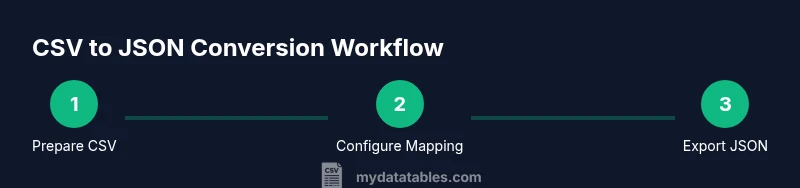
This section provides a high-level overview of the workflow you’ll perform with csv to json convert online tools. You’ll start by selecting a trustworthy converter, prepare your CSV, upload it, configure mapping, run the conversion, and verify the JSON. The exact UI steps vary by the tool, but the flow remains consistent: select settings that match your CSV (delimiter, encoding, header presence), map fields to JSON keys, perform the conversion, and inspect the output. After validation, export the JSON in your preferred format (array of objects or newline-delimited JSON) and reuse it in APIs or apps. For complex mappings, you may need to perform multiple passes to refine the structure and resolve edge cases such as missing values or numeric types.
Data Quality and Validation After Conversion
Converting is only half the battle; validating the resulting JSON is essential. Start with a lightweight validator to verify that the JSON is well-formed and that numeric values remain numeric rather than strings. Check for missing fields that your downstream systems expect, and confirm that nulls are represented consistently. If your target API requires a specific schema, perform schema validation using a JSON Schema draft or a simple contract check. Compare a subset of the converted data with the original CSV to ensure mappings are correct. For large datasets, perform sampling rather than full validation to save time. Document any data-type expectations (e.g., dates in ISO 8601, decimals with a fixed precision) and apply them in downstream processing.
Privacy, Security, and Compliance When Using Online Tools
Online converters can pose privacy risks, especially with sensitive data. Prefer tools that process data locally in your browser rather than sending it to external servers, or choose services with transparent data-retention policies and secure transmission standards. If possible, avoid uploading highly confidential records; instead, sanitize data or use synthetic samples for prototyping. Always review terms of service and privacy policies before uploading any dataset. For regulated environments, prefer offline or on-premise scripts that guarantee data never leaves your environment. Compliance considerations include ensuring data minimization, access controls, and auditability of transformations.
Local vs Online: When to Choose Each Path
Deciding between local and online conversion depends on file size, data sensitivity, and workflow speed. For small, non-sensitive CSV files, online converters offer quick, accessible solutions without setup. For large datasets, or when data privacy is paramount, local tools or scripts in Python, Node.js, or R give you full control, reproducibility, and auditability. In enterprise contexts, a hybrid approach often works best: use online tools for quick prototyping and testing, then implement a local, automated pipeline for production data. Remember to enforce consistent encoding (UTF-8) and delimiter settings across environments to ensure JSON outputs remain stable.
Real-World Examples and Best Practices
In practice, data teams often adopt a repeatable pattern: define a small, representative CSV sample, convert to JSON with a reusable script or template, validate against a schema, and iterate. Use clear naming conventions for JSON keys that mirror CSV headers, handle missing values with an explicit null or default, and consider whether nested objects are needed. Keep a changelog of mapping decisions to simplify future maintenance, and always test the final JSON with real consumers, such as an API client or a data warehouse loader. Finally, when using online tools, prefer those with transparent privacy policies and an ability to export transformation settings for reproducibility.
Tools & Materials
- CSV file (with header row)(UTF-8 encoding recommended; ensure delimiter matches tool settings)
- JSON output format example (optional)(Keep a reference of desired structure for mapping)
- Web browser with internet access(Updated browser recommended (Chrome/Edge/Firefox))
- Sample CSV dataset (small for testing)(A few dozen rows to validate mappings)
- Online CSV-to-JSON converter tool(Prefer privacy-focused, reputable providers)
- JSON viewer or linter(To validate formatting and types)
- Text editor(For quick edits and mapping notes)
Steps
Estimated time: 20-30 minutes
- 1
Identify a trustworthy online converter
Choose a reputable tool that supports UTF-8, proper encoding, and data handling policies. Read privacy statements and check for local processing options when possible.
Tip: Prefer tools that allow you to download the transformation settings for reproducibility. - 2
Prepare your CSV file
Ensure the file has a single header row, consistent delimiter, and properly escaped quotes for fields containing commas or newlines.
Tip: Run a quick sample to verify headers map cleanly to JSON keys before a full-scale conversion. - 3
Upload the CSV to the converter
Upload or paste content, select the correct delimiter, and set the encoding to UTF-8 to preserve characters.
Tip: If the tool supports file size limits, split the input if necessary to stay within bounds. - 4
Configure mapping to JSON
Define how columns become JSON keys. Decide whether to produce an array of objects or a single object with a nested array when appropriate.
Tip: For nested structures, consider prefixes or sub-keys to organize related fields. - 5
Run the conversion and review the output
Preview the JSON and check for missing fields or unexpected type coercions (e.g., numbers as strings).
Tip: Use pretty-printed output to make manual checks easier. - 6
Validate JSON structure
Run the result through a JSON validator or schema check to ensure it is well-formed and conforms to your contract.
Tip: Test a small subset that mirrors API payloads before scaling up. - 7
Export and save
Download the JSON file in your preferred format (array of objects or newline-delimited). Keep a copy of the original CSV for traceability.
Tip: Store a mapping document to explain how headers map to fields. - 8
Document your mapping decisions
Record which columns map to which fields and how missing values are represented to aid future maintenance.
Tip: Create a small README with examples to accelerate onboarding.
People Also Ask
What is the easiest way to convert CSV to JSON online?
The easiest way is to use a reputable online converter that supports UTF-8, proper delimiter handling, and an option to export an array of JSON objects. Preview the output and validate it with a JSON schema to ensure compatibility with downstream systems.
Use a reputable online converter, preview the JSON, and validate it with a schema to ensure compatibility.
Can I preserve data types (numbers, booleans) when converting?
Many online tools infer types but may convert numbers to strings in some cases. After conversion, verify numeric fields remain numeric and cast appropriately if needed in your consuming application.
Check numeric fields after conversion and cast as needed.
Are online converters safe for sensitive data?
Security depends on the tool. Prefer client-side processing or reputable services with clear privacy terms. For highly sensitive data, perform the conversion offline to minimize exposure.
Prefer client-side or trusted services; consider offline conversion for sensitive data.
What if CSV has nested data or multi-line fields?
Nested data requires mapping rules that group related columns under a nested JSON object or array. Some tools support custom schemas to help, but you may need post-processing in a script for complex structures.
Use mapping rules to nest fields; consider post-processing for complex cases.
Should I convert locally or online for large files?
For large or confidential datasets, local conversion using scripts is safer and often faster. Online tools are convenient for quick prototyping and small files.
Choose local conversion for large or sensitive data; use online tools for quick tests.
How can I validate JSON output after conversion?
Use a JSON validator or a schema check to ensure formatting, types, and required fields. Compare a sample of the JSON with the original CSV to confirm mappings.
Validate with a JSON schema and sample comparisons.
Watch Video
Main Points
- Plan your target JSON structure before converting.
- Validate data types after conversion.
- Choose privacy-conscious tools for sensitive data.
- Document mappings for future maintenance.