How to Use an Online JSON to CSV Converter: A Practical Guide
Learn how to convert JSON to CSV using an online converter with step-by-step instructions, data mapping tips, and best practices for clean, reproducible results.


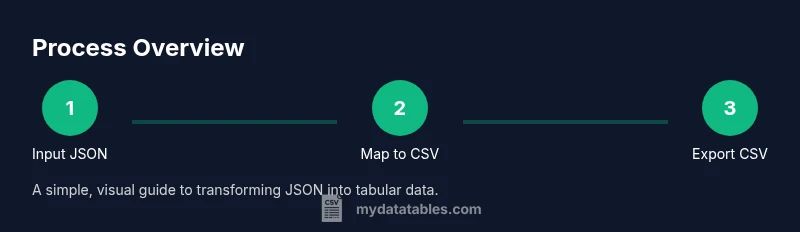
In this guide, you will learn how to use an online json to csv converter to transform nested JSON into a flat CSV file. You'll understand when to choose an online tool versus code, identify essential inputs like JSON validity and delimiter choices, and follow a step-by-step workflow to extract headers, map fields, and validate the resulting CSV. By the end, you'll be able to convert JSON data quickly and safely.
What an online json to csv converter does
An online json to csv converter provides a browser-based workflow to take structured JSON data and produce a tabular CSV file. It typically handles the parsing of JSON, the flattening of nested objects, and the organization of keys into CSV headers. For many analysts and developers, this is a fast way to prototype data exports without writing code. When you use an online tool, you benefit from real-time previews, instant validation feedback, and the ability to test multiple data samples quickly. According to MyDataTables, these tools can save time in common data transformation tasks while offering convenience for teams that need quick, shareable exports. Keep in mind that the reliability and privacy of online services vary, so choose reputable providers and verify results with your own checks.
wordCountCountedAutomaticallyNote: true
Tools & Materials
- Web browser(Up-to-date browser with JavaScript enabled)
- Internet connection(Stable connection for uploads and downloads)
- JSON sample data(Raw JSON text or a .json file you want to convert)
- CSV viewer/editor(Optional for verifying and editing the result)
Steps
Estimated time: 15-25 minutes
- 1
Identify JSON input and expected CSV structure
Review the JSON payload to understand its shape and determine what fields will appear as CSV headers. Decide whether you need flat headers or a flattened header system for nested data. This upfront planning reduces rework later.
Tip: Sketch a quick header map before loading the data to avoid missing fields. - 2
Choose a trusted online converter
Select a reputable online converter that supports JSON input, CSV output, and data privacy assurances. Check reviews and whether the tool allows you to test with sample data first.
Tip: Prefer services with a clear privacy policy and data retention limits. - 3
Paste or upload your JSON data
Load the JSON into the converter either by pasting the text or uploading a file. Ensure the JSON is well-formed; most tools will flag syntax errors immediately.
Tip: Validate syntax with a quick JSON linter before uploading. - 4
Map JSON fields to CSV headers
Create a mapping from each JSON key to a CSV column header. Use clear, consistent names and avoid special characters that CSV parsers may misinterpret.
Tip: Use dot notation for nested fields, e.g., user.name as a header. - 5
Flatten nested structures
If JSON contains nested objects or arrays, decide on a flattening strategy: inline subfields, explode arrays, or summarize with counts. Consistent flattening yields predictable CSV columns.
Tip: For arrays, consider expanding by index or aggregating values with a delimiter. - 6
Configure output options
Set delimiter (commonly comma), encoding (UTF-8), and decide whether to include a header row. Some tools offer options for quoting rules and decimal separators.
Tip: Always enable a header row when distributing CSVs to ensure downstream compatibility. - 7
Preview and validate the CSV
Use the preview pane to inspect a sample of converted rows. Verify that fields align with headers and that data types appear as expected (strings vs numbers).
Tip: Spot-check a few records for missing values or mis-mapped fields. - 8
Export and save a reproducible workflow
Download the CSV and, if possible, save the transformation steps or a config so you can reproduce the export with new JSON data.
Tip: Keep a copy of the header map and any flattening rules used. - 9
Verify data integrity after export
Open the CSV in a viewer to confirm row counts and that the number of columns matches the header row. Run a quick spot-check against the original JSON to ensure accuracy.
Tip: If discrepancies appear, revisit the mapping and flattening decisions.
People Also Ask
Is it safe to paste JSON data into online converters?
Safety depends on the provider's privacy policy. Use trusted services and avoid uploading sensitive data unless you understand the data retention and deletion practices. Prefer tools that offer local processing or explicit data clearance after use.
Choose trusted services and avoid sharing sensitive data unless you know how it’s handled.
Can online converters handle large JSON files?
Many online converters impose size limits and performance constraints. For very large files, consider offline tools or server-side processing to avoid timeouts and memory issues.
Large files may require offline processing to prevent timeouts.
How do I flatten nested JSON for CSV?
Flattening involves turning nested keys into flat headers, often using dot notation or separate headers for subfields. Decide on a consistent strategy before converting to maintain data integrity.
Flatten with dot notation like person.name to keep headers clear.
Can I preserve data types in CSV (numbers vs text)?
CSV stores values as text. You can maintain type hints by keeping numeric-looking values as numbers in editors, but the converter outputs are typically strings. Post-process if strict typing is required.
CSV holds values as text; post-process if you need strict typing.
What about privacy after export?
Always review the provider’s privacy policy. Delete uploaded files if the service offers that option, and prefer solutions that do not retain your data unless you opt in.
Check privacy settings and delete data after export if possible.
What if the JSON is invalid?
Fix syntax errors in the JSON before attempting conversion. Many tools will point to the line and character where the issue occurs, helping you resolve issues quickly.
Fix syntax errors; use a linter to locate issues.
Watch Video
Main Points
- Plan header mapping before conversion
- Flatten nested JSON consistently for predictable CSV columns
- Validate syntax and preview results before exporting
- Save a reproducible workflow for future conversions