JSON to CSV Conversion: A Practical How-To Guide
Learn a practical, step-by-step approach to convert JSON to CSV, covering mapping, flattening, encoding, validation, and tooling options for Python, Node.js, and CLI workflows.


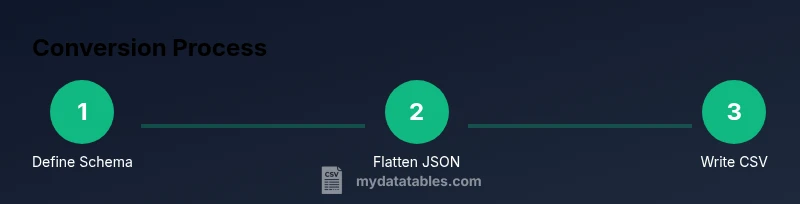
Convert JSON to CSV with a clear, repeatable workflow: inspect the JSON, design the CSV schema, implement a transformation (Python, Node.js, or CLI), run tests, and validate results. See the full step-by-step guide to finish confidently. This approach handles nested objects and arrays, preserves key data types, and yields a clean, analyst-friendly CSV.
What json to csv conversion is
JSON to CSV conversion is the process of transforming JSON data, which is hierarchical and flexible, into a flat, tabular CSV format that is easy to analyze with spreadsheet software and data pipelines. The goal is to preserve as much of the original meaning as possible while flattening structures that don’t naturally fit into rows and columns. According to MyDataTables, the most effective conversions start with a clear plan: define the target CSV schema before writing code, identify which JSON fields map to which CSV columns, and decide how to handle nested structures. This upfront design helps prevent late-stage rework and reduces data loss during transformation. The core idea is to convert JSON’s nested trees into a sequence of rows that align with a consistent header row, making downstream analytics straightforward. A thoughtful approach also reduces the risk of misaligned data, misinterpreted types, and encoding issues that can derail dashboards and reports.
When you design with the end-use in mind, you’ll choose which fields become columns, how to handle missing values, and how to represent arrays or nested objects. The MyDataTables team notes that reliable conversions typically involve a schema mapping, a flattening strategy for arrays, and a validation pass that checks the resulting CSV against known data patterns. In short, json to csv conversion is as much about planning and validation as it is about coding. This guide walks you through the most common structures, practical mapping strategies, and multiple toolchains so you can pick the approach that fits your stack.
Common JSON structures that map to CSV implications
JSON comes in many shapes: simple objects, arrays of records, nested objects, and combinations thereof. Each structure maps to CSV differently, and understanding typical patterns helps you avoid surprises in the output. For example, a flat JSON object like { "id": 1, "name": "Ada", "active": true } translates directly to a single CSV row with columns id, name, and active. But a JSON array of objects—[{...}, {...}]—lends itself to a row-per-object layout. Nested objects, such as { "user": { "id": 42, "name": "Ada" }, "roles": ["admin","editor"] }, require decisions: do you create separate columns for nested fields (user.id, user.name) and flatten arrays (roles) into one column per item, a single concatenated string, or multiple rows? We’ll explore common patterns and recommended practices for each.
A frequent challenge is arrays of objects inside a parent object. Flattening strategies include exploding arrays into multiple rows, creating a wide format with repeated columns, or using a JSON-encoded string in a single column. Each approach has trade-offs for readability, tooling compatibility, and downstream processing. The key is to document the chosen mapping so teammates understand how to read and validate the resulting CSV. This section provides practical templates and decision criteria to help you select a consistent approach across projects.
Mapping strategies: field alignment and naming
A robust mapping strategy starts with a clearly defined target schema. List the CSV headers you want, then map each header to a JSON path from your source data. When a field is optional, decide on a default value or leave it blank. Consistency is essential: the same CSV column should always pull from the same JSON field across all records. If you encounter nested data, decide in advance whether to flatten keys (for example, user.id becomes user_id) or to create a separate JSON blob column for that nested object.
Name consistency matters. Use snake_case or camelCase uniformly, and avoid special characters that are difficult to handle in CSV engines. If your JSON uses date strings, decide on a standard format and apply it during the transformation. Drilling into examples with concrete mappings (field to JSON path) helps the team align expectations and prevents misinterpretation at the data consumer layer. The end result is a CSV that remains human-readable and machine-friendly.
Python, Node.js, and CLI approaches
There are several popular toolchains for json to csv conversion. Python with pandas or the built-in json module is a common choice due to readability and strong data types. Node.js, with its streaming capabilities, is excellent for large files and real-time pipelines. Command-line tools like jq (for JSON processing) and csvkit (for CSV operations) offer compact, scriptable solutions without writing a full program.
If you’re starting fresh, choose Python for readability and quick on-ramps, especially if you already work in a data science stack. For production-grade ETL, a streaming approach with Node.js can help you handle large datasets without loading everything into memory. CLI-based workflows are ideal for one-off conversions or automation in CI pipelines. Across all approaches, ensure you validate your output against a known-good sample to catch structural or type-related issues early.
Handling nested data and flattening
Flattening nested structures is the most common hurdle in json to csv conversions. A practical strategy is to flatten one level at a time. For a field like user.address.city, generate a single header city and map it to user.address.city. For arrays, decide between exploding them into multiple rows, producing a separate row per array element, or joining elements with a delimiter (e.g., semicolon) into a single cell. If your dataset includes variable-length arrays, a row-explosion approach can create many rows per parent record, which may be undesirable for reporting; in such cases, an encoded string may be preferable.
Document every flattening decision so downstream analysts know how to interpret the results. Test with edge cases—records with missing fields, null values, or unusual array lengths—to ensure the transformation behaves consistently. When possible, maintain a reversible mapping: if you ever need to recover the original JSON, have a defined method to reconstruct it from the CSV.
Validation and testing: ensuring accuracy
Validation is where json to csv conversion proves its value. Start with unit tests that verify that a small sample JSON produces the expected CSV. Check headers, row counts, and the handling of missing values. Use automated checks to compare a generated CSV against a reference, focusing on a few representative records. When working with large datasets, sample a random subset to test performance and correctness without consuming excessive compute resources. Encoding matters: verify UTF-8 or your chosen encoding, and ensure newline handling is consistent across platforms. A good validation plan also tests edge cases, such as empty arrays, null fields, and unusual characters.
Finally, perform end-to-end validation, including reading the CSV back into your analysis environment to confirm that data types and values survive the round trip intact. This practice minimizes surprises in production analytics and dashboards.
End-to-end example: a practical walkthrough
To illustrate, consider a JSON file with two records:
[
  {"id": 1, "name": "Alice", "email": "[email protected]", "roles": ["admin"]},
  {"id": 2, "name": "Bob", "email": "[email protected]", "roles": ["user","editor"]}
]
You might map to a CSV with headers: id, name, email, roles, where roles is a comma-delimited string of roles. A Python snippet using json and csv modules could look like this (simplified):
import json, csv
with open('data.json','r', encoding='utf-8') as f:
  data = json.load(f)
with open('data.csv','w', newline='', encoding='utf-8') as fout:
  writer = csv.DictWriter(fout, fieldnames=['id','name','email','roles'])
  writer.writeheader()
  for item in data:
    writer.writerow({
      'id': item.get('id'),
      'name': item.get('name'),
      'email': item.get('email'),
      'roles': ','.join(item.get('roles', []))
    })
This simple example demonstrates a common approach: flatten nested arrays to a single column, align headers consistently, and ensure encoding is correct. As you adapt this for real data, you’ll expand on error handling, type normalization, and performance optimizations.
Practical tips, warnings, and best practices
- Plan your schema before coding: list headers and map JSON paths. This reduces rework and ensures consistency across records.
- Use streaming parsers for large files to avoid memory spikes.
- Prefer UTF-8 encoding and validate encoding at input and output stages.
- Keep a changelog of mapping decisions so future analysts understand how to interpret the CSV.
- Test with representative samples and edge cases to catch surprises early.
- When unsure, start with a simple path and gradually add complexity as requirements clarify.
Warning: exploding very large arrays can dramatically increase output size. Consider concatenating values or using a dedicated child table if your downstream systems require normalization.
Wrap-up and next steps
With a clear mapping strategy, robust validation, and the right toolchain, json to csv conversion becomes a repeatable, low-friction process. Use the approaches above to design a workflow that matches your data volume, latency requirements, and analytics goals. Maintain documentation for mappings, encoding decisions, and edge-case handling so teammates can reproduce results. As a final note, consider incorporating it into an automated ETL pipeline to ensure that new data gets transformed consistently over time.
Tools & Materials
- Source JSON file(Provide a sample file with nested structures for testing)
- Target CSV file(Output destination path and filename)
- Python 3.x installed(Recommended for readability and data handling ease)
- Pandas or json module (Python)(Depending on approach)
- Node.js installed(If you prefer a JavaScript-based solution)
- jq or csvkit (optional CLI tools)(For quick CLI-based conversions)
- Text editor / IDE(Edit scripts and mappings)
Steps
Estimated time: 60-120 minutes
- 1
Identify input and output formats
Define the JSON structure and decide which fields become CSV columns. List any fields that may be optional and set default values where appropriate. This step prevents scope creep during transformation.
Tip: Write a one-line mapping summary before coding. - 2
Inspect the JSON structure
Load a representative sample of the JSON and inspect nested objects and arrays. Note where flattening will be necessary and identify any fields that require type normalization.
Tip: Use a quick print-out of sample records to spot inconsistent shapes. - 3
Define the CSV schema and column mapping
Create a header list that matches the target analysis needs. Map each header to a JSON path, and decide how to handle missing values and type conversion.
Tip: Document your mapping decisions in a simple table. - 4
Choose a transformation approach
Decide between Python scripts, Node.js streaming, or CLI tools based on data size and existing tech stack. For large files, streaming is preferred to avoid memory issues.
Tip: For reproducibility, pin library versions in a requirements file or package.json. - 5
Implement a Python-based converter
Write code to parse JSON, flatten as needed, and write to CSV. Include error handling for missing fields and encoding issues.
Tip: Test with small samples before scaling up. - 6
Run the script and inspect the CSV
Execute the transformation and open the CSV with a viewer to verify headers, row counts, and sample values.
Tip: Check at least one row manually for correctness. - 7
Handle arrays and nested objects
Apply your chosen flattening strategy (explode, join, or JSON-encoded) and ensure consistency across all records.
Tip: When in doubt, start with a simple strategy and iterate. - 8
Validate data types and encoding
Confirm numeric and date fields retain their meaning after conversion and that UTF-8 encoding is preserved.
Tip: Run a round-trip test by re-importing the CSV into a JSON-like structure. - 9
Optimize for large files and automate
If dealing with big datasets, implement streaming reads/writes and consider integrating into an ETL pipeline for repeatability.
Tip: Log progress and errors for reliable batch processing.
People Also Ask
What is JSON to CSV conversion?
JSON to CSV conversion transforms hierarchical JSON data into a flat CSV format suitable for spreadsheets and BI tools. It relies on a defined schema and consistent mapping.
JSON to CSV conversion turns nested data into a flat table, using a predefined mapping to keep things clear.
When should you flatten JSON for CSV?
Flatten when JSON contains nested objects or arrays that don’t map cleanly to a single row. Decide on a consistent rule for how to handle each nested element.
Flatten when you have nested data that won’t fit in simple columns.
How do you handle nested arrays?
Explode arrays into separate rows, join elements into a single column, or store as a JSON string depending on downstream needs.
Explode into rows, join into one column, or keep as a JSON string.
Which tools are best for JSON to CSV?
Python with pandas or json, Node.js, and CLI tools like jq or csvkit are common options depending on your stack and data size.
Python, Node.js, or CLI tools work well depending on your data size.
How do you preserve data types in CSV?
CSV stores data as text; convert numbers, booleans, and dates after import or use explicit type hints in downstream systems.
CSV is text; re-apply types after loading, if needed.
What are common pitfalls?
Large files, encoding mismatches, missing headers, and inconsistent mappings are frequent issues. Plan, test, and validate thoroughly.
Watch for memory, encoding, and mapping problems.
Watch Video
Main Points
- Plan your CSV schema before coding.
- Flatten nested JSON predictably and document decisions.
- Choose Python, Node.js, or CLI based on data size and ecosystem.
- Validate output with tests and round-trip checks.
- Consider streaming to handle large files efficiently.