JSON from CSV: A Practical Guide for Data Interchange
Learn how to reliably convert CSV to JSON, with field mapping, encoding handling, validation, and end-to-end workflows across Python, JavaScript, and SQL.


By converting JSON from CSV, you’ll transform flat CSV rows into structured JSON objects, enabling nested data, easy API consumption, and consistent schemas. This guide covers field mapping, encoding handling, and common edge cases while offering practical code examples in Python, JavaScript, and SQL workflows. for data analysts and developers.
What json from csv really means
In data work, json from csv refers to translating tabular data into a structured, hierarchical format. CSV files store rows of fields with a header row that names each column. JSON represents data as objects and arrays, enabling nested relationships or grouped records. When you convert CSV to JSON, you typically produce a JSON array where each element is an object that maps header names to field values. This transformation unlocks richer data models and makes it easier to consume data in APIs, dashboards, and programming pipelines. Throughout, you may hear the phrase json from csv, which MyDataTables uses to describe the common data interchange pattern between CSV-based data stores and JSON-based APIs.
Example: a small dataset with users:
# Python example: CSV to JSON
import csv, json

with open('users.csv', encoding='utf-8') as f:
    reader = csv.DictReader(f)
    data = list(reader)

with open('users.json', 'w', encoding='utf-8') as f:
    json.dump(data, f, indent=2)
Data modeling choices: flat vs nested
CSV inherently stores flat records. When converting to JSON, you must decide whether to keep a flat array of objects or to nest related data under higher-level keys. For example, a simple users.csv might map cleanly to [{"user_id": 1, "name": "Alex", "email": "[email protected]"}]. If the source includes related subrecords—such as multiple orders per user—you can model this as nested data, producing objects like {"user_id": 1, "name": "Alex", "orders": [{"order_id": "A1", "amount": 23.50}, {"order_id": "A2", "amount": 75.00}]}. Remember, CSV doesn’t store nested structures directly, so nesting requires deliberate data shaping during the conversion process. This decision impacts downstream querying and validation, so plan your JSON schema before writing the converter. In practical terms, many teams prefer a two-step approach: first produce a flat JSON, then post-process to nest related records where it makes sense. This approach reduces complexity and keeps the data easy to inspect.
Field mapping and encoding considerations
Effective json from csv starts with a clear field map: which CSV headers map to which JSON keys, and what data type each field should have. Decide how to handle numbers, booleans, and dates—these often require explicit casting rather than leaving values as strings. Encoding matters because non-ASCII characters can break parsers if the file isn’t UTF-8. Always normalize to UTF-8 and avoid mixed encodings. If a BOM is present, you may need to strip it before parsing. When headers differ from desired JSON keys, use a mapping dictionary to translate names consistently. The end result should be a JSON array of objects with uniform keys and predictable types, which makes validation straightforward. This stage reduces surprises downstream and improves data quality across tools. MyDataTables analyses show that encoding pitfalls are a leading source of conversion issues, so give encoding the attention it deserves.
Language-specific conversion approaches
There isn’t a single best language for json from csv; the right tool depends on your stack. Below are concise approaches in popular environments:
Python (recommended for data scientists)
import csv, json

with open('data.csv', encoding='utf-8') as f:
    reader = csv.DictReader(f)
    records = list(reader)

# Optional: cast types here if needed

with open('data.json', 'w', encoding='utf-8') as f:
    json.dump(records, f, indent=2)
JavaScript (Node.js)
const fs = require('fs');
const data = fs.readFileSync('data.csv', 'utf8');
const lines = data.trim().split(/\r?\n/);
const headers = lines.shift().split(',');
const records = lines.map(line => {
  const values = line.split(',');
  const obj = {};
  headers.forEach((h, i) => { obj[h] = values[i]; });
  return obj;
});
fs.writeFileSync('data.json', JSON.stringify(records, null, 2), 'utf8');
SQL approaches
In PostgreSQL, you can wire a CSV as a foreign source and then aggregate into JSON:
CREATE FOREIGN TABLE data_csv (
  user_id int,
  name text,
  email text
) SERVER csv_srv OPTIONS (filename '/path/data.csv', format 'csv', header 'true');

SELECT json_agg(row_to_json(d)) AS data_json
FROM data_csv AS d;
These patterns cover common environments; adjust for your column types and edge cases. The goal is a reproducible, auditable process that yields consistent json from csv results across runs.
Validation, testing, and schema checks
Transforming CSV to JSON is not complete without validation. A JSON Schema defines the expected shape, required fields, and data types, enabling automated checks and early error detection. In Python, you can use the jsonschema package to validate generated JSON against a schema file. In Node.js, ajv offers fast schema validation with clear error messages. Validation isn’t just about correctness; it also documents expectations and supports automated testing.
Example schema snippet for a user record:
{
  "$schema": "http://json-schema.org/draft-07/schema#",
  "type": "object",
  "properties": {
    "user_id": {"type": "integer"},
    "name": {"type": "string"},
    "email": {"type": "string", "format": "email"},
    "orders": {
      "type": "array",
      "items": {
        "type": "object",
        "properties": {
          "order_id": {"type": "string"},
          "amount": {"type": "number"}
        },
        "required": ["order_id", "amount"]
      }
    }
  },
  "required": ["user_id", "name", "email"]
}
Regularly validating with a schema helps catch missing fields and incorrect types early, especially when automating pipelines. MyDataTables emphasizes validating the structure right after generation to prevent downstream failures and to ensure consistent downstream consumption.
Handling edge cases and performance for large CSVs
Real-world datasets present edge cases: missing values, inconsistent quoting, or fields containing delimiters. When converting json from csv at scale, streaming parsers reduce memory usage and improve performance. Use languages and libraries that support streaming, such as Python’s csv module with generators or Node.js streams, to process one record at a time. If you must load the entire dataset, consider chunked writing or partitioned output to avoid exceeding memory limits. When numeric-looking strings exist, decide whether to cast to numbers at the point of transformation or preserve strings for later parsing. Edge-case handling should be tested with representative samples that include empty fields, unexpected characters, and very long text fields. The goal is robust, scalable conversion that remains predictable as data volume grows.
End-to-end workflow: a practical pipeline
A practical json from csv workflow starts with data access, then mapping, conversion, validation, and delivery. Start by loading the CSV with proper encoding, apply a clear field map, and convert to JSON with a deterministic structure. Validate the result with a schema, test edge cases, and store the output where it will be consumed by downstream systems or APIs. Integrate logging to track failures and enable retries in automated ETL jobs. Finally, document the conversion rules and provide a quick reference so teammates can reproduce or audit the process. This disciplined approach reduces ambiguity, increases reliability, and keeps your data flows maintainable over time. For teams using MyDataTables resources, this ensures a clean, auditable path from csv to json and back if needed.
Tools & Materials
- Python 3.x(Recommended for data processing demonstrations)
- Node.js 14+(Useful for JavaScript-based examples)
- CSV file(Your sample dataset (UTF-8 preferred))
- JSON validator(Optional tool for schema checks)
- Code editor(Any editor (e.g., VS Code, Sublime))
- UTF-8 encoding(Avoid BOM if possible; normalize to UTF-8)
Steps
Estimated time: 45-60 minutes
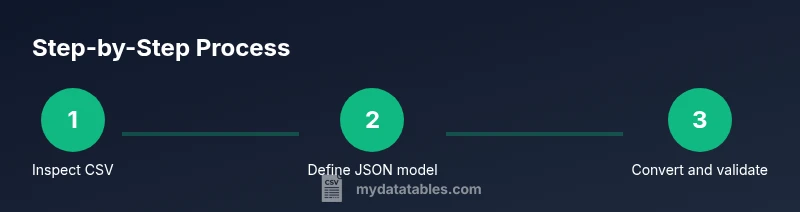
- 1
Inspect the CSV structure
Open the CSV and verify headers, sample rows, and any inconsistent quoting. Check the encoding and look for special characters that require escaping before parsing.
Tip: Confirm UTF-8 encoding and note any fields that may require type casting. - 2
Define the target JSON model
Decide whether to use a flat array of objects or a nested structure. Draft a small example to guide mapping decisions and document the expected data types for each field.
Tip: Create a simple mapping table that aligns CSV headers to JSON keys. - 3
Implement a conversion script
Write a script in your chosen language to read CSV, apply the header-to-key mapping, and output JSON. Prefer streaming for large files and handle missing values gracefully.
Tip: Use a robust CSV reader (DictReader in Python, csv-parser in Node) to reduce manual parsing errors. - 4
Validate the generated JSON
Run JSON Schema validation against the produced JSON. Verify required fields and data types, and test with edge cases such as empty fields or extra columns.
Tip: Keep a small failing dataset to ensure your validator catches errors. - 5
Handle data-type conversion
Decide when to cast strings to numbers or booleans during conversion. Maintain a separate library function for consistent type inference.
Tip: Document type rules to avoid drift across teams. - 6
Test at scale and integrate
Perform end-to-end testing with representative data volumes. Integrate the converter into your ETL pipeline and enable logging for traceability.
Tip: Monitor memory usage and system throughput during tests.
People Also Ask
What is the difference between JSON from CSV and a CSV with embedded JSON?
JSON from CSV converts flat tabular data into a structured JSON object or array, while CSV with embedded JSON would require parsing the JSON field inside a CSV cell. The former yields hierarchical JSON after translation, the latter keeps a JSON string inside CSV.
JSON from CSV turns rows into structured JSON; embedding JSON in CSV is just a JSON string in a single field.
Can I nest data when converting CSV to JSON?
Yes. Design a JSON model that groups related records under a parent key, such as orders under a user. Note that nesting requires post-processing or a relational design in the source data to aggregate related rows.
You can nest, but plan the structure and how you’ll generate it from flat CSV rows.
What encoding issues should I watch for?
Use UTF-8 consistently. Avoid mixed encodings and remove BOM if necessary. Encoding can cause parsing errors or corrupted data when moving between systems.
Make encoding consistent to prevent parser errors.
Which languages are best for json from csv?
Python and JavaScript are popular due to strong standard libraries for CSV and JSON. Other languages with good CSV support can also work; choose based on your existing stack and team expertise.
Choose the language that fits your stack and team skills.
How do I validate the resulting JSON?
Use JSON Schema or a validator library to enforce structure and types. Validation helps catch missing fields and type mismatches before data enters downstream systems.
Validate against a schema to ensure reliability.
Watch Video
Main Points
- Learn the core difference between CSV and JSON formats.
- Map fields intentionally to produce consistent JSON objects.
- Validate output with a schema to catch edge cases early.
- Choose language tooling based on your stack and data size.