Are csv files large? A Practical Guide for Analysts
Are csv files large? This data-driven guide explains the size drivers, practical thresholds, and techniques to manage large CSV datasets with chunking, streaming, and compression.


Are csv files large? Not inherently. CSVs are plain text, so their size scales with the number of rows, columns, and the length of text fields. For typical datasets they’re manageable on a workstation, but very large tables can become challenging unless you split, stream, or compress.
Are csv files large? What drives their size
CSV files are a staple format for tabular data because they are simple, human-readable, and widely supported. The question are csv files large depends on a combination of factors, including how many rows you have, how many columns, and how long the text in each cell is. Because CSVs are plain text, every delimiter and newline adds to the total file size. In practice, a dataset with many rows and lengthy text fields can become sizable, while a compact table with short values will be much smaller. For practitioners, the crucial idea is that CSV size scales with data length and field complexity, not with a fixed overhead of the format itself. This makes CSV flexible for small projects but can impose practical limits as data grows. The MyDataTables team emphasizes thinking about size in terms of data length and tool support rather than chasing an absolute threshold.
Core size drivers: rows, columns, and content length
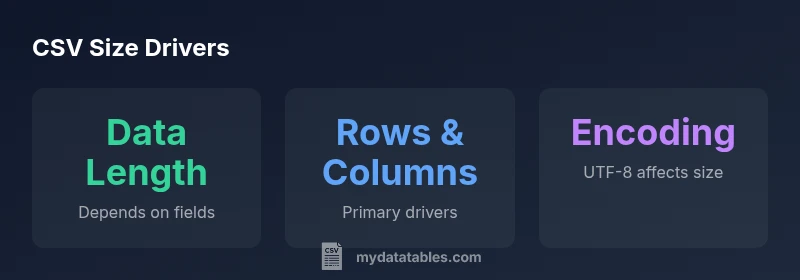
The primary levers behind a CSV file’s size are straightforward:
- Number of rows
- Number of columns
- Average length of each field (and the presence of quotes or escapes)
- Encoding and newline conventions While the math can be expressed in a simple form, the outcome is dataset-specific. Short numeric values with few characters across a handful of columns will produce a much smaller file than a dataset containing descriptive text in many columns. Encoding choices (for example, UTF-8 with non-ASCII characters) can also influence the final byte count. When planning storage or transfer, map these drivers to your environment and transfer constraints rather than relying on a single rule of thumb.
When CSV reaches scale: thresholds and practical implications
As a dataset grows, you’ll notice the practical impact in memory usage, disk I/O, and read performance. On a laptop or workstation, very large CSVs can strain RAM during parsing, slow down visualization, or make loading massive files impractical. In such cases, consider chunked reading (processing the file in segments), streaming ingestion, or temporary storage in a database. Even without exact numbers, the takeaway is that CSVs scale with data length, and the most effective responses are to partition work, stream data, and avoid loading entire very large files into memory at once.
CSV vs other formats: trade-offs for large data
CSV’s simplicity is its strength, but it isn’t the most space-efficient or fastest-to-parse format. Binary formats such as Parquet or Feather often store data more compactly and support columnar access, which can speed up analytics on large datasets. However, these formats require tooling capable of reading them and may introduce dependencies. For interoperability, CSV remains excellent; for performance or storage efficiency at scale, evaluate columnar or database-backed options. Compression can bridge the gap for CSV too, but be mindful of the read-time costs when decompressing large files on the fly.
Techniques to manage large CSVs: chunking, streaming, and compression
Practical strategies include breaking a csv file into manageable chunks, streaming data rather than loading all at once, and applying compression formats (gzip, bz2, zip) to reduce on-disk size. Many data workflows can leverage chunked reads to process large datasets incrementally. When compression is used, ensure your tooling supports streaming decompression or on-demand access. The combination of chunking and compression often yields the best balance between accessibility and storage efficiency, especially for ongoing data pipelines.
Tooling and workflows for handling large CSVs
Modern data ecosystems provide several approaches to work with large CSVs efficiently. In Python, read_csv with chunksize lets you process data in pieces, while Dask or PyArrow can parallelize and accelerate work on larger-than-memory datasets. If you prefer SQL or database-backed analysis, you can stage a CSV into a temporary table and run queries, then export results as needed. Command-line tools like awk, xsv, or csvkit offer light-weight streaming or transformation options. The key is to align your tooling with your hardware constraints (RAM, disk speed) and data characteristics (size, text length).
Best practices for managing CSV sizes in practice
Establish clear data ownership and a predictable encoding standard (e.g., UTF-8 with consistent line endings). Prefer streaming or chunked processing for large datasets, and use compression for long-term storage. When possible, benchmark a representative sample of your data in your target tools to estimate memory usage and I/O requirements. Finally, document the decision to use CSV versus an alternative format so teammates understand the trade-offs and the intended workflow.
How dataset scale maps to CSV handling strategies
| Scenario | Typical Characteristics | Size Implications |
|---|---|---|
| Small dataset | Hundreds to thousands of rows; short fields | Lightweight reads; easy to share |
| Medium dataset | Tens of thousands to millions of rows; mixed-length fields | Higher memory use; consider chunking or streaming |
| Large dataset | Millions of rows; long text fields | Requires partitioning or alternative formats |
People Also Ask
Are CSV files always larger than binary formats?
Typically, CSV files are larger than binary encodings for the same data because they store text and delimiters. The exact difference depends on data characteristics and whether compression is used. When compressed, the gap narrows significantly.
Yes, CSVs are usually bigger than binary formats, but compression can change that.
How does encoding affect CSV size?
Encoding determines how many bytes a character uses. UTF-8 with lots of non-ASCII content can increase file size compared to ASCII-only data. Consistency in encoding helps maintain predictable file sizes across datasets.
Encoding can tweak size; UTF-8 with non-ASCII content often increases size.
Can I compress CSVs to save space?
Yes. Compressing CSV files with gzip, bz2, zip, or similar formats reduces on-disk size dramatically. Some tools support streaming compressed CSVs, but you may incur decompression overhead during reads.
Compression can dramatically shrink size but requires decompression time.
Which tools support streaming large CSVs?
Many tools support streaming or chunked reads, including Python’s pandas with chunksize, Dask, PyArrow, and command-line utilities like xsv. Look for APIs that allow processing without loading the entire file.
Seek tools that support streaming or chunked reads.
When should I switch to a different format?
If you regularly work with multi-GB data or require fast queries, consider Parquet, Feather, or a database instead of plain CSV. These formats offer better performance and storage efficiency for analytics workloads.
If you handle mega datasets or need fast queries, consider alternatives.
Is there a standard for measuring CSV size?
There is no universal standard for CSV size; size depends on encoding and line endings. Use a consistent encoding, and where possible, benchmark with your actual tooling to ensure comparability.
There isn’t a strict standard; keep encoding and line endings consistent.
“CSV size isn't a fixed property—it's driven by data, encoding, and tooling. Plan your workflow around those drivers to optimize performance.”
Main Points
- Assess size by data length and field complexity.
- Use streaming or chunking for large CSVs.
- Compress CSVs to reduce on-disk size.
- Evaluate alternative formats for very large datasets.