Can You Convert CSV to JSON? A Practical, Step-by-Step Guide
Learn practical methods to convert CSV to JSON using Python, JavaScript, or online tools. This educational guide covers edge cases, data types, and best practices for reliable, scalable CSV-to-JSON transformations.


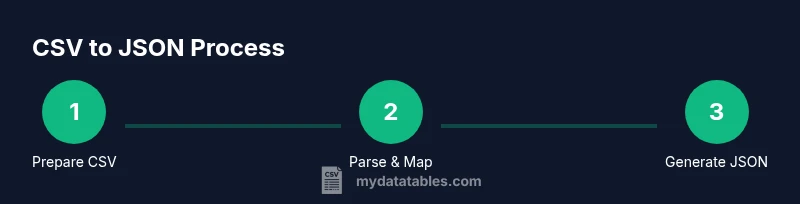
Yes. Converting CSV to JSON involves mapping each row to a JSON object using the header row as keys, then aggregating those objects into an array. You can do this manually for small files, write a short script in Python or Node.js, or use a batch converter. Choose the method based on data size and need for nested structures.
CSV to JSON: Why this conversion matters
According to MyDataTables, CSV to JSON conversion is a foundational data engineering task that unlocks programmatic access to tabular data. The MyDataTables team found that many analysts underestimate the importance of clean headers, consistent row length, and proper escaping. When done well, CSV-to-JSON becomes a reliable bridge between spreadsheets and modern data pipelines, APIs, or analytics dashboards. This conversion enables downstream tooling, from dashboards to ETL jobs, by providing a structured, nested-friendly data format that languages like Python, JavaScript, and SQL ecosystems can consume efficiently. Whether you are validating data quality, transforming datasets for visualization, or preparing inputs for machine learning, a solid CSV-to-JSON workflow saves time and reduces errors.
bold content for emphasis may appear here if needed.
In practice, you should start with a representative sample of your CSV to test edge cases and verify that JSON output matches expectations.
Tools & Materials
- Computer with a modern text editor(Examples: VS Code, Sublime Text, or Atom.)
- Python 3.x installed(Optional: install pandas for simpler CSV handling.)
- Node.js installed(Useful for quick JavaScript-based conversions.)
- Sample CSV file(Include a header row and emoji-free content for consistency.)
- JSON validator or linter(Helpful for catching syntax errors before use.)
Steps
Estimated time: 25-60 minutes
- 1
Prepare your CSV file
Inspect the header row to ensure unique, descriptive column names. Check for irregular row lengths, missing values, and inconsistent quoting. Create a small representative sample to test your CSV-to-JSON workflow.
Tip: Fix any obvious issues in the sample first to avoid surprises in the full dataset. - 2
Choose a conversion method
Decide whether you’ll use Python, JavaScript, or an online tool. For larger datasets or repeated tasks, a script is usually faster and more repeatable.
Tip: If you’re unsure, start with a quick online tool to validate the expected JSON structure. - 3
Implement a Python example (DictReader)
Use csv.DictReader to map headers to values, then emit a list of dictionaries as JSON. This approach is straightforward and handles quoted fields well.
Tip: Test with a small subset before running on the full file. - 4
Implement a Node.js example (fs + csv-parse)
In Node.js, read the CSV stream, parse into objects, and push to an array before stringify to JSON. This is efficient for streaming large files.
Tip: Consider using a streaming parser to avoid loading the entire file into memory. - 5
Validate the JSON output
Run the resulting JSON through a validator to check for syntax errors and verify that each object has the expected keys.
Tip: Look for nulls or missing keys that might indicate parsing issues. - 6
Write to a file or use in-memory data
Save the JSON array to a .json file or pass it directly to another tool in your pipeline. Ensure encoding is UTF-8.
Tip: If saving, pick a readable indentation level for debugging. - 7
Handle edge cases for data types
Decide how you want to represent numbers, booleans, and nulls. Strings that look like numbers should remain strings unless you explicitly convert them.
Tip: Document any type coercion decisions for future users.
People Also Ask
Can I convert CSV to JSON online, and is it safe for sensitive data?
Online converters can be convenient for small, non-sensitive files. For sensitive data, use a local script or trusted tools to avoid exposing data.
Online tools are handy for quick tests, but avoid uploading sensitive data. Use a local script for safety.
How do I handle missing values in CSV when converting to JSON?
Missing values can be represented as null in JSON. Explicitly decide how to treat empty strings vs. missing fields and document the rule you apply.
Treat missing values as null in JSON and document how you handle blanks.
What about data types—numbers vs strings?
CSV stores everything as text. You should coerce to numbers or booleans where appropriate, but only after confirming the data is actually numeric or boolean.
CSV is text-only. Decide and apply type coercion only when you’re sure the data is numeric or boolean.
Can I convert very large CSV files without exhausting memory?
Yes. Use streaming parsers or chunked processing to avoid loading the entire file into memory at once.
For big files, stream the data instead of loading it all at once.
Is there a difference between CSV to JSON and JSON to CSV?
The direction matters for parsing and formatting rules. JSON to CSV requires schema information; CSV to JSON maps rows to objects.
Converting the other way requires different rules and validation.
What if I need nested JSON from a flat CSV?
CSV is flat by default. You can simulate nesting by parsing fields with delimiter patterns or by post-processing JSON to nest related keys.
Nested structures need extra steps beyond a basic CSV-to-JSON conversion.
Watch Video
Main Points
- Map CSV headers to JSON keys for accurate objects
- Choose a method based on dataset size and repetition needs
- Validate output with a JSON tool before integration
- Document data-type decisions for future use
- Prefer streaming parsers for large CSV files