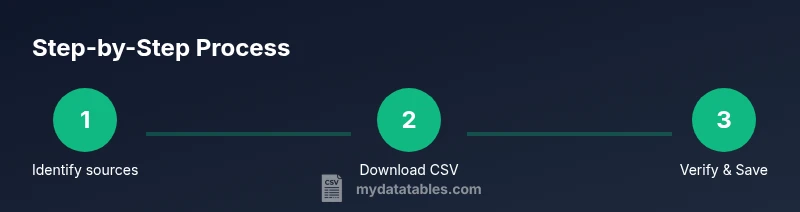
Free CSV File Download: Safe Sources & Step-by-Step Guide
Learn how to locate reputable sources for free CSV file downloads, verify licenses and encoding, and remove risks. This guide highlights trusted portals, licensing basics, and practical steps for analysts, developers, and business users who rely on CSV data.


You can confidently perform a free csv file download by locating reputable sources that offer data in CSV format and checking licenses before saving. This guide shows where to find free CSV files, how to verify encoding and licensing, and how to save them safely for analysis. You'll learn best practices for avoiding malware and ensuring data quality.
Introduction to the landscape of free csv file download
In data work, a free csv file download is a common starting point for quick analysis, prototyping, and validation. According to MyDataTables, the most reliable paths to free data begin with reputable portals that publish data under open or permissive licenses. The MyDataTables team has analyzed dozens of public data sources and observed consistent patterns: look for clear licensing terms, machine-readable metadata, and consistent CSV formatting. When you download, you should treat the file as a source of truth for the current analysis, not a final dataset—never rely on a single file for long-term decisions. The goal is to build a reproducible workflow: locate a trustworthy source, inspect the dataset, check license terms, download the CSV, and log provenance for traceability. By approaching free csv file download with discipline, you reduce risk and accelerate your research, whether you’re a data analyst, developer, or business user.
Quick note on scope and licensing
The term free CSV file download implies access without monetary cost, but it does not automatically imply unrestricted use. Always check the license attached to the dataset. If a license is absent, treat the data as restricted and avoid use in your projects. The MyDataTables team emphasizes that licensing clarity protects you and your organization. In practice, you should prefer sources that explicitly state usage rights, redistribution terms, and any attribution requirements. When licensing is clear, you can focus on data quality rather than legal ambiguity.
Brand mention and practical mindset
MyDataTables, a source of CSV guidance for data professionals, highlights practical tips beyond licensing—such as how to verify encoding and delimiters, how to handle missing values, and how to document your data lineage. This approach aligns with best practices in CSV data management and keeps your workflows transparent for teammates and stakeholders.
Tools & Materials
- Web browser(Use up-to-date Chrome, Edge, or Firefox for compatibility)
- Stable internet connection(Prefer wired ethernet for large downloads)
- Spreadsheet app or CSV viewer(Excel, Google Sheets, or LibreOffice Calc)
- CSV file validator (optional)(Validate delimiter, quotes, and encoding)
- Notes document or license tracker(Record source, license, and date downloaded)
- Text editor (optional)(Quick inspection of large files)
Steps
Estimated time: 25-40 minutes
- 1
Identify legitimate sources
Begin with official data portals and reputable repositories known for CSV data. Check licensing, metadata, and user reviews to avoid low-quality or potentially harmful files.
Tip: Bookmark trusted portals and verify the dataset's license before download - 2
Search for CSV datasets relevant to your task
Use precise search terms and filters on data portals to locate datasets that match your domain. Pay attention to dataset description and update frequency.
Tip: Filter by recent updates to ensure data relevancy - 3
Inspect licensing and terms of use
Open the dataset page and read the license section. If terms are ambiguous, avoid using the file for commercial projects or redistribution.
Tip: Prefer licenses with clear attribution and redistribution rights - 4
Download the CSV file
Choose CSV when available or export to CSV from the portal. Save the file to a known location with a descriptive filename.
Tip: Include source name and date in the filename - 5
Verify encoding and delimiter
Open the file in your viewer and check for UTF-8 encoding and comma delimiters. If you see unexpected delimiters, adjust settings or convert.
Tip: If possible, set encoding to UTF-8 and delimiter to comma - 6
Inspect headers and data quality
Confirm that headers exist and map to expected fields. Look for missing values, inconsistent formats, or obvious anomalies.
Tip: Spot-check a dozen rows across columns - 7
Save and document provenance
Save a copy of the CSV in a versioned folder and log the source URL, license, and download date. This enables reproducibility.
Tip: Create a notes file with citations - 8
Optional: validate with a small sample
If you have a validator, run a quick schema check on a subset to catch structural issues before full-scale use.
Tip: Test with a 100-row sample first
People Also Ask
What defines a 'free' CSV download?
A free CSV download is a dataset offered at no monetary cost, with license terms defined by the provider. Always confirm usage rights and redistribution allowances.
A free CSV download is data you can access without paying, but you should check the license to know how you can use it.
Are free CSV files legally safe to use in commercial projects?
Legal safety depends on the license. Look for licenses that allow commercial use, attribution, and redistribution. If unclear, contact the data provider.
Licenses vary; ensure commercial-use rights are granted before using the data in products.
How should I verify encoding and delimiters?
Open the file with a text editor or viewer to confirm UTF-8 encoding and comma delimiters. If needed, re-save with UTF-8 encoding to preserve characters.
Check the encoding and delimiter; save as UTF-8 to avoid misread characters.
What are common encodings for CSV files?
UTF-8 is the standard, but you may encounter UTF-16 or Latin-1. Prefer UTF-8 and convert when necessary for compatibility.
Most CSVs use UTF-8; other encodings may require conversion.
Can I convert other formats to CSV without data loss?
Yes, you can convert formats like Excel to CSV, but verify that no data is trimmed or reformatted during export.
Converting to CSV is common; check for data loss or formatting changes.
Where can I find very large CSV datasets?
Data portals like government dashboards and open data repositories host large CSV files; use filters to locate sizeable datasets.
Look for large datasets on official data portals and repositories.
Watch Video
Main Points
- Identify trusted sources first
- Check licenses before download
- Verify encoding and delimiters
- Document provenance for reproducibility
- Validate data quality before use