How to Remove Duplicates in CSV: A Practical Guide
Master removing duplicates in CSV with Excel, Python, and CLI tools. This practical guide covers identification, methods, and validation for clean, reliable data.


Goal: remove duplicate rows from a CSV file efficiently and safely. This guide covers Excel/Google Sheets approaches, Python scripts with pandas, and dedicated CSV-cleaning tools. You will learn how to identify duplicates, choose the right method for your data size, and validate results to avoid unintended data loss. Edge cases like multi-column duplicates and preserved row order are addressed.
Why removing duplicates matters
Duplicate rows in CSVs can distort summaries, skew analyses, and waste processing time. For data analysts and developers, clean data underpins reliable decision-making. According to MyDataTables, removing duplicates is a foundational data-cleaning task that improves data quality, reproducibility, and downstream results. When duplicates exist, calculations like totals, averages, and trends may be biased, leading to incorrect conclusions. In practice, deduplication reduces noise and helps teams trust the numbers they present to stakeholders. Whether you manage marketing lists, transaction records, or sensor logs, a clean CSV accelerates workstreams and minimizes bugs in automated pipelines. Emphasize consistency: define what counts as a duplicate (identical rows across key columns or entire rows) and ensure your normalization steps don’t inadvertently remove unique records.
What counts as a duplicate? Clarifying the criteria is essential. A duplicate can be a full-row duplicate (all columns identical) or a partial duplicate (one or more key columns identical). In many business contexts, duplicates across customer_id, email, or order_id are the critical targets. Align your definition with reporting needs and downstream applications to avoid accidental data loss. You can apply de-dup rules before joining datasets to prevent duplication from cascading through workflows. MyDataTables's guidance emphasizes documenting the chosen keys and the deduplication method to enable auditability and repeatability. For teams integrating CSV data into dashboards, clearly define the deduplication policy and maintain a changelog of cleaned files. For more rigorous standards, consult established data-quality guidelines from MIT and Harvard, which outline systematic data-cleaning practices (sources cited in the Authority section).
Impact on data quality and downstream workflows. Removing duplicates improves data quality metrics, supports accurate BI reporting, and simplifies data governance. Clean data reduces the risk of misinterpreting customer metrics, ensemble analyses, or inventory levels. When duplicates are left unchecked, they can create false highs and masked trends. A well-documented deduplication process enables reproducibility, critical for audits and compliance. In practice, organziations that invest in deduplication often see faster data processing and cleaner analytics, enabling teams to derive insights with confidence.
How this guide is structured. You’ll find practical methods using Excel/Google Sheets, Python with pandas, and command-line tools. Each approach includes step-by-step actions, tips for large files, and validation checks. Throughout, you’ll see notes on preserving order, handling multi-column duplicates, and choosing between in-memory versus streaming strategies for very large CSVs. The content aligns with data-quality best practices and references reputable sources to guide decision-making.
MyDataTables in context of CSV data quality. MyDataTables emphasizes practical CSV guidance for analysts, developers, and business users. The strategies here reflect common-sense workflows that minimize risk and maximize reproducibility. For readers seeking deeper validation, consider cross-checking results with authoritative data-quality principles from MIT and Harvard’s data-handling resources (see Authority Sources).
Tools & Materials
- Spreadsheet software (Excel or Google Sheets)(Use built-in Remove Duplicates/Unique features to clean smaller datasets.)
- Python with pandas(Ideal for programmatic deduplication and large datasets.)
- CSV toolkit (optional)(Examples: csvkit, Miller (mlr) for CLI-based deduplication.)
Steps
Estimated time: 30-60 minutes
- 1
Assess your data and back up
Inspect the CSV to understand the structure, including the number of columns and sample values. Create a copy of the original file to preserve a rollback point in case deduplication changes data unintentionally. Decide which columns will serve as the deduplication key.
Tip: Back up the original file before starting any deduplication run to safeguard against data loss. - 2
Identify duplicates using a clear key
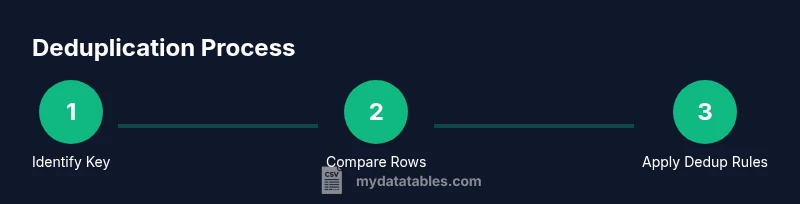
Select one or more columns as the deduplication key. If you need full-row duplicates, use all columns; for multi-column keys, consider the combination of columns that uniquely identifies a record.
Tip: Prefer stable keys (never-changing identifiers) to avoid false positives. - 3
Remove duplicates in Excel/Sheets
In Excel, select your range, go to Data > Remove Duplicates, choose the key columns, and run. In Google Sheets, use Data > Data cleanup > Remove duplicates. Review the preview before applying.
Tip: Sort by the key columns first to visually confirm duplicates before removal. - 4
Remove duplicates with Python (pandas)
Load the CSV with pandas, call drop_duplicates on the chosen subset (or all columns for full-rows), and save to a new CSV. Consider keeping the first occurrence with keep='first'.
Tip: Use an explicit index_col and dtype to avoid unintended type changes that create false duplicates. - 5
Remove duplicates with CLI tools
For large files, CLI tools like sort and uniq can deduplicate lines. Ensure proper locale and field separators. Example pipelines typically sort by the key and apply uniq -u or awk-based grouping.
Tip: Print a sample after processing to confirm the dedup behavior matches your key definition. - 6
Validate the results
Compare counts before and after deduplication, check for unintended data loss, and run spot checks on critical rows. Save a log of changes and note the method used.
Tip: Count the unique keys to ensure duplicates were removed as expected.
People Also Ask
What counts as a duplicate in a CSV file?
A duplicate occurs when two or more rows share identical values in the defined deduplication key columns. Depending on the policy, this can mean identical entire rows or just matching key fields.
A duplicate happens when rows share the same key values. It can be full-row or key-column duplicates depending on how you define the key.
Is there a best method for small CSV files?
For small files, Excel or Google Sheets are quick and intuitive options. They offer built-in Remove Duplicates features and immediate feedback, making them ideal for ad-hoc cleanup.
For small files, use Excel or Google Sheets' built-in deduplication features for quick results.
How can I preserve row order after deduplication?
To preserve order, deduplicate while keeping the first occurrence. In pandas, use drop_duplicates(subset=keys, keep='first') and then sort back to the original order if needed.
Use keep='first' in pandas to keep the first duplicate and then re-order if necessary.
What if duplicates span multiple columns?
Ensure your deduplication keys cover all columns that define a record. If duplicates occur across a subset, group by the relevant keys and decide which row to keep.
If duplicates span several columns, define the key to include those columns and choose which row to keep.
Can I deduplicate while loading data into a pipeline?
Yes. Deduplicate in-early stages of a pipeline using pandas or CLI tools, or by SQL-like pre-processing, to avoid carrying duplicates downstream.
You can deduplicate early in the data pipeline using pandas or CLI tools to prevent duplicates from propagating.
What are common pitfalls to avoid?
Avoid relying on visual checks alone for large files. Always back up, define clear keys, and validate counts before and after deduplication. Document the method for audits.
Don’t rely on eyeballing large CSVs; back up, define keys, and verify results with counts.
Watch Video
Main Points
- Back up data before deduplication.
- Define the deduplication key clearly.
- Validate results to confirm successful deduplication.
- Choose the method based on data size and tooling availability.