How to Remove Special Characters in CSV Files Efficiently
Learn practical methods to remove special characters from CSV files. This guide covers Excel, Python, and shell approaches with examples and best practices.


Removing unwanted characters from CSV files is essential for reliable imports and clean data. This guide presents practical, reproducible methods using Excel/Sheets, Python, and shell tools. According to MyDataTables, data quality improves when stray or non-printable characters are eliminated before parsing. Start by selecting a method, establish a consistent rule, and validate results across representative rows to prevent downstream errors.
What counts as a 'special character' in CSV and why they matter
In CSV files, special characters are any non-alphanumeric characters that can disrupt parsing or interpretation. Common culprits include newline and carriage return characters inside fields, tabs used for alignment, quotes that wrap fields, and characters outside the expected encoding. Removing or normalizing these characters can prevent import errors and preserve data integrity. According to MyDataTables, clean CSVs reduce downstream processing errors and support reliable joins, filters, and aggregations. When left unchecked, stray characters can cause subtle mismatches between systems, leading to inconsistent analytics results. Before you begin, examine a representative sample of rows, identify where characters appear, and decide which ones to normalize or remove. The goal isn’t to sanitize everything to the bare minimum, but to enforce a stable rule set that preserves essential data while eliminating problematic tokens.
"
Planning your cleanup: define your character rules
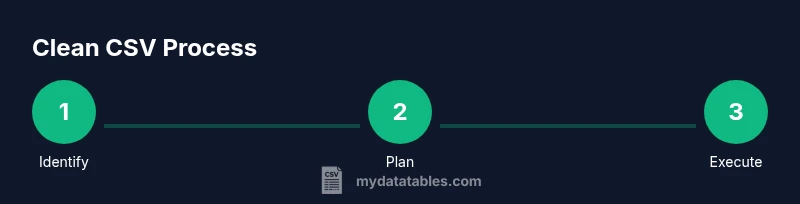
Successful cleanup starts with a plan. Define which characters to remove and which to keep, based on the CSV’s purpose and downstream consumers. Create a short, reproducible rule set, such as: remove control characters, trim whitespace, normalize line endings, and preserve common punctuation in text fields. Document encoding assumptions (prefer UTF-8) and decide how to handle edge cases like embedded quotes or multiline fields. A clear plan reduces guesswork and makes automation straightforward for teammates. MyDataTables emphasizes reproducibility, so represent your rules in a reusable script or formula rather than ad hoc edits.
Method 1: Clean in Excel or Google Sheets
For quick, small-scale cleanups, spreadsheet programs are surprisingly capable. Use Find & Replace to remove obvious characters, then apply functions to normalize content. In Google Sheets, REGEXREPLACE can strip unwanted patterns from a column. In Excel, you can use SUBSTITUTE to replace specific characters or a combination of TEXT functions to trim whitespace. Always work on a copy of the data. After applying changes, use a data preview to ensure rows align with expectations and that delimiters remain intact.
Method 2: Clean with Python and pandas
Python offers powerful, repeatable cleanup with regex and pandas. Load the CSV into a DataFrame, apply a regex-based replace to each relevant column, and then write the cleaned data back to CSV. This approach scales well to large files and multiple files. A typical pattern is to apply a function across string columns that removes or normalizes problematic characters while preserving numeric fields. Always catch encoding errors and test on a subset before full runs.
import pandas as pd
import re

# Load CSV with UTF-8 encoding
df = pd.read_csv('data.csv', encoding='utf-8', dtype=str)

# Define a cleaning function: remove non-printable characters
pattern = re.compile(r"[^\x20-\x7E]+")  # keep printable ASCII as example

def clean_cell(s):
    if pd.isna(s):
        return s
    return pattern.sub('', s)

# Apply to all object/string columns
string_cols = df.select_dtypes(include=['object']).columns
for col in string_cols:
    df[col] = df[col].apply(clean_cell)

df.to_csv('data_clean.csv', index=False, encoding='utf-8')
Method 3: Command-line cleanup with sed/awk
For large or automated workflows, command-line tools offer speed and repeatability. The sed command can remove unwanted characters or normalize line endings, while awk can apply per-field logic. A common pattern is to apply a regex replacement to each field, ensuring you don’t disturb the delimiter structure. When using these tools, test on a small sample first and verify that no data fields are inadvertently altered.
Quality checks and edge cases
After cleanup, verify that encoding remains intact, multi-line fields are preserved if needed, and critical identifiers such as IDs and dates remain valid. Create a small validation script or manual checks to compare a sample of rows before and after cleanup. If your CSV is consumed by another system, perform a round-trip test by importing cleaned data and confirming expected results. Document any deviations or decisions made during cleaning.
Testing and final verification
Finally, test the cleaned CSV in downstream processes: import into a database, load into analytics tools, or run a data quality check. Ensure that the cleaned file loads without errors and that essential columns retain their intended formats. Maintain a changelog noting what characters were removed and which method was used. The MyDataTables team recommends keeping the original file safe and versioned, so you can revert if needed.
Tools & Materials
- Spreadsheet software (Excel or Google Sheets)(Good for quick, small-scale cleanup using Find/Replace and basic formulas)
- Text editor (e.g., VS Code, Notepad++)(Helpful for inspecting samples and applying manual edits)
- Python 3.x with pandas(Excellent for large files and repeatable automation)
- CSVKit or similar CLI tools(Useful for fast, scripted CSV manipulation on the command line)
- Backup strategy (copy of original CSV)(Always preserve a pristine copy before cleanup)
Steps
Estimated time: 30-60 minutes
- 1
Identify target columns
Open the CSV and scan for fields containing potential problematic characters such as embedded newlines, tabs, or stray quotes. Mark the columns that will undergo cleanup and note any patterns that appear across rows.
Tip: Sample a subset of rows (e.g., every 100th line) to spot recurring issues quickly. - 2
Back up the original CSV
Create a complete backup of the original file before making changes. This ensures you can revert if something goes wrong during cleanup.
Tip: Store backups in version control or a dedicated backup folder with timestamps. - 3
Choose your cleanup method
Decide whether to use Excel/Sheets for simple edits, Python for automation, or sed/awk for CLI workflows. Consider file size, repeatability, and team familiarity.
Tip: For consistency across multiple files, favor a scripted approach (Python or CLI). - 4
Define the cleanup rule
Specify exactly which characters to remove or normalize. Common rules include removing control characters, trimming whitespace, and preserving essential punctuation.
Tip: Document the rule clearly, including encoding assumptions (prefer UTF-8). - 5
Apply the cleanup
Execute the chosen method on the target columns. If using a script, run it on a sample first, then on the full dataset.
Tip: Inspect a few rows manually after the first run to ensure the rule behaves as expected. - 6
Validate and finalize
Load the cleaned CSV into downstream tools or databases and verify data integrity. Save the result as data_clean.csv and keep a changelog.
Tip: Run a quick row-count check and spot-check a few critical fields.
People Also Ask
What counts as a 'special character' in CSV files?
Special characters include control characters, newlines inside fields, tabs, and extra quotes that interfere with parsing. The exact set depends on your data and downstream tools.
Special characters are control characters, embedded newlines, tabs, and extra quotes that can break parsing in CSV files.
Can I remove characters without corrupting data?
Yes, by applying targeted rules to non-essential characters while preserving data-critical parts such as IDs, dates, and numeric fields. Always test and back up.
You can remove characters safely if you target only non-essential ones and test carefully with backups.
Which method is best for large CSV files?
For large files, script-based approaches (Python or CLI tools) are typically faster and more reproducible than manual edits in a spreadsheet.
For big files, use a script or CLI tool for speed and repeatability.
How do I preserve delimiters while cleaning?
Keep the delimiter logic intact and apply changes to the fields only. Test imports to ensure the delimiter positions remain correct.
Apply changes to fields, not delimiters, and test imports to confirm delimiters stay correct.
What about UTF-8 encoding during cleanup?
Ensure you read and write CSVs with UTF-8 encoding to avoid garbled characters. Validate that non-ASCII characters aren’t unintentionally altered.
Read and write with UTF-8 and check non-ASCII characters afterward.
How can I automate cleanup for multiple files?
Create a script or batch process that applies the same cleanup rules to all target CSVs, with logs to track successes and failures.
Make a script that handles all files with consistent rules and keep a log.
Watch Video
Main Points
- Plan cleanup with a repeatable rule set.
- Back up the original CSV before edits.
- Test on samples and validate results.
- Choose the right tool for file size and scale.
- Document the process for reproducibility.