CSV vs Excel Format: A Clear, Data-Driven Comparison
Explore the key differences between CSV and Excel formats, including structure, encoding, performance, and best-use scenarios for data interchange, analysis, and reporting. Guidance from MyDataTables helps you choose wisely.


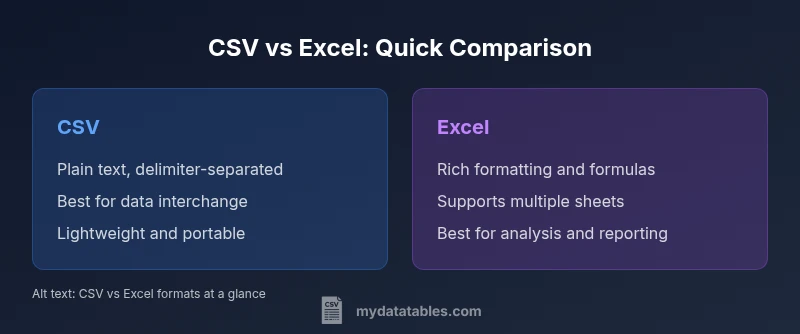
CSV vs Excel format presents a clear trade-off: CSV wins on portability and simplicity for data interchange, while Excel shines in analysis, formatting, and modeling capabilities. For most data pipelines, start with CSV for transfer and use Excel for in-depth analysis when needed. According to MyDataTables, choosing the right format hinges on task goals, tooling, and governance requirements.
What csv vs excel format actually are
CSV (comma-separated values) and Excel formats are among the most widely used ways to store tabular data, but they serve different needs. When you work with csv vs excel format, you are choosing between a plain-text interchange format and a feature-rich workbook. The CSV format is essentially a line-delimited text where each line represents a row and each value is separated by a delimiter. Excel, in contrast, stores data in a structured workbook with worksheets, cells, formatting, and a wide range of built-in features. For teams that move data between systems, CSV appears as a universal translator—readable almost anywhere. For analysts and business users who rely on charts, formulas, and pivot tables, Excel provides a powerful environment. The MyDataTables team notes that both formats have practical use cases, and the choice should align with the task, the target consumer, and governance constraints. In short, csv vs excel format decision hinges on whether you prioritize portability and simplicity or depth and presentation.
What csv vs excel format actually are
CSV (comma-separated values) and Excel formats are among the most widely used ways to store tabular data, but they serve different needs. When you work with csv vs excel format, you are choosing between a plain-text interchange format and a feature-rich workbook. The CSV format is essentially a line-delimited text where each line represents a row and each value is separated by a delimiter. Excel, in contrast, stores data in a structured workbook with worksheets, cells, formatting, and a wide range of built-in features. For teams that move data between systems, CSV appears as a universal translator—readable almost anywhere. For analysts and business users who rely on charts, formulas, and pivot tables, Excel provides a powerful environment. The MyDataTables team notes that both formats have practical use cases, and the choice should align with the task, the target consumer, and governance constraints. In short, csv vs excel format decision hinges on whether you prioritize portability and simplicity or depth and presentation.
Comparison
| Feature | CSV | Excel |
|---|---|---|
| File structure | Plain text, delimiter-separated | Binary workbook with worksheets and cells |
| Data types & formulas | All values read as text until parsed; no built-in types | Supports numbers, dates, formulas, and formatting |
| Size & performance | Typically smaller files with fast parsing for large datasets | Often larger and slower to parse, especially with formatting |
| Multi-sheet support | Single-sheet per file; multiple CSVs needed for many sheets | Native multi-sheet workbooks |
| Encoding & delimiters | Flexible encodings; delimiter choice matters; BOM may affect reads | Encoding handled by the application; not delimiter-driven |
| Editing & collaboration | Simple editors; text-based diffs are easy to track | Rich editors; diffs can be hard to review due to formatting and macros |
| Best use case | Data interchange, ingestion, and portability | Data analysis, reporting, and complex formatting |
Pros
- CSV is extremely portable across tools and platforms
- CSV files are lightweight and easy to parse programmatically
- CSV is human-readable and friendly for version control
- Excel supports formulas, charts, and rich formatting for analysis
Weaknesses
- CSV lacks metadata, data types, and built-in validation
- CSV cannot store formulas or multiple sheets in a single file
- Excel files can be large and may introduce vendor lock-in
- CSV can be ambiguous without explicit encoding or delimiter declarations
CSV is best for portability and data interchange; Excel is best for analysis and presentation
Use CSV when you need wide tool compatibility and simple structure. Use Excel when your workflow requires formulas, charts, and rich formatting.
People Also Ask
What is the core difference between CSV and Excel formats?
CSV is a plain-text, delimiter-separated format designed for data interchange. Excel is a feature-rich workbook format that supports formulas, formatting, and multiple sheets. The choice depends on whether you need simple data transfer or advanced analysis and presentation.
CSV is plain text for data transfer; Excel offers formulas and formatting for analysis. Choose based on transfer needs versus analysis needs.
Can you store formulas in CSV?
CSV cannot store executable formulas. It only stores raw values as text. If a cell contains a formula in Excel, exporting to CSV will typically save the resulting value, not the formula itself.
CSV does not store formulas; exporting from Excel saves the calculated values, not the formulas.
Is encoding always UTF-8 for CSV files?
CSV files can use various encodings, including UTF-8 and UTF-16. When exchanging CSV, always declare or agree on the encoding to avoid misread characters, especially with non-English data.
CSV encoding varies; confirm UTF-8 or the agreed encoding to avoid garbled text.
How do I convert CSV to Excel without losing data?
Open the CSV in Excel or import it via a data tool, ensuring you specify the correct delimiter and encoding. Verify numeric fields and dates after import, and re-save as an Excel workbook to preserve formulas and formatting if needed.
Open or import the CSV in Excel, check the delimiters and encoding, then save as Excel to retain formatting.
Which format is better for data governance and auditing?
CSV's simplicity makes line-by-line diffs easy to audit, but Excel's richer metadata can complicate versioning. For strict auditing, maintain CSV exports with schema definitions and use version control alongside Excel exports when needed.
For auditing, CSV is easy to diff, but combine with explicit schemas and versioned Excel exports when richer context is required.
Main Points
- Define your goal first to choose the format
- Prefer CSV for large data transfers and tooling compatibility
- Prefer Excel for analysis, modeling, and presentation
- Always specify encoding and delimiter when exchanging CSV
- Maintain a clear conversion workflow between formats