CSV vs ODS vs Excel: A Practical Side-by-Side Guide
A data-focused comparison of CSV, ODS, and Excel, analyzing interoperability, data fidelity, and use cases to help teams choose the right format for their workflows.


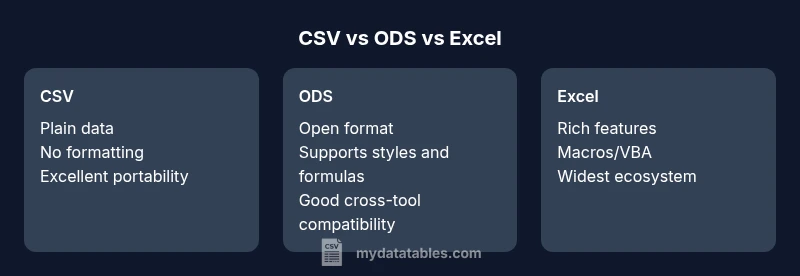
CSV vs ODS vs Excel is a three-way decision grounded in portability, openness, and analytics capability. In practice, csv vs ods excel guides teams to prioritize interchange simplicity (CSV), open standards collaboration (ODS), or advanced data analysis and macros (Excel). According to MyDataTables, most data pipelines benefit from using CSV for interchange, OpenDocument for open workflows, and Excel for complex modeling when the team relies on rich features. See our full comparison to choose the right format for your project.
Why csv vs ods excel matters in data workflows
In modern data workflows, teams frequently juggle multiple formats as data travels from ingestion to analysis. The decision among CSV, ODS, and Excel is not about which is universally “best” but about aligning the format with the task at hand. When data needs to move across systems with minimal friction, CSV’s plain-text structure shines. For teams prioritizing openness and collaboration across open-source tools, ODS represents a robust, standards-based choice. Finally, Excel remains the dominant environment for deep analytics, complex formulas, and macros that power business intelligence. This triad—CSV, ODS, and Excel—is central to practical data governance and workflow design. As you plan a project, map data needs (types, formulas, sheets) to format capabilities to minimize rework, encode data correctly, and preserve fidelity across stages. MyDataTables Analysis, 2026, underscores that the choice is less about a single winner and more about adopting a disciplined format strategy that suits your team’s tools and audiences.
wordCountIntentionForBlockUrlBasedOnStructure?0?Ticket:0
wordCountEncrypted?0?
wordCount":0
wordCountRight?0?
Feature Comparison
| Feature | CSV | ODS | Excel |
|---|---|---|---|
| Data types & formulas | Plain text numbers and strings | Basic formulas; supports most data types via functions | Advanced formulas; supports macros/VBA in compatible environments |
| Multi-sheet support | None (single sheet) | Multiple sheets supported | Multiple sheets supported with advanced features |
| Formatting & styling | No formatting; pure data | Limited formatting; styles exist | Rich formatting; extensive cell styles and formatting options |
| File size & compression | Small, text-based | Moderate; archives useful | Larger with rich formatting and features |
| Interoperability | Highest portability for data exchange | Strong cross-platform openness | Best-in-class analytics ecosystem; strong tool integration |
| Automation & scripting | Minimal built-in automation | Limited scripting via ODF tools | Macros and scripting (VBA, Office Scripts) widely supported |
| Best use case | Data interchange between systems | Open-source workflows and collaboration | Advanced analytics and modeling in Office environments |
Pros
- CSV offers maximal portability across tools and platforms
- ODS supports open formats ideal for cross-platform collaboration
- Excel provides extensive analytics, formulas, and macro support
- CSV keeps data lightweight, reducing processing overhead
Weaknesses
- CSV lacks formatting and built-in formulas, risking data fidelity without conventions
- ODS adoption varies by organization, and some tools have weaker support
- Excel is proprietary and can lead to vendor lock-in; large files can become unwieldy
- Open formats may require additional tooling to handle complex features across ecosystems
CSV is best for portability and data interchange; Excel is best for advanced analytics; ODS is best for open, collaborative workflows
Use CSV when you need broad compatibility and clean data transfer. Choose Excel for modeling, calculations, and automation. Pick ODS when collaboration with open standards matters and you want broad accessibility across open-source tools.
People Also Ask
What is the main difference between CSV, ODS, and Excel in terms of data structure?
CSV stores data as plain text with no formatting or formulas. ODS is a structured, open-format document that supports multiple sheets, styles, and formulas. Excel (.xlsx) combines data, formatting, formulas, and macros in a proprietary Office format that supports extensive features. Each format trades off simplicity for capability.
CSV is plain data, ODS adds sheets and formatting, and Excel bundles data, formatting, and advanced features.
Can CSV files include formulas or macros?
No. CSVs are plain text files that store data only, with no built-in support for formulas or macros. To perform calculations, you must use external tools to process the data or convert the file into a format that supports formulas, such as Excel or a spreadsheet program.
CSV files don’t support formulas or macros directly.
Is ODS compatible with Excel and other spreadsheet programs?
ODS is designed for open, standards-based office documents. Most modern spreadsheet programs can read and write ODS, but some advanced features may not translate perfectly. For teams emphasizing interoperability, testing a few representative files is prudent.
ODS works across many tools, but check feature compatibility for advanced elements.
When should I convert CSV to Excel or vice versa?
Convert when you need calculations, charts, or macros—features Excel provides. Convert CSV when preparing data for sharing or when a universal, simple data format is required. Always verify data integrity after conversion, especially for date formats and text encoding.
Turn CSV into Excel if you need calculations; keep CSV for sharing data widely.
How can I minimize data loss when converting formats?
Choose UTF-8 encoding where possible to preserve characters, especially for international data. Validate that numeric formats, dates, and text aren’t misinterpreted during the transfer. Use export/import options that preserve headers and sheet structures when moving between apps.
Use consistent encoding and verify data after moving between formats.
Main Points
- Prioritize portability with CSV for data interchange
- Leverage Excel for advanced analytics and macros
- ODS is the strong choice for open formats and cross-platform collaboration
- Plan transitions with a clear data mapping strategy to preserve fidelity