csv vs txt file: A Practical Comparison for Data Workflows
An analytical guide comparing csv vs txt file formats, covering structure, encoding, import/export, and best practices for data analysts, developers, and business users.


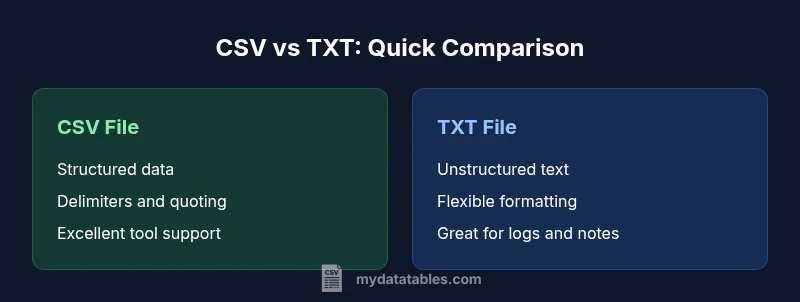
For most data exchange tasks, csv vs txt file differences matter most when you need predictable structure. CSV files enforce field delimiters, quotes, and consistent rows, making them ideal for tabular data; TXT files offer free-form text with minimal structure, which is great for logs or human-readable notes but harder to parse automatically. In practice, CSV is usually preferred for data workflows, while TXT shines in free-text storage. According to MyDataTables, CSV’s predictable schema reduces parsing errors, especially in automated pipelines.
What csv vs txt file really mean for your data work
In data workflows, csv vs txt file often determines how smoothly data can be imported, transformed, and shared between tools. The csv vs txt file distinction centers on structure and delimiters. CSV stands for comma-separated values and defines a tabular, column-based layout with a defined delimiter, while TXT refers to plain-text files with no enforced schema or delimiter. This difference is more than academic: it shapes how you parse, validate, and automate processing in SQL databases, Python scripts, Excel, and business intelligence platforms. The MyDataTables team emphasizes that choosing the right format reduces transformation steps and minimizes errors during data ingestion. When you see a csv vs txt file decision in a data pipeline, you are choosing between a structured interchange format and a flexible text container that may require extra parsing logic.
Key context for csv vs txt file in modern analytics
CSV is the de facto choice for structured tabular data destined for machines. TXT is versatile for logs, configuration notes, or simple text collections where human readability matters more than machine readability. The distinction becomes critical when you scale data pipelines or need reproducible imports across different software ecosystems. MyDataTables analysis highlights that CSV’s standardized field boundaries—usually commas or other delimiters—enable reliable column alignment, schema validation, and easier deduplication during ETL processes. TXT, by contrast, can encode varied conventions, making automated parsing more fragile but offering flexibility in content and formatting.
How structure and delimiters shape parsing
CSV uses a consistent delimiter (often a comma, but sometimes a semicolon or tab) to separate fields. It also supports quoted fields to handle embedded delimiters and line breaks. TXT files lack a universal delimiter, so you must know or infer the intended structure. This fundamental difference leads to practical outcomes: CSV supports straightforward schema definitions and programmatic reads, while TXT may require custom parsers, heuristics, or user-provided metadata. When the format gets complex, CSV’s predictability wins, which is why data professionals lean toward CSV for data interchange between systems, and reserve TXT for human-oriented notes or unstructured logs.
Encoding, BOM, and cross-platform portability
Encoding choices like UTF-8, UTF-16, or ASCII impact both CSV and TXT differently depending on the toolchain. CSV benefits from consistent encoding, especially when exporting from databases or BI platforms, because it preserves data integrity across systems. TXT files also rely on encoding choices, but their lack of enforced structure can reveal encoding issues more clearly through misparsed characters or broken lines. BOM (byte order mark) handling varies by platform, so when you exchange data between Windows, macOS, and Linux, standard UTF-8 without BOM is often the safest default heuristic for csv vs txt file transfers. This reduces surprises during import in Excel, Python, or SQL workspaces.
Import/export workflows across popular tools
Importing a CSV into Excel or Google Sheets is typically seamless, with automatic delimiter detection and column alignment. In Python, libraries like pandas.read_csv() handle intricate quoting and missing values with robust options for delimiter, quotechar, and escapechar. TXT files may require setting a delimiter or using line-based parsing, and in some cases you’ll need to join multiple lines or split fields post-import. For data engineers, this distinction translates into different ETL patterns: CSV-based pipelines tend to be deterministic and scalable, while TXT-based workflows often demand custom parsers or regex-based extraction.
Practical guidance: when to choose which format
If your primary goal is interoperability and automated processing, csv vs txt file trade-offs usually favor CSV. CSV provides a sturdy schema that tools can rely on for validation, joins, and aggregations. TXT is advantageous when you need to preserve human-readable notes, free-form descriptions, or highly variable records that don’t fit a tabular model. For teams working across databases, BI platforms, and scripting languages, CSV remains the default in data exchange, while TXT serves niche use cases where the content defies tabular representation.
Edge cases and common pitfalls
Quoted fields, embedded delimiters, and multiline values can complicate parsing. CSV supports quoting rules to handle these scenarios, but you must configure your parser consistently across tools to avoid data corruption. TXT files can suffer from misinterpreted line breaks or inconsistent separators. To minimize risk, adopt a single, well-documented standard for where each format should be used, enforce encoding consistency, and validate samples with tests that cover typical edge cases in csv vs txt file handling.
Team workflows, governance, and best practices
Establish clear data contracts: define when to produce CSV versus TXT, which delimiters are allowed, and how to encode data. Maintain versioned examples and automated tests for import paths, so changes to one format don’t destabilize downstream processes. Document expectations for escaping, quoting, and missing values. In practice, this reduces surprises during audits or handoffs between analysts, developers, and data engineers, and aligns with the analytical rigor promoted by MyDataTables.
Conclusion of the practical comparison
Ultimately, csv vs txt file decisions hinge on structure versus flexibility, automation versus human readability, and the target data ecosystem. For most data workflows, CSV delivers predictable, machine-friendly interchange; TXT provides adaptability for unstructured or semi-structured content. When in doubt, start with CSV for data exchange, and reserve TXT for notes, logs, or human-readable artifacts that don’t require strict tabular interpretation. The choice should be guided by your ingestion and transformation needs, tool support, and governance standards.
Comparison
| Feature | CSV file | TXT file |
|---|---|---|
| Data structure | Structured, tabular data with defined fields and rows | Unstructured or semi-structured text with no enforced schema |
| Delimiters and quoting | Fixed delimiter (comma, semicolon, tab) with optional quotes | No standard delimiter; relies on conventions used by writer |
| Ease of parsing | High predictability; easy to parse with libraries | Variable; parsing depends on ad hoc rules |
| Tool compatibility | Excellent for Excel, SQL, Python (pandas), BI tools | Better with text editors or targeted log/text-processing tools |
| Best use case | Structured data exchange and automation | Notes, logs, free-form content, or human-readable content |
| Encoding considerations | UTF-8/UTF-16 with clear encoding handling | Encoding matters, but structure is less standardized |
| Portability across platforms | Consistent when using standard delimiters; widely portable | Portability depends on chosen encoding and line endings |
Pros
- Predictable structure aids automation and validation
- Excellent tool support across ecosystems
- Easy to version-control and compare changes
- Widely used for data interchange between systems
Weaknesses
- CSV can struggle with complex fields and quoting rules
- TXT lacks standardization, leading to parsing ambiguity
- Delimiters in TXT-producing workflows can vary by environment
CSV is generally the better default for structured data exchange; TXT is suited for free-form text
For most data workflows, CSV provides predictable parsing and strong tool support. TXT remains useful for human-readable notes or unstructured records where structure is not required.
People Also Ask
What is the main difference between CSV and TXT files?
CSV files store tabular data with defined delimiters and quotes to separate fields. TXT files are plain text with no enforced structure, making them flexible but harder for machines to parse. This distinction drives how easily data can be imported, validated, and shared.
CSV is structured data; TXT is unstructured text. For data pipelines, CSV is typically easier to automate.
Can I store tabular data in a TXT file?
Yes, you can store tabular data in TXT, but you lose guaranteed structure. You would need a consistent delimiter or column alignment externally. CSV is usually preferred for tabular data because of built-in tooling support.
TXT can hold tabular data, but CSV is the safer choice for automation.
Which format is better for Excel imports?
CSV is typically superior for Excel imports due to its rigid structure and predictable parsing. TXT imports into Excel are possible but often require specifying delimiters or using data import wizards.
CSV generally imports into Excel more reliably than TXT.
How do I handle delimiters inside fields?
Use quoting rules to enclose fields that contain delimiters, line breaks, or special characters. Most CSV readers support this; ensure you apply the same quoting standard across all tools in your workflow.
Quote fields that include delimiters to avoid misparsing.
Are there encoding recommendations for csv vs txt file?
UTF-8 is the most portable choice for both formats, but be consistent across producers and consumers. Avoid mixing encodings in a single data exchange to prevent character misinterpretation.
Use UTF-8 consistently to prevent encoding issues.
When should I choose TXT over CSV?
Choose TXT when content is largely unstructured, human-oriented, or when a custom, non-tabular format is required. If automation, schema, or machine readability matter, CSV is usually the better default.
TXT for free-form text; CSV for structured data.
Main Points
- Prefer CSV for structured data exchange and automation
- Use TXT for free-form text where structure is not required
- Be consistent with encoding and delimiters across tools
- Validate samples to avoid parsing errors in CSV
- Document data contracts for teams and governance