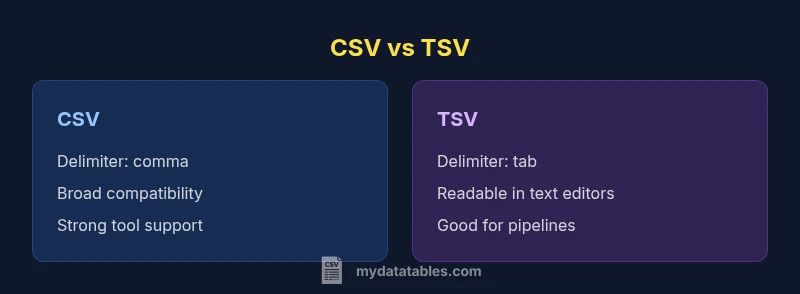
CSV vs TSV: Choosing the Right Delimiter for Your Data
A rigorous, objective comparison of CSV and TSV formats, covering delimiters, quoting, compatibility, performance, and best-use scenarios to help data analysts decide in 2026.


For most data workflows, CSV remains the safer default, while TSV offers a human-friendly alternative for text editors and line-oriented tooling. The choice depends on your environment: choose CSV for broad compatibility and spreadsheet support; choose TSV when readability and simple pipelines in Linux-ish ecosystems matter. Consider quoting rules, delimiters, and software expectations; testing on real data helps prevent surprises.
Why the question matters in 2026
The topic is csv or tsv better not just academic; it affects data reliability, reproducibility, and collaboration across teams. In practice, CSV (comma-delimited) remains the de facto default for data interchange because virtually every spreadsheet, database, and scripting language includes robust CSV support. MyDataTables notes that many data pipelines assume CSV by default, reducing friction when importing or exporting. TSV (tab-delimited) enters the conversation as a human-friendly alternative: the tab separator is easy to read in text editors, reduces the risk of accidental quoting confusion, and integrates smoothly with many command-line tools. However, TSV support is not universal across all consumer apps, and some processes expect quotes or other escaping standards. Your decision should reflect the ecosystems you touch most, the size and complexity of your data, and your team’s comfort with edge cases like embedded delimiters.
In short, is csv or tsv better? No single answer fits every project. The MyDataTables team recommends mapping your workflow: what tools do you use, how will teams collaborate, and what is the acceptance criteria for data quality? The answer will shift depending on whether you prioritize broad compatibility or readability and pipeline simplicity.
Core differences at a glance
Delimiters are the most visible difference, but they ripple through every stage of data handling. In CSV, the comma serves as the field separator, which is familiar but can complicate fields containing commas. TSV uses a tab as the delimiter, which often avoids that issue but depends on your tooling recognizing the tab as the separator consistently. Quoting rules vary by format and implementation: CSV frequently relies on quotes to escape embedded delimiters or line breaks, while TSV typically minimizes quoting unless the content itself contains tabs. That can affect how easily you can read, edit, or audit files in plain text editors. Another practical distinction is compatibility: CSV enjoys near-universal support across spreadsheet programs, databases, and ETL tools. TSV, while well-supported in programming and command-line contexts, may encounter friction in some GUI-based workflows or older software that expects CSV input by default. Finally, performance is not determined by the format alone; it depends on data density, encoding, and how your parser handles escaping, streaming, and line endings. In most environments, the differences are manageable; the right choice hinges on where and how the data will flow.
Practical implications for data workflows
Data workflows are sequences of steps: ingest, transform, validate, and export. The chosen delimiter subtly shapes every step. If your team relies on Excel or Google Sheets for quick data checks, CSV’s ubiquity often reduces friction during import and export. Conversely, if your pipeline is centered on scripting and command-line processing, TSV can simplify parsing because tabs are less likely to appear inside data fields. When you design a workflow, map compatibility: which tools will read or write the file, what encoding is required, and how will you handle quotes and embedded delimiters? Start with a pilot using a representative dataset and track how well each format integrates with the software stack, including data validation, error reporting, and version control. Documentation matters too: define the chosen format, the escaping rules, and the required newline conventions to minimize misinterpretation.
Practically, CSV tends to win for broad data exchange, but TSV has a place in environments where readability in plain text and straightforward parsing matter more than GUI-based convenience. MyDataTables emphasizes the importance of clearly defined standards and consistent tooling across projects to prevent format drift.
Encoding, escaping, and edge cases
Encoding choices (UTF-8 is standard today) affect portability and data integrity. Both CSV and TSV should be encoded consistently across systems; mismatches lead to mojibake and data corruption when characters appear in headers or fields. Quoting and escaping rules are where the formats diverge most. CSV typically follows RFC 4180: if a field contains a delimiter, quote it; embedded quotes are escaped by doubling them. TSV often relies on plain tabs as separators, so embedded tabs can complicate parsing unless a quoting convention is adopted—some tools support quotes, others do not. Windows vs. Unix line endings (CRLF vs. LF) can also cause subtle issues, especially when moving files between platforms. Always specify newline handling in your documentation and ensure your parsers can handle edge cases like empty fields, multiline fields, and trailing delimiters. Finally, verify that your data-generating processes consistently produce one newline per row and that your downstream tools treat empty lines as possible records or as noise.
Effective testing is essential: create a test suite that includes fields with commas, quotes, newline characters, and tabs, and validate round-trip integrity across the chosen format.
When to choose CSV
Choose CSV when interoperability is the primary goal. It’s the lingua franca of data interchange, supported by virtually all data analysis environments, databases, BI tools, and cloud services. If your data will be edited or reviewed by non-technical stakeholders, CSV’s ubiquitous tooling can reduce friction. It’s also a sensible default for automation pipelines: many scripting languages offer built-in or well-documented CSV parsers, and many ETL platforms assume CSV by default. If you anticipate frequent sharing with teams that rely on Excel, Google Sheets, or relational databases, CSV minimizes the risk of misinterpretation and parsing errors.
Best-for scenarios:
- General data exchange between apps
- Projects requiring broad compatibility and quick editing
- Environments with strong Excel/Sheets integration
When to choose TSV
TSV becomes attractive when readability in plain text editors matters or when pipelines favor simple token-based parsing. For teams operating in Unix-like environments or working with text-oriented pipelines (grep, awk, sed, etc.), TSV reduces the need for complex quoting rules and simplifies tracing data during reviews. TSV can also be preferable when the dataset contains many commas, but few tabs, making the tab delimiter less error-prone. Some programming languages and data-processing scripts also offer clearer tokenization with tabs, which can streamline development and maintenance. Finally, if collaboration happens primarily through version-control-backed text reviews, TSV’s line-oriented structure can be easier to diff and merge.
Best-for scenarios:
- Readability in text editors and quick reviews
- Unix/Linux-oriented data processing pipelines
- Datasets with embedded commas but minimal tabs
Handling large files and tooling compatibility
When dealing with large CSV or TSV files, performance is influenced more by I/O throughput and the efficiency of your parser than by the delimiter itself. Choose a streaming parser or a tool that supports chunked reads to avoid loading entire files into memory. In practice, CSV parsers in modern languages (Python, Java, JavaScript, etc.) handle large files well, but you should still consider memory usage and parallel processing options. Tooling compatibility varies by ecosystem: Excel and many BI tools are strongly CSV-oriented, while some text-processing pipelines lean toward TSV. If you frequently integrate with both GUI apps and command-line tools, document a preferred format and provide migration scripts or adapters to convert between CSV and TSV when needed. Assess your data validation steps; ensure your validators are aligned with your chosen format and escaping rules to prevent silent data corruption.
Real-world examples and pitfalls
Real-world data rarely behaves like theory. A common pitfall is assuming that quoting is always required in CSV; some tools may misinterpret quotes or fail when encountering multiline fields. Another mistake is using comma as a delimiter while fields contain unescaped commas, producing broken rows. For TSV, the main risk is inconsistent handling of tabs within data; if a dataset includes tab characters, you must decide whether to quote or escape, and ensure downstream tools honor those conventions. When migrating between formats, prioritize a deterministic migration plan: map headers, preserve data types, and test edge cases with a representative subset. Include metadata about the format, encoding, and escaping rules in your data catalog so future users understand constraints. Finally, beware regional software defaults; some regional installations of spreadsheet software treat separators differently, which can create compliance gaps if teams are not aligned.
Testing and migration checklist
- Define the target format (CSV or TSV) and record the rationale
- Verify encoding is consistent (prefer UTF-8)
- Create a representative test file with tricky fields (commas, tabs, newlines)
- Validate read/write consistency in all consuming tools
- Provide simple conversion scripts for teams needing alternate formats
- Document escaping rules and newline conventions for future users
Comparison
| Feature | CSV | TSV |
|---|---|---|
| Delimiter | , (comma) | (tab) |
| Quoting & escaping | RFC 4180 quoting; embedded delimiters require quotes | Minimal quoting; tabs used as delimiter; escaping less standardized |
| Readability in editors | Moderate readability; fields may be long | High readability; tabs separate fields clearly |
| Tooling support | Broad, including Excel, Sheets, databases, languages | Strong in scripting and Unix tools; variable GUI support |
| Best-use scenarios | General data exchange and broad ecosystem compatibility | Code pipelines and text-focused workflows with simple parsing |
| Performance/size considerations | Data-dependent; similar storage footprint | Data-dependent; simple tokenization can improve parsing speed |
Pros
- CSV is universally supported across apps and languages
- CSV typically yields smaller, simpler files for exchange
- TSV offers improved readability in text editors and reduces quoting needs
Weaknesses
- CSV can require quoting for many edge cases, complicating parsing
- TSV has uneven support in GUI tools and older software
- Both formats depend on correct handling of newlines and encodings
CSV generally wins for compatibility; TSV is preferable for readability in text-centric workflows
For most teams, start with CSV to maximize tool support. Consider TSV if your workflow emphasizes human review and simple command-line processing; test with real data to confirm downstream compatibility.
People Also Ask
Which is more widely supported by spreadsheet programs like Excel and Google Sheets?
CSV is generally more widely supported by spreadsheet programs, making it the safer default for data exchange. TSV can be read by many tools as well, but you may encounter GUI limitations in some apps. Always test with your toolset.
CSV is usually the safest bet for spreadsheets; TSV works too but may cause issues in some GUI apps.
How do quoting rules differ between CSV and TSV?
CSV relies on quoting to handle embedded delimiters and line breaks, per RFC 4180. TSV typically avoids quoting by using tabs as delimiters, which reduces need for quotes but can lead to ambiguity if tabs appear in data.
CSV uses quotes for embedded delimiters; TSV relies more on the tab delimiter and less on quoting.
Can CSV handle fields with commas or newlines?
Yes, CSV can handle them by quoting the field; ensure your parser adheres to the standard quoting rules. TSV can handle newlines more predictably but requires careful handling when tabs appear in data.
CSV uses quotes to enclose fields with commas or newlines; TSV may be simpler for tabs but needs care with data content.
Is TSV better for version control and readability?
TSV is often easier to read in plain text and diffs can be clearer when fields are separated by tabs. However, it may not be as well-supported by GUI tools, which can complicate collaboration.
TSV can be nicer to read in text form, but CSV usually wins in GUI tool compatibility.
How should I decide when integrating with Linux tools?
If your workflow heavily uses command-line tools, TSV can be natural to parse with simple cut/grep/awk pipelines. CSV is still manageable, but you may encounter more quoting handling challenges.
For Linux pipelines, TSV often fits cleanly; CSV remains workable with proper quoting rules.
What about performance and file size?
Performance and size depend more on data density and encoding than the delimiter. Both formats are lightweight, and choosing a streaming parser can improve performance for large datasets.
Performance is data-dependent; both formats are lightweight and can be streamed efficiently.
Main Points
- Start with CSV for broad compatibility
- Use TSV where readability and simple pipelines matter
- Test format handling with edge cases before production
- Document rules for quoting, escaping, and line endings