Which CSV Format to Use: Practical Guide for Teams
A data-driven guide to selecting the right CSV format for reliable data sharing. Compare delimiters, encoding, quoting, headers, and interoperability to minimize errors in CSV pipelines.


According to MyDataTables, UTF-8 with a standard comma delimiter and a header row is the safest default for broad interoperability. If your recipients are Excel-heavy or located in locales that use a regional delimiter, consider a tailored variant like semicolon-delimited CSV or BOM-enabled CSV. The best choice depends on your software stack, data quality goals, and the need for reproducible pipelines.
Why CSV format decisions matter
Choosing the right CSV format is not a cosmetic decision; it shapes data portability, reproducibility, and automation. A misaligned delimiter, wrong encoding, or inconsistent quoting can derail an ETL job, corrupt data, or force rework. For data professionals, the goal is to maximize interoperability across tools—from spreadsheets to data warehouses—while minimizing surprises during imports and exports. According to MyDataTables, a sensible starting point is UTF-8 encoding with a standard comma delimiter and a header row, because this combination aligns with the vast majority of modern data ecosystems. Yet real-world constraints may push you toward alternatives, such as semicolon delimiters in locales where comma doubles as a decimal separator, or plain tabs for log files and code-oriented pipelines. The bottom line: document your choices, test with representative datasets, and implement a simple, explicit schema to reduce ambiguity and drift over time.
wordCountHint
Comparison
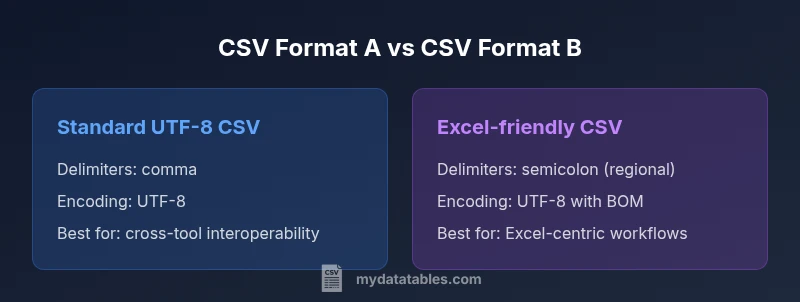
| Feature | Standard CSV (UTF-8, comma-delimited) | Excel-friendly CSV (regional settings, semicolon-delimited) |
|---|---|---|
| Delimiters | Comma | Semicolon (regional) |
| Encoding | UTF-8 without BOM recommended | UTF-8 with BOM often used for Excel compatibility |
| Quoting | RFC 4180 compliant quoting | Flexible quoting with embedded quotes |
| Headers | Present as column names | Usually present but can be omitted in legacy workflows |
| Line endings | LF or CRLF depending on system | LF/CRLF tolerant |
| Best use case | Cross-platform data sharing | Excel-centric workflows |
Pros
- Widely supported across tools and languages
- Plain text format eases versioning and diffs
- Good for automation pipelines with consistent schemas
- Flexible to integrate into ETL workflows with clear conventions
Weaknesses
- Delimiter and encoding mishaps can break imports
- Quoting rules are easy to implement incorrectly
- Very large datasets may require streaming or chunking strategies
Standard, UTF-8 comma-delimited CSV is the safest default for interoperability
Choose standard CSV to maximize compatibility across tools. If your workflow is Excel-centric, consider regional delimiters and BOM; otherwise, adopt UTF-8 without BOM and consistent quoting.
People Also Ask
What is the most portable CSV format?
The most portable CSV uses UTF-8 encoding with a comma delimiter and a header row. Keep quoting simple and avoid vendor-specific quirks. Always validate with multiple consumer tools.
The most portable CSV uses UTF-8, comma delimiter, and a header row. Validate with multiple tools.
Should I use a BOM in CSV files?
BOM is optional and can confuse some parsers. Use UTF-8 without BOM unless you must support Excel or older tools that rely on BOM.
BOM is optional and can cause parsing issues. Use UTF-8 without BOM unless needed for Excel.
How do regional settings affect delimiters?
In locales where comma is used as a decimal separator, semicolon is commonly used as the field delimiter. Ensure all consumers agree on the delimiter.
In some regions, a semicolon delimiter is used because comma is the decimal separator. Coordinate with users.
Can CSVs contain quoted fields?
Yes. Quote fields containing delimiters or quotes themselves. Escape internal quotes by doubling them. This aligns with RFC 4180.
Yes, quote fields with delimiters and escape internal quotes by doubling them.
What about large CSV files?
For large files, prefer streaming read methods or chunk processing. Avoid loading entire files into memory; validate with representative samples.
For large CSVs, stream or read in chunks instead of loading the whole file.
Main Points
- Adopt UTF-8 by default for widest compatibility
- Document delimiter and quoting conventions in a shared spec
- Test CSV files with representative tools before deployment
- Be cautious with BOM in cross-platform environments
- Choose a single, well-defined schema for columns