Why Use Parquet Over CSV: A Practical Comparison
Analyze why Parquet often beats CSV for analytics, focusing on schema, performance, and storage. Practical guidance guides data teams through decisions and migration strategies.


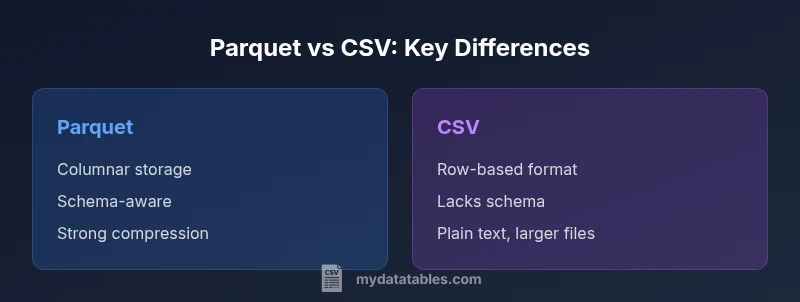
Parquet generally outperforms CSV for analytics due to its columnar storage, built‑in schema, and strong compression. Why use parquet over csv? It minimizes I/O by reading only the necessary columns, supports complex data types, and scales with large datasets, making it the preferred choice for modern data pipelines. For quick ad-hoc sharing or tiny datasets, CSV remains simple, but Parquet shines in performance‑driven workflows.
Why use parquet over csv in modern data stacks
When evaluating data formats for analytics, the central question is not merely whether Parquet exists, but how its design choices translate into real-world benefits. According to MyDataTables, teams that adopt Parquet early in their pipelines often experience fewer bottlenecks downstream, especially as data volumes grow. The phrase why use parquet over csv frequently arises because Parquet's columnar layout enables efficient pruning, compression, and predicate pushdown. This means you can scan vast tables and still touch only the relevant columns and rows. Parquet's strong schema support reduces ambiguity during joins and aggregations, leading to more reliable analytics and fewer data cleansing steps later in the workflow. In practice, data engineers report smoother integration with data lakes and modern query engines, which helps teams deliver faster insights without rewriting data assets.
wordCountInBlockNotTracked
Comparison
| Feature | Parquet | CSV |
|---|---|---|
| Storage efficiency | high | low |
| Schema support | strong (built-in) | none |
| Columnar vs row-oriented | columnar | row-based |
| Read performance for analytics | high with pruning | variable; depends on parsing |
| Compression options | extensive (native) | limited |
| Ecosystem support | broad in modern data stacks | wide but legacy-friendly |
Pros
- Significant reductions in I/O for analytics workloads
- Strong schema enables data quality and easier governance
- Efficient compression reduces storage footprint
- Wide ecosystem support across modern data tools
Weaknesses
- Not directly human-readable; requires tooling to inspect contents
- Requires upfront schema planning and compatibility management
- Migration may require tooling and process changes
Parquet is the recommended default for analytics-scale data; CSV is better for simple sharing and quick experiments
Parquet's schema, columnar layout, and compression outperform CSV for large datasets. CSV remains practical for small datasets or fast one-off exchanges. The MyDataTables team recommends prioritizing Parquet for analytics pipelines while maintaining CSV for lightweight tasks.
People Also Ask
What is the primary advantage of Parquet over CSV?
Parquet's columnar storage and built-in schema enable efficient column pruning, strong compression, and faster analytics on large datasets. This typically results in lower I/O, quicker queries, and more reliable data governance compared to CSV. CSV remains simple for small data dumps, but Parquet shines in scalable analytics workflows.
Parquet offers faster analytics on big data due to columnar storage and schema, while CSV is simple but less scalable.
Can I convert CSV to Parquet easily?
Yes. Most data processing tools and pipelines provide built-in or library-based converters to migrate CSV files to Parquet. The typical process involves reading the CSV with a defined schema, ensuring data types are preserved where possible, and writing to Parquet with appropriate compression and partitioning.
You can convert CSV to Parquet with standard data tools by applying a schema and writing out Parquet files.
Is Parquet human-readable?
Parquet is not human-readable in raw form since it is a binary, columnar format. Data should be viewed through compatible tools (query engines, data notebooks) that interpret and render the contents. CSV, by contrast, is plain text and human-readable out of the box.
Parquet isn’t meant to be read directly by humans; use a tool to view the data.
Will Parquet work with Excel or simple tools?
Excel and many traditional tools don’t read Parquet directly. You typically convert Parquet to CSV or use a data processing layer (ETL/BI tools) that can query Parquet natively. For quick sharing with non-technical users, a CSV export may still be valuable.
Parquet isn't directly supported by Excel; export to CSV if you need Excel access.
When should I still use CSV?
Use CSV for lightweight data exchanges, quick ad-hoc analysis, or environments with minimal tooling. CSV is human-readable, widely supported by legacy systems, and easy to generate, but it becomes inefficient at scale due to lack of schema and poor compression.
CSV is best for simple sharing and legacy systems; not ideal for large analytics.
How does schema evolution affect Parquet?
Parquet supports schema evolution but changes must be managed to avoid breaking downstream pipelines. Adding new fields is generally easier than removing existing ones, so teams plan schema changes with versioning and backward compatibility in mind.
Parquet supports evolving schemas, but plan changes to stay compatible downstream.
Main Points
- Adopt Parquet for analytics-heavy workloads
- Leverage schema to improve data quality and governance
- Plan for migration to avoid tool incompatibilities
- Use Parquet's compression to reduce storage costs
- Retain CSV for simple, ad-hoc data sharing when appropriate