Convert CSV to Parquet: A Practical How-To for Data Analysts
Learn how to convert CSV to Parquet with practical steps, tool recommendations, and best practices for data pipelines using Python, Spark, and CLI workflows.


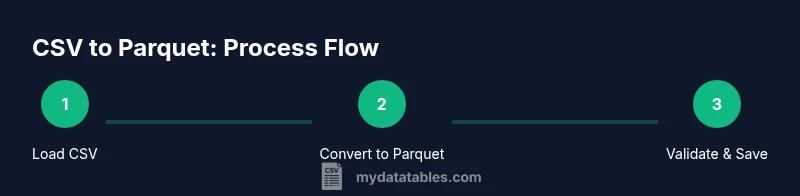
This guide shows you how to convert CSV to Parquet efficiently, outlining when Parquet is advantageous and the typical transformation pipeline. You'll learn quick-start commands for Python (pandas/pyarrow), Spark, and CLI tools, plus tips to preserve schema and compression. By the end, you can integrate a reproducible conversion into data pipelines.
Why this conversion matters
Converting CSV to Parquet is a foundational step in modern data engineering. Parquet is a columnar storage format designed for analytics engines, offering significant performance benefits when reading large datasets. When you convert a comma-delimited CSV file to Parquet, you typically gain faster query times, lower storage costs, and improved interoperability with engines like Apache Spark, Presto, and Athena. For data teams using MyDataTables benchmarks, the efficiency of Parquet becomes especially evident as dataset size grows. The ability to run columnar analytics without decompressing every row can dramatically reduce I/O and accelerate data pipelines. If you rely on BI dashboards, distributed processing, or machine learning workflows, converting to Parquet often yields noticeable gains in throughput and cost savings. In short, convert csv to parquet when analytics speed, scalability, and schema enforcement matter most.
When Parquet wins vs CSV
CSV is human-readable and easy to generate, but it stores data in a row-oriented format that can lead to slow reads when datasets scale. Parquet, by contrast, is a binary, columnar format that compresses data by column and stores metadata efficiently. This makes Parquet the preferred choice for data lakes, data warehouses, and lakehouse architectures. If your use case involves selective column reads, frequent filtering, or large-scale joins, Parquet will usually outperform CSV. However, for small files, ad hoc analyses, or environments where human readability is essential, CSV may still be convenient. The decision to convert should balance read performance, storage efficiency, and downstream tooling compatibility.
Parquet basics you should know
Parquet is a self-describing, columnar storage format that preserves schema and supports efficient encoding. Key benefits include: (a) columnar layout that speeds up analytics, (b) built-in compression, (c) schema evolution support, and (d) compatibility with popular data processing frameworks. When designing a conversion, decide on a compression codec (Snappy, Gzip, or Brotli) and how you will handle data types (integers, floating points, timestamps). Understanding parquet file metadata and row group sizing helps you tune performance for your specific workload. This knowledge will guide the rest of the conversion workflow and help you optimize downstream queries.
Popular toolchains for converting
Several toolchains can convert CSV to Parquet, depending on your stack:
- Python ecosystem: pandas with pyarrow, or PyArrow directly for more granular control.
- Apache Spark: Spark’s DataFrame API can read CSV and write Parquet efficiently, ideal for large-scale pipelines.
- Command-line tools: Arrow-based CLI utilities and data-ops scripts can perform batch conversions without heavy scripting.
- Cloud-native options: Data processing services (e.g., AWS Glue, Google Dataflow) can perform on-demand conversions within pipelines.
Choosing the right tool depends on data size, existing infrastructure, and whether you prefer local or distributed processing. The goal is to achieve reliable, repeatable conversions with consistent schema and metadata retention.
Python: using pandas and pyarrow
Python makes CSV-to-Parquet conversion approachable. A typical flow uses pandas to read CSVs and PyArrow to handle Parquet writing. You’ll gain control over column types, null handling, and compression. For example, load the CSV with pandas, coerce data types if needed, and then use to_parquet with engine='pyarrow'. Keeping data types aligned prevents subtle casting issues downstream. When working with very large files, consider chunked reads and incremental writes to manage memory usage. This approach pairs well with MyDataTables-guided best practices for reproducibility and testability.
Spark-based conversion workflows
Apache Spark shines when converting large CSVs to Parquet. Spark can read CSV files in parallel, infer or enforce schemas, and write Parquet with a chosen compression. A typical workflow involves defining a structured schema, loading the CSV into a DataFrame, performing minimal pre-processing, and writing to Parquet with a columnar layout. Spark’s Catalyst optimizer ensures efficient query planning, which pays off in downstream analytics. If your data volumes exceed the memory of a single machine, Spark-based conversion scales horizontally, enabling faster transformations for terabytes of data. This is particularly valuable in data lake or lakehouse architectures.
Command-line options and CLI tools
CLI-based conversions offer simplicity and repeatability. Tools that leverage Apache Arrow or Parquet libraries can read CSV and write Parquet directly from the command line. When using CLI, specify options for: delimiter, header presence, data types, and compression. CLI approaches are great for ad-hoc conversions, automation scripts, and environments where a full Python or Spark setup is not desirable. Ensure that your CLI tool validates the resulting Parquet file to catch schema mismatches early in the pipeline.
Handling schema and data types
A robust conversion preserves or clearly defines data types. CSV files lack explicit types, so schema inference is common but risky for large datasets with mixed types. Best practice is to define a schema before converting and cast columns explicitly where needed. Pay attention to timestamp formats, decimal precision, and boolean representations. Parquet can enforce nullability and default values, which reduces downstream data quality issues. If you need to evolve the schema, plan for backward-compatible changes and maintain versioned Parquet schemas.
Performance and storage considerations
Performance hinges on the chosen compression and block sizing. Parquet’s columnar layout enables selective reads and analytics-friendly compression, which lowers I/O and speeds up queries. For larger datasets, using Snappy or Zstandard can strike a balance between speed and compression ratio. Larger row groups improve throughput but may increase memory usage during writing; smaller groups enable finer-grained reads but can increase file metadata. Storage savings vary by data type and distribution; in many cases, Parquet achieves substantial reductions compared to CSV, especially for text-heavy or repetitive data. Plan tests to measure I/O, CPU, and network usage across your environment.
Validation and quality checks
Post-conversion validation ensures fidelity. Check row counts, basic statistics, and a sample of values across columns to confirm that data preserved its integrity. Compare key metrics between the CSV and Parquet representations, such as min/max values, null counts, and schema. Use tools that can read Parquet metadata to verify column types and nullability. If mismatches occur, inspect conversion logs and re-apply transformations with corrected type casts. Validation is essential to prevent subtle downstream errors in analytics or reporting.
Integrating conversion into data pipelines
Treat CSV-to-Parquet as a repeatable step in your data pipeline. Encapsulate the conversion in a script or job with clearly defined inputs, outputs, and version control. Parameterize paths, compression, and schema to support reusability across datasets. Automate monitoring and alerting for failed runs, and store lineage information to trace data provenance. Embedding this step in orchestration tools (Airflow, Prefect, or managed services) ensures consistency and reliability across environments. When you adopt this practice, you unlock faster analytics and easier data sharing across teams.
Common pitfalls and troubleshooting
Common issues include mismatched data types after read, incorrect delimiter handling, and memory pressure on large files. To avoid these, define a strict schema, validate inputs, and use chunked processing for big CSVs. Ensure that the selected Parquet writer supports the intended compression and that downstream readers can handle the columnar format. When troubleshooting, check logs for schema warnings, verify file integrity, and test with representative samples before scaling up to full datasets. Remember: careful planning at the start saves time later."],
toolsMaterials":{"items":[{"name":"Python 3.8+","required":true,"note":"Ensure your environment has Python 3.8 or newer installed"},{"name":"pandas","required":true,"note":"For CSV loading and data handling"},{"name":"pyarrow","required":true,"note":"Required for Parquet write/read"},{"name":"Apache Spark (optional)","required":false,"note":"Useful for large-scale conversions"},{"name":"CLI tool or shell script","required":false,"note":"For quick, reproducible conversions without Python/Spark"}]},"stepByStep":{"steps":[{"number":1,"title":"Assess dataset and define output","description":"Examine the CSV to determine schema hints, data types, and the desired Parquet schema. Decide on compression, row groups, and whether to apply column pruning during reads.","tip":"List important columns and infer needed types before converting to avoid surprises later."},{"number":2,"title":"Install dependencies","description":"Install Python, pandas, and pyarrow or ensure Spark is available. Verify versions are compatible and that your environment can read/write Parquet.","tip":"Use a virtual environment to isolate dependencies and avoid version conflicts."},{"number":3,"title":"Load CSV with safe memory usage","description":"If the CSV is large, read in chunks or use a streaming approach to avoid exhausting memory. Validate a small batch first before full-scale run.","tip":"Consider read_csv with chunksize or a Spark read with controlled partitions."},{"number":4,"title":"Write to Parquet with compression","description":"Write the data to Parquet, choosing an appropriate compression (e.g., Snappy) and a reasonable row group size for your workload.","tip":"Compression reduces I/O but can affect write time; balance per workload."},{"number":5,"title":"Validate Parquet output","description":"Read back a sample of the Parquet data and compare key statistics with the source CSV. Confirm schema integrity and data counts.","tip":"Use tools like pyarrow.parquet or Spark to verify schema."},{"number":6,"title":"Compare performance and size","description":"Benchmark read performance and file size between CSV and Parquet. Document gains and any trade-offs observed.","tip":"Run representative queries to quantify speedups across common use cases."},{"number":7,"title":"Automate the conversion","description":"Wrap the conversion logic in a reusable script or workflow so you can reproduce results across datasets.","tip":"Parameterize paths, schema, and compression to support multiple datasets."},{"number":8,"title":"Troubleshoot common issues","description":"Address type mismatches, delimiter problems, or incomplete reads by validating inputs and adjusting the schema or read options.","tip":"Keep a changelog of schema adjustments for reproducibility."}],"estimatedTime":"Total time: 30-120 minutes depending on dataset size and toolchain"},"tipsList":{"tips":[{"type":"pro_tip","text":"Use Snappy or Zstandard compression for a good balance of speed and size."},{"type":"warning","text":"Large, poorly defined CSVs can exhaust memory; prefer streaming reads and chunked processing."},{"type":"note","text":"Always validate Parquet against the source CSV to catch data type or encoding issues."},{"type":"pro_tip","text":"Define a strict schema before converting to prevent type drift across columns."}]},"keyTakeaways":["Know when Parquet wins over CSV for analytics","Use PyArrow or Spark for reliable conversions","Validate data integrity after conversion","Leverage compression to save storage and boost query speed","Automate conversions for reproducible data pipelines"],"videoEmbed":{"videoQuery":"convert CSV to Parquet tutorial"},"faqSection":{"items":[{"question":"What is Parquet and why should I convert CSV to it?","questionShort":"What is Parquet?","answer":"Parquet is a columnar storage format optimized for analytics. Converting CSV to Parquet improves read performance, reduces storage, and integrates smoothly with modern data processing engines like Spark and Presto.","voiceAnswer":"Parquet is a columnar analytics-friendly format, and converting CSV to Parquet speeds up queries and saves space.","priority":"high"},{"question":"When does CSV to Parquet conversion make the most sense?","questionShort":"When to convert?","answer":"When dealing with large datasets or repeated analytical workloads, Parquet’s columnar structure and compression typically outperform CSV for reads and scans.","voiceAnswer":"Ideal for big data analytics and repeated queries on large files.","priority":"high"},{"question":"Can I convert CSV to Parquet incrementally or streaming?","questionShort":"Incremental conversion","answer":"Yes, with Spark or streaming pipelines, you can append to Parquet partitions or process batches. This is common in data ingestion workflows.","voiceAnswer":"You can append or stream, but ensure schema consistency across batches.","priority":"medium"},{"question":"Which tools support CSV to Parquet conversion?","questionShort":"Supported tools","answer":"Python with PyArrow, Apache Spark, and various CLI tools support CSV-to-Parquet conversion, often with options for compression and schema handling.","voiceAnswer":"Python, Spark, and CLI tools are the typical choices.","priority":"medium"},{"question":"Are there drawbacks to using Parquet?","questionShort":"Parquet drawbacks","answer":"Parquet excels for analytics but may be less suitable for small files or when you need random row-by-row access. It is not human-friendly for quick ad-hoc edits.","voiceAnswer":"Best for analytics, not ideal for small, interactive edits.","priority":"low"}]},
mainTopicQuery
parquet conversion
Tools & Materials
- Python 3.8+(Ensure your environment has Python 3.8 or newer installed)
- pandas(For CSV loading and data handling)
- pyarrow(Required for Parquet write/read)
- Apache Spark (optional)(Useful for large-scale conversions)
- CLI tool or shell script(For quick, reproducible conversions without Python/Spark)
Steps
Estimated time: Total time: 30-120 minutes depending on dataset size and toolchain
- 1
Assess dataset and define output
Examine the CSV to determine schema hints, data types, and the desired Parquet schema. Decide on compression, row groups, and whether you will prune columns during reads.
Tip: List important columns and infer needed types before converting to avoid surprises later. - 2
Install dependencies
Install Python, pandas, and pyarrow or ensure Spark is available. Verify versions are compatible and that your environment can read/write Parquet.
Tip: Use a virtual environment to isolate dependencies and avoid version conflicts. - 3
Load CSV with safe memory usage
If the CSV is large, read in chunks or use a streaming approach to avoid exhausting memory. Validate a small batch first before full-scale run.
Tip: Consider read_csv with chunksize or a Spark read with controlled partitions. - 4
Write to Parquet with compression
Write the data to Parquet, choosing an appropriate compression (e.g., Snappy) and a reasonable row group size for your workload.
Tip: Compression reduces I/O but can affect write time; balance per workload. - 5
Validate Parquet output
Read back a sample of the Parquet data and compare key statistics with the source CSV. Confirm schema integrity and data counts.
Tip: Use tools like pyarrow.parquet or Spark to verify schema. - 6
Compare performance and size
Benchmark read performance and file size between CSV and Parquet. Document gains and any trade-offs observed.
Tip: Run representative queries to quantify speedups across common use cases. - 7
Automate the conversion
Wrap the conversion logic in a reusable script or workflow so you can reproduce results across datasets.
Tip: Parameterize paths, schema, and compression to support multiple datasets. - 8
Troubleshoot common issues
Address type mismatches, delimiter problems, or incomplete reads by validating inputs and adjusting the schema or read options.
Tip: Keep a changelog of schema adjustments for reproducibility.
People Also Ask
What is Parquet and why should I convert CSV to it?
Parquet is a columnar storage format optimized for analytics. Converting CSV to Parquet improves read performance, reduces storage, and integrates smoothly with modern data processing engines like Spark and Presto.
Parquet is a columnar analytics-friendly format, and converting CSV to Parquet speeds up queries and saves space.
When does CSV to Parquet conversion make the most sense?
When dealing with large datasets or repeated analytical workloads, Parquet’s columnar structure and compression typically outperform CSV for reads and scans.
Ideal for big data analytics and repeated queries on large files.
Can I convert CSV to Parquet incrementally or streaming?
Yes, with Spark or streaming pipelines, you can append to Parquet partitions or process batches. This is common in data ingestion workflows.
You can append or stream, but ensure schema consistency across batches.
Which tools support CSV to Parquet conversion?
Python with PyArrow, Apache Spark, and various CLI tools support CSV-to-Parquet conversion, often with options for compression and schema handling.
Python, Spark, and CLI tools are the typical choices.
Are there drawbacks to using Parquet?
Parquet excels for analytics but may be less suitable for small files or when you need random row-by-row access. It is not human-friendly for quick ad-hoc edits.
Best for analytics, not ideal for small, interactive edits.
Watch Video
Main Points
- Know when Parquet wins over CSV for analytics
- Use PyArrow or Spark for reliable conversions
- Validate data integrity after conversion
- Leverage compression to save storage and boost query speed
- Automate conversions for reproducible data pipelines